
1. Introduction
This manual provides comprehensive instructions for the GENGQIANSI remote control, designed for use with specific portable electric infrared space heaters. Please read this manual thoroughly before operating the remote control to ensure proper function and longevity.
Compatibility: This remote control is specifically designed for Lifelux LS-8WIQH-LB/DB, Life Smart LS-3eco, and Life Zone sgh-W6-wiq portable electric infrared space heaters. It is not a universal remote control. Please verify your heater model before use.

Figure 1: GENGQIANSI Remote Control, compatible with Lifelux, Life Smart, and Life Zone heaters.
2. Product Overview
The GENGQIANSI remote control features an intuitive button layout for easy operation of your compatible space heater. It includes dedicated buttons for temperature adjustment, mode selection, timer functions, and power control.

Figure 2: Remote Control Button Layout and Functions.
3. Setup
3.1 Battery Installation
- Locate the battery compartment on the back of the remote control.
- Open the battery compartment cover.
- Insert the required batteries (typically 2x AAA, not included) according to the polarity indicators (+/-).
- Close the battery compartment cover securely.
3.2 Initial Use
No programming is needed for this remote control. Once batteries are installed, it is ready for use with compatible heater models.
3.3 Wall Mount Case Installation
The remote control includes a wall mount case for convenient storage. To install:
- Choose a suitable location near your heater, ensuring easy access.
- Use appropriate screws (not included) to secure the wall mount case to the wall.
- Slide the remote control into the installed wall mount case.

Figure 3: Remote Control and Wall Mount Case.
4. Operating Instructions
Point the remote control directly at the infrared receiver on your space heater. Ensure there are no obstructions between the remote and the heater.
- Power Button (⏻): Press to turn the heater ON or OFF.
- Temp Up Button (▲): Increases the desired temperature setting.
- Temp Down Button (▼): Decreases the desired temperature setting.
- Hi / Low / Eco Modes (☀): Cycles through different heating modes (High, Low, Eco).
- On/Off Timer (⏱): Engages or adjusts the heater's timer function. Refer to your heater's manual for specific timer settings.
- Multi-function Button (⏸/🔒): This button cycles through one of three functions: Ambient Temperature display, Oscillation control, or Flame effect control, depending on your heater model.
- Lock Function: Long press the Multi-function Button (⏸/🔒) for 5 seconds to activate or deactivate the control lock function on the heater.
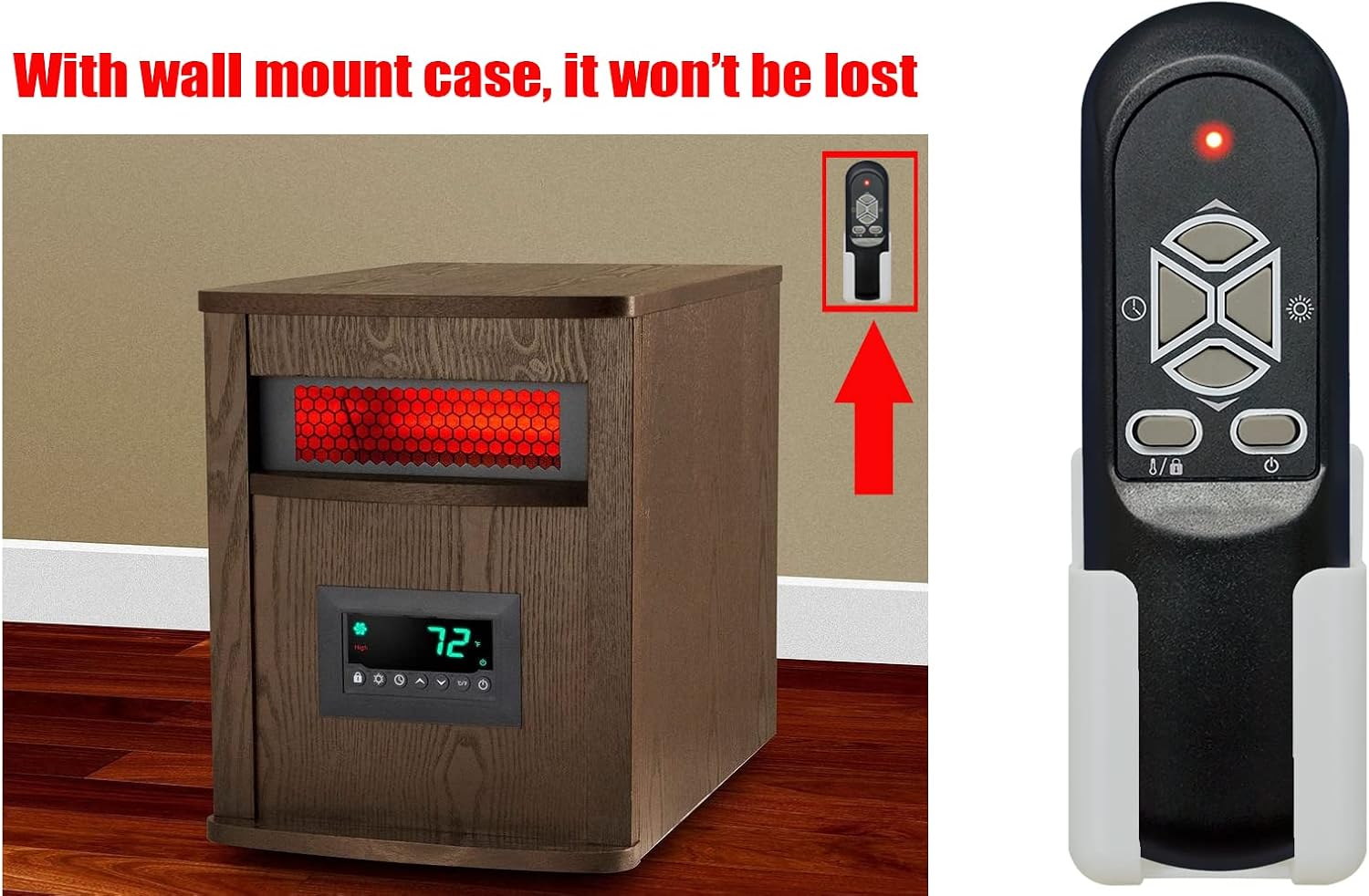
Figure 4: Remote control in use with a compatible space heater.
5. Maintenance
5.1 Cleaning
To clean the remote control, wipe it gently with a soft, dry cloth. Do not use abrasive cleaners, solvents, or wet cloths, as these can damage the surface or internal components.
5.2 Battery Replacement
If the remote control's range decreases or it becomes unresponsive, replace the batteries. Always replace all batteries at the same time with new ones of the same type. Dispose of used batteries responsibly according to local regulations.
6. Troubleshooting
- Remote not responding:
- Ensure batteries are correctly installed and not depleted. Replace if necessary.
- Check for any obstructions between the remote control and the heater's infrared receiver.
- Ensure you are within the effective operating range of the heater's receiver.
- Heater not responding to specific buttons:
- Verify that your heater model supports the specific function (e.g., oscillation, flame effect).
- Ensure the heater is powered on and in a state where the function can be activated.
7. Specifications
| Brand | GENGQIANSI |
| Model Name | A520230104B29 |
| Model Number | A520230104B29 |
| Compatible Devices | Lifelux LS-8WIQH-LB/DB, Life Smart LS-3eco, Life Zone sgh-W6-wiq Portable Electric Infrared Space Heaters |
| Connectivity Technology | Infrared |
| Button Quantity | 2 (main control buttons, plus directional pad) |
| Special Feature | Remote Control |
8. Warranty Information
This GENGQIANSI remote control comes with a 1-year warranty from the date of purchase. This warranty covers manufacturing defects under normal use. It does not cover damage caused by misuse, accidents, unauthorized modifications, or improper battery installation.
9. Customer Support
For any questions, concerns, or issues not covered in this manual, please contact the retailer or manufacturer's customer support. Please have your product model number (A520230104B29) and purchase information ready when contacting support.