
1. Important Safety Information
Always use the Asani Upkeeper Men's Body Hair Trimmer responsibly. For safe and effective use, follow these precautions:
- Ensure the trimmer is fully charged before use.
- Always inspect the trimmer for any damage or wear before using it.
- Use the adjustable guide comb for customized hair lengths and avoid using the trimmer without the guard.
- Clean the trimmer regularly and ensure it is dry before storing.
- Keep the trimmer away from water sources, except when using it in the shower with the IPX7 waterproof rating.
- Do not use the trimmer on infants or individuals with sensitive skin.
- Avoid using the trimmer near the eyes or face to prevent potential injury.
- Store the trimmer in a cool, dry place and keep it out of reach of children.
- Discontinue use if any irritation, discomfort, or injury occurs. Consult a healthcare professional if needed.
2. Product Overview and Setup
2.1 What's in the Box
Verify that all components are present in your package:
- Asani Upkeeper Trimmer
- Charging Stand
- USB-C Charging Cable
- Adjustable Trim Guard
- Cleaning Brush
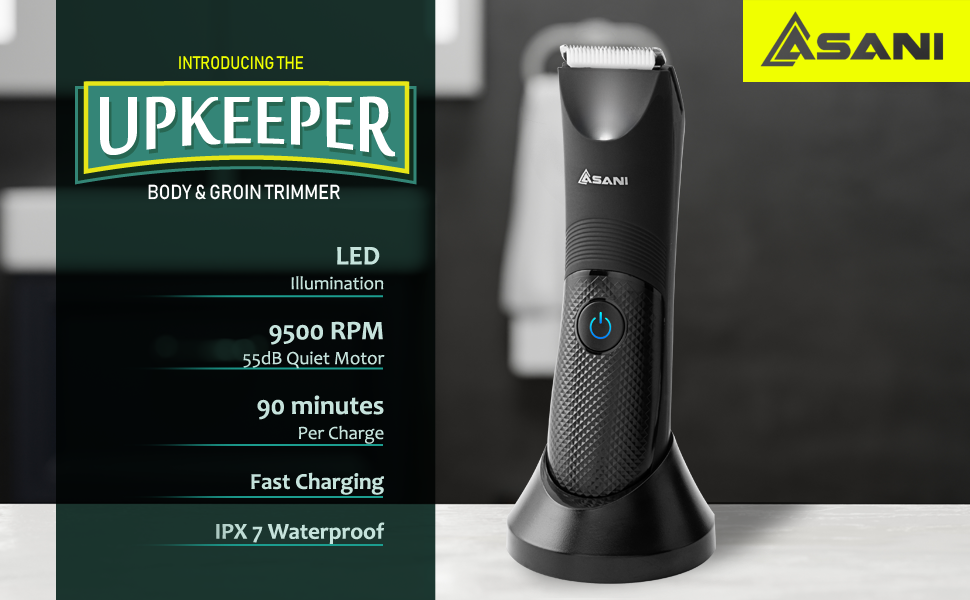
Image: Contents of the Asani Upkeeper package.
2.2 Charging the Trimmer
Before first use, fully charge the trimmer. A full charge takes approximately 90 minutes and provides up to 180 minutes of continuous operation.
- Connect the USB-C charging cable to the charging stand.
- Place the trimmer onto the charging stand, ensuring it is seated correctly.
- Connect the USB-A end of the cable to a compatible USB power adapter (not included) or a USB port.
- The LED indicator on the trimmer will show charging status.
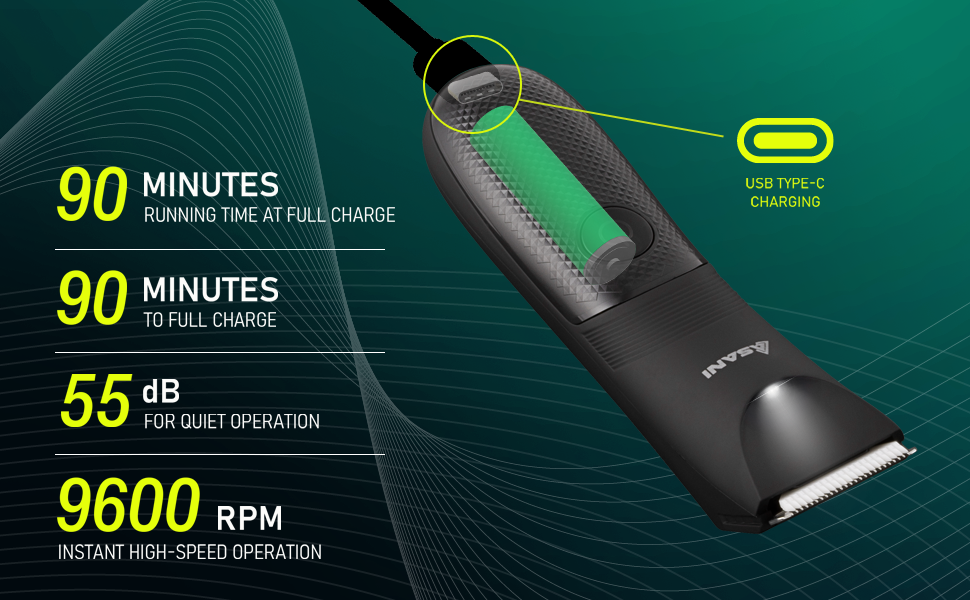
Image: Trimmer charging details and performance specifications.
3. Operating the Trimmer
3.1 General Use
The Asani Upkeeper Trimmer is designed for efficient and comfortable grooming across various body areas.
- Press the power button to turn the trimmer on.
- For best results, move the trimmer against the direction of hair growth.
- The integrated LED light provides illumination for precise trimming in low-light conditions.
- The ergonomic grip ensures comfortable handling during use.
3.2 Attaching and Detaching the Trim Guard
The adjustable trim guard allows for customized hair lengths.
- To attach: Align the trim guard with the trimmer head and gently push until it clicks into place.
- To adjust length: Slide the comb adjustment mechanism to select your desired hair length setting.
- To detach: Gently pull the trim guard away from the trimmer head.
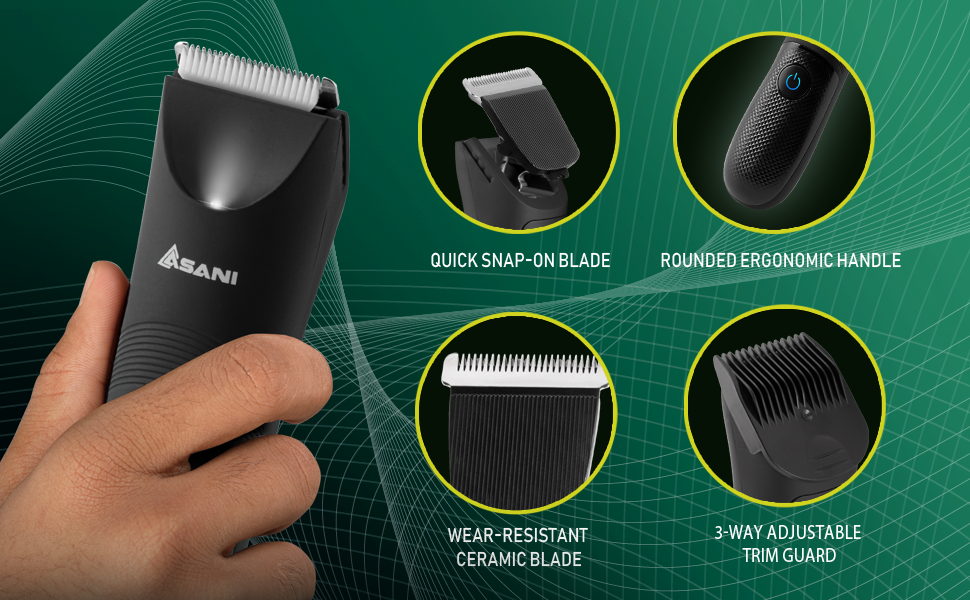
Image: Details of the ceramic blade and adjustable trim guard.
3.3 Wet or Dry Shaving
The trimmer features an IPX7 waterproof rating, allowing for versatile use.
- Dry Shaving: Use the trimmer on dry skin for quick touch-ups.
- Wet Shaving: The trimmer can be safely used in the shower with shaving cream or gel for a smoother experience.

Image: Trimmer demonstrating IPX7 waterproof capability.
4. Maintenance
4.1 Cleaning the Trimmer
Regular cleaning ensures optimal performance and hygiene.
- Turn off the trimmer before cleaning.
- Remove the blade head by gently pushing it off the trimmer body.
- Use the included cleaning brush to remove any trapped hairs from the blade and trimmer body.
- Rinse the blade head and trimmer body under running water. The IPX7 waterproof rating allows for easy rinsing.
- Allow all parts to air dry completely before reattaching the blade head and storing the trimmer.
4.2 Blade Care
The ceramic blade is designed for durability and sharpness. To maintain its performance:
- Avoid dropping the trimmer, as this can damage the ceramic blade.
- Ensure the blade is clean and free of debris before each use.
- Store the trimmer with the blade protected, ideally on its charging stand or in a protective pouch.
5. Troubleshooting
If you encounter issues with your Asani Upkeeper Trimmer, refer to the following common solutions:
- Trimmer not turning on: Ensure the trimmer is fully charged. Check the charging cable and adapter for proper connection.
- Reduced trimming performance: Clean the blade head and remove any accumulated hair. Ensure the blade is properly attached. The battery might be low; recharge the trimmer.
- Unusual noise during operation: Turn off the trimmer and inspect the blade head for any obstructions or damage. Clean thoroughly.
- Skin irritation: Ensure you are using the appropriate trim guard for sensitive areas. Always use on clean skin. If irritation persists, discontinue use.
If the problem persists after attempting these solutions, please contact customer support.
6. Specifications
| Feature | Detail |
|---|---|
| Model Name | Upkeeper |
| Model Number | 871 |
| Brand | Asani |
| Blade Material | Ceramic |
| Power Source | Battery Powered (USB-C Rechargeable) |
| Battery Capacity | 1000mAh |
| Charging Time | Approx. 90 minutes |
| Operating Time | Approx. 180 minutes |
| Motor Speed | 9600 RPM |
| Noise Level | 55dB |
| Waterproof Rating | IPX7 |
| Item Weight | 0.38 Kilograms |
| Color | Black |
7. Warranty and Support
7.1 Warranty Information
This product is covered by a manufacturer's warranty. Please refer to the packaging or the retailer's website for specific warranty terms and conditions. Keep your proof of purchase for warranty claims.
7.2 Customer Support
For any questions, concerns, or technical assistance, please contact Asani customer support through the retailer's platform or the official Asani website. Have your model number (871) and purchase date ready when contacting support.