
MINISFORUM UM450
MINISFORUM Venus Series UM450 Mini PC
Instruction Manual
1. Product Overview
The MINISFORUM UM450 is a compact and powerful Mini PC designed for a wide range of applications, from everyday computing to demanding tasks like image editing and light gaming. Featuring an AMD Ryzen 5 4500U processor, integrated AMD Radeon Graphics, and extensive connectivity options, it offers a versatile computing solution.

Front view of the MINISFORUM UM450 Mini PC, showcasing its compact design and included stand.

The UM450 Mini PC shown next to a keyboard and smartphone, illustrating its small footprint (12.8cm x 12.7cm x 5.1cm).
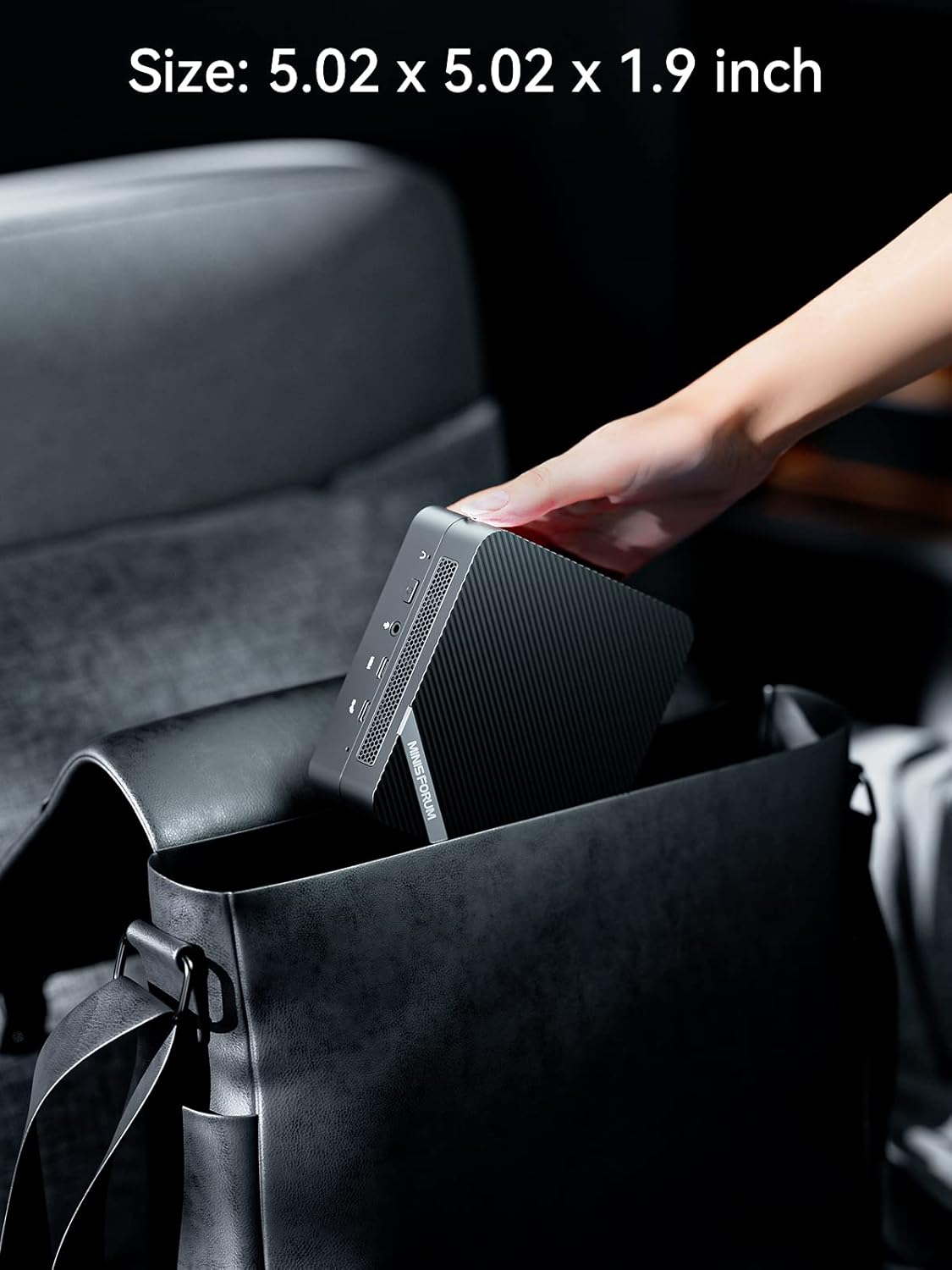
The compact size of the UM450 Mini PC allows for easy portability, fitting into a standard bag.

The UM450 is suitable for various applications including digital signage, video conferencing, work-from-home setups, and online education.
Key features include:
- Processor: AMD Ryzen 5 4500U (6 Cores/6 Threads, up to 4.0GHz) for smooth performance.
- Graphics: Integrated AMD Radeon Graphics (1500 MHz) supporting 4K@60Hz triple display output.
- Connectivity: 2.5Gbps LAN, WiFi 6 (802.11ax), and Bluetooth for superior network and peripheral connections.
- Storage & Memory: 16GB DDR4 RAM (expandable to 64GB) and 512GB PCIe SSD (expandable with 2.5-inch SATA HDD/SSD).
2. Initial Setup
Follow these steps to set up your MINISFORUM UM450 Mini PC:
- Connect Power: Plug the US Power Adapter into the DC 19V port on the back of the Mini PC, then connect it to a power outlet.
- Connect Display: Use an HDMI cable to connect your monitor(s) to the HDMI ports on the Mini PC. For triple display, utilize the two HDMI ports and one USB-C port.
- Connect Peripherals: Connect your keyboard, mouse, and other USB devices to the available USB ports.
- Connect Network: For wired internet, connect an Ethernet cable to the 2.5G LAN port. For wireless, the device supports WiFi 6.
- Power On: Press the power button located on the front of the Mini PC.

Detailed view of the front and rear ports, including DC 19V, 2.5G LAN, USB 3.2 Gen2 Type-A, HDMI, USB 2.0 Type-A, USB3.2 Type-C (DisplayPort 1.4), USB3.2 Gen2 Type-C (Data Only), 3.5mm Audio Jack, Power Button, and Clear CMOS button.

The UM450 supports VESA wall mounting for discreet placement behind a monitor, providing a clean workspace.
3. Operation
The MINISFORUM UM450 is designed for efficient and versatile operation.
Display Configuration
The Mini PC supports up to three independent displays simultaneously, enhancing productivity for multitasking environments.

The UM450 supports triple 4K@60Hz video streaming via two HDMI ports and one USB-C port, ideal for extended workspaces.
Network and Connectivity
Benefit from high-speed network capabilities:
- 2.5Gbps LAN: Provides significantly faster wired network speeds compared to standard Gigabit Ethernet, suitable for demanding network applications like software routers or firewalls.
- WiFi 6 (802.11ax): Offers improved wireless performance, higher bandwidth (up to 2.4 Gbps), and better efficiency in congested network environments compared to WiFi 5.
- Bluetooth: Integrated Bluetooth module for connecting wireless peripherals such as keyboards, mice, and audio devices.

Comparison illustrating the performance benefits of Wi-Fi 6 (802.11AX) over Wi-Fi 5 (802.11AC), including higher bandwidth and reduced latency.

The 2.5 Gbps LAN Ethernet port provides significantly faster wired network speeds for enhanced data transfer and network applications.
4. Maintenance and Upgrades
The MINISFORUM UM450 is designed for easy maintenance and component upgrades.
Memory and Storage Upgrades
The Mini PC comes with 16GB DDR4 RAM (2x8GB) and a 512GB PCIe SSD. You can upgrade these components:
- RAM: The two SODIMM slots support up to 32GB each, for a total of 64GB DDR4 RAM.
- SSD: The M.2 2280 PCIe SSD can be upgraded up to 2TB.
- HDD: An additional 2.5-inch SATA HDD slot supports up to 2TB for expanded storage (HDD not included).

Exploded view of the UM450 Mini PC showing internal components, including RAM, M.2 SSD, and the 2.5-inch SATA HDD slot.

Detailed diagram of memory and storage expansion options, highlighting the M.2 2280 PCIe SSD, 2.5-inch SATA HDD slot, and DDR4 SODIMM slots.
Thermal System
The UM450 features a high-efficiency thermal system to ensure stable performance:
- 360° Air Vents: Four air vents on the case promote fluent airflow.
- Smart Fan: Designed to create higher airflow at lower RPMs.
- Dual Heat Sink: Transfers large amounts of heat rapidly.
- Liquid Metal: Utilized for better thermal conductivity than traditional thermal paste.

Diagram illustrating the high-efficiency thermal system with 360° air vents, smart fan, dual heat sink, and liquid metal for optimal cooling.
5. Troubleshooting
This section provides solutions to common issues you might encounter with your MINISFORUM UM450 Mini PC.
- No Display Output:
- Ensure all display cables (HDMI, USB-C) are securely connected to both the Mini PC and the monitor.
- Verify the monitor input source is correctly selected.
- Try connecting to a different display or using a different cable to rule out faulty components.
- No Power:
- Check that the power adapter is firmly plugged into the Mini PC and the wall outlet.
- Ensure the wall outlet is functional by testing it with another device.
- If the power light on the Mini PC does not illuminate, contact support.
- Network Connectivity Issues:
- For wired connections, ensure the Ethernet cable is properly connected and the router is functioning.
- For Wi-Fi, check if the Wi-Fi adapter is enabled in the operating system settings.
- Restart your router/modem and the Mini PC.
- Verify Wi-Fi drivers are installed and up to date.
- System Freezes or Slow Performance:
- Ensure the Mini PC has adequate ventilation and is not overheating.
- Close unnecessary applications running in the background.
- Check for available system updates and driver updates.
- Run a system diagnostic or antivirus scan to check for software conflicts or malware.
6. Technical Specifications
Detailed specifications for the MINISFORUM UM450 Mini PC:
| Feature | Specification |
|---|---|
| Brand | MINISFORUM |
| Model Number | UM450 |
| Processor | AMD Ryzen 5 4500U (6C/6T, up to 4.0GHz) |
| Graphics Coprocessor | AMD Radeon™ Graphics (Graphics Frequency 1500 MHz) |
| RAM | 16 GB DDR4 (2x8GB, 2 SODIMM slots, max 64GB) |
| Hard Drive | 512GB PCIe SSD (M.2 2280, up to 2TB) |
| Additional Storage | 1x 2.5-inch SATA HDD Slot (up to 2TB) |
| Max Screen Resolution | 3840 x 2160 pixels (4K) |
| Video Output | 2x HDMI (4K@60Hz), 1x USB-C (4K@60Hz, DisplayPort 1.4) |
| LAN | 2.5Gbps LAN Port |
| Wireless Connectivity | WiFi 6 (802.11ax), Bluetooth |
| USB Ports | 2x USB 3.2 Gen2 Type-A, 2x USB 2.0 Type-A, 1x USB3.2 Gen2 Type-C (Data Only) |
| Audio | 3.5mm Audio Jack |
| Operating System | OS (Pre-installed) |
| Item Weight | 2.72 pounds (approx. 1.23 kg) |
| Dimensions | 6.42 x 6.38 x 4.49 inches (approx. 16.3 x 16.2 x 11.4 cm) |
| Color | Black |
7. Warranty and Support
MINISFORUM products are backed by a manufacturer's warranty. For specific warranty terms and conditions, please refer to the warranty card included with your product or visit the official MINISFORUM website.
For technical support, troubleshooting assistance, or warranty claims, please contact MINISFORUM customer service through their official channels. Have your product model number (UM450) and purchase details ready when contacting support.
Official MINISFORUM Store: Visit Store
Related documentsUM450

Ask a question about this manual
Ask about setup, troubleshooting, compatibility, parts, safety, or missing instructions. Manuals+ will review the question and use this page’s manual context to help answer it.