
HOU MF-11
HOU Keyboard Case User Manual
Model: MF-11
Introduction
This manual provides comprehensive instructions for the HOU Keyboard Case, Model MF-11. It covers compatibility, setup, operation, maintenance, and troubleshooting to ensure optimal use of your device.

Image: HOU Keyboard Case with an iPad, showcasing its design and functionality.
Compatibility
The HOU Keyboard Case (MF-11) is designed for specific iPad models. Please verify your iPad model before use to ensure full compatibility.
- iPad Air 11 inch 2025 (M3)
- iPad Air 11 inch 2024 (M2)
- iPad Pro 11 inch 4th Generation (Models: A2759/A2435/A2761/A2762)
- iPad Pro 11 inch 3rd Generation (Models: A2377/A2459/A2301/A2460)
- iPad Pro 11 inch 2nd Generation (Models: A2228/A2068/A2230/A2231)
- iPad Pro 11 inch 1st Generation (Models: A1980/A2013/A1934/A1979)
- iPad Air 4th Generation (Models: A2316/A2324/A2325/A2072)
- iPad Air 5th Generation (Models: A2588/A2589/A2591)
Important Note:
Due to magnet layout differences, this keyboard case is not compatible with iPad Pro M4 models.

Image: Visual guide detailing compatible iPad models and their corresponding generations.
Features Overview
The HOU Keyboard Case offers a range of features designed to enhance your iPad experience:
- Precision Trackpad: Features a full-area click trackpad with laser etching AG Glass and a linear motor for smooth gestures (scroll, swipe, tap) and zero lag.
- Floating Magic Stand: Magnetic suspension allows for 135° adjustable tilt, auto sleep/wake functionality, and military-grade hinges for stability.
- Slim & Premium Build: Ultra-thin design (0.57" / 1.4 lbs) with narrow-edge craftsmanship and easy-to-clean semi-silicone leather.
- 7-Color Eye-Care Backlight: Customizable backlight with 7 colors and 3 brightness levels. The 300mAh battery provides extended usage.
- Silent Tactile Keyboard: Designed for quiet keystrokes, ideal for various environments. Includes full iPadOS shortcuts and Hall-effect sensors for responsive typing.
- Quick Pairing: Achieves 1-second pairing for immediate use.

Image: Infographic highlighting key features such as shortcut keys, USB-C charging, hinge durability, adjustable tilt, auto sleep/wake, slim design, scissor keys, and weight.

Image: Close-up view of the trackpad, illustrating the "click-anywhere" functionality and signal towers for precision.

Image: Illustration of the 7-color backlight and the updated scissor key structure for improved typing.
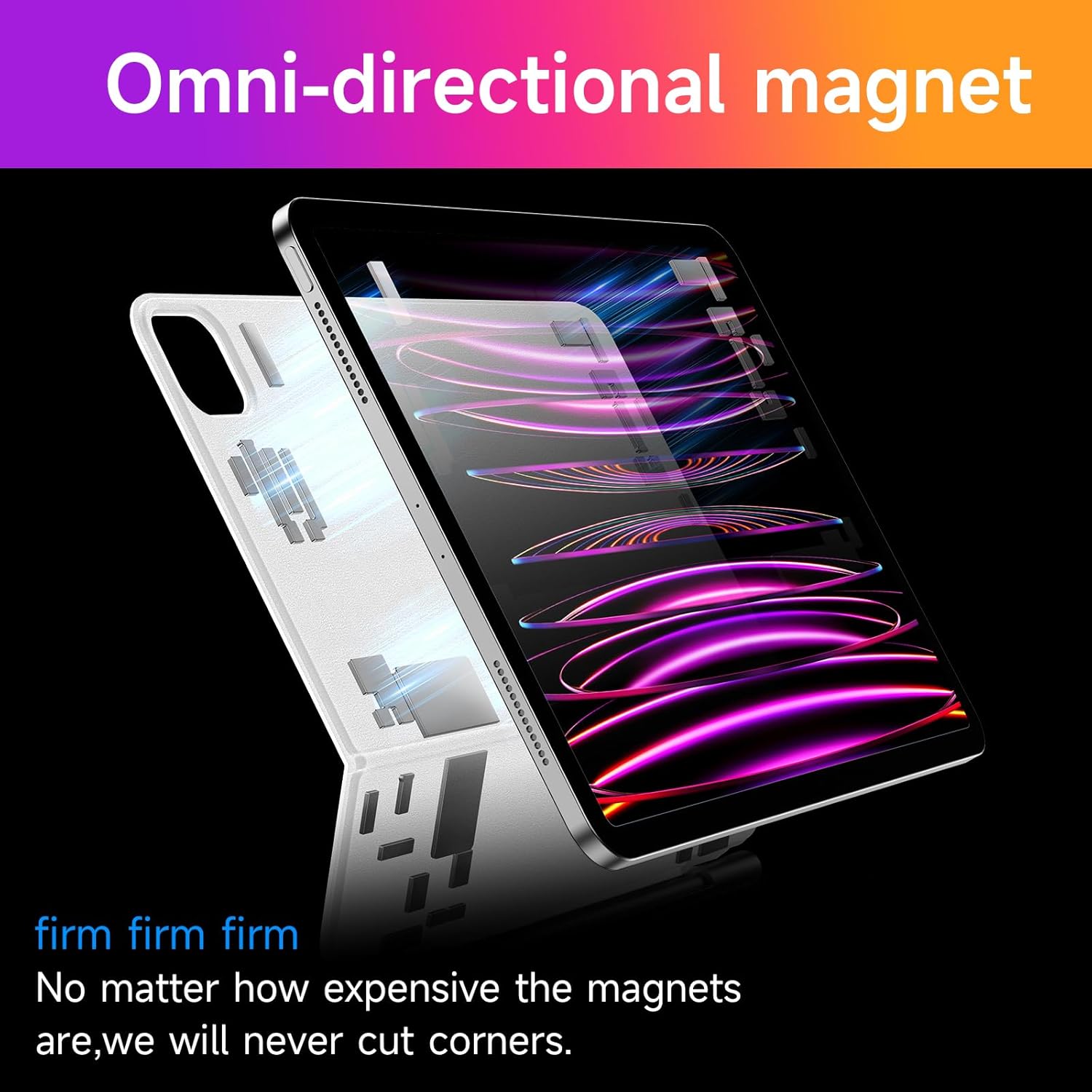
Image: Depiction of the omni-directional magnetic attachment mechanism for secure iPad placement.
Setup Instructions
1. Initial Connection
- Ensure your iPad's Bluetooth is enabled.
- Place your iPad securely into the HOU Keyboard Case. The magnetic connection will hold it in place.
- For the first-time pairing, hold down the FN + Control + R keys simultaneously for 3 seconds.
- The indicator light on the keyboard will flash blue, indicating it is in pairing mode.
- On your iPad, go to Settings > Bluetooth and select "HOU Keyboard" (or similar name) from the list of available devices.
- Once connected, the indicator light will turn off, and the keyboard is ready for use.
2. Trackpad Settings
To optimize trackpad functionality, it is recommended to enable "Tap to Click" on your iPad:
- Go to Settings > General > Trackpad.
- Toggle on the "Tap to Click" option.
Operating Instructions
Keyboard Usage
- Shortcut Keys: The keyboard features full iPadOS shortcut keys for quick access to common functions. Refer to your iPad's user guide for a complete list of iPadOS shortcuts.
- Backlight Adjustment:
- Press the backlight key (often indicated by a light bulb icon) to cycle through 7 colors.
- Press the brightness adjustment keys (often indicated by sun icons) to select from 3 brightness levels.
Trackpad Gestures
The multi-touch trackpad supports various gestures for efficient navigation:
- Single Finger Tap: Click/Select.
- Two-Finger Scroll: Scroll up or down on web pages and documents.
- Two-Finger Pinch: Zoom in or out.
- Three-Finger Swipe Up: Go to the Home screen.
- Three-Finger Swipe Up and Hold: Open the App Switcher.
- Three-Finger Swipe Left/Right: Switch between open applications.

Image: Visual representation of multi-touch trackpad gestures for managing files, browsing, and switching applications.
Magic Stand Adjustment
The magnetic stand allows for flexible viewing angles:
- Gently adjust the iPad's angle up to 135° for comfortable viewing or typing.
- The case supports auto sleep/wake functionality; closing the case puts your iPad to sleep, and opening it wakes it up.

Image: Illustration showing the ultra-slim design and the auto sleep/wake function of the keyboard case.
Maintenance
To ensure the longevity and performance of your HOU Keyboard Case, follow these maintenance guidelines:
- Cleaning: Use a soft, damp cloth to wipe down the exterior of the case and keyboard. Avoid abrasive cleaners or solvents.
- Storage: When not in use, store the keyboard case in a cool, dry place away from direct sunlight and extreme temperatures.
- Charging: Charge the keyboard using the provided USB cable. Avoid overcharging or using non-compatible chargers.
- Handling: Handle the case with care to prevent damage to the hinges or electronic components.
Troubleshooting
If you encounter issues with your HOU Keyboard Case, refer to the following common solutions:
| Problem | Possible Cause | Solution |
|---|---|---|
| Keyboard not connecting/pairing. | Bluetooth is off on iPad, keyboard battery is low, incorrect pairing procedure. |
|
| Trackpad not responding or erratic. | "Tap to Click" not enabled, temporary software glitch, dirty trackpad surface. |
|
| Backlight not working. | Keyboard battery is low, backlight feature is off. |
|
| Keys not responding. | Keyboard battery is low, connection issue. |
|
If the issue persists after trying these solutions, please contact HOU customer support for further assistance.
Specifications
| Attribute | Detail |
|---|---|
| Model Number | MF-11 |
| Product Dimensions | 9.82 x 7.63 x 0.63 inches |
| Item Weight | 1.6 pounds |
| Connectivity Technology | Bluetooth |
| Battery Type | 1 Lithium Polymer battery (included) |
| Number of Keys | 64 |
| Keyboard Backlighting | RGB, 7 colors, 3 brightness levels |
| Special Features | Backlit, Ergonomic, Foldable, Rechargeable, Trackpad |
| Recommended Uses | Business, Education, Multimedia, Office, Student |
What's in the Box
- HOU Keyboard Case (MF-11)
- USB Cable
Warranty and Support
HOU products come with a standard manufacturer's warranty. For detailed warranty information, product support, or to report any issues not covered in this manual, please contact HOU customer service through the platform where you purchased the product or visit the official HOU website.
When contacting support, please have your product model number (MF-11) and purchase details ready.
Related documentsMF-11


Ask a question about this manual
Ask about setup, troubleshooting, compatibility, parts, safety, or missing instructions. Manuals+ will review the question and use this page’s manual context to help answer it.