
Introduction
This manual provides detailed instructions for the safe installation, efficient operation, and proper maintenance of your Atlantic 2012 Digital Electric Towel Warmer. Designed for optimal comfort and convenience, this 750W electric radiator features a digital control box and an integrated towel bar. Please read this manual thoroughly before installation and use, and retain it for future reference.
Setup and Installation
1. Unpacking
Carefully remove the towel warmer from its packaging. Inspect the unit for any signs of damage that may have occurred during transit. If damage is found, do not proceed with installation and contact your supplier.
2. Mounting
The Atlantic 2012 towel warmer is designed for secure wall mounting. Ensure the chosen mounting surface is structurally sound and capable of supporting the unit's weight of approximately 19.5 kg. Refer to the included mounting template and hardware for precise positioning and secure attachment. The unit dimensions are 165 cm (height) x 57 cm (width) x 10.5 cm (depth).
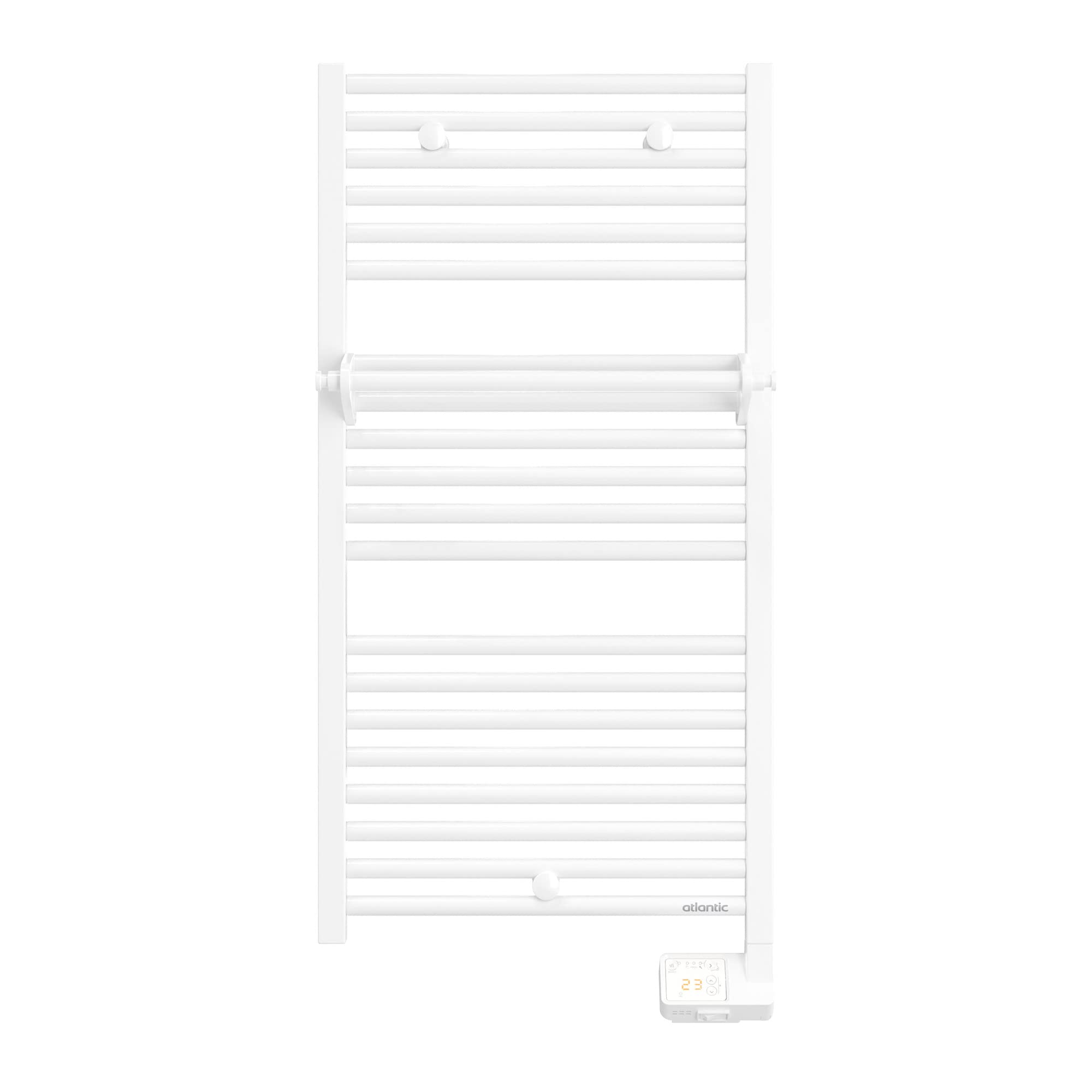
Image of the Atlantic 2012 Digital Electric Towel Warmer, showcasing its white finish, multiple horizontal heating bars, integrated towel bar, and the digital control unit located at the bottom right.
3. Electrical Connection
This is an electric appliance and must be installed by a qualified electrician in accordance with all local and national electrical codes and regulations. The unit operates at 750W. Ensure the electrical supply circuit is appropriate for this wattage and includes proper grounding. Do not connect the unit to an extension cord or adapter.

Image of the Atlantic 2012 Digital Electric Towel Warmer installed in a modern bathroom setting, demonstrating its aesthetic integration and practical use next to a sink and shower area.
4. Integrated Towel Bar
The towel warmer includes an integrated towel bar for added convenience. Ensure it is securely attached during the installation process as per the manufacturer's instructions.
Operating Instructions
The digital control box provides intuitive control over your towel warmer's functions. It features three primary operating modes: Manual, Programming, and Boost.
1. Manual Mode
In Manual Mode, you can set a constant desired temperature for continuous heating. Use the '+' and '-' buttons on the digital control panel to adjust the temperature to your preference. The display will show the set temperature.
2. Programming Mode
Programming Mode allows you to schedule specific heating periods throughout the day or week, optimizing energy consumption and comfort. Detailed instructions for setting up custom programs are typically found on the back of the digital control box or in a supplementary guide. Follow these instructions carefully to configure your desired heating schedule.
3. Boost Mode
Activate Boost Mode for a temporary, rapid increase in heating power. This is ideal for quickly drying towels or providing a short burst of warmth to the room. Boost Mode typically operates for a preset duration (e.g., 30 minutes, 1 hour) before automatically returning to the previously selected operating mode.
4. Control Box Lock
To prevent accidental adjustments, the digital control box features a lock function. Refer to the simplified instructions printed on the back of the control box for details on how to activate and deactivate this feature.
Maintenance
1. Cleaning
Always disconnect the towel warmer from the main power supply before cleaning. Use a soft, damp cloth to gently wipe down the surfaces. Do not use abrasive cleaners, solvents, or harsh chemical agents, as these can damage the finish and internal components. Ensure the unit is completely dry before reconnecting to power.
2. Regular Checks
Periodically inspect the power cord and plug for any signs of wear or damage. Ensure all mounting screws remain tight and secure. If any damage is observed, discontinue use and contact a qualified technician.
3. Safety Precautions
- Do not cover the towel warmer with excessive items, as this can impede heat dissipation and pose a fire hazard.
- Ensure adequate ventilation around the unit.
- Keep children and pets away from the hot surfaces of the towel warmer.
Troubleshooting
If you encounter issues with your Atlantic 2012 Digital Electric Towel Warmer, please consult the following common troubleshooting steps before contacting customer support.
1. No Power / Unit Not Turning On
- Check the circuit breaker or fuse box to ensure the power supply to the unit is active.
- Verify that the towel warmer is securely plugged into a functional electrical outlet.
- Ensure the digital control box display is active. If not, try pressing the power button.
2. Unit Not Heating
- Confirm that the desired temperature setting is above the current ambient room temperature.
- Check that the unit is in an active heating mode (Manual, Program, or Boost).
- If the issue persists, temporarily disconnect the unit from power for a few minutes, then reconnect to reset.
3. Control Box Malfunction / Erratic Display
- Try resetting the unit by disconnecting it from the power supply for approximately 5-10 minutes, then reconnecting.
- Ensure the control box is not locked (refer to 'Control Box Lock' in Operating Instructions).
If these steps do not resolve the issue, please contact Atlantic customer support or a qualified technician.
Technical Specifications
| Manufacturer | ATLANTIC |
| Product Code | ATL833621 |
| Product Dimensions (H x W x D) | 165 x 57 x 10.5 cm |
| Weight | 19.5 kg |
| Power Type | Electric |
| Wattage | 750W (Standard models also available in 500W, 1000W; Narrow models in 300W, 500W) |
| Number of Items | 1 |
| Components Included | 1 product |
| Batteries Required | No |
| First Available Date | January 2, 2023 |
Warranty and Support
For detailed warranty information, terms, and conditions, please refer to the warranty card or documentation included with your purchase. Keep your proof of purchase (receipt or invoice) as it will be required for any warranty claims.
For technical support, spare parts, or service inquiries, please contact Atlantic customer service. Contact details can typically be found on the manufacturer's website or in the product packaging.