
Spovan AtlasX Pro
Spovan AtlasX Pro Smartwatch User Manual
Model: AtlasX Pro
1. Introduction
Welcome to the Spovan AtlasX Pro Smartwatch user manual. This guide provides detailed instructions on how to set up, operate, and maintain your new smartwatch. The Spovan AtlasX Pro is a robust device designed for active lifestyles, featuring comprehensive health monitoring, Bluetooth calling, and various sports tracking capabilities.
Please read this manual thoroughly before using your device to ensure proper function and to maximize your user experience.
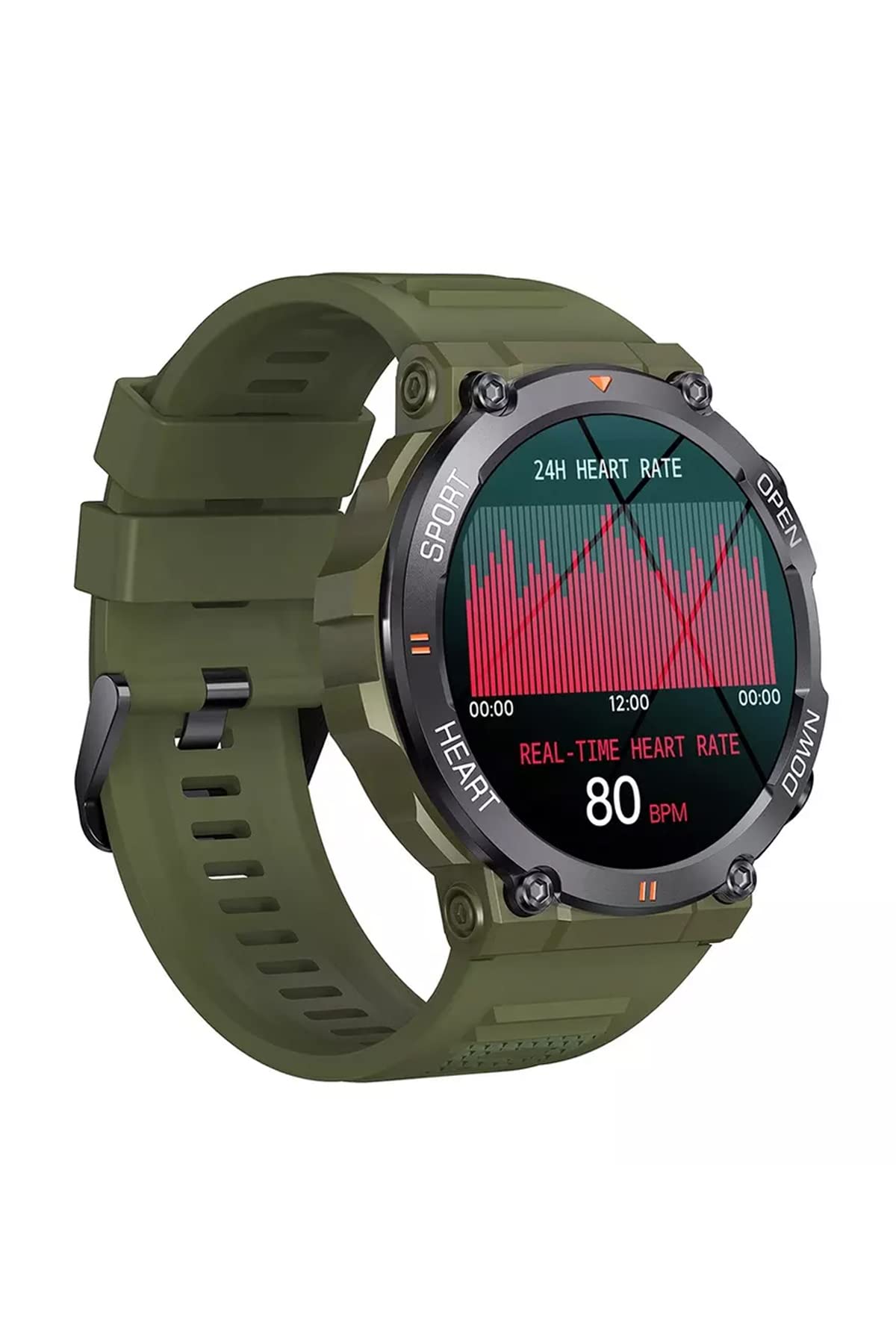
Image: The Spovan AtlasX Pro Smartwatch with its display showing various application icons, indicating its smart features.
2. Package Contents
Ensure all items are present in your package:
- Spovan AtlasX Pro Smartwatch
- Charging Cable (Magnetic USB)
- User Manual (this document)
3. Initial Setup
3.1 Charging the Device
Before first use, fully charge your smartwatch. Connect the magnetic charging cable to the charging points on the back of the watch and plug the USB end into a power adapter (not included) or a computer's USB port. The watch features a 400mAh battery, providing extended usage time.
3.2 App Installation
To unlock the full potential of your Spovan AtlasX Pro, download and install the Da Fit application on your smartphone. Search for "Da Fit" in your device's app store (Google Play Store for Android or Apple App Store for iOS).
3.3 Pairing with Your Smartphone
- Ensure your smartwatch is charged and powered on.
- Enable Bluetooth on your smartphone.
- Open the Da Fit app. Follow the on-screen instructions to add a new device.
- Select "AtlasX Pro" from the list of available devices.
- Confirm the pairing request on both your smartphone and the smartwatch.
The watch utilizes Bluetooth 5.0 for a stable and efficient connection.
4. Operating Your Smartwatch
4.1 Basic Navigation
The Spovan AtlasX Pro features a 1.39-inch display with a 360x360 resolution. You can navigate the interface by swiping across the screen and using the physical buttons for specific functions.

Image: A close-up view of the smartwatch display, showing the current date, time, and a step counter, highlighting its clear interface.
4.2 Customizable Watch Faces
The smartwatch supports multiple watch faces. You can select from pre-installed options or customize your own through the Da Fit app to personalize your device.
4.3 Bluetooth Calling and Music
Once paired, the Spovan AtlasX Pro allows you to make and receive calls directly from your wrist. It also supports Bluetooth music playback with superior clear sound quality.
4.4 Health Monitoring
The watch continuously monitors various health metrics:
- Heart Rate: All-day heart rate monitoring.
- Blood Pressure: Blood pressure detection.
- Blood Oxygen: Blood oxygen (SpO2) detection.
- Sleep Monitoring: Tracks sleep duration and quality.

Image: The smartwatch display featuring an analog clock design, accompanied by real-time heart rate and step count readings.
4.5 Activity Tracking and Multi-Sport Modes
The smartwatch functions as a comprehensive activity tracker, recording:
- Pedometer (step count)
- Calorie consumption
- Distance calculation
It also supports multiple sport modes to accurately track your workouts.

Image: The smartwatch display showing detailed activity metrics including steps taken, distance covered, calories burned, and beats per minute (BPM).
4.6 Notifications and Reminders
Receive call reminders, SMS reminders, and third-party messaging notifications directly on your watch. Other features include a timer, alarm clock, remote camera control, and sedentary reminders to encourage activity.
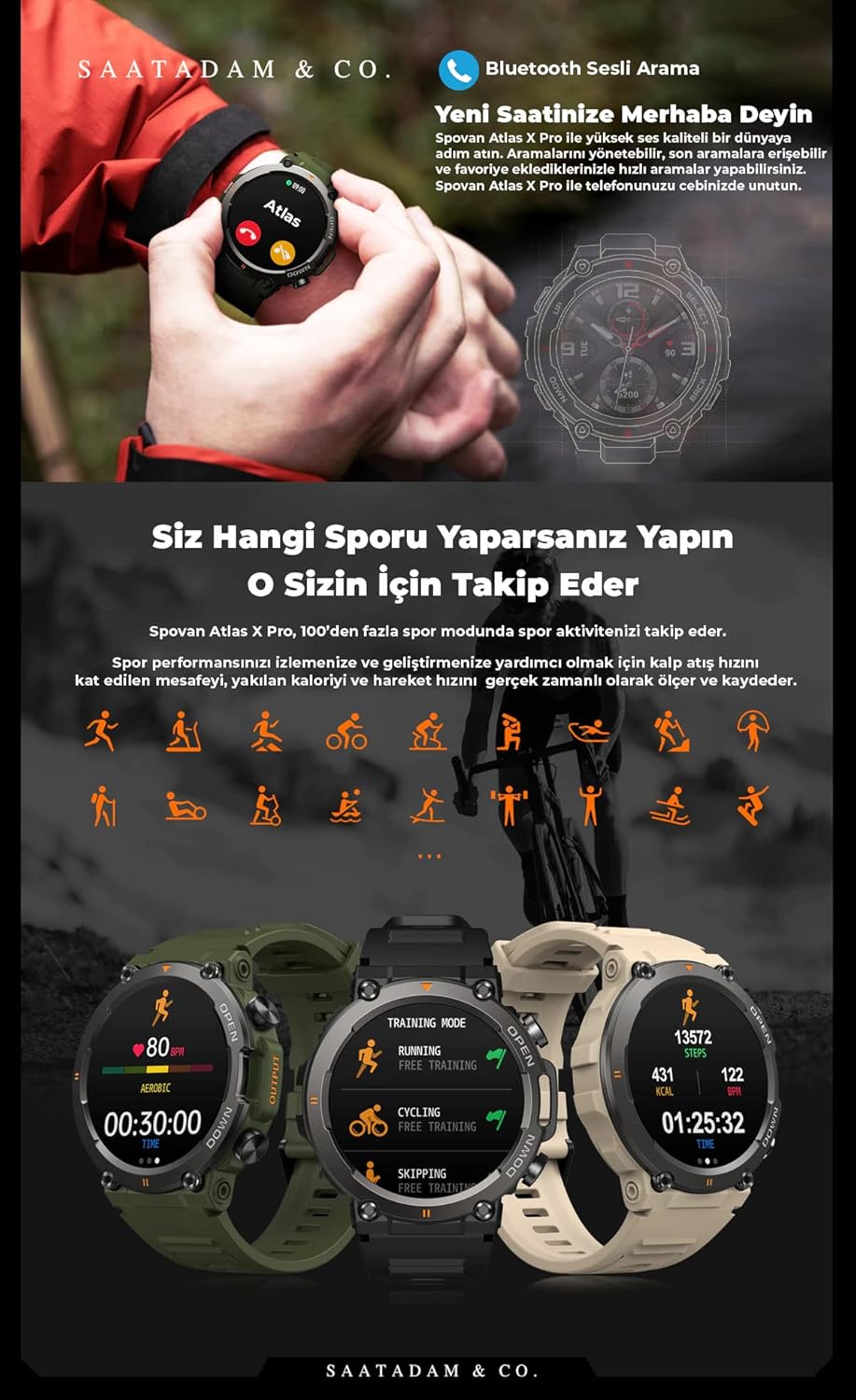
Image: A lifestyle image illustrating the smartwatch's capabilities, including Bluetooth voice calls and a variety of sport tracking modes such as running, cycling, and skipping, displayed on different watch faces.
5. Maintenance and Care
To ensure the longevity and optimal performance of your Spovan AtlasX Pro Smartwatch, follow these maintenance guidelines:
- Cleaning: Wipe the watch and strap regularly with a soft, dry cloth. For stubborn dirt, a slightly damp cloth can be used, but ensure the watch is completely dry afterward.
- Avoid Chemicals: Do not use harsh chemicals, cleaning solvents, or strong detergents, as these can damage the watch's finish and seals.
- Charging: Use only the provided charging cable. Avoid exposing the charging contacts to water or corrosive liquids.
- Storage: Store the watch in a cool, dry place when not in use.
6. Troubleshooting
If you encounter issues with your Spovan AtlasX Pro Smartwatch, refer to the following common solutions:
- Watch not turning on: Ensure the watch is fully charged. Connect it to the charger for at least 30 minutes.
- Cannot pair with smartphone:
- Make sure Bluetooth is enabled on your phone and the watch.
- Ensure the Da Fit app is open and searching for devices.
- Restart both your phone and the smartwatch.
- Check if the watch is already paired with another device. Disconnect if necessary.
- Inaccurate health data: Ensure the watch is worn snugly on your wrist, about one finger's width from your wrist bone. Keep the sensor clean.
- Notifications not received:
- Check notification permissions for the Da Fit app in your phone's settings.
- Ensure the watch is connected via Bluetooth.
- Verify that notification alerts are enabled within the Da Fit app.
- Short battery life:
- Reduce screen brightness.
- Disable continuous heart rate monitoring if not needed.
- Limit the number of apps sending notifications to the watch.
If problems persist, contact customer support for further assistance.
7. Specifications
| Feature | Specification |
|---|---|
| Model | AtlasX Pro |
| Bluetooth Version | BLE 5.0 |
| Main Control Chip | Realtek8762DK |
| Display Size | 1.39 inches |
| Display Resolution | 360*360 |
| Battery Capacity | 400mAh |
| Heart Rate Sensor | 3605 |
| Motor | Built-in, Vibration Reminder |
| App Name | Da Fit |
| Compatibility | Smartphone, Tablet |
| Health Monitoring | Heart Rate, Blood Pressure, Blood Oxygen, Sleep |
| Features | Activity Tracker, Phone Calls, Notifications, Multi-Sport Modes, Remote Camera, Sedentary Reminder |
| GPS | No GPS |
8. Warranty and Support
8.1 Warranty Information
The Spovan AtlasX Pro Smartwatch comes with a manufacturer's warranty. Please refer to the warranty card included in your package or contact your retailer for specific terms and conditions regarding warranty coverage in your region.
8.2 Customer Support
For technical assistance, troubleshooting not covered in this manual, or warranty claims, please contact the seller or manufacturer's customer support. Contact details can typically be found on the product packaging or the official Spovan website.
Ask a question about this manual
Ask about setup, troubleshooting, compatibility, parts, safety, or missing instructions. Manuals+ will review the question and use this page’s manual context to help answer it.