
Introduction
This manual provides essential information for the safe and effective operation, maintenance, and troubleshooting of your iRest 2025 SL Track Massage Chair Recliner. Please read it thoroughly before initial use and keep it for future reference.
Important Safety Information
Please read the instruction manual carefully before using the product.
Product Features
- SL Track Technology: Combined with human engineering, the 135cm "SL" shape curved rail provides a personal massage from head to leg, maintaining the body's natural "S" curve and relieving muscle tension.
- Zero Gravity Reclining: Features 3 levels of zero gravity angles, allowing adjustment to a comfortable reclining position where the heart and knees are horizontally aligned, reducing heart pressure and stimulating blood circulation.
- Full Body Airbag Massage: Strategically placed airbags provide comprehensive compression massage to the instep, calf area, shoulders, arms, and waist.
- Foot Roller Massage: Rollers provide a relaxing massage to the feet, complemented by airbag compression for a complete foot comfort experience.
- Adjustable Massage Width: The S-shape massage structures in the backrest offer 3 adjustable levels (6-21cm) for wide, middle, and narrow massage areas.
- Automatic Body Scan: The chair automatically scans your body to customize the massage experience to your unique physique.
- Heating Function: Integrated heating elements provide soothing warmth to enhance relaxation and muscle relief.
- Bluetooth Speaker: Enjoy your favorite music or calming sounds during your massage session via the integrated Bluetooth speaker.
- Extendable Footrest: The footrest can extend up to 7.9 inches to accommodate users of various heights.
Setup
Unboxing and Initial Placement
Carefully remove the massage chair from its packaging. Ensure you have adequate space for assembly and operation. The chair features a space-saving design allowing it to be positioned close to a wall (within 6 inches) even when fully reclined.

Figure 1: iRest 2025 SL Track Massage Chair in Brown. This image shows the overall design of the massage chair.
Footrest Assembly
The footrest requires simple assembly. Follow these steps:
- Connect the white terminals and air hose.
- Remove the screws first, then open the buckles. Keep the screws for reassembly.
- Hang the footrest, close the buckles, and lock them with the screws.
Video 1: Footrest Assembly Guide. This video demonstrates the step-by-step process for attaching the footrest to the massage chair.
Power Connection
Connect the power cord to a grounded electrical outlet. Ensure the power switch on the chair is in the 'ON' position.
Operating Instructions
Remote Control Overview
The iRest massage chair is operated via a comprehensive remote control. Familiarize yourself with its layout and functions.

Figure 2: Remote Control and Side Panel. This image highlights the main remote control and the integrated side panel controls for easy access.
Starting a Massage Session
Press the power button on the remote or side panel to turn on the chair. The chair will initiate an automatic body scan to tailor the massage to your body's contours.
Video 2: iRest A303 Massage Chair Overview. This video provides a general overview of the chair's features and operation, including the remote control interface.
Selecting Massage Programs
Use the remote to select from various automatic massage programs, such as Full Body, Relax, Neck & Shoulder, Stretch, Back & Waist, Comfort, Fatigue Recovery, and Hip Care. Each program offers a unique massage style.
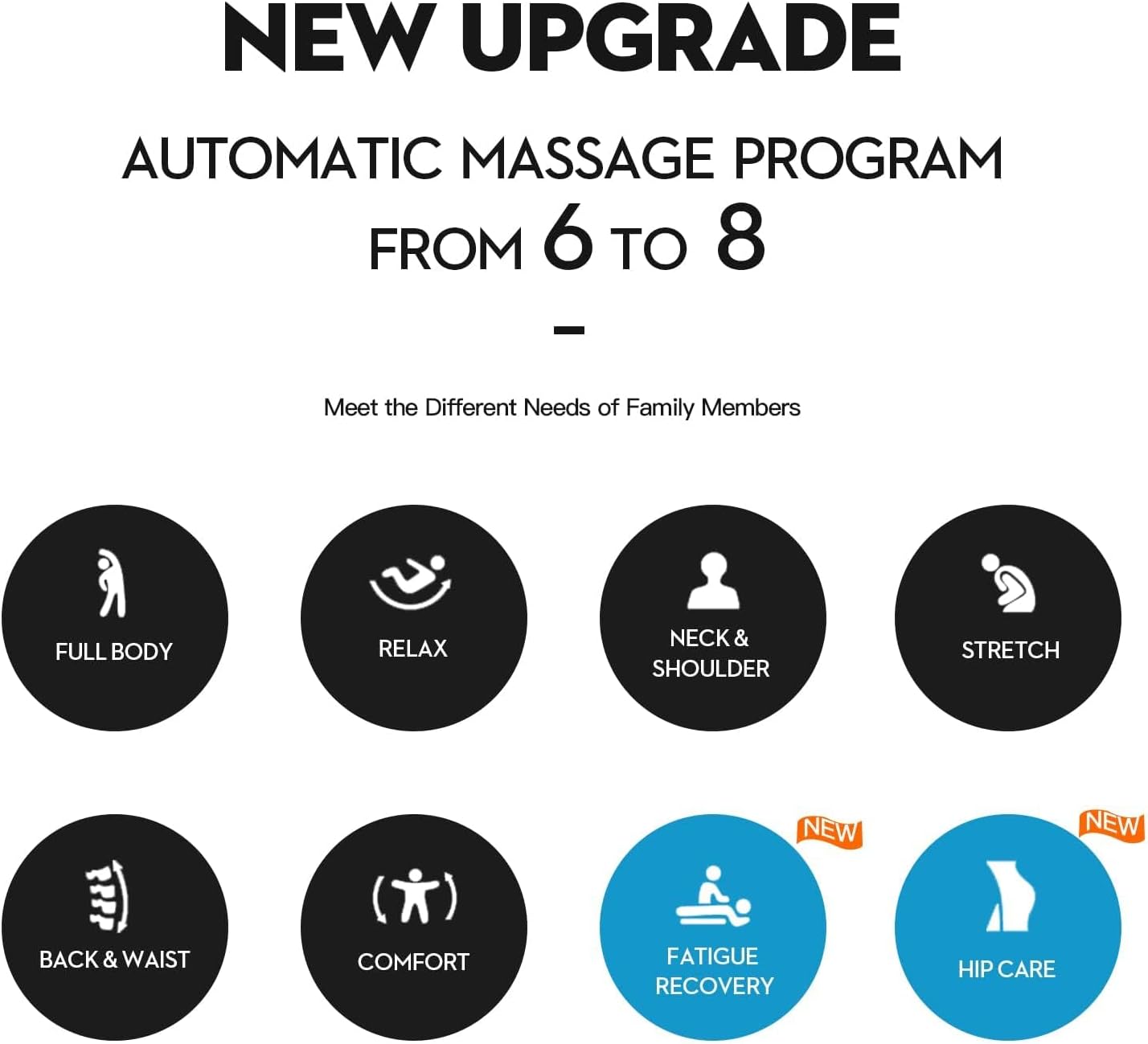
Figure 3: Automatic Massage Programs. This diagram illustrates the various pre-set massage programs available on the chair.
Adjusting Massage Settings
Customize your massage experience using the remote control:
- Intensity: Adjust the strength of the massage rollers and airbags.
- Speed: Control the speed of the massage rollers.
- Width: Modify the width of the back massage rollers (6-21cm).
- Shoulder Position: Adjust the shoulder massage position for optimal comfort.
- Zero Gravity: Cycle through the 3 zero gravity positions for ultimate relaxation.
- Heating: Activate or deactivate the lumbar heating function.
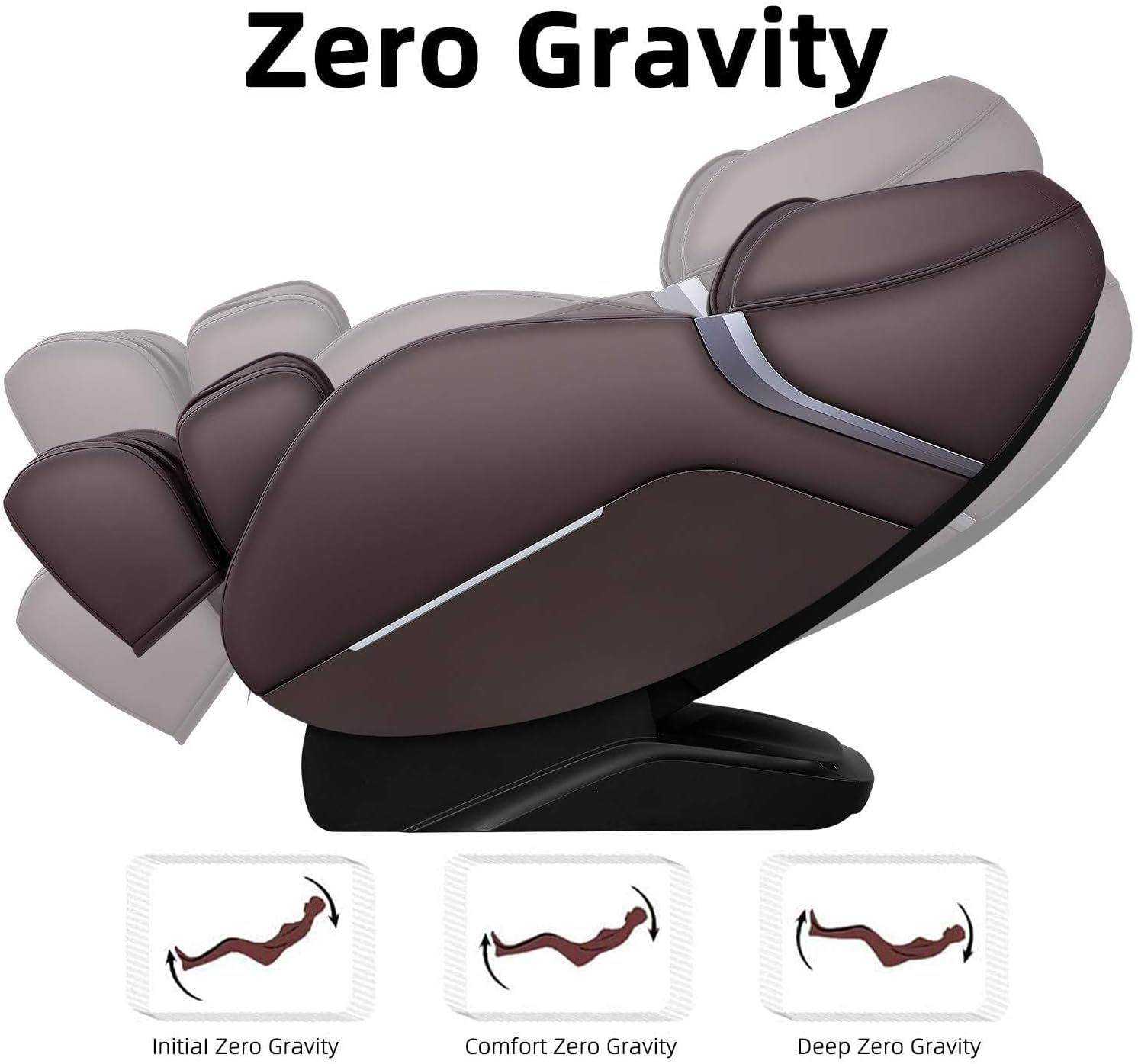
Figure 4: Zero Gravity Positions. This image demonstrates the three levels of zero gravity recline available.
Bluetooth Connectivity
To connect your device to the chair's Bluetooth speaker, enable Bluetooth on your device and select "iRest" from the available devices. Once paired, you can stream audio directly to the chair's speakers.
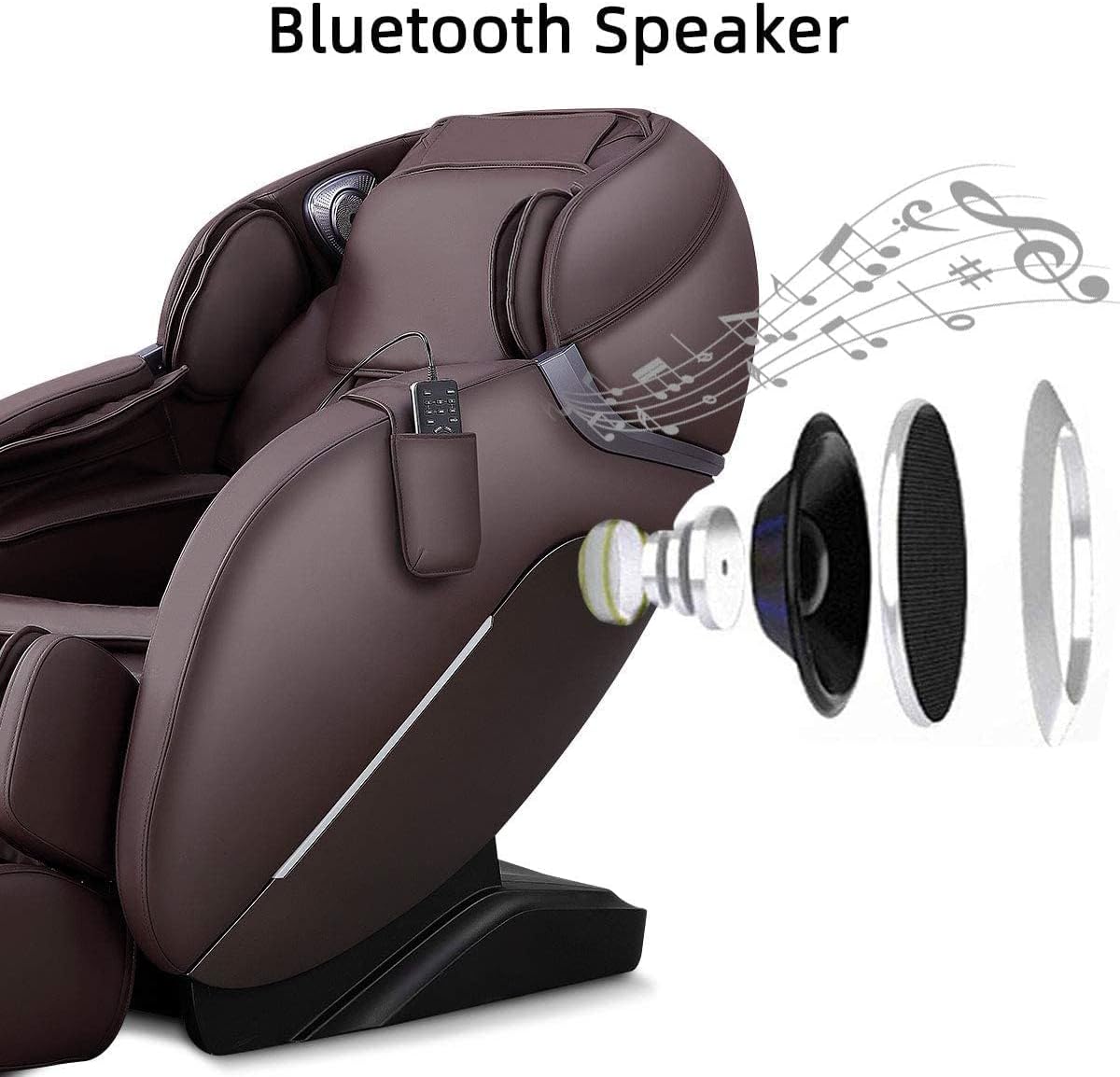
Figure 5: Bluetooth Speaker. This diagram illustrates the integrated Bluetooth speaker system.
Maintenance
Cleaning Instructions
Wipe clean with a soft, damp cloth. Do not use abrasive cleaners or harsh chemicals, as they may damage the leather finish.
General Care
- Avoid direct sunlight exposure to prevent fading and cracking of the material.
- Keep the chair away from heat sources and excessive moisture.
- Ensure the power cord is not pinched or damaged.
Troubleshooting
| Problem | Possible Cause | Solution |
|---|---|---|
| Chair does not power on. | Power cord unplugged; Power switch off; Circuit breaker tripped. | Check power connection; Turn power switch on; Reset circuit breaker. |
| Massage rollers are not moving. | Program not selected; Automatic body scan in progress. | Select a massage program; Wait for body scan to complete. |
| Bluetooth not connecting. | Bluetooth not enabled on device; Chair not in pairing mode. | Ensure Bluetooth is on; Restart chair and device; Re-attempt pairing. |
Specifications
- Brand: iRest
- Model Name: SL-A303
- Color: Brown
- Product Dimensions: 66.92"D x 29.92"W x 33.07"H
- Item Weight: 183 pounds
- Maximum Weight Recommendation: 260 Pounds
- Material: Foam (Fill Material), Leather (Furniture Finish)
- Special Features: Reclining, Ergonomic, Arm Rest, Heated, Cushion Availability
- Reclining Position Count: 3 (Zero Gravity)
- UPC: 850036151159
Warranty and Support
Your iRest 2025 SL Track Massage Chair Recliner comes with 3-Year Coverage with Expert Support. For any inquiries, technical assistance, or warranty claims, please contact our 24/7 local customer support.
For further assistance, please visit the official iRest Store: iRest Store on Amazon

