
1. Introduction
Thank you for choosing the Brigii MX30 Pet Hair Vacuum. This cordless handheld vacuum is designed for efficient cleaning of pet hair and dust from various surfaces, including blankets, sofas, furniture, stairs, and upholstery. Its lightweight design and powerful brushless DC motor make it an ideal tool for quick cleanups around your home and car. Please read this manual thoroughly before use to ensure proper operation and maintenance.
2. Safety Instructions
To reduce the risk of fire, electric shock, or injury, please observe the following safety precautions:
- Read all instructions before using the appliance.
- Do not use outdoors or on wet surfaces.
- Do not allow to be used as a toy. Close attention is necessary when used by or near children.
- Use only as described in this manual. Use only manufacturer’s recommended attachments.
- Do not use with damaged cord or plug. If appliance is not working as it should, has been dropped, damaged, left outdoors, or dropped into water, return it to a service center.
- Do not pull or carry by cord, use cord as a handle, close a door on cord, or pull cord around sharp edges or corners. Do not run appliance over cord. Keep cord away from heated surfaces.
- Do not unplug by pulling on cord. To unplug, grasp the plug, not the cord.
- Do not handle plug or appliance with wet hands.
- Do not put any object into openings. Do not use with any opening blocked; keep free of dust, lint, hair, and anything that may reduce air flow.
- Keep hair, loose clothing, fingers, and all parts of body away from openings and moving parts.
- Do not pick up anything that is burning or smoking, such as cigarettes, matches, or hot ashes.
- Do not use without dust cup and/or filters in place.
- Turn off all controls before unplugging.
- Use extra care when cleaning on stairs.
- Do not use to pick up flammable or combustible liquids, such as gasoline, or use in areas where they may be present.
- Store the appliance indoors. Put away after use to prevent accidents.
- Use only the charging cable provided by the manufacturer.
3. Product Overview
Components
The Brigii MX30 Pet Hair Vacuum comes with the following components:
- Vacuum Unit
- 2-in-1 Brush Nozzle
- Anti-Tangle Hair Tool (Multi-Surface Tool)
- Type-C Charging Cable
- Base
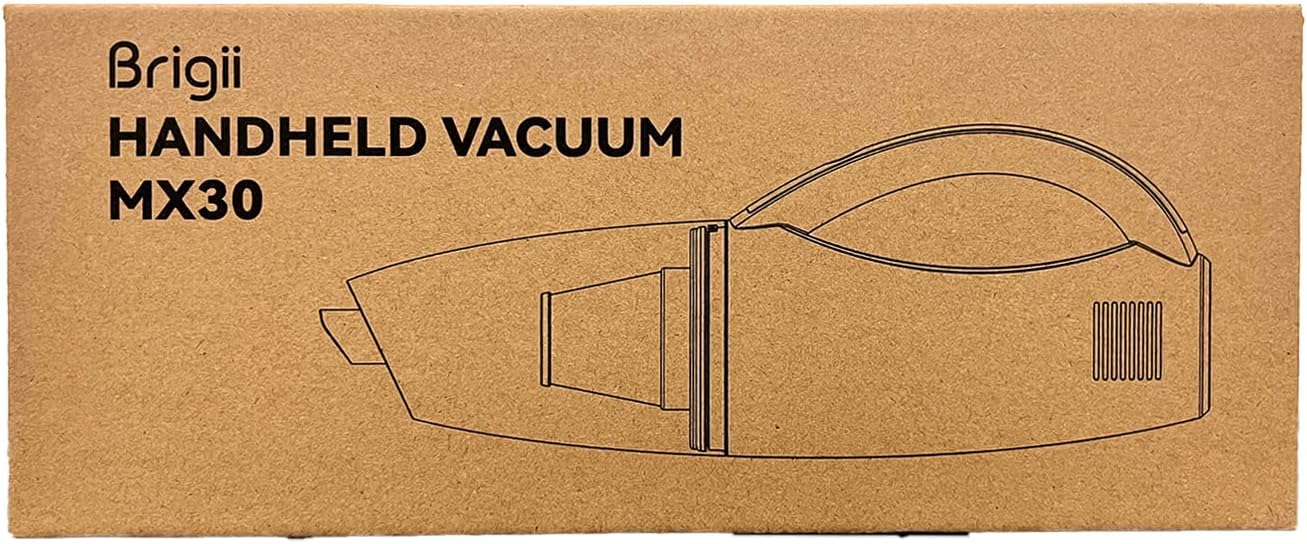
Figure 3.1: What's in the Box - Brigii MX30 components.
Key Features
- Anti-Tangle Hair Tool: Specifically designed to efficiently remove pet hair from various surfaces without tangling.
- Triple Filtration System: Effectively filters pet hair and dust, expelling clean air. Features a washable HEPA filter.
- Lightweight and Powerful: Weighs only 1.13 lbs (510g) and is equipped with a digital brushless DC motor, generating a powerful suction of 12KPA/25AW.
- USB-C Rechargeable: Built-in 2000 mAh*3 lithium battery supports Type-C charging, fully charging in approximately 4 hours and providing up to 20 minutes of cleaning time.
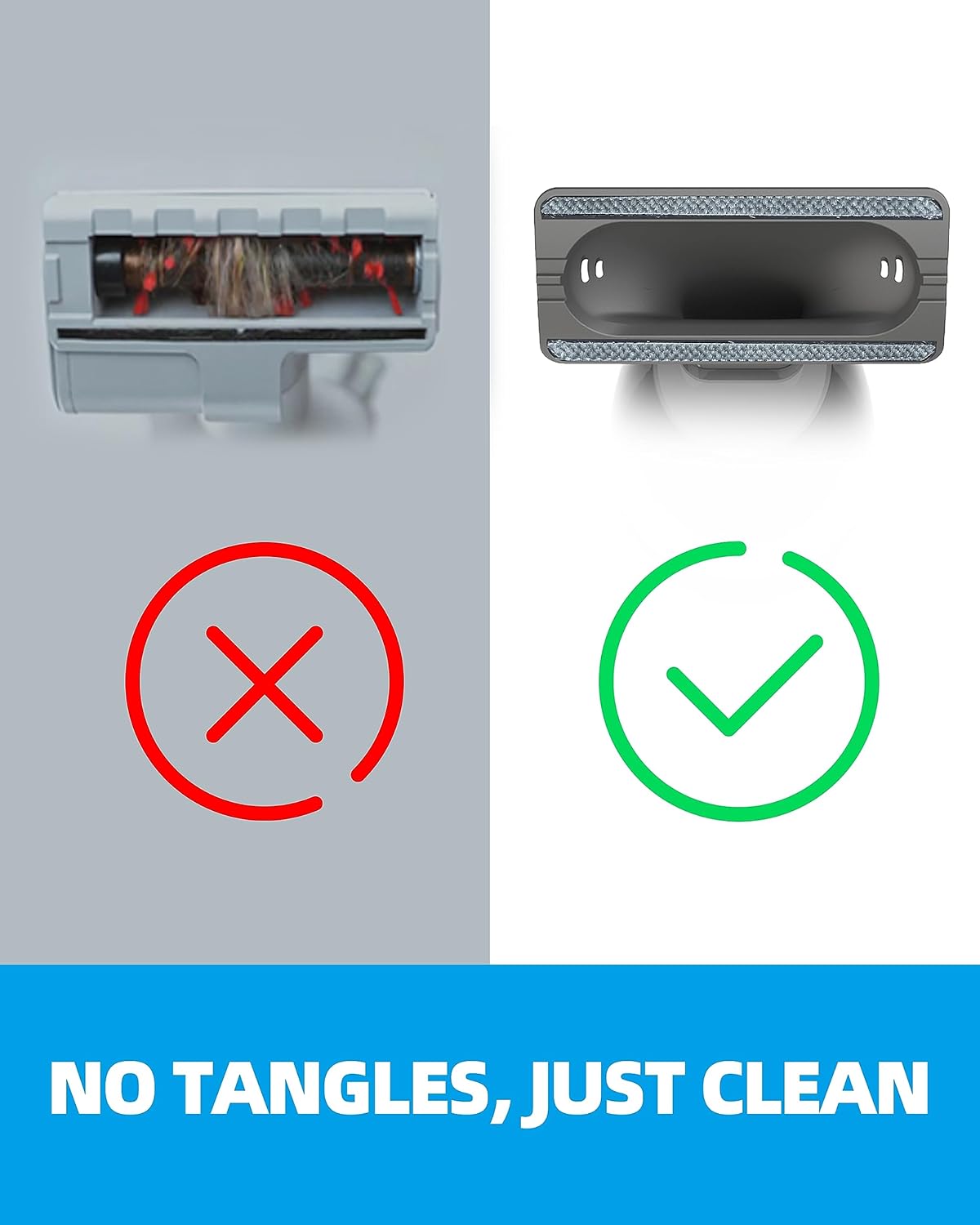
Figure 3.2: Anti-Tangle Hair Tool comparison, demonstrating effective hair removal without tangles.

Figure 3.3: Triple Filtration System diagram.

Figure 3.4: High-Efficiency DC Brushless Motor, providing up to 25AW / 12,000pa suction.
4. Setup
Charging the Vacuum
- Connect the provided Type-C charging cable to the charging port on the vacuum unit.
- Plug the other end of the Type-C cable into a compatible USB power adapter (not included) or a USB port.
- The indicator light will show charging status. A full charge takes approximately 4 hours.
- Ensure the vacuum is fully charged before first use for optimal performance.

Figure 4.1: Vacuum dimensions and Type-C charging port location.
Attaching Accessories
The Brigii MX30 comes with two main attachments:
- Anti-Tangle Hair Tool: Ideal for pet hair and larger debris on upholstery, carpets, and hard floors.
- 2-in-1 Brush Nozzle: Features a narrow crevice tool for tight spaces and a brush attachment for dusting and delicate surfaces.
To attach an accessory, align the accessory with the suction opening of the vacuum unit and push firmly until it clicks into place. To remove, pull the accessory away from the vacuum.
5. Operating Instructions
Powering On/Off
Press the power button located on the handle to turn the vacuum on. Press it again to turn the vacuum off.
Using the Anti-Tangle Hair Tool
Attach the Anti-Tangle Hair Tool for effective removal of pet hair and larger debris from surfaces such as sofas, carpets, and car interiors.

Figure 5.1: Using the Anti-Tangle Hair Tool on a countertop.

Figure 5.2: Cleaning a sofa with the Anti-Tangle Hair Tool.
Using the 2-in-1 Brush Nozzle
The 2-in-1 Brush Nozzle is versatile for various cleaning tasks:
- Crevice Tool Mode: Extend the narrow nozzle for reaching tight corners, crevices, and narrow gaps like those in car seats or window tracks.
- Brush Mode: Slide the brush attachment down over the crevice tool for dusting delicate surfaces, keyboards, or vents.

Figure 5.3: Using the 2-in-1 Brush Nozzle for hard-to-reach places.

Figure 5.4: Cleaning a desk surface with the 2-in-1 Brush Nozzle.
6. Maintenance
Regular maintenance ensures optimal performance and extends the lifespan of your Brigii MX30 vacuum.
Emptying the Dust Cup
It is recommended to empty the dust cup after each use or when the debris reaches the MAX fill line. A clogged filter can reduce suction power and battery life.
- Ensure the vacuum is turned off.
- Twist the dust cup counter-clockwise to unlock and detach it from the main unit.
- Carefully empty the contents of the dust cup into a trash bin.
- Reattach the dust cup by aligning it and twisting clockwise until it locks securely.

Figure 6.1: Emptying the 300ml dust cup.
Cleaning the Filters
The Brigii MX30 features dual washable and reusable filters. Clean them regularly to maintain suction efficiency.
- After emptying the dust cup, remove the filter assembly.
- Separate the HEPA filter and the pre-filter (metal mesh filter).
- Rinse both filters under running water until clean. Do not use detergent.
- Allow both filters to air dry completely for at least 24 hours before reassembling and placing them back into the vacuum. Ensure they are completely dry to prevent damage to the motor.

Figure 6.2: Washing the dual washable and reusable filters.
7. Troubleshooting
If you encounter issues with your Brigii MX30 vacuum, refer to the following common problems and solutions:
| Problem | Possible Cause | Solution |
|---|---|---|
| Vacuum does not turn on. | Battery is depleted. | Charge the vacuum for approximately 4 hours using the provided Type-C cable. |
| Low suction power. | Dust cup is full. | Empty the dust cup. |
| Low suction power. | Filters are clogged. | Clean and thoroughly dry the filters. Replace if heavily worn or damaged. |
| Low suction power. | Nozzle or hose is blocked. | Check for and remove any obstructions in the nozzle or suction path. |
| Battery life is shorter than expected. | Filters are dirty. | Clean the filters. Clogged filters make the motor work harder, consuming more power. |
| Battery life is shorter than expected. | Battery is aging. | Over time, rechargeable batteries may lose capacity. This is normal wear and tear. |
| Vacuum makes unusual noise. | Obstruction in the motor or fan. | Turn off the vacuum immediately. Check for and remove any foreign objects. If noise persists, contact customer support. |
8. Specifications
| Feature | Specification |
|---|---|
| Brand | Brigii |
| Model Name | Brigii Pet Hair Vacuum MX30 |
| Special Feature | Cordless |
| Filter Type | HEPA Filter |
| Included Components | 2-in-1 Brush Nozzle, Multi-surface tool (Anti-Tangle Hair Tool), Base, Type-C cable |
| Capacity | 0.3 Liters (Dust Cup) |
| Wattage | 65 watts |
| Runtime | Up to 20 minutes |
| Charging Time | 4 Hours |
| Recommended Uses | Car, Home |
| Form Factor | Handheld |
| Color | Mx30-gray |
| Product Dimensions | 11.81"L x 3.34"W x 4.6"H |
| Battery Type | Lithium-Ion (2000 mAh*3) |
| Noise Level | 75 dB |
| Item Weight | 1.1 pounds |
| Connectivity Technology | USB (Type-C) |
9. Warranty and Support
Warranty Information
The Brigii MX30 Pet Hair Vacuum comes with a one-year limited warranty from the date of purchase. This warranty covers manufacturing defects and issues arising from normal use.
Customer Support
For any questions, concerns, or issues regarding your Brigii product, please do not hesitate to contact our customer service team. We are committed to providing reliable after-sales support and will respond to your inquiries within 24 hours.
Please refer to your purchase platform or the Brigii official website for specific contact methods.


