
1. Introduction
Thank you for choosing MEIKEE 60W 6000LM RGBW Flood Lights. These versatile LED floodlights are designed to transform any outdoor space with vibrant RGB colors and crisp 6500K white light. Featuring smart control, timing functions, and robust weather resistance, they are ideal for various applications from festive decorations to general outdoor illumination.
This manual provides essential information for the safe installation, operation, and maintenance of your floodlights. Please read it thoroughly before use and retain it for future reference.

Image 1.1: MEIKEE 60W RGBW Flood Lights with Remote Controls. This image displays the four floodlights included in the pack, showcasing their sleek design and the two accompanying remote controls for easy operation.
2. Product Features
- Dynamic RGBW Color & Dual Lighting Modes: Offers 16 million RGB hues for festive ambiance and 6500K white light for practical illumination.
- Smart Control & Customizable Effects: Control lights effortlessly via the included 29-key RF remote control with an effective range of up to 12 meters and 360° coverage. Choose from 10 solid colors, 6 brightness levels, and dynamic modes like flash, fade, and multicolor blends.
- Auto Shutoff Timer & Memory Function: Set the operating time to 2, 4, or 6 hours for energy savings. The lights flash twice to confirm timer activation. The system remembers your last setting after power cycles, eliminating the need for repetitive adjustments.
- All-Weather Toughness: Built with IP66 protection, these floodlights are resistant to rust, heat, cold, and dust, ensuring reliable performance in rain, snow, or sleet.
- Quick Setup & Optimal Heat Dissipation: Easy installation with a 180° adjustable bracket and US plug (no wiring needed). The die-cast aluminum housing and tempered glass ensure quiet, stable performance and efficient heat dissipation.

Image 2.1: IP66 Weather Resistance. This image highlights the floodlight's IP66 waterproof rating and its resistance to various environmental factors including heat, cold, dust, and rust, ensuring durability in outdoor conditions.
3. What's in the Box
Upon opening the package, please verify that all components are present and undamaged:
- 4 x MEIKEE 60W RGBW Floodlights
- 2 x Remote Controllers
- 1 x Set of Installation Components (screws, anchors)
- 1 x Instruction Manual (this document)
4. Specifications
| Attribute | Specification |
|---|---|
| Model Number | RFLB060 |
| Wattage | 60 Watts |
| Brightness | 6000 Lumens |
| Color Temperature | 6500K White + RGB (Multicolor) |
| Voltage | 120 Volts (AC) |
| Material | Acrylonitrile Butadiene Styrene, Aluminum, Glass |
| Water Resistance Level | IP66 Waterproof |
| Control Method | RF Remote Control |
| Product Dimensions | 14.4"L x 8"W x 6"H (approximate) |
| Item Weight | 6.43 pounds (per pack) |
| Special Features | Dimmable, Memory Function, Timer |

Image 4.1: Floodlight Components and Dimensions. This image provides a detailed breakdown of the floodlight's construction, including the aluminum body, fully enclosed glass panel, waterproof rubber ring, high brightness SMD LED chips, and the 180° adjustable bracket, along with key dimensions.
5. Safety Information
To ensure safe operation and prevent damage, please adhere to the following safety guidelines:
- Always disconnect power before installation, maintenance, or cleaning.
- Ensure the power source voltage matches the product's specified voltage (120V AC).
- Do not attempt to disassemble or modify the floodlight. This will void the warranty and may cause electrical shock or fire.
- Keep the floodlight away from flammable materials.
- Ensure the installation surface is stable and can support the weight of the floodlight.
- Do not look directly into the LED light when it is on, as it may cause eye strain.
- If the power cord is damaged, it must be replaced by the manufacturer or a qualified service agent to avoid hazards.
- This product is designed for outdoor use with IP66 rating, but avoid submerging it in water.
6. Setup and Installation
The MEIKEE Flood Lights are designed for quick and easy installation without the need for complex wiring. They come with a standard US plug.
6.1 Mounting Options
The floodlights feature a 180° adjustable bracket, allowing for flexible mounting on walls or ground insertion.
- Wall Mount: Use the provided screws and anchors to securely attach the bracket to a suitable wall surface. Adjust the angle of the light as desired.
- Ground Insert: The bracket can also be used to insert the light into soft ground, such as a garden bed or lawn. Ensure the light is stable and upright.

Image 6.1: Flexible Installation. This image illustrates the two primary installation methods: ground insertion for landscape lighting and wall mounting for illuminating facades or specific areas.
6.2 Power Connection
Once mounted, simply plug the floodlight's power cord into a standard 120V AC outdoor-rated power outlet. No hard wiring is required.
7. Operating Instructions
Your MEIKEE Flood Lights are controlled by the included RF remote control. Ensure the remote has working batteries (not included, typically 2x AAA) and is pointed towards the lights for optimal signal.
7.1 Remote Control Functions
The 29-key remote allows for comprehensive control:
- ON/OFF: Power the lights on or off.
- Color Selection: Direct buttons for 10 single colors (Red, Green, Blue, Orange, Yellow, Cyan, White, Purple, Pink, Lime Green).
- Brightness Adjustment: Increase or decrease brightness through 6 levels.
- Dynamic Modes: Access various pre-programmed modes such as Flash, Fade, Strobe, Smooth, and various multicolor blends (e.g., R+G Smooth, R+B Flash).
- Speed Adjustment: Increase or decrease the speed of dynamic modes.
- Timing Function: Set the lights to automatically turn off after 2, 4, or 6 hours.

Image 7.1: Single Colors and Brightness. This image demonstrates the 10 distinct single color options available and the adjustable brightness feature, allowing users to customize the light intensity.

Image 7.2: Color Changing Modes. This image illustrates the diverse range of color changing modes, including flash, smooth, strobe, and various RGB combinations, along with controls for adjusting the speed of these transitions.
7.2 Timing Function
To activate the timer, press the '2H', '4H', or '6H' button on the remote. The lights will flash twice to confirm the timer is set. They will automatically turn off after the selected duration.

Image 7.3: Automatic Shutoff Timer. This image visually explains how the timing function works, allowing users to set the floodlights to automatically turn off after 2, 4, or 6 hours, promoting energy efficiency.
7.3 Memory Function
The floodlights are equipped with a memory function. This means they will remember the last color and mode setting used, even after being turned off and on again, or after a power cycle. This eliminates the need to reset your preferred settings each time.
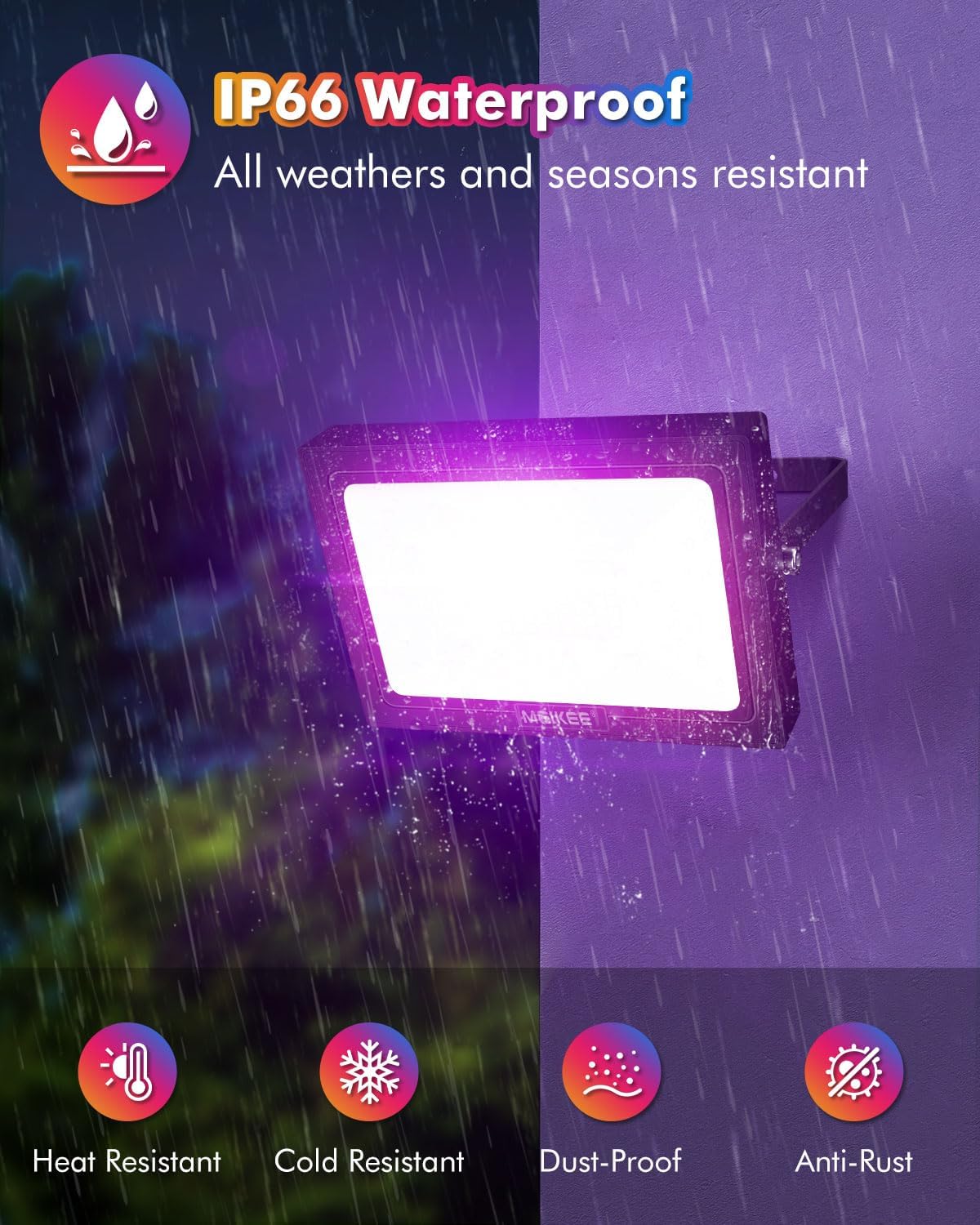
Image 7.4: Setting Memory. This image demonstrates the memory function, where the floodlights retain their last used color and mode settings, ensuring convenience and eliminating the need for repeated adjustments.
7.4 Setting Individual Light Colors (for multiple lights)
If you wish to set different colors for individual lights in a multi-pack, follow these steps:
- Plug in the first light and use the remote to set your desired color or mode.
- Unplug the first light. Then, plug in the second light and use the remote to set its color or mode.
- Repeat this process for each light you wish to set individually. Once a light's color/mode is set and you stop using the remote on it, it will retain that setting.

Image 7.5: Individual Light Control. This diagram illustrates the process of setting different colors for individual floodlights within a multi-pack, providing step-by-step instructions for customized lighting arrangements.
8. Maintenance
Proper maintenance ensures the longevity and optimal performance of your MEIKEE Flood Lights:
- Cleaning: Periodically clean the glass panel and housing with a soft, damp cloth. Do not use abrasive cleaners or solvents, as they may damage the finish or components. Ensure the light is unplugged before cleaning.
- Inspection: Regularly check the power cord for any signs of damage or fraying. Inspect the mounting bracket for stability.
- Storage: If storing the lights for an extended period, disconnect them from power, clean them, and store them in a cool, dry place away from direct sunlight and extreme temperatures.
9. Troubleshooting
If you encounter issues with your MEIKEE Flood Lights, please refer to the following common problems and solutions:
| Problem | Possible Cause | Solution |
|---|---|---|
| Light does not turn on. | No power, loose connection, remote battery dead. | Check power outlet, ensure plug is fully inserted. Replace remote batteries. |
| Remote control not working. | Remote battery dead, obstruction, out of range. | Replace remote batteries. Ensure no obstructions between remote and light. Move closer to the light (max 12m). |
| Colors are incorrect or inconsistent. | Interference, light malfunction. | Try resetting the light by unplugging and replugging. If issue persists, contact customer support. |
| Timing function not working. | Timer not activated correctly. | Ensure the light flashes twice after pressing the timer button to confirm activation. |
If the problem persists after attempting these solutions, please contact MEIKEE customer support.
10. Warranty and Support
MEIKEE stands behind the quality of its products. Your MEIKEE Flood Lights are covered by a 2-year warranty from the date of purchase.
If you experience any issues or have questions regarding your product, please do not hesitate to contact our customer support team. We are committed to providing timely assistance within 24 hours.
Contact Information:
- Via Amazon: Send a message through your Amazon order history.
- Email: Refer to the email address provided on the product packaging or included instruction leaflet.
For more products and information, visit the MEIKEE Store on Amazon.
