
Introduction
Thank you for choosing the ToLife Air Purifier Model K2. This manual provides essential information for the safe and efficient operation and maintenance of your new air purifier. Please read it thoroughly before use and keep it for future reference.
What's in the Box?
- 1x Air Purifier
- 1x 3-Stage Filter (Pre-Installed)
- 1x User Manual
Setup
- Carefully remove the air purifier and all accessories from the packaging.
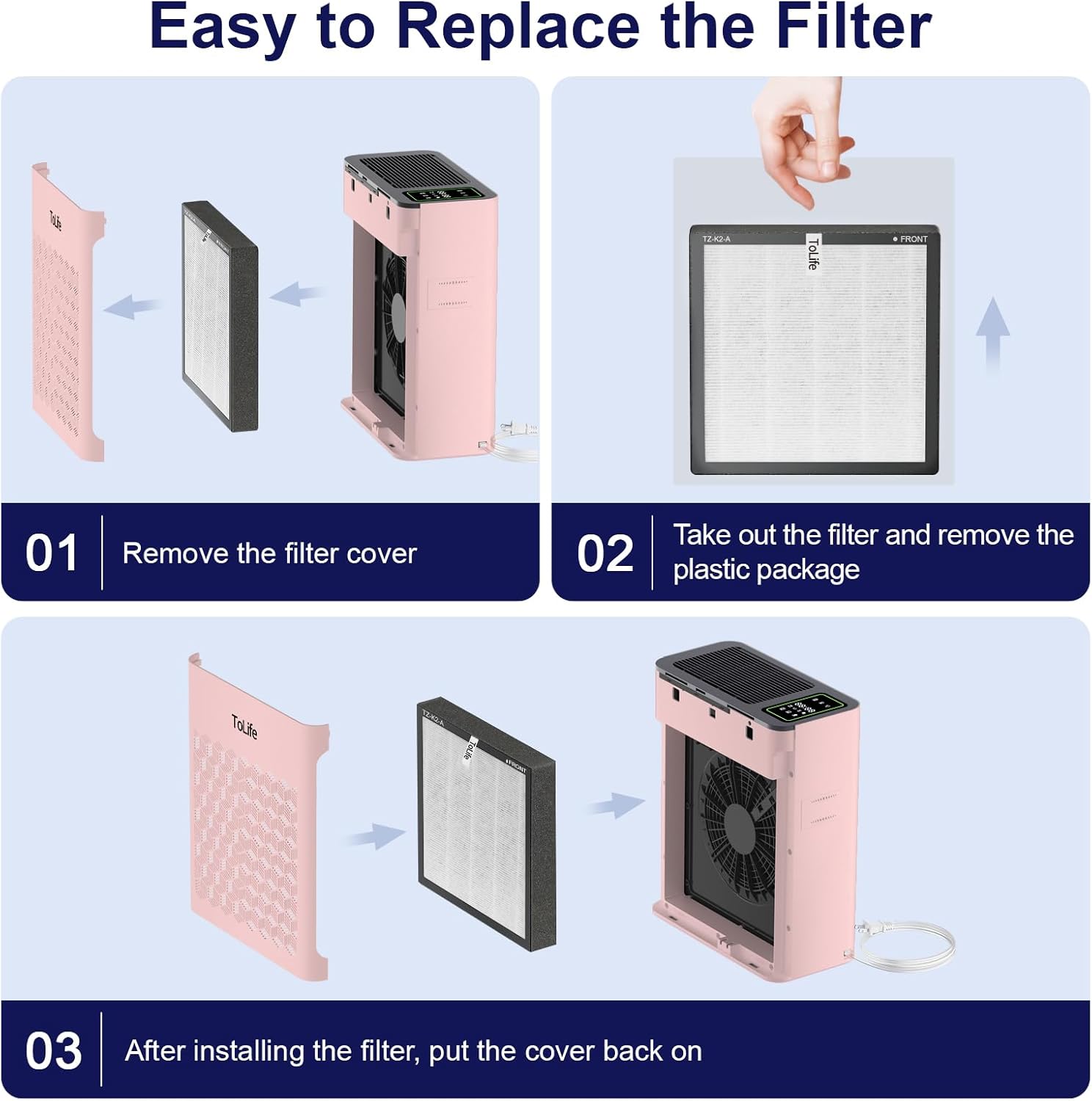
- Before first use, ensure the 3-stage filter is properly installed and any plastic packaging around it has been removed. Refer to the 'Easy to Replace the Filter' section for guidance.
- Place the air purifier on a flat, stable surface, ensuring adequate clearance around all sides for optimal air circulation.
- Plug the power cord into a standard electrical outlet.
Operating Instructions
Power On/Off
Press the power button on the control panel to turn the air purifier on or off.
Fan Speed Settings
The air purifier offers multiple fan speed settings to suit your needs:
- Low: For quiet operation and continuous air purification.
- Mid: A balanced setting for effective purification with moderate noise.
- High: For rapid air purification in larger or heavily polluted spaces.
Adjust the fan speed by pressing the 'Speed' button on the control panel.
Sleep Mode
Activate Sleep Mode for ultra-quiet operation, ideal for bedrooms or nurseries. In this mode, the fan speed is reduced to a near-silent 25 dB, and display lights are dimmed or turned off to ensure undisturbed sleep.

Timer Settings
Set the air purifier to operate for a specific duration using the timer function. Available settings typically include 2, 4, 6, 8, 10, or 12 hours. The device will automatically turn off once the set time has elapsed.

Air Quality Indicator & Auto Mode
The air purifier is equipped with a real-time air quality indicator. This indicator changes color to reflect the current air quality:
- Green: Good air quality.
- Orange: Moderate air quality.
- Red: Poor air quality.
In Auto Mode, the air purifier automatically adjusts its fan speed based on the detected air quality, ensuring efficient purification without manual intervention.

Child Lock
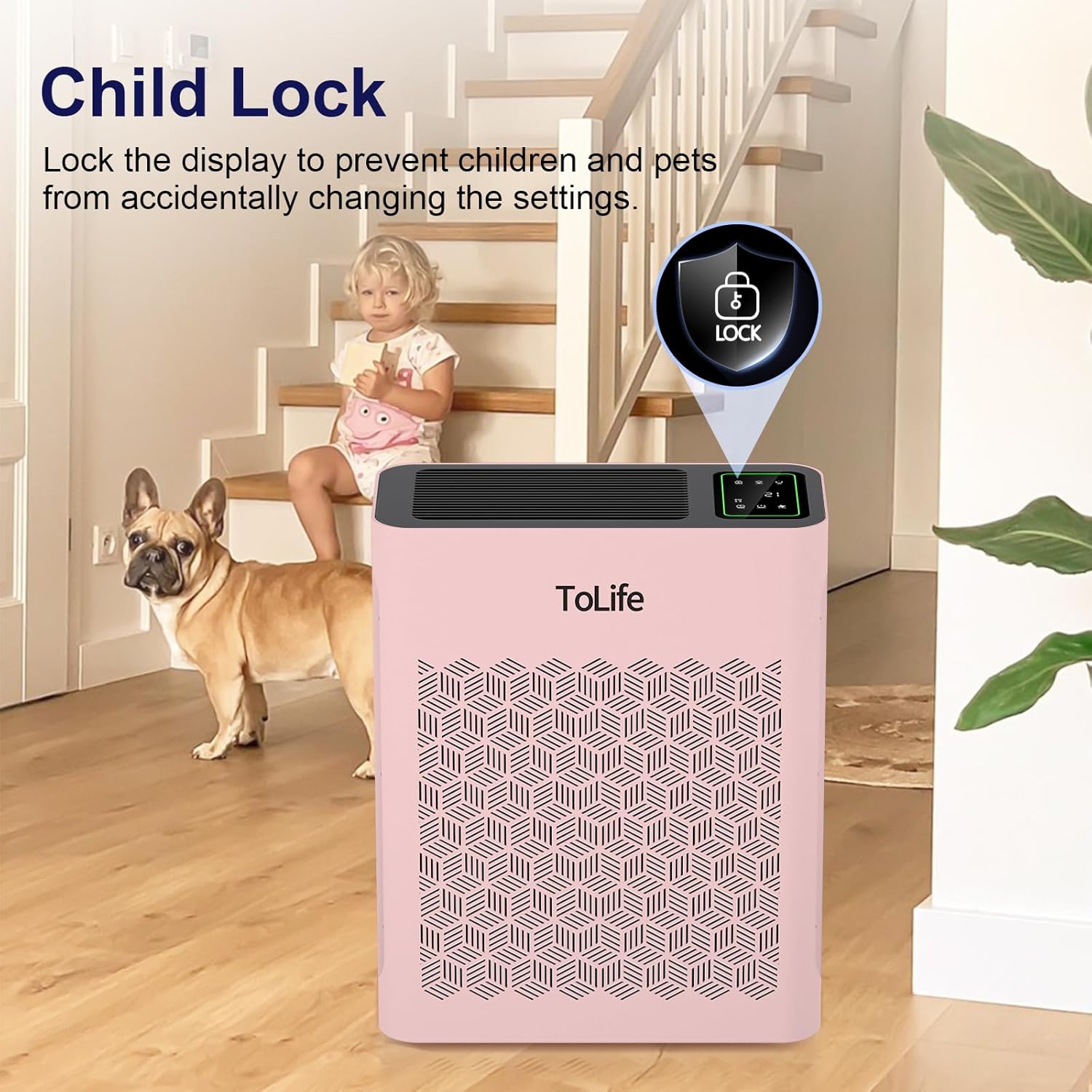
To prevent accidental changes to settings, especially by children or pets, activate the Child Lock feature. Refer to the control panel for the specific button to engage/disengage this function.
Aromatherapy / Essential Oil Tray
Some models may include a small tray or compartment for essential oils. If available, you can add a few drops of your preferred essential oil to this tray to diffuse a pleasant scent throughout the room while the air purifier operates. Ensure to follow specific instructions for adding oils to avoid damage to the unit.
Maintenance
Cleaning the Filter
The outer pre-filter should be cleaned every 2-4 weeks to increase efficiency and extend the life of your filter. Clean the pre-filter using a soft brush or vacuum hose to remove hair, dust, and large particles. Do not clean the filter with water or other liquids.
Filter Replacement Reminder
The ToLife air purifier is equipped with a cartridge replacement reminder. Once the filter has been in use for more than 2000 hours, a red indicator light will turn on to remind you to replace the filter cartridge. For optimal performance, we recommend replacing the filter cartridge once every 3-6 months.
Storage
If not using the air purifier for an extended period, wrap both the air purifier and the filter in plastic packaging and store in a dry place to avoid moisture damage.
Troubleshooting
Filter Replacement Reminder Beeping
If the filter replacement reminder light is red and the unit is beeping constantly, it indicates that the filter needs to be replaced. After replacing the filter, you will need to manually reset the filter light/alarm. Refer to the product's quick start guide or manufacturer's website for specific instructions on resetting the filter reminder, as this process may vary.
UV Button Functionality
If your model includes a UV button and you are unsure if it is active, check the display for any corresponding indicator light. If the functionality is unclear, consult the detailed user manual provided with your product or contact customer support for clarification.
Specifications
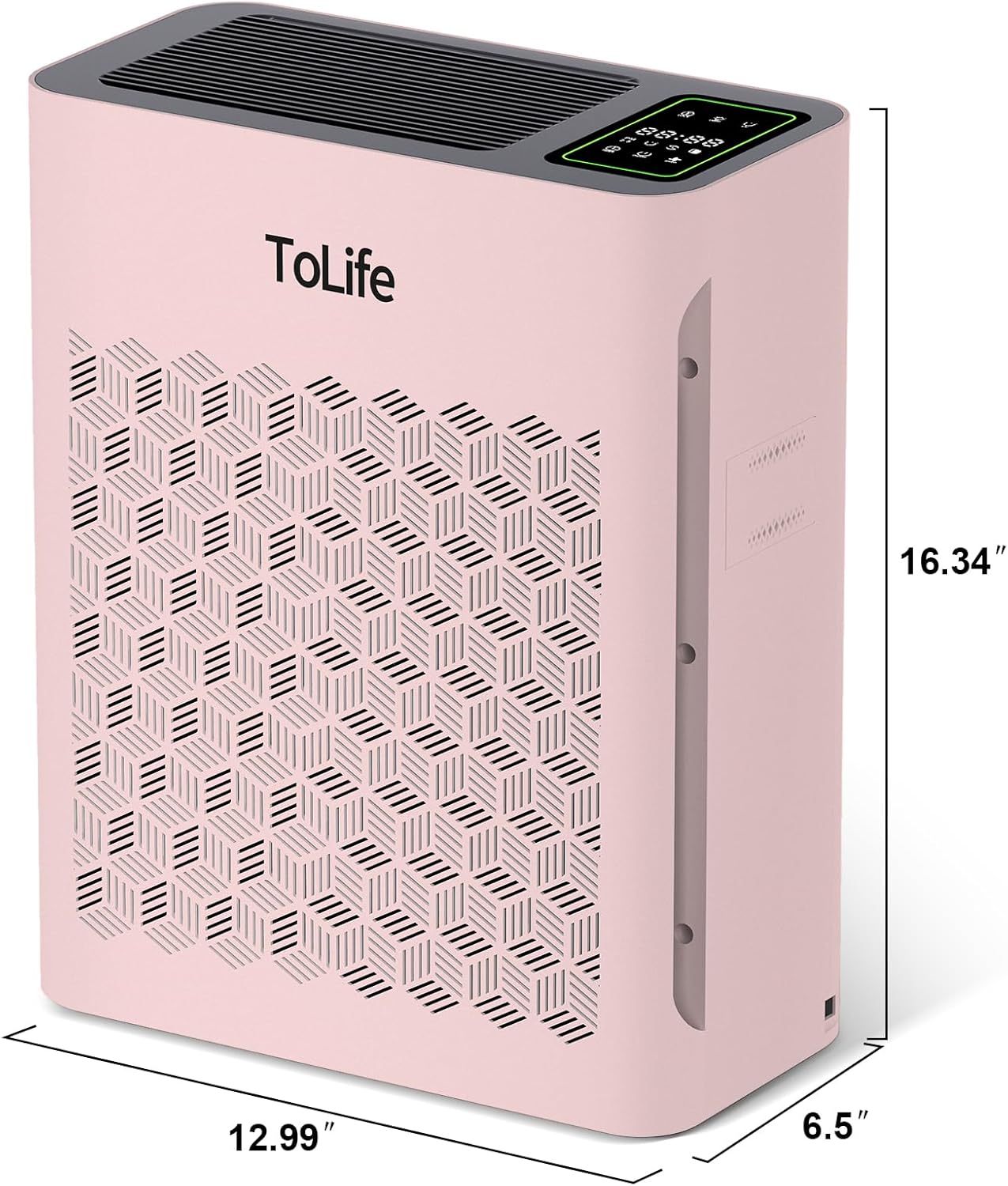
- Product Dimensions: 6.3 x 6.3 x 11 inches; 3.4 Pounds (or 3.94"D x 3.94"W x 11.81"H)
- Item Model Number: K2
- Item Weight: 3.4 Pounds
- Control Method: Touch
- Color: pink
- Coverage Area: Up to 215 ft² / 20 m² (refreshes air 5 times per hour)
- Noise Level (Sleep Mode): 25 dB
- Filter Type: 3-Stage Filter (True HEPA)
Warranty and Support
For detailed warranty information, please refer to the warranty card included in your product packaging or visit the official ToLife website. If you encounter any issues or require technical assistance, please contact ToLife customer support.
Legal Disclaimer
Statements regarding dietary supplements have not been evaluated by the FDA and are not intended to diagnose, treat, cure, or prevent any disease or health condition.


