
Introduction
The Bushnell TRKR 500L Lantern is a versatile and durable lighting solution designed for various outdoor and emergency situations. This manual provides essential information for the proper setup, operation, and maintenance of your lantern to ensure optimal performance and longevity.

Figure 1: Front view of the Bushnell TRKR 500L Lantern.
What's Included
Ensure all components are present before initial use:
- Bushnell TRKR 500L Lantern
- User Manual (this document)

Figure 2: The Bushnell TRKR 500L Lantern. Note: 3D batteries are required and not included.
Setup
Battery Installation
- Locate the battery compartment cover at the bottom of the lantern.
- Twist the cover counter-clockwise to unlock and remove it.
- Insert three (3) D-cell alkaline batteries, ensuring correct polarity (+/-) as indicated inside the compartment.
- Replace the battery compartment cover and twist clockwise until securely locked.

Figure 3: Battery compartment for three D-cell batteries.
Operating Instructions
Power On/Off and Mode Selection
The lantern features two control buttons: AREA and RED.

Figure 4: Control buttons for the lantern.
- To turn on/off and cycle through white light modes: Press the AREA button. Each press will cycle through High, Low, and Off.
- To activate Red Mode: Press the RED button. This mode is ideal for preserving night vision and minimizing disturbance. Press again to turn off Red Mode.
- Adjustable Brightness: The lantern offers adjustable brightness settings for the white light modes.
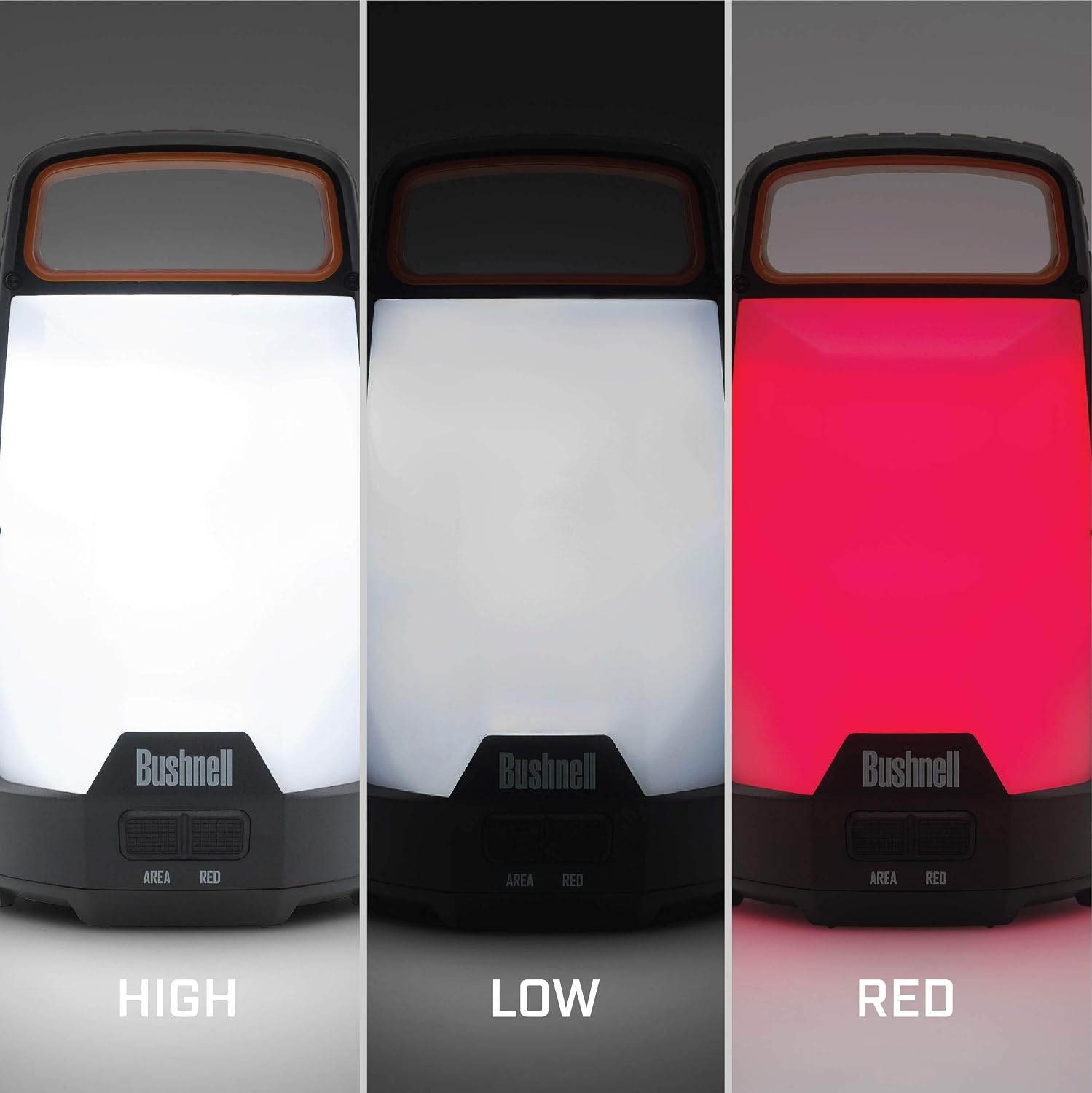
Figure 5: High, Low, and Red light modes.
Versatile Placement
The lantern is designed with a sturdy handle for easy carrying and hanging. It can be placed on a flat surface or hung from a hook or branch for overhead lighting.

Figure 6: Lantern hanging from a tree branch.
Maintenance
Cleaning
Wipe the exterior of the lantern with a soft, damp cloth. Do not use abrasive cleaners or solvents, as they may damage the finish.
Storage
When storing the lantern for extended periods, remove the batteries to prevent leakage and potential damage to the device.
Troubleshooting
Light Not Turning On
- Ensure batteries are installed correctly with proper polarity.
- Check if the batteries are fresh and fully charged. Replace if necessary.
- Verify the battery compartment cover is securely closed.
Specifications
| Feature | Specification |
|---|---|
| Brightness | 500 Lumens (Max) |
| Max Runtime | 65 Hours (Low Mode) |
| Light Modes | High, Low, Red |
| Water Resistance | IPX4 (Water Resistant) |
| Power Source | 3 x D-cell Alkaline Batteries (Not Included) |
| Item Weight | 12.7 ounces |
| Material | Plastic |
| Model Number | 50015 |

Figure 7: Detailed technical specifications.
Safety Information
- Do not mix old and new batteries.
- Do not mix alkaline, standard (carbon-zinc), or rechargeable (nickel-cadmium) batteries.
- Dispose of used batteries properly according to local regulations.
- Do not look directly into the light source when the lantern is on, as it may cause eye damage.
- Keep out of reach of children.
Warranty and Support
For warranty information or technical support, please refer to the contact details provided on the product packaging or visit the official Bushnell website.