
1. Introduction
This manual provides essential instructions for the proper use and care of your Bulova Series X Precisionist Watch, Model 97D129. This timepiece features a rose gold-tone stainless steel case and bracelet, a black 3-hand dial with an exhibition calendar window, and 8 hand-set diamonds. It is equipped with a curved sapphire crystal and a deployant clasp with pushers for secure wear. Powered by Bulova’s proprietary high-precision quartz Precisionist 262kHz 3-hand calendar movement, this watch offers exceptional accuracy. It is water resistant up to 100 meters (330 feet).
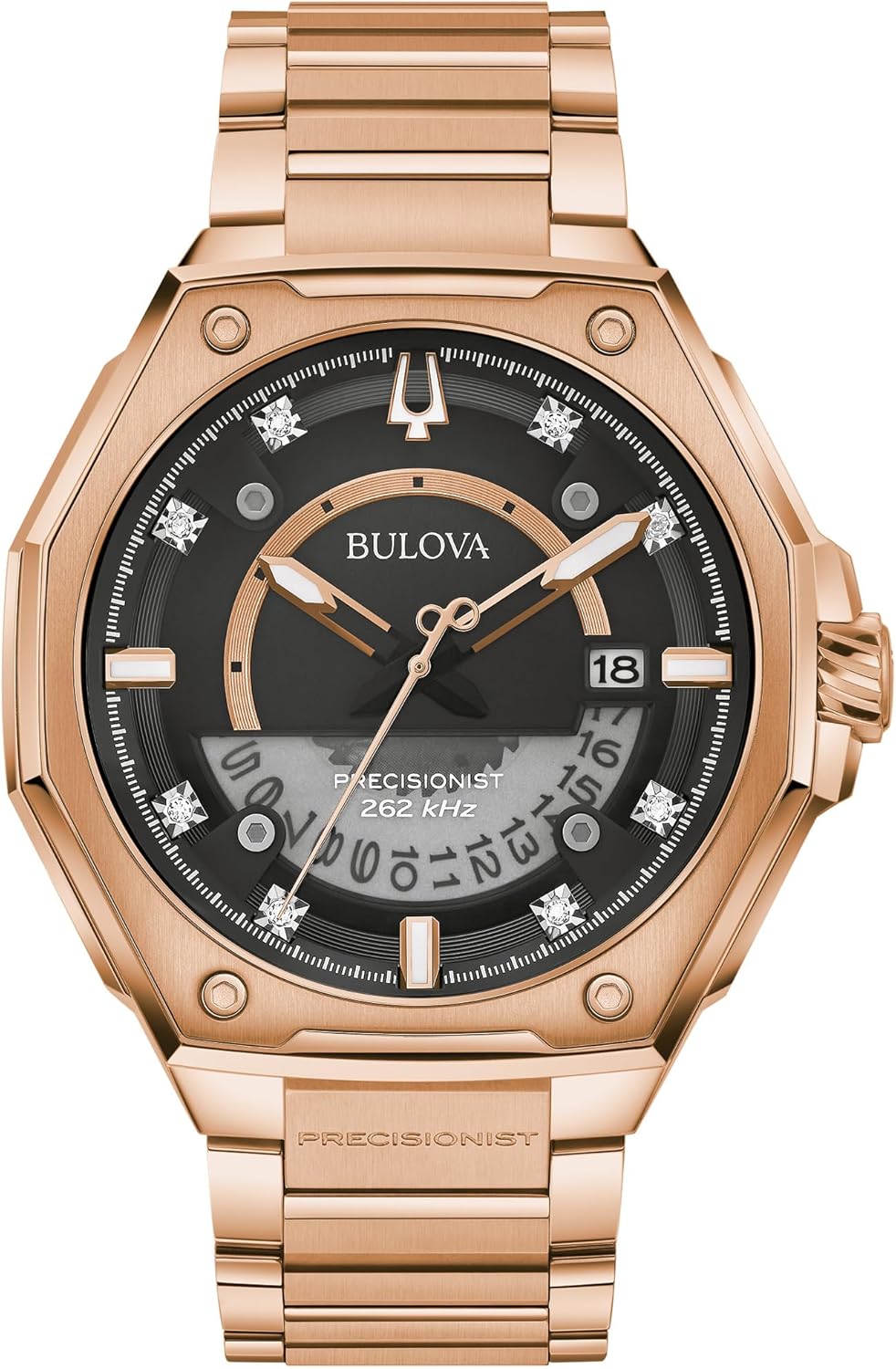
Figure 1: Front view of the Bulova Series X Precisionist watch, showcasing the rose gold-tone case, black dial with diamond accents, and calendar display.
2. Setting the Time and Date
To ensure accurate timekeeping and date display, follow these steps to set your watch:
- Pull out the crown: Gently pull the crown (located on the right side of the watch case) out to the first click position to set the date, or to the second click position to set the time.
- Set the date: If the crown is in the first click position, rotate it either clockwise or counter-clockwise to adjust the date in the calendar window.
- Set the time: If the crown is in the second click position, rotate it to move the hour and minute hands. Observe the second hand's movement; the Precisionist movement features a continuous, smooth sweep. Ensure you set the correct AM/PM time, as the date will change at midnight.
- Push in the crown: Once the time and date are set, push the crown back into its normal operating position against the watch case. This engages the movement and ensures water resistance.

Figure 2: Side view of the Bulova Series X Precisionist watch, highlighting the crown used for time and date adjustments.
3. Operating the Unidirectional Rotating Bezel
Your Bulova Series X watch features a black and white unidirectional rotating bezel. This bezel can be used for various timing purposes, such as measuring elapsed time.
- Align the bezel: Rotate the bezel counter-clockwise until the zero marker (or desired starting point) aligns with the minute hand or a specific time marker on the dial.
- Measure elapsed time: As time passes, the minute hand will move past the bezel markers, indicating the elapsed time since you aligned the bezel. The unidirectional design prevents accidental rotation in the wrong direction, ensuring accurate measurement of time intervals.
4. Care and Maintenance
Proper care will help maintain the appearance and functionality of your Bulova watch for years to come.
Cleaning
- Wipe the watch case and bracelet regularly with a soft, dry cloth to remove dust and fingerprints.
- For more thorough cleaning, use a slightly damp cloth and mild soap, then rinse with clean water and dry thoroughly. Avoid harsh chemicals or abrasive materials.
Water Resistance
Your watch is water resistant up to 100 meters (330 feet). This rating makes it suitable for swimming and snorkeling, but not for scuba diving. To maintain water resistance:
- Ensure the crown is always pushed in completely against the case.
- Do not operate the crown or pushers while the watch is wet or submerged in water.
- Avoid exposing the watch to hot water, steam, or extreme temperature changes, as this can compromise seals.
- Have the water resistance seals checked periodically by an authorized Bulova service center, especially after battery replacement.
Battery Replacement
The watch is powered by a quartz movement requiring a watch battery. When the battery needs replacement, it is highly recommended to take your watch to an authorized Bulova service center or a qualified watchmaker. Attempting to replace the battery yourself may damage the movement or compromise the watch's water resistance and warranty.
Storage
When not wearing your watch, store it in a cool, dry place, away from direct sunlight and strong magnetic fields. The original watch box provides excellent protection.
5. Troubleshooting
If you encounter issues with your watch, consider the following common solutions:
- Watch not running: Ensure the crown is fully pushed in. If the watch still does not run, the battery may need replacement.
- Incorrect time or date: Refer to Section 2, "Setting the Time and Date," to reset. Ensure the crown is fully pushed in after adjustment.
- Condensation under crystal: This may indicate a loss of water resistance. Avoid further contact with water and seek immediate service from an authorized Bulova service center.
For any issues not resolved by these steps, please contact an authorized Bulova service center for professional assistance.
6. Specifications
| Feature | Detail |
|---|---|
| Model Number | 97D129 |
| Movement | Bulova High-Precision Quartz Precisionist 262kHz (3-Hand, Calendar) |
| Case Material | Rose Gold-Tone Stainless Steel |
| Crystal | Curved Sapphire Crystal |
| Water Resistance | 100 meters (330 feet) |
| Dial Features | Black dial, exhibition calendar window, 8 hand-set diamonds |
| Bezel | Black and White Unidirectional Rotating Bezel |
| Bracelet | Rose Gold-Tone Stainless Steel with Deployant Clasp and Pushers |
| Battery Type | Standard Watch Battery (specific type to be confirmed by service center) |
7. Warranty and Support
Limited Warranty
Your Bulova Series X Precisionist Watch Model 97D129 is covered by a 3-Year Limited Warranty. This warranty covers manufacturing defects in materials and workmanship under normal use. It does not cover damage resulting from improper handling, accidents, unauthorized repairs, or normal wear and tear.
Please retain your proof of purchase for warranty claims. For full terms and conditions of the warranty, refer to the official Bulova warranty documentation included with your purchase or visit the official Bulova website.
Customer Support
For service, repairs, or any questions regarding your Bulova watch, please contact an authorized Bulova service center. You can find contact information and locations of authorized service centers on the official Bulova website.

Figure 3: Rear view of the Bulova Series X Precisionist watch, showing the case back. This area may contain model and serial numbers.
