
1. Introduction
Thank you for choosing the HoTiyan Digital Voice Recorder. This device is designed for high-quality audio recording, offering features such as voice activation, password protection, and ample storage. This manual provides detailed instructions to help you set up, operate, and maintain your recorder effectively.
2. Product Overview
2.1 Components
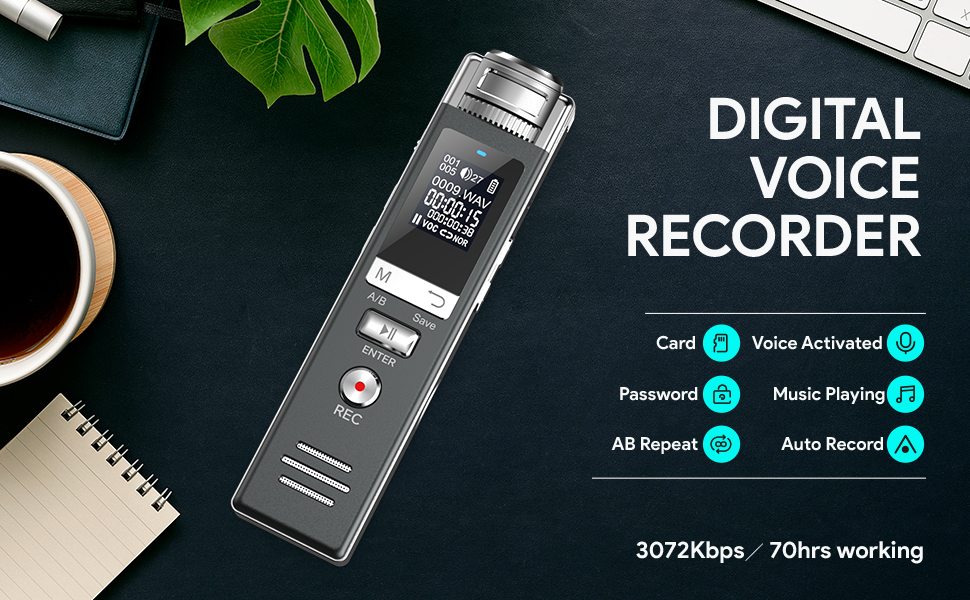
The HoTiyan Digital Voice Recorder features a compact design with essential controls and ports for ease of use.

2.2 Key Features
- High-Quality Recording: Professional PCM recording chip captures audio at up to 3072Kbps. Supports WAV (512Kbps, 1536Kbps, 3072Kbps) and MP3 (64Kbps, 128Kbps, 192Kbps) formats.
- Extended Storage: Equipped with 16GB built-in memory and includes a 32GB microSD card, providing a total of 48GB storage capacity.
- Long Battery Life: Offers up to 70 hours of continuous recording on a full charge, which takes approximately 2 hours.
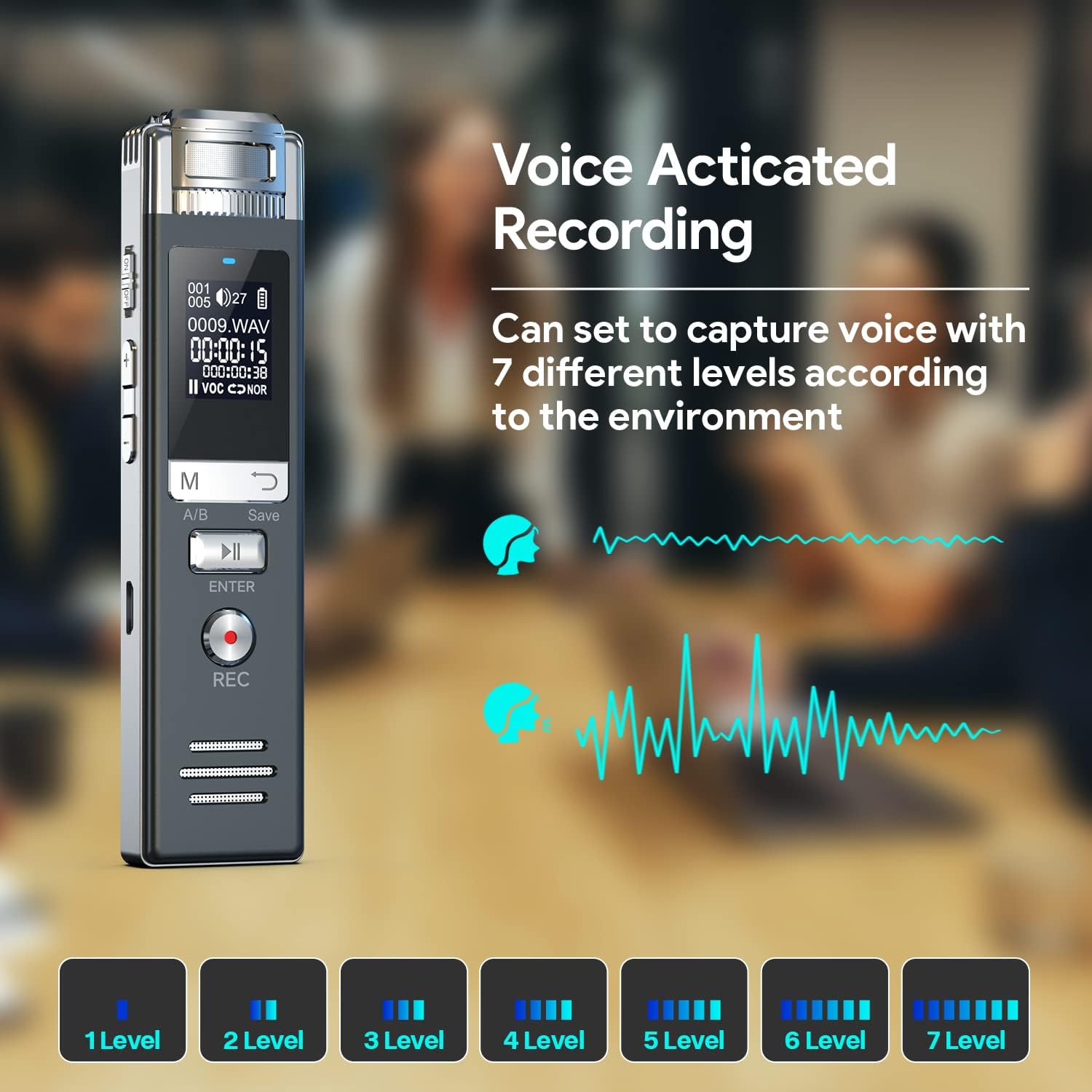
- Voice Activated Recording (VOR): Adjustable sensitivity with 7 levels to capture sound only when detected, saving storage space.
- Password Protection: Secure your recordings with a password.
- Auto-Save Function: Automatically saves current recordings when the battery is low.
- MP3 Music Player: Doubles as a portable music player.
- AB Repeat: Useful for reviewing specific sections of audio.
- Easy File Transfer: Connects to a computer via USB for data transfer and charging.


3. Setup
3.1 Charging the Device
Before first use, fully charge the recorder. Connect the device to a computer's USB port or a USB wall adapter using the provided USB cable. The battery indicator on the screen will show charging status. A full charge takes approximately 2 hours.
3.2 Powering On/Off
- To Power On: Slide the power switch to the 'ON' position. The screen will light up.
- To Power Off: Slide the power switch to the 'OFF' position.
3.3 Inserting MicroSD Card
The device comes with a 32GB microSD card. Locate the microSD card slot on the side of the recorder. Gently insert the card with the gold contacts facing down until it clicks into place. To remove, push the card in again until it springs out.

4. Operating Instructions
4.1 Basic Controls

- REC Button: Press to start recording.
- PLAY/ENTER Button: Press to play recordings or confirm selections.
- SAVE Button: Press to stop and save the current recording, or to go back in menus.
- M (Mode/A/B) Button: Used to switch modes or activate A-B repeat function during playback.
- Volume Buttons (+/-): Adjust playback volume.
- Navigation Buttons (Up/Down): Navigate through menus and files.
4.2 Recording Audio
- Power on the device.
- Press the REC button to start recording. The screen will display the recording time.
- To stop and save the recording, press the SAVE button. The recording will be saved automatically.
4.3 Playback
- From the main menu, navigate to 'Recordings' or 'Files'.
- Use the navigation buttons to select the desired recording.
- Press the PLAY/ENTER button to start playback.
- Use the volume buttons to adjust the sound level.
- Press the SAVE button to stop playback and return to the file list.
4.4 Voice Activated Recording (VOR)
VOR allows the recorder to start recording automatically when sound is detected and pause when silence occurs.
- Access the settings menu.
- Navigate to 'VOR Settings' or 'Voice Activated'.
- Enable VOR and select a sensitivity level (1-7). Level 1 requires louder sound to activate, while Level 7 is highly sensitive.
- Exit the settings. When you start recording, the device will now operate in VOR mode.

4.5 Password Protection
To protect your recordings, you can set a password for the device.
- Go to the 'Settings' menu.
- Select 'Password' or 'Security Settings'.
- Follow the on-screen prompts to set a new password. Remember your password, as there may not be a recovery option.

4.6 File Transfer to Computer
Connect the recorder to your computer using the provided USB cable. The device will appear as a removable disk. You can then drag and drop files to and from the recorder.

4.7 Using as MP3 Player
The recorder can play MP3 music files. Transfer your music files to the device via USB. Connect headphones to the 3.5mm jack and navigate to the 'Music' menu to select and play songs.

4.8 AB Repeat Function
During playback, press the M (Mode/A/B) button to set point A. Press it again to set point B. The device will then repeatedly play the section between A and B. Press the button a third time to exit AB repeat mode.

5. Maintenance
- Cleaning: Use a soft, dry cloth to clean the device. Avoid using liquid cleaners or solvents.
- Battery Care: To prolong battery life, avoid fully discharging the device frequently. Charge it regularly, even if not in use for extended periods.
- Storage: Store the recorder in a cool, dry place away from direct sunlight, extreme temperatures, and humidity.
- Data Backup: Regularly back up important recordings to your computer to prevent data loss.

6. Troubleshooting
| Problem | Possible Cause | Solution |
|---|---|---|
| Device won't power on. | Low battery; Power switch in OFF position. | Charge the device fully; Ensure power switch is in 'ON' position. |
| Cannot record. | Memory full; Device error. | Delete old files or transfer them to a computer; Restart the device. |
| Poor recording quality. | Microphone obstructed; Recording environment too noisy; Incorrect recording settings. | Ensure microphone is clear; Record in a quieter environment; Adjust recording quality settings in the menu. |
| Computer does not recognize device. | Faulty USB cable; Driver issue; Incorrect connection. | Try a different USB cable or port; Restart computer and device; Ensure device is powered on when connected. |
| Forgot password. | Password forgotten. | Refer to the device's full manual or contact customer support for potential reset options. |
7. Specifications
| Brand | HoTiyan |
| Model | B0BR89HRFH |
| Memory Storage Capacity | 48 GB (16GB built-in + 32GB microSD card) |
| Digital Recording Time | 70 hours (continuous) |
| Battery Average Life | 70 Hours |
| Number of Batteries | 1 Lithium Polymer battery (included) |
| Screen Size | 1.1 Inches |
| Microphone Form Factor | Built-in |
| Microphone Operation Mode | Speech recognition (Voice Activated) |
| Format | MP3 Audio (and WAV) |
| Headphones Jack | 3.5 millimeters |
| Hardware Interface | USB 2.0 Type B |
| Product Dimensions (D x W x H) | 4.4" x 0.8" x 0.4" |
| Item Weight | 0.98 Grams |
| Compatible Devices | Personal Computer |
8. Warranty and Support
For warranty information and technical support, please refer to the documentation included with your purchase or visit the official HoTiyan website. If you encounter any issues not covered in this manual, please contact HoTiyan customer service for assistance.