
G Keni B0BR3LM18P
G Keni Portable CD and Cassette Player Boombox Combo (Model B0BR3LM18P) User Manual
Your comprehensive guide to setup, operation, and maintenance.
Introduction
Thank you for choosing the G Keni Portable CD and Cassette Player Boombox Combo. This device offers multiple audio playback options including CD, cassette, AM/FM radio, USB, and Bluetooth connectivity. This manual provides detailed instructions to help you operate and maintain your device effectively.
Important Safety Information
- Read all instructions before use.
- Keep this manual for future reference.
- Do not expose the unit to rain or moisture.
- Ensure proper ventilation; do not block any ventilation openings.
- Use only attachments/accessories specified by the manufacturer.
- Unplug the unit during lightning storms or when unused for long periods.
- Refer all servicing to qualified service personnel.
- Caution: Before using the CD function, remove the laser lens protector paper plate.
Product Overview
The G Keni Portable CD and Cassette Player Boombox Combo is designed for versatile audio playback. Below are key features and controls.

Front view of the G Keni Portable CD and Cassette Player Boombox Combo, showcasing the control panel and speakers.
Controls and Features
- Control Panel: Features buttons for playback, mode selection, volume, and tuning.
- Dual Speakers: Integrated 3W stereo speakers for clear audio output.
- CD/MP3 Player: Top-loading tray for CD, CD-R, CD-RW, and MP3 disc playback.
- Cassette Player/Recorder: Front-loading cassette deck for playing and recording tapes.
- AM/FM Radio: Digital tuner with extendable antenna for enhanced reception.
- Bluetooth 5.1: Wireless connectivity for streaming audio from compatible devices.
- USB Port: For MP3/WMA music playback from USB drives.
- Earphone Jack: Standard 3.5mm output for private listening.
- Portable Handle: Integrated handle for easy transport.
- Remote Control: For convenient operation of CD, Bluetooth, and USB modes.
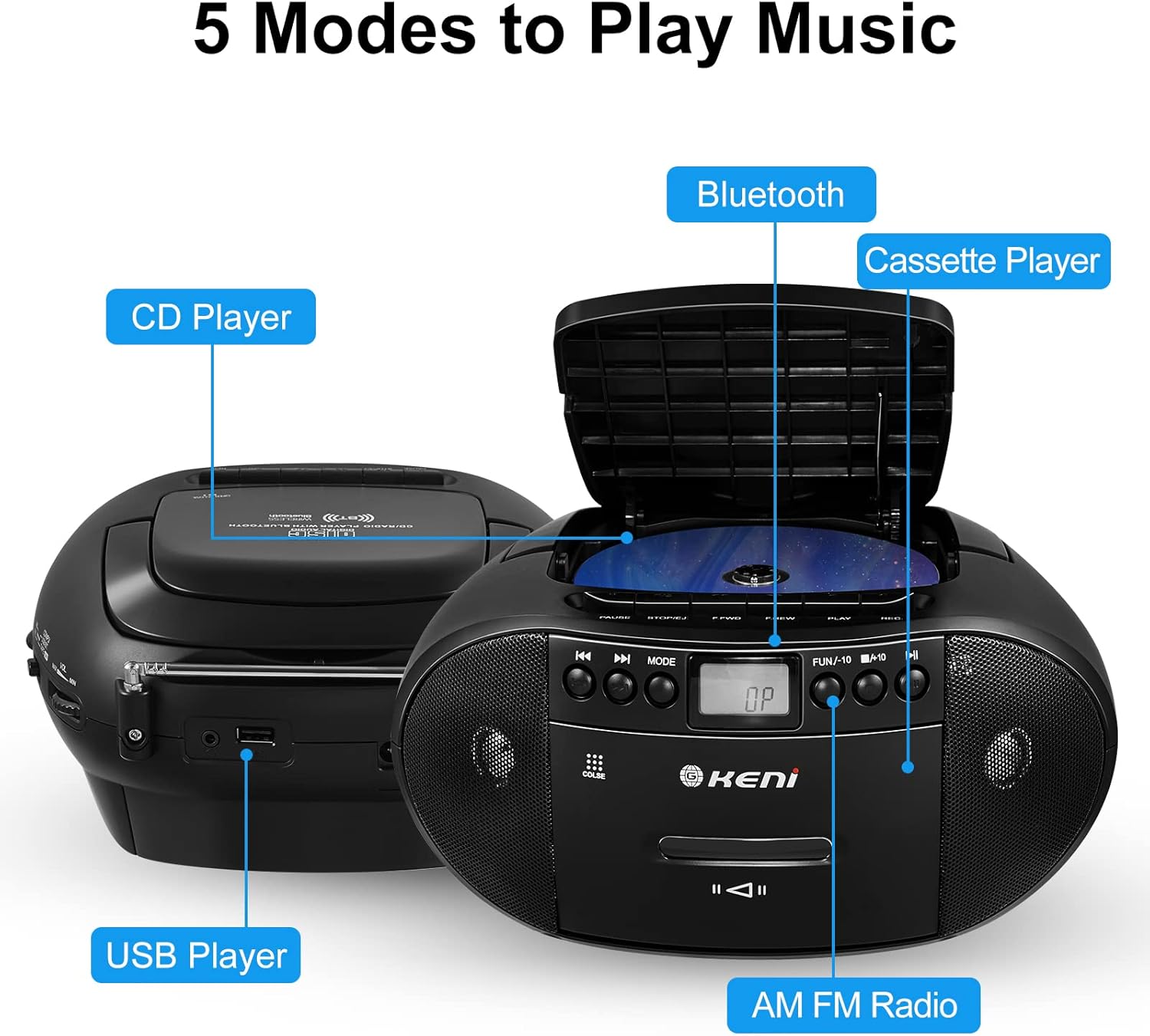
An illustration of the G Keni boombox highlighting its five music playback modes: CD, Cassette, AM/FM Radio, Bluetooth, and USB.

A hand holding the G Keni boombox by its integrated portable handle, showcasing its portability.
Setup
Powering the Device
Your G Keni boombox can be powered by AC current or batteries.
- AC Power: Connect the included AC power cord to the AC input jack on the unit and then to a standard wall outlet.
- Battery Power: For portable use, insert 6 x C size batteries (not included) into the battery compartment located on the bottom of the unit. Ensure correct polarity.

The G Keni boombox demonstrating both AC power connection and the battery compartment for portable use.
Operating Instructions
General Operation
- Turn the unit ON using the power switch.
- Select your desired mode (CD, Cassette, AM/FM, Bluetooth, USB) using the MODE button or selector switch.
- Adjust the volume using the VOLUME control knob.
CD Player Operation
- Ensure the laser lens protector is removed.
- Open the CD compartment cover.
- Place a CD (CD, CD-R, CD-RW, MP3 disc) onto the spindle with the label side facing up.
- Close the CD compartment cover.
- Press the PLAY button to start playback.
- Use the SKIP/SEARCH buttons to navigate tracks.
- Press the STOP/EJECT button to stop playback and open the compartment.
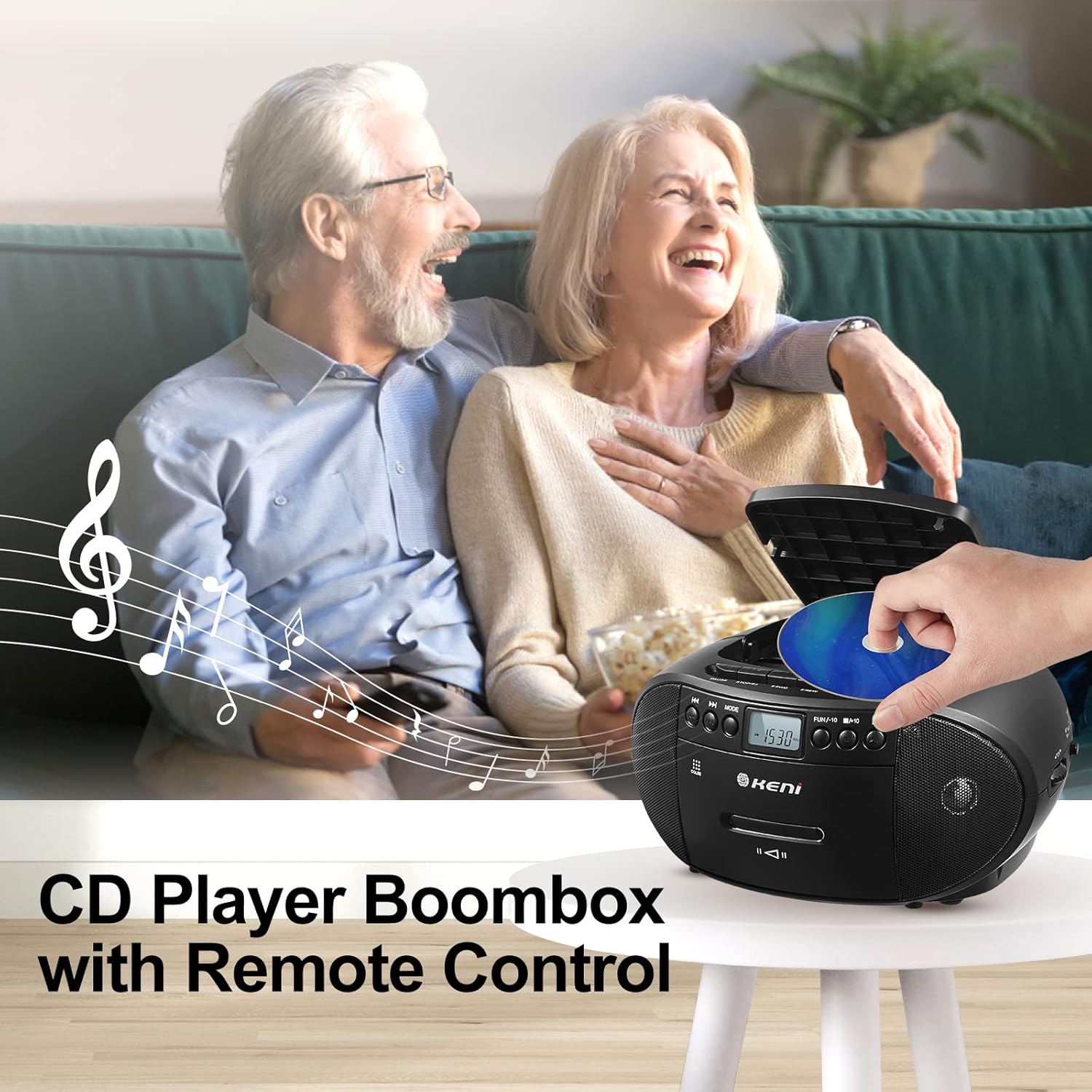
The G Keni boombox with its included remote control, demonstrating remote operation for CD, Bluetooth, and USB functions.
Cassette Player/Recorder Operation
- Open the cassette compartment door.
- Insert a cassette tape.
- Press the PLAY button to begin playback.
- To record, ensure a blank tape is inserted and press the REC button while playing audio from another source (e.g., radio).
- Use the FAST FORWARD (F.FWD) and FAST REWIND (F.REW) buttons to navigate the tape.
- Press the STOP/EJECT button to stop playback and open the compartment.
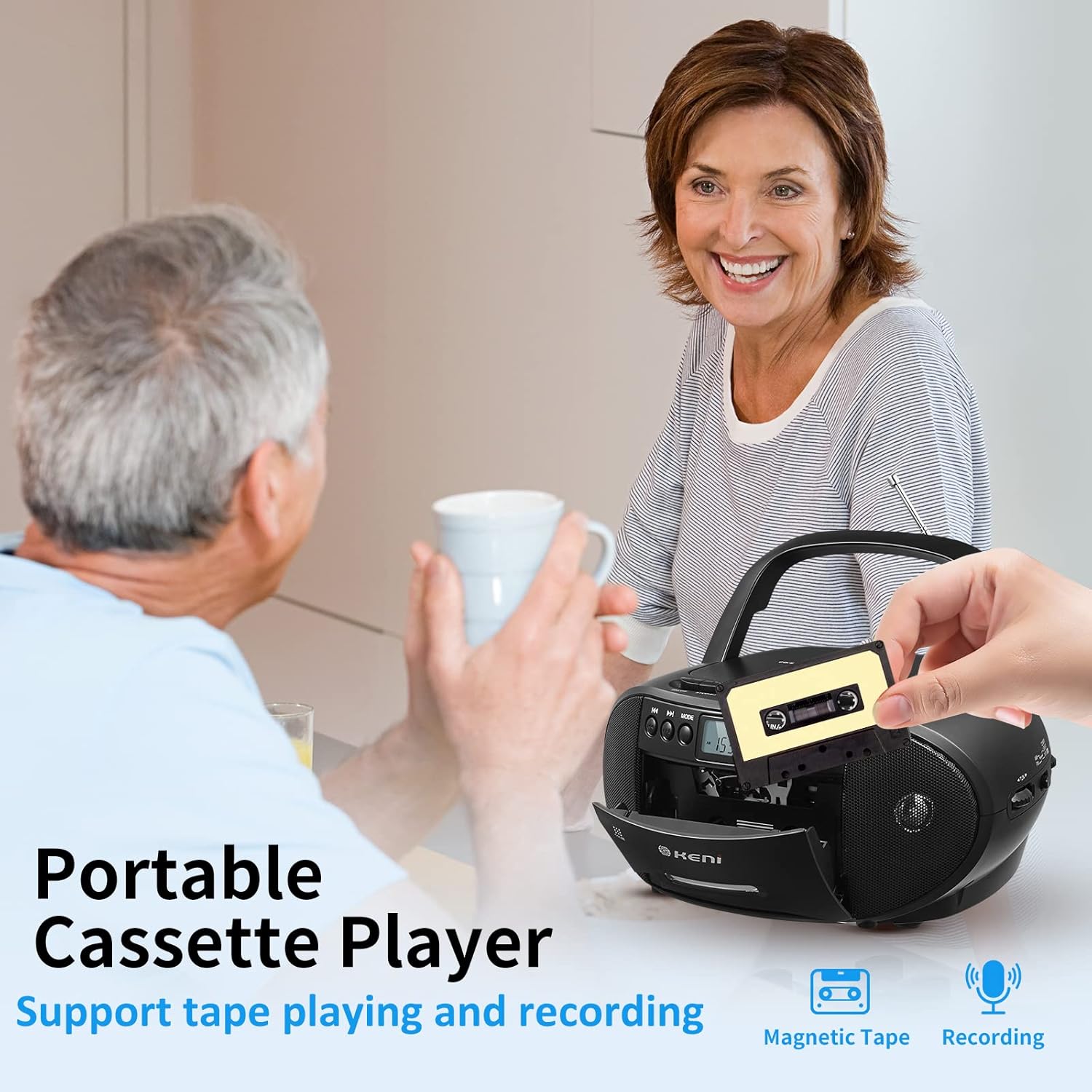
A close-up of the G Keni boombox showing a cassette tape being inserted into the cassette deck.
AM/FM Radio Operation
- Select the AM or FM mode.
- Extend the telescopic antenna for optimal FM reception. For AM, rotate the unit for best reception.
- Use the TUNING knob to find your desired radio station. The LCD screen will display the frequency.
The G Keni boombox with its antenna extended, playing AM/FM radio in an outdoor setting.
Bluetooth Speaker Operation
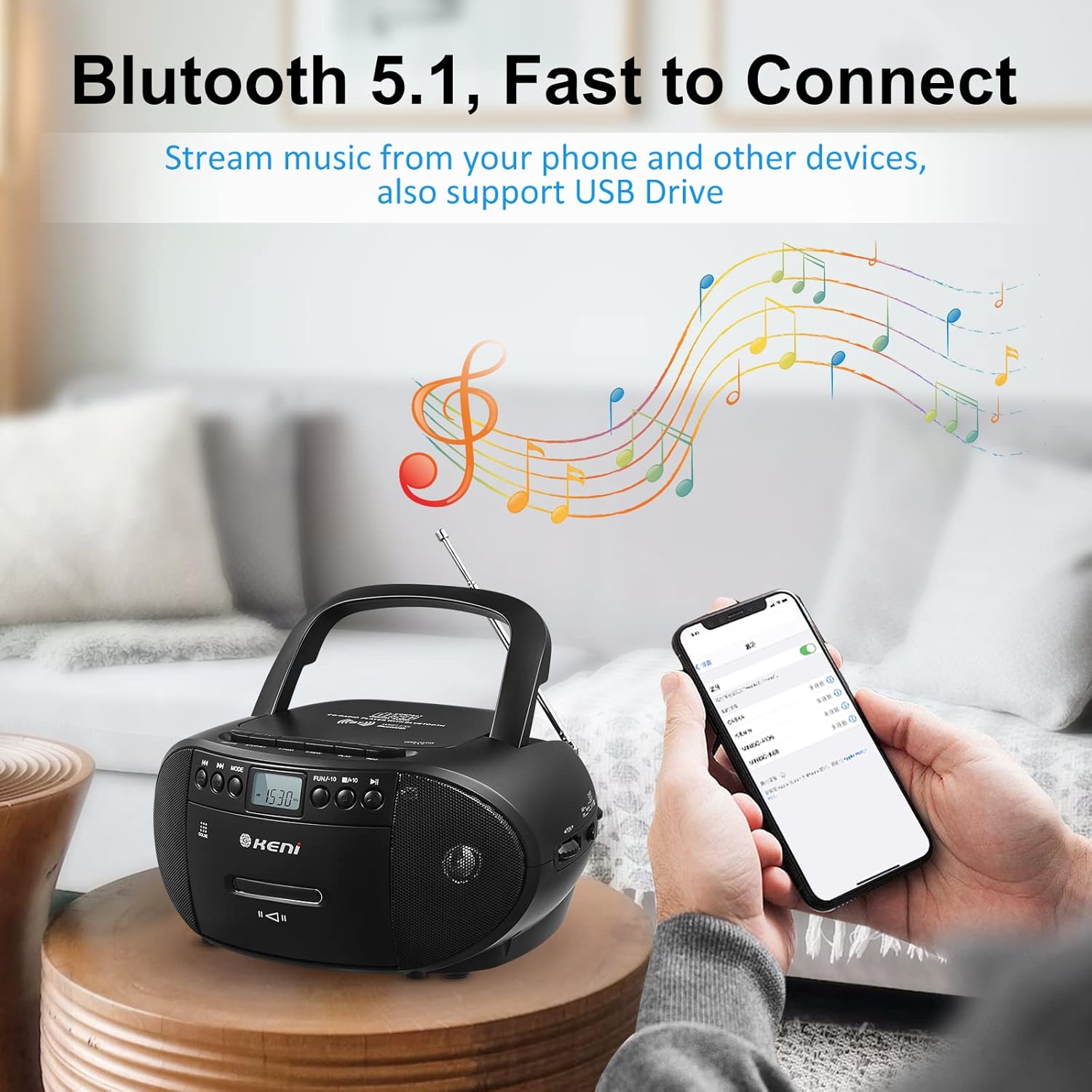
- Select the Bluetooth mode. The display will show "BT" or a similar indicator.
- On your mobile device, enable Bluetooth and search for available devices.
- Select "G Keni" from the list to pair. A confirmation sound will indicate successful pairing.
- Start playing music on your paired device.

The G Keni boombox wirelessly connected to a smartphone via Bluetooth, illustrating its streaming capability.
USB Playback Operation
- Insert a USB flash drive into the USB port.
- Select the USB mode.
- The unit will automatically detect and begin playing compatible audio files (MP3/WMA).
- Use the playback controls to navigate tracks.
Using the Remote Control
The remote control allows convenient operation for CD, Bluetooth, and USB playback modes. It does not control cassette or radio functions.
Product Demonstration
Official product video demonstrating the features and functions of the G Keni Portable CD and Cassette Player Boombox Combo.
Maintenance
Cleaning
- Wipe the exterior of the unit with a soft, dry cloth.
- Do not use abrasive cleaners or solvents.
- For the CD lens, use a specialized CD lens cleaner.
Cassette Deck Care
- Regularly clean the tape heads and pinch rollers with a cotton swab lightly dampened with isopropyl alcohol.
- Demagnetize the tape heads periodically to ensure optimal sound quality.
Troubleshooting
| Problem | Possible Cause | Solution |
|---|---|---|
| No power | AC cord not connected; Batteries depleted or incorrectly inserted. | Check AC cord connection; Replace batteries or ensure correct polarity. |
| No sound | Volume too low; Incorrect mode selected; Headphones connected. | Increase volume; Select correct mode; Disconnect headphones. |
| CD not playing | CD inserted incorrectly; CD dirty or scratched; Laser lens protector not removed. | Insert CD correctly; Clean or replace CD; Remove laser lens protector. |
| Cassette not playing/recording | Tape inserted incorrectly; Tape damaged. | Insert tape correctly; Try a different tape. |
| Poor radio reception | Antenna not extended; Unit position. | Extend antenna fully; Reposition the unit for better signal. |
| Bluetooth pairing issues | Device not in pairing mode; Distance too far. | Ensure unit is in Bluetooth mode; Move device closer to the boombox. |
Specifications
| Feature | Detail |
|---|---|
| Brand | G Keni |
| Model | B0BR3LM18P |
| Connectivity Technology | Auxiliary, Bluetooth 5.1, USB |
| Color | Black |
| Speaker Type | Stereo |
| Speaker Wattage | 3 watts (Dual Speakers) |
| Item Dimensions (L x W x H) | 10 x 8.8 x 5 inches |
| Item Weight | 1.2 Kilograms |
| Power Source | Corded Electric (AC) / 6 x C Size Batteries (DC) |
| Supported Audio Formats | CD, MP3, WMA, Cassette, AM/FM Radio, Aux-in, Bluetooth, USB |
| Manufacturer | K&K INTERNATIONAL CO.,LTD |
Warranty and Support
The G Keni Portable CD and Cassette Player Boombox Combo comes with a One Year Warranty. For any questions, troubleshooting assistance, or warranty claims, please contact K&K INTERNATIONAL CO.,LTD customer service. Refer to the contact information provided with your purchase or visit the official G Keni website for support details.
Ask a question about this manual
Ask about setup, troubleshooting, compatibility, parts, safety, or missing instructions. Manuals+ will review the question and use this page’s manual context to help answer it.