
1. Product Overview
The Dangbei DBX3 Pro is an infrared remote control designed for seamless interaction with compatible Dangbei devices, primarily televisions. It features an ergonomic design for comfortable handling and intuitive button placement for easy navigation and control.
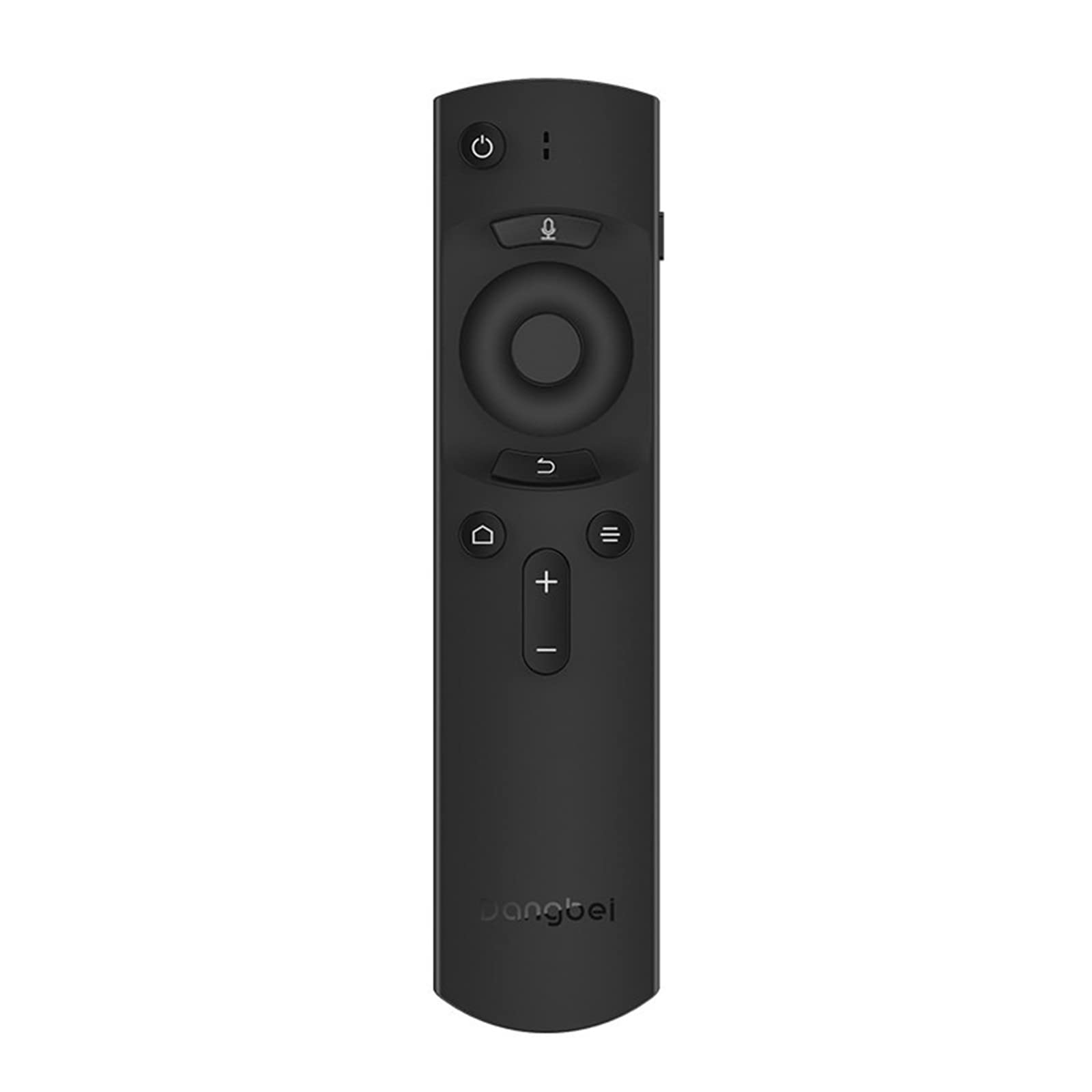
Figure 1: Dangbei DBX3 Pro Remote Control. This image displays the remote control from an angled perspective, highlighting its ergonomic shape and the layout of its primary control buttons, including power, navigation, volume, and home.
Button Functions:
- Power Button (⏻): Turns the connected device on or off.
- Microphone Button (🎙): Activates voice control or voice search features (if supported by the connected device).
- Navigation Pad (Up, Down, Left, Right): Used to navigate menus and select items.
- OK Button: Confirms selections or enters menus.
- Back Button (↩): Returns to the previous screen or menu.
- Menu/Options Button (☰): Accesses additional options or context menus.
- Home Button (🏠): Returns to the main home screen of the connected device.
- Volume Up/Down Buttons (+/-): Adjusts the audio volume.
2. Setup
2.1. Battery Installation
- Locate the battery compartment cover on the back of the remote control.
- Slide the cover downwards or press the latch to open it.
- Insert two AAA batteries (not included), ensuring the positive (+) and negative (-) terminals align correctly with the markings inside the compartment.
- Replace the battery compartment cover until it clicks securely into place.
2.2. Initial Use
The Dangbei DBX3 Pro remote control operates using infrared (IR) technology. For the remote to function, ensure there is a clear line of sight between the remote's IR emitter (located at the front tip) and the IR receiver on your compatible Dangbei device. Point the remote directly at the device you wish to control.
3. Operating Instructions
3.1. Basic Navigation
- Use the Navigation Pad (Up, Down, Left, Right arrows) to move through menus, lists, and content on your screen.
- Press the OK Button to select a highlighted item, confirm an an action, or open an application.
- Press the Back Button to return to the previous screen or exit a menu.
- Press the Home Button to quickly access the main interface of your device.
3.2. Power and Volume Control
- Press the Power Button once to turn your device on or off.
- Use the Volume Up (+) and Volume Down (-) buttons to adjust the sound level.
3.3. Voice Control (If Supported)
If your connected Dangbei device supports voice control, press and hold the Microphone Button. Speak clearly into the remote control's microphone. Release the button when you have finished speaking. Refer to your device's manual for specific voice command capabilities.
4. Maintenance
4.1. Cleaning
To clean the remote control, gently wipe its surface with a soft, dry cloth. For stubborn dirt, slightly dampen the cloth with water or a mild, non-abrasive cleaner. Avoid using harsh chemicals, solvents, or abrasive materials, as these can damage the remote's finish or internal components.
4.2. Battery Replacement
Replace batteries when the remote's response becomes sluggish or stops working. Always replace both batteries simultaneously with new AAA batteries. Do not mix old and new batteries, or different types of batteries, as this can lead to leakage or malfunction. Dispose of used batteries according to local regulations.
4.3. Storage
Store the remote control in a cool, dry place away from direct sunlight, extreme temperatures, and high humidity. If the remote will not be used for an extended period, it is recommended to remove the batteries to prevent potential leakage.
5. Troubleshooting
| Problem | Possible Cause | Solution |
|---|---|---|
| Remote not responding. |
|
|
| Buttons are unresponsive or sticky. |
|
|
| Short operating range. |
|
|
6. Specifications
- Model: DBX3 Pro
- Brand: Dangbei
- Connectivity Technology: Infrared (IR)
- Compatible Devices: Television (specifically compatible Dangbei devices)
- Power Source: 2 x AAA Batteries (not included)
- Product Dimensions: 1.5 x 9.06 x 3.94 inches (approximately 3.8 x 23.0 x 10.0 cm)
- Item Weight: 4.6 ounces (approximately 130 grams)
- Special Feature: Ergonomic design
7. Warranty & Support
7.1. Warranty Information
This Dangbei product is covered by a limited manufacturer's warranty. The specific terms and duration of the warranty may vary by region and purchase date. Please retain your proof of purchase for warranty claims. For detailed warranty information, refer to the documentation provided with your primary Dangbei device or visit the official Dangbei website.
7.2. Customer Support
For technical assistance, troubleshooting, or inquiries regarding your Dangbei DBX3 Pro remote control, please contact Dangbei customer support. Contact information can typically be found on the official Dangbei website or within the support section of your primary Dangbei device's user interface.
Official Website: www.dangbei.com (Please check for regional variations)


