
iHome AutoVac Eclipse
iHome AutoVac Eclipse Robot Vacuum User Manual
Model: AutoVac Eclipse
Brand: iHome
Introduction
Thank you for choosing the iHome AutoVac Eclipse Robot Vacuum. This manual provides essential information for the safe operation, maintenance, and troubleshooting of your new robot vacuum. Please read this manual thoroughly before using the product and retain it for future reference.
The iHome AutoVac Eclipse is designed to provide efficient and convenient floor cleaning with features such as smart mapping, powerful suction, and app connectivity.
Product Overview

Image: Top view of the iHome AutoVac Eclipse Robot Vacuum, showing its circular design and control buttons. A smartphone displaying the iHome app interface with a floor map is shown next to it.
The iHome AutoVac Eclipse is a circular robot vacuum cleaner equipped with advanced navigation and cleaning capabilities. It features a main power button, a home button for returning to the charging dock, and various sensors for obstacle detection and cliff avoidance.
Key components include the dust bin, main brush, side brushes, and charging contacts. The device connects to a mobile application for enhanced control and monitoring.
Setup Guide
1. Unboxing and Initial Inspection
- Carefully remove all components from the packaging.
- Verify that all accessories are present according to the packing list.
- Remove any protective films or shipping materials from the robot and charging dock.
2. Charging Dock Placement
Place the charging dock on a hard, level surface against a wall. Ensure there is at least 1 meter (3 feet) of clear space to the front and 0.5 meters (1.5 feet) to the sides of the dock to allow the robot to easily return for charging.
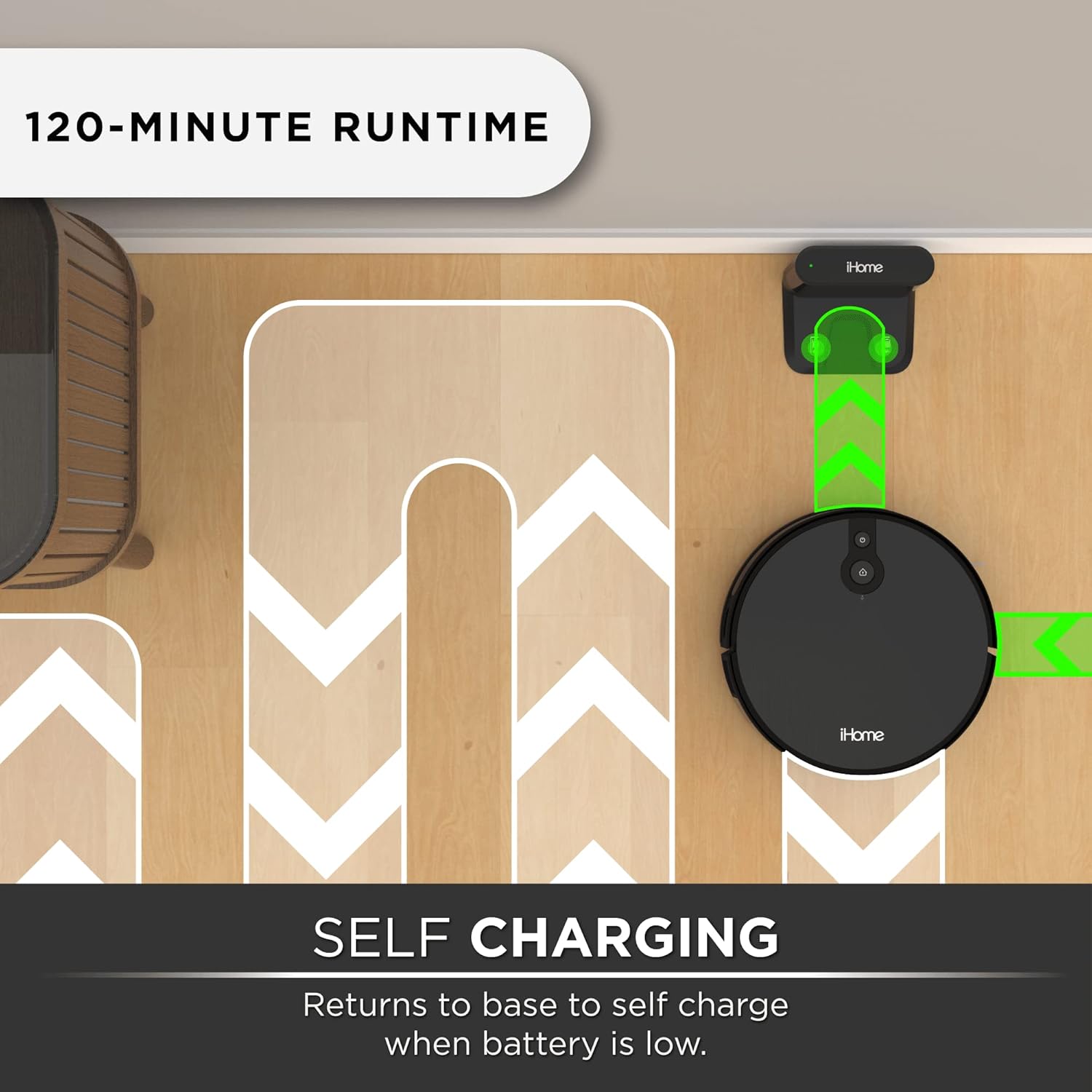
Image: An illustration showing the iHome AutoVac Eclipse robot vacuum approaching its charging dock, with green arrows indicating the path and successful docking for self-charging.
- Connect the power adapter to the charging dock and plug it into a wall outlet.
- Ensure the power indicator light on the dock illuminates.
3. Initial Charge
Place the robot vacuum onto the charging dock, ensuring the charging contacts on the robot align with those on the dock. The robot will begin charging automatically. For optimal battery life, fully charge the robot before its first use (approximately 4-5 hours).
4. App Download and Connection
Download the iHome Clean app from the App Store (iOS) or Google Play Store (Android). Follow the in-app instructions to connect your AutoVac Eclipse to your home Wi-Fi network and pair it with the app. This enables remote control, scheduling, and access to advanced features.
Operating Instructions
1. Cleaning Modes
- Auto Clean: Press the power button on the robot or select "Auto Clean" in the app. The robot will intelligently navigate and clean your entire accessible floor area.
- Spot Clean: Place the robot in a specific area that requires intensive cleaning and select "Spot Clean" in the app. The robot will clean in a spiral pattern.
- Edge Clean: Select "Edge Clean" in the app. The robot will clean along the edges of walls and furniture.
2. Smart Mapping and Navigation

Image: A smartphone screen displaying the iHome app with a detailed floor map, showing the robot's cleaning path and current location. The text "HOMEMAP NAVIGATION" is prominently displayed.
The AutoVac Eclipse utilizes advanced mapping technology to create a detailed map of your home during its cleaning cycles. This map allows for efficient, systematic cleaning paths, ensuring comprehensive coverage and avoiding redundant cleaning.

Image: A comparison graphic illustrating the difference between random cleaning paths (left) and the systematic, row-by-row cleaning path of the iHome AutoVac Eclipse (right) using Homemap Navigation.
The robot learns your home layout over time, optimizing its cleaning routes. You can view the cleaning map in the iHome Clean app.
3. Scheduling
Use the iHome Clean app to set up daily or weekly cleaning schedules. This allows the robot to automatically start cleaning at your preferred times.
4. Voice Control (Alexa Compatible)
The iHome AutoVac Eclipse is compatible with Amazon Alexa. To enable voice control, link your iHome Clean account with your Alexa app. Once linked, you can use voice commands such as "Alexa, tell AutoVac to start cleaning" or "Alexa, tell AutoVac to go home."
Maintenance
Regular maintenance is crucial for the optimal performance and longevity of your iHome AutoVac Eclipse. Perform these tasks regularly:
1. Emptying the Dust Bin
- Press the dust bin release button and pull out the dust bin.
- Open the dust bin lid and empty its contents into a trash can.
- Close the lid and reinsert the dust bin into the robot until it clicks into place.
- Recommended frequency: After each use or when the dust bin full indicator appears.
2. Cleaning the Main Brush and Side Brushes

Image: A close-up view of the underside of the iHome AutoVac Eclipse, highlighting the main brush roll and a side brush. A yellow arrow points to the brush roll, emphasizing its "Dual Action" capability for agitating carpet.
- Turn the robot over.
- Remove the main brush cover and lift out the main brush. Use the cleaning tool (if provided) to remove hair and debris.
- Gently pull off the side brushes. Remove any tangled hair or debris. Reattach them by pressing firmly until they click.
- Recommended frequency: Weekly, or as needed.
3. Cleaning/Replacing Filters
- Remove the dust bin. The filter assembly is located inside.
- Tap the filter gently over a trash can to remove dust. Do not wash the HEPA filter with water.
- Recommended frequency: Clean weekly, replace every 3-6 months depending on usage.
4. Cleaning Sensors and Charging Contacts

Image: The iHome AutoVac Eclipse robot vacuum positioned near the edge of a step, with blue waves emanating from its underside, illustrating the function of its cliff sensors to prevent falls.
- Wipe the cliff sensors (located on the underside of the robot) and the charging contacts (on the robot and dock) with a clean, dry cloth.
- Recommended frequency: Monthly, or if the robot exhibits unusual navigation behavior.
Troubleshooting
| Problem | Possible Cause | Solution |
|---|---|---|
| Robot does not turn on. | Battery is low or depleted. | Place the robot on the charging dock and ensure it is fully charged. |
| Robot cannot find charging dock. | Dock is obstructed or too far. | Ensure the dock has clear space around it. Manually place the robot on the dock. |
| Robot gets stuck frequently. | Obstacles, tangled brushes, or dirty sensors. | Clear obstacles from the cleaning path. Clean main brush, side brushes, and all sensors. |
| Poor cleaning performance. | Full dust bin, dirty filters, or worn brushes. | Empty dust bin. Clean or replace filters. Clean or replace main/side brushes. |
| App connection issues. | Incorrect Wi-Fi password, weak signal, or robot offline. | Ensure correct Wi-Fi credentials. Move robot closer to router. Restart robot and router. Re-pair with app if necessary. |
Specifications
| Feature | Detail |
|---|---|
| Brand | iHome |
| Model | AutoVac Eclipse |
| Special Features | Smart Mapping, Scheduling, Ultrasonic Carpet Detection, Smart |
| Filter Type | Cartridge, Cloth, Foam |
| Battery Life | 120 minutes |
| Power Source | Battery Powered |
| Suction Power | 2200 PA |
| Connectivity | Wi-Fi, App Control, Alexa Compatible |
Safety Information
Please read and follow all safety instructions to prevent injury or damage.
- This appliance is not intended for use by persons (including children) with reduced physical, sensory or mental capabilities, or lack of experience and knowledge, unless they have been given supervision or instruction concerning use of the appliance by a person responsible for their safety.
- Do not use the robot vacuum in wet environments or on wet surfaces.
- Do not allow children to play with the robot vacuum.
- Keep hair, loose clothing, fingers, and all parts of body away from openings and moving parts.
- Do not pick up anything that is burning or smoking, such as cigarettes, matches, or hot ashes.
- Do not use without dust bin and/or filters in place.
- Only use the charging dock and power adapter supplied by the manufacturer.
- Ensure the robot is turned off and unplugged from the charging dock before performing any maintenance.
Warranty and Support
For warranty information and technical support, please refer to the official iHome website or contact iHome customer service. Keep your purchase receipt as proof of purchase for warranty claims.
iHome Customer Support: Visit www.ihome.com/support for FAQs, troubleshooting, and contact information.
Related documentsAutoVac Eclipse


Ask a question about this manual
Ask about setup, troubleshooting, compatibility, parts, safety, or missing instructions. Manuals+ will review the question and use this page’s manual context to help answer it.