
Moen WICNT008G1USA
Moen 8-Zone Smart Sprinkler Controller
Model: WICNT008G1USA
Brand: Moen
1. Introduction
This manual provides detailed instructions for the installation, operation, and maintenance of your Moen 8-Zone Smart Sprinkler Controller. This device is designed to offer intelligent control over your home irrigation system, accessible via the Moen Smart Water App. It aims to optimize watering routines, reduce water waste, and ensure efficient landscape management.

Image: Front view of the Moen 8-Zone Smart Sprinkler Controller, a dark blue square unit with a green LED indicator and 'MOEN' logo.
2. Key Features
- 8-Zone Irrigation: Supports up to eight independent watering zones, suitable for various yard sizes and gardening requirements.
- Easy Installation: Designed for quick setup, typically within 30 minutes.
- Moen Smart Water Network App: Enables remote activation and control of watering routines, compatible with common voice control devices.
- Optional Moen Smart Wireless Soil Sensors: (Sold separately) Allows for customized watering schedules based on real-time soil moisture and temperature data.
- Smart Water Network Compatibility: Integrates with the Moen Flo Smart Water Monitor and Shutoff to prevent water shut-off during irrigation.
- Water Conservation: Features independent zone control, flexible scheduling, and weather skip functionality to minimize water waste.
3. Setup and Installation
The Moen 8-Zone Smart Sprinkler Controller is designed for straightforward installation. For a comprehensive guide, please refer to the official Installation Manual (PDF).
3.1 Unboxing and Initial Inspection
Carefully remove all components from the packaging. Verify that all parts are present and undamaged.

Image: A person unboxing the Moen Smart Sprinkler Controller from its packaging, revealing the dark blue unit.
3.2 Mounting the Controller
Choose a suitable indoor or outdoor location for mounting. If installing outdoors, ensure the controller is housed within an appropriate outdoor-rated enclosure (sold separately).
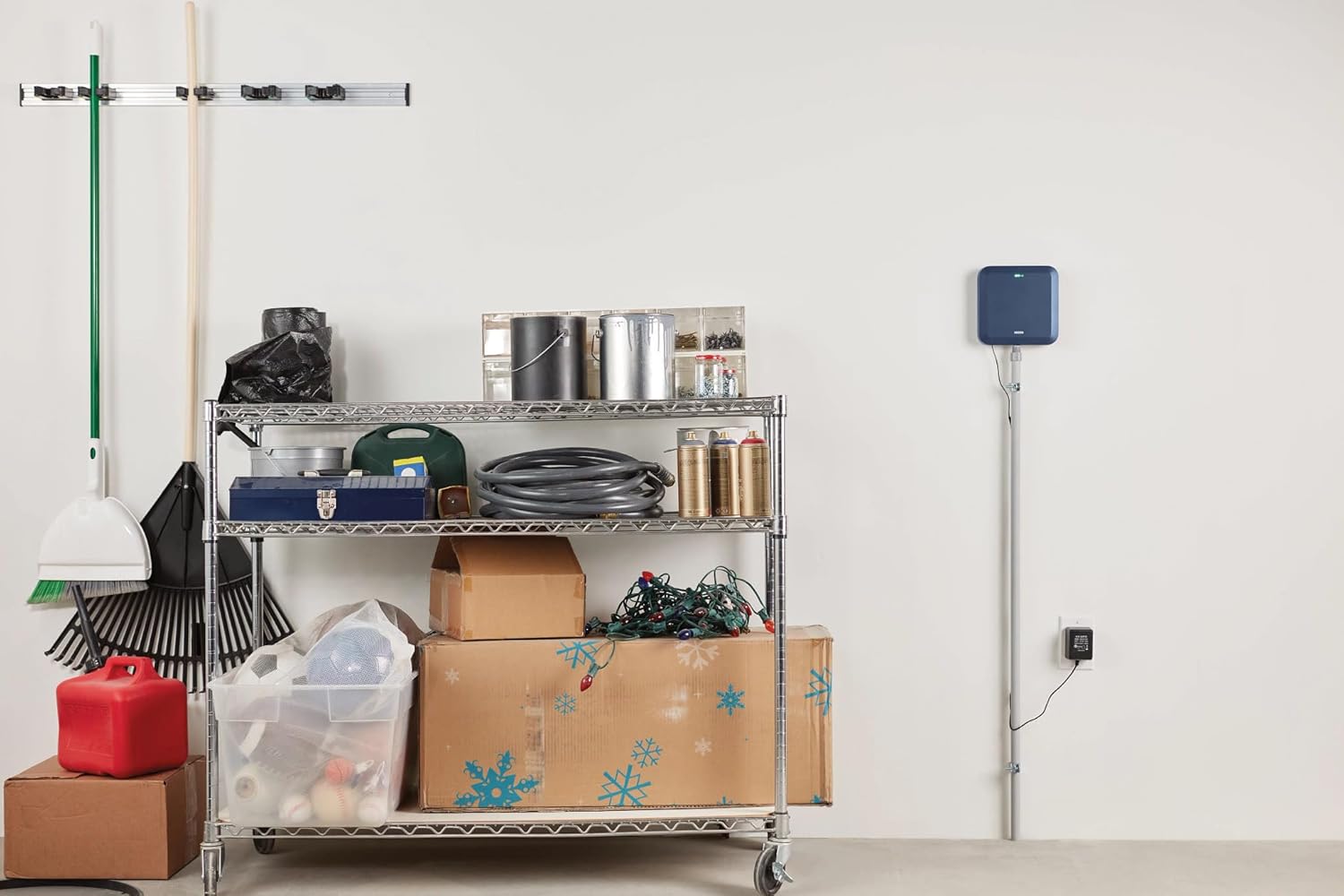
Image: The Moen Smart Sprinkler Controller mounted on a white wall in a garage, connected to power.

Image: A woman using a level to ensure the Moen Smart Sprinkler Controller is mounted straight on a wall.
3.3 Wiring the Controller
Connect your existing sprinkler system wires to the corresponding terminals on the Moen controller. Ensure all connections are secure.
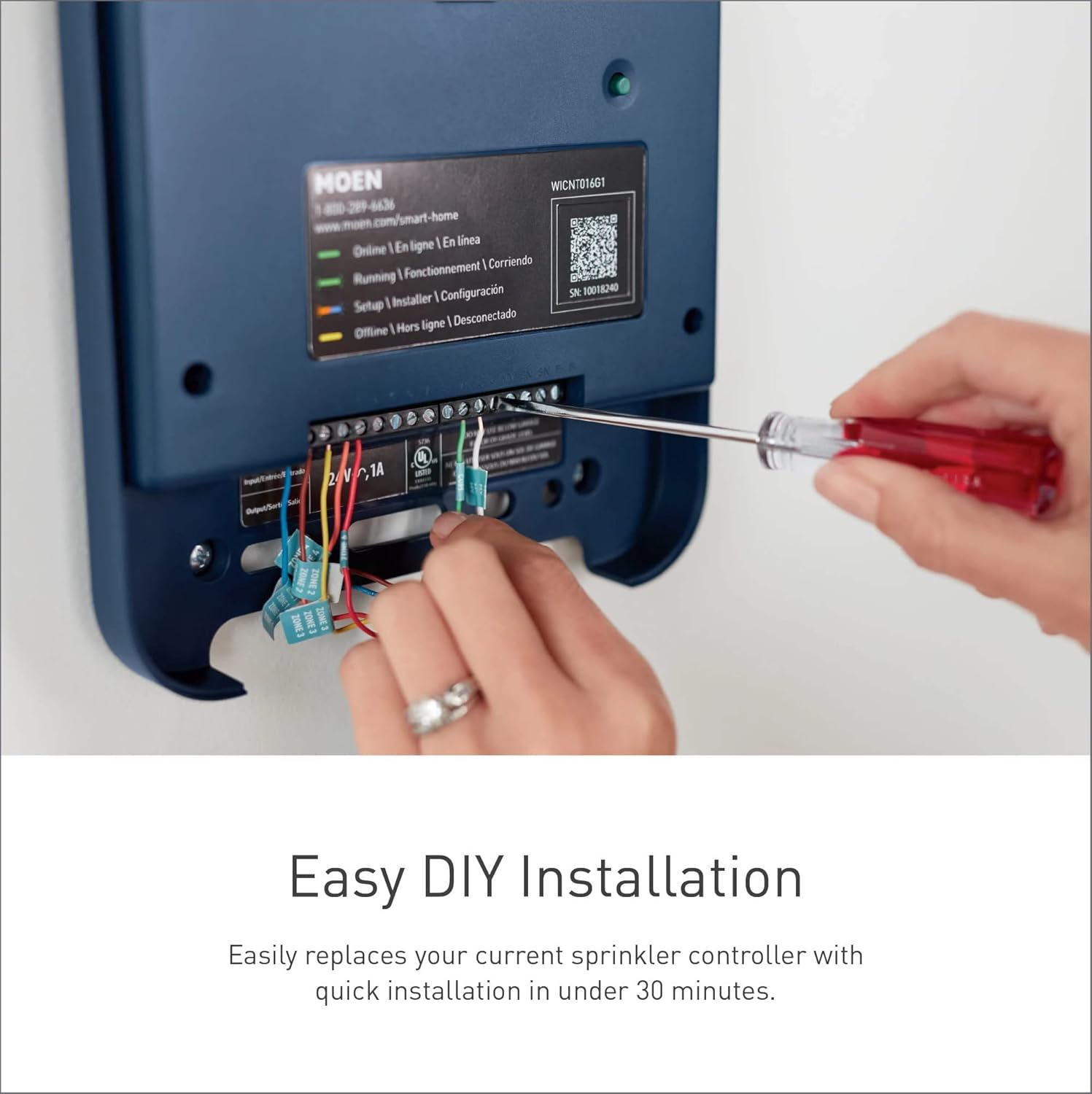
Image: A person using a screwdriver to connect wires to the terminal block of the Moen Smart Sprinkler Controller.

Image: A woman connecting color-coded wires to the terminal block of the Moen Smart Sprinkler Controller.
3.4 App Download and Pairing
- Download the Moen Smart Water Network App from your device's app store.
- Create an account or log in.
- Follow the in-app instructions to pair your controller. This typically involves scanning a QR code located on the controller.
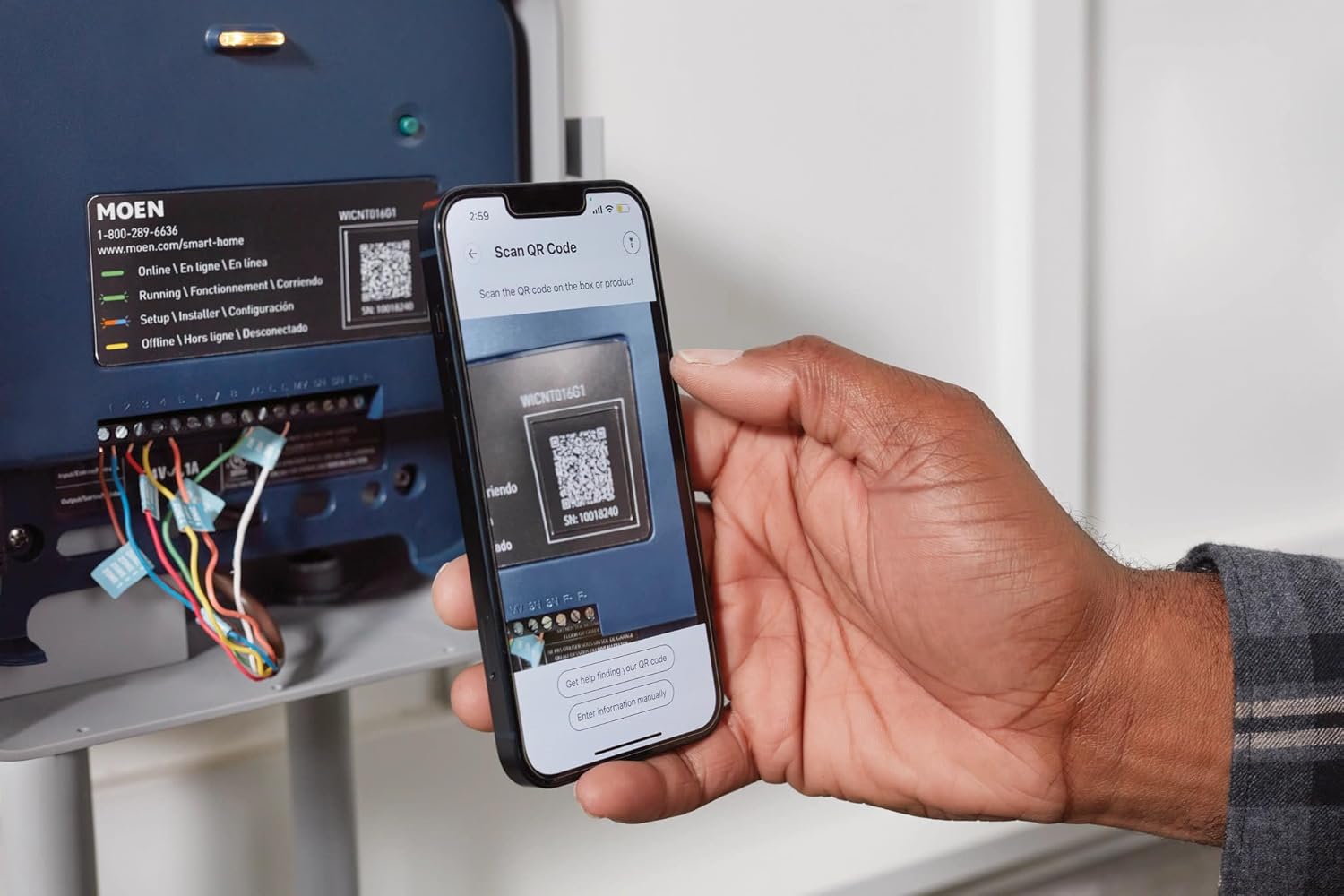
Image: A man scanning the QR code on the Moen Smart Sprinkler Controller with his smartphone to initiate pairing.
4. Operating Instructions
4.1 Remote Control via Moen Smart Water App
Manage your irrigation system from anywhere using the Moen Smart Water App. The app provides a comprehensive interface for scheduling, monitoring, and adjusting your sprinkler zones.

Image: A person holding a smartphone displaying the Moen Smart Water App interface next to the wall-mounted controller.
4.2 Independent Zone Control
Create and manage custom watering schedules for each individual zone in your yard. This ensures that each area receives the appropriate amount of water when needed.

Image: An aerial view of a house and yard, with digital overlays indicating 'Zone 1 | Garden (Skipped)' and 'Zone 2 | Front Lawn (Completed)'.
4.3 Water Savings and Monitoring
The app allows you to monitor your water usage and estimated savings, helping you achieve your water conservation goals.
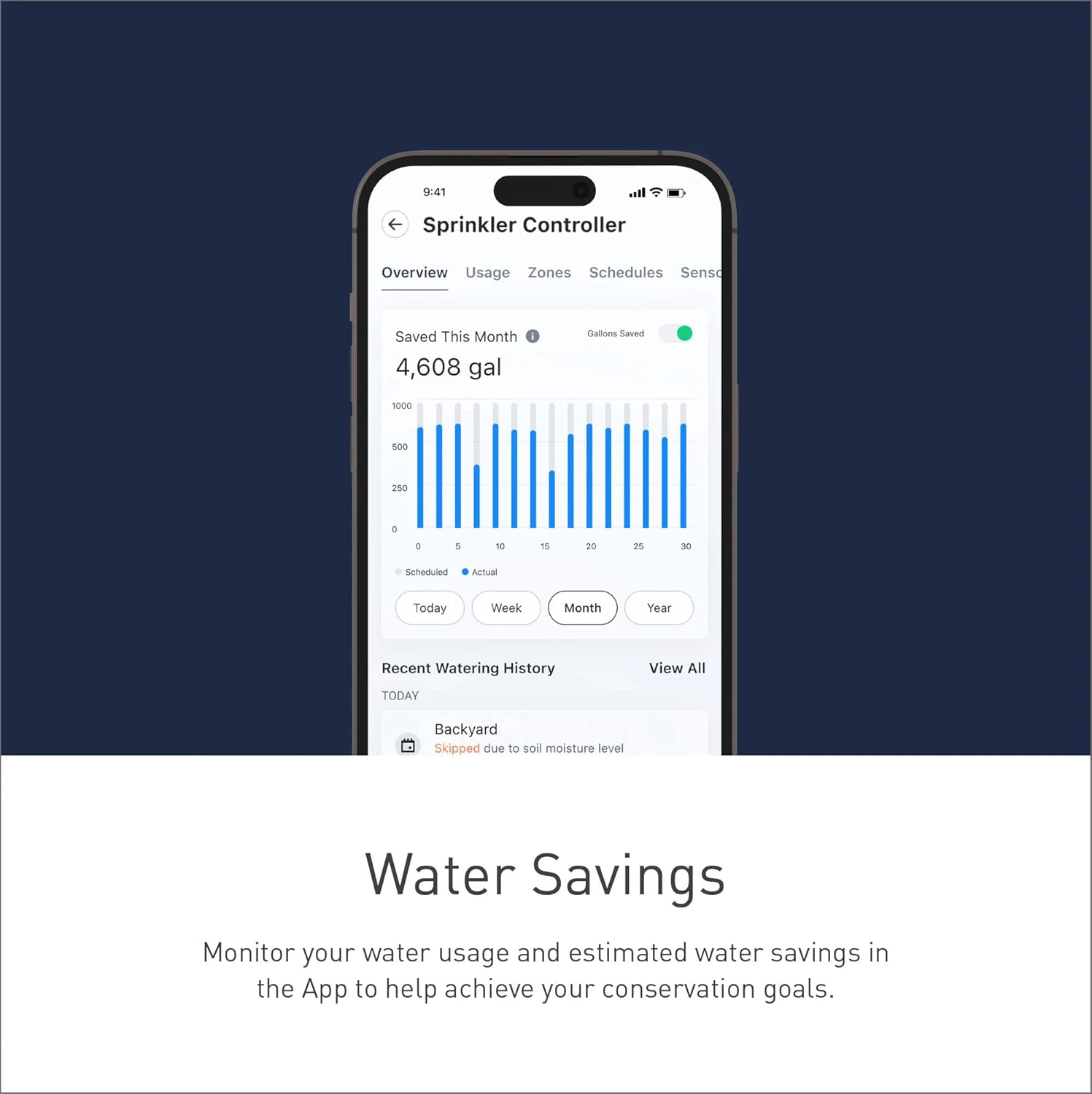
Image: A smartphone screen showing the Moen Smart Water App with a bar graph illustrating monthly water usage and gallons saved.
4.4 Weather Skip Functionality
The controller can automatically skip scheduled watering based on local weather data, such as rain forecasts, to prevent overwatering and conserve water.

Image: A lush green lawn with a smartphone notification overlay stating, 'Your Moen Smart Sprinkler Controller noticed it was going to rain today at 2PM and will skip the afternoon irrigation schedule.'
4.5 Real-Time Alerts and Notifications
Receive automatic alerts and notifications regarding watering status, skipped schedules, or any detected issues with your system.

Image: A smartphone displaying a notification from the Moen Smart Sprinkler Controller about skipping an irrigation schedule due to rain.
4.6 Soil Sensor Integration (Optional)
For enhanced water optimization, integrate optional Moen Smart Wireless Soil Sensors (sold separately). These sensors provide real-time soil moisture and temperature data, allowing the system to adjust watering schedules automatically.
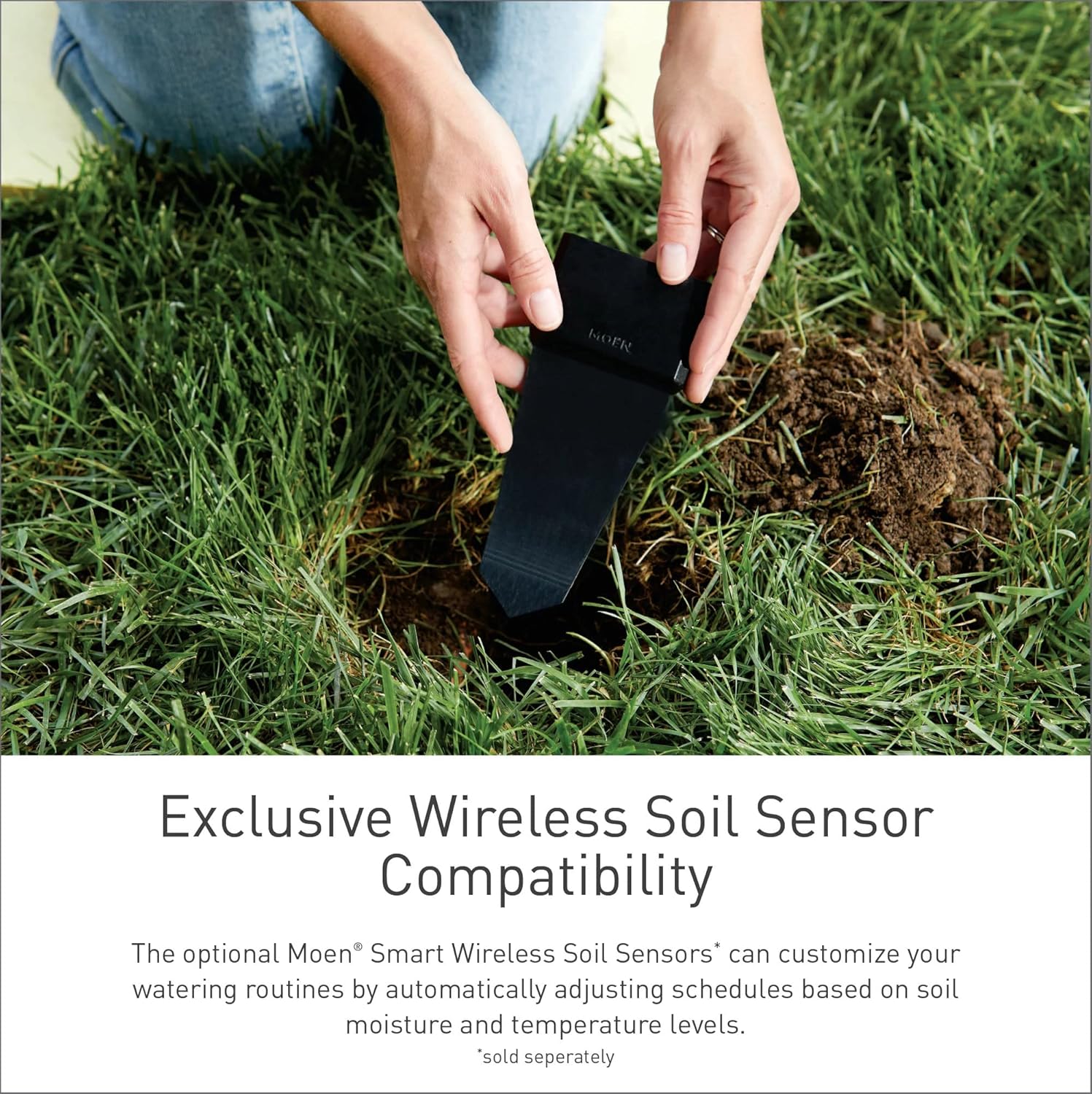
Image: A hand inserting a black Moen Smart Wireless Soil Sensor into the ground amidst grass.
5. Maintenance
To ensure optimal performance and longevity of your Moen Smart Sprinkler Controller, consider the following maintenance guidelines:
- Regular Cleaning: Periodically wipe the exterior of the controller with a soft, damp cloth to remove dust and debris. Avoid using harsh chemicals.
- Connection Checks: Annually inspect all wiring connections to ensure they remain secure and free from corrosion.
- Software Updates: Ensure your Moen Smart Water App and controller firmware are kept up-to-date. The app will typically notify you of available updates.
- Winterization: In regions subject to freezing temperatures, follow standard irrigation system winterization procedures, which may include disconnecting the controller and draining lines.
6. Troubleshooting
If you encounter issues with your Moen Smart Sprinkler Controller, review the following common troubleshooting steps:
- No Power: Verify the power adapter is securely plugged into both the controller and a working electrical outlet. Check the circuit breaker if necessary.
- Wi-Fi Connectivity Issues: Ensure your home Wi-Fi network is operational and the controller is within range. Try restarting your router and the controller.
- Zone Not Watering: Check the wiring for the affected zone at the controller. Ensure the zone is enabled and scheduled correctly in the Moen Smart Water App. Verify that the main water supply to your irrigation system is open.
- App Not Responding: Close and reopen the Moen Smart Water App. Ensure your smartphone has a stable internet connection.
- Weather Skip Not Working: Confirm that the weather skip feature is enabled in the app and that your location services are accurate for local weather data.
For persistent issues, refer to the official Moen support resources or contact customer service.
7. Specifications
| Feature | Detail |
|---|---|
| Model Number | WICNT008G1USA |
| Brand | Moen |
| Number of Zones | 8 |
| Connectivity | Wi-Fi |
| Control Method | Moen Smart Water Network App, Voice Control |
| Dimensions (L x W x H) | 11.5 x 7.5 x 3 inches |
| Item Weight | 1.5 pounds |
| Material | Plastic |
| Display Type | LED |
| Usage Environment | Inside, Outside (with appropriate enclosure) |
| Included Components | 8 Zone Controller |
| Batteries Required | No |
| UPC | 026508366059 |
8. Warranty Information
The Moen 8-Zone Smart Sprinkler Controller is covered by a Limited Lifetime Warranty. For specific terms, conditions, and to register your product, please visit the official Moen website or consult the documentation included with your purchase.
9. Support and Contact
For further assistance, technical support, or to explore additional Moen smart water products, please visit the official Moen website or contact their customer service department.
- Moen Website: www.moen.com
- Moen Smart Home Support: www.moen.com/smart-home
- Phone Support: 1-800-289-6636
Related documentsWICNT008G1USA


Ask a question about this manual
Ask about setup, troubleshooting, compatibility, parts, safety, or missing instructions. Manuals+ will review the question and use this page’s manual context to help answer it.