
1. Introduction
This manual provides essential information for the safe and efficient operation, installation, and maintenance of your Voltas 123 Vectra Platina 1 Ton 3 Star Fixed Speed Window Air Conditioner. Please read this manual thoroughly before using the appliance and retain it for future reference.
2. Safety Information
Important Safety Instructions:
- Ensure the power supply matches the voltage specified on the unit.
- Do not operate the AC with wet hands.
- Do not block the air intake or outlet vents.
- Keep children away from the unit.
- For installation, maintenance, and repair, always contact qualified service personnel.
- Do not attempt to repair or modify the unit yourself.
- Disconnect power before cleaning or performing any maintenance.
- Use only the specified refrigerant (R32).
3. Product Overview
The Voltas 123 Vectra Platina is a 1 Ton, 3 Star Fixed Speed Window AC designed for efficient cooling in small rooms up to 110 sq.ft. It features a copper condenser coil for enhanced durability and low maintenance, an anti-dust filter with anti-microbial coating, and various operational modes for user comfort.
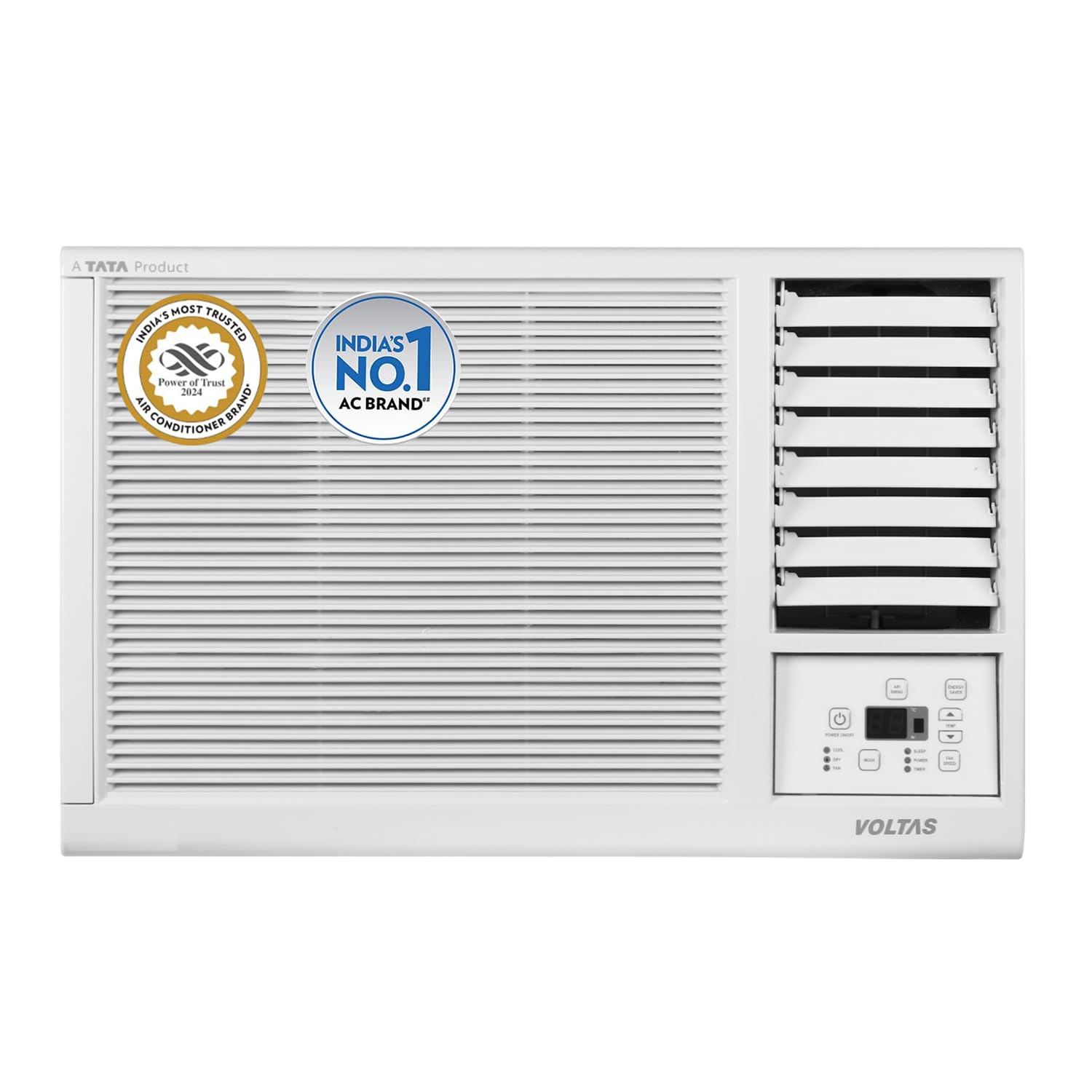
Figure 3.1: Front view of the Voltas 123 Vectra Platina Window AC unit.

Figure 3.2: Overview of key features including ergonomic build, instant cooling, PM 2.5 filtration, and timer function.
4. Setup and Installation
The Voltas 123 Vectra Platina is a window AC unit, designed for economical and easy installation. Professional installation is recommended to ensure proper functioning and safety.
4.1 Pre-Installation Checks
- Ensure the window opening dimensions are compatible with the AC unit.
- Verify the electrical outlet meets the power requirements (230 Volts).
- Confirm the installation location allows for proper drainage and air circulation.
4.2 Installation Steps (Overview)
- Prepare the window opening, ensuring it is clean and secure.
- Carefully lift and place the AC unit into the window frame.
- Secure the unit using appropriate brackets and sealing materials to prevent air leakage.
- Connect the power cord to a suitable electrical outlet.
- Ensure the unit is level or slightly tilted outwards for proper condensate drainage.

Figure 4.1: Unit dimensions (LxBxH): 55.8 x 37.5 x 58 cm. This image also shows the remote control and energy efficiency guide.
5. Operating Instructions
Your Voltas AC comes with a remote control for convenient operation. The unit also features an LED temperature display and memory restart function.
5.1 Remote Control Functions
- Power Button: Turns the unit ON/OFF.
- Mode Button: Cycles through Cool, Dry, and Fan modes.
- Temperature Adjustment: Use Up/Down arrows to set desired temperature.
- Fan Speed: Adjusts fan speed (Low, Medium, High, Auto).
- Swing: Activates/deactivates auto swing for even air distribution.
- Sleep Mode: Optimizes temperature and fan speed for comfortable sleep and energy saving.
- Timer: Sets a 24-hour timer for automatic ON/OFF.
- Glow Light Button: Illuminates the remote control buttons for use in low light.
5.2 Special Features
- Stabilizer Free Operation: Designed to operate within a 230 voltage range without an external stabilizer.
- Memory Restart: The unit automatically resumes previous settings after a power outage.
- Active Dehumidifier: Removes excess moisture from the air, providing a refreshing feel, especially in humid conditions.
- Instant Cooling: Provides rapid cooling for quick comfort.
- High Ambient Cooling: Capable of effective cooling even when outdoor temperatures reach up to 48°C.

Figure 5.1: Illustration of the active dehumidifier function, which removes excess moisture from the air.

Figure 5.2: Depiction of instant cooling technology providing rapid relief from heat.

Figure 5.3: The AC unit cooling effectively even in high ambient temperatures up to 48°C.
6. Maintenance
Regular maintenance ensures optimal performance and extends the lifespan of your AC unit. Always disconnect power before cleaning.
6.1 Air Filter Cleaning
- The unit features an anti-dust filter with anti-microbial coating.
- The front panel is easily removable for access to the air filter.
- Clean the air filter every two weeks or more frequently if used in dusty environments.
- Wash the filter with mild detergent and water, rinse thoroughly, and dry completely before re-installing.

Figure 6.1: Illustration of the advanced filter trapping dust, allergens, and microbes for cleaner air.
6.2 Coil Cleaning (Ice Wash Technology)
- The unit incorporates Ice Wash technology for internal coil cleaning. Refer to the remote control or unit panel for activating this feature.
- The copper condenser coil requires low maintenance and is designed to prevent rust and corrosion, increasing durability.

Figure 6.2: This image highlights the annual power consumption (774.11 kWh) and depicts the Ice Wash Technology for coil cleaning.
6.3 General Cleaning
- Wipe the exterior of the unit with a soft, damp cloth. Do not use harsh chemicals or abrasive cleaners.
- Ensure the drainage path is clear to prevent water overflow.
7. Troubleshooting
Before contacting service, refer to the following common issues and solutions:
| Problem | Possible Cause | Solution |
|---|---|---|
| AC does not turn ON | No power supply; Remote control batteries depleted. | Check power connection and circuit breaker; Replace remote control batteries. |
| Insufficient cooling | Dirty air filter; Blocked air vents; Room too large; Low refrigerant levels. | Clean air filter; Clear obstructions; Ensure room size is within capacity; Contact service for refrigerant check. |
| Unusual noise | Loose parts; Unit not installed level. | Ensure unit is securely installed; Contact service if noise persists. |
| Water leakage | Blocked drainage; Unit not tilted correctly. | Clear drainage path; Adjust unit tilt. |
The unit features a smart system for Low Gas Diagnosis, which detects low refrigerant levels for optimal performance. If this indicator appears, contact authorized service personnel.

Figure 7.1: Visual representation of the low gas diagnosis system, indicating detection of low refrigerant levels.
8. Specifications
| Feature | Detail |
|---|---|
| Brand | Voltas |
| Model Number | 4011481 |
| Type | Fixed Speed Window AC |
| Capacity | 1 Ton |
| Energy Rating | 3 Star (BEE Label Validity: 1st July 2022 - 31st Dec 2025) |
| Annual Energy Consumption | 774.11 kWh |
| ISEER Value | 3.10 |
| Maximum Cooling Capacity | 3100 Watts |
| Noise Level (IDU) | 54 dB |
| Refrigerant Gas | R32 (Environmental Friendly) |
| Condenser Coil | Copper |
| Operating Voltage Range | 230 Volts (Stabilizer free operation) |
| Ambient Temperature Range | Up to 48°C |
| Dimensions (LxBxH) | 55.8 x 37.5 x 58 cm |
| Item Weight | 40.5 kg |
| Special Features | Anti-dust filter with Anti-Microbial coating, Sleep Mode, Memory Restart, Timer, Glow light button, Anti-Rust Coating, LED Display, Easily Removable Panel, Ice wash, Cool/Dry/Fan modes, Active Dehumidifier, Low Gas Diagnosis. |
9. Warranty and Support
9.1 Warranty Information
Your Voltas 123 Vectra Platina AC comes with the following manufacturer warranty:
- 5 Years Comprehensive Warranty on the Product (for purchases from 19th Sep'25 to 31st Dec'25).
- 10 Years Warranty on Inverter Compressor.
- 5 Years Warranty on PCB (for purchases from Jan 2025 onwards).
To avail brand warranty, please retain your purchase invoice (e.g., Amazon invoice).
9.2 Customer Support
For any service requests, technical assistance, or to access the latest user manual, please visit the official Voltas website or contact Voltas customer care. Contact details can typically be found on the Voltas website or on your product packaging.

