
1. Product Overview
The Beast Lab Shark Beast Creator is an interactive playset designed for conducting experiments to create one of two unique shark beasts: the Havoc Hammerhead or the Mayhem Megashark. This kit features over 80 lights, sounds, and reactions to enhance the experimental process, culminating in the reveal of your beast amidst real bio mist.

This image displays the complete Beast Lab Shark Beast Creator kit, including the central experiment chamber, a green liquid beaker, five ingredient packets, and one of the possible shark beast figures.
What's in the Box:
- 1 Beast Lab Playset (Creator Unit)
- 1 Electronic Beast Figure (Shark)
- 1 Lab Ingredient Kit Beaker
- 1 Lab Ingredient Kit Dissolvable Paper
- 1 Lab Ingredient Kit Sound Dust
- 1 Lab Ingredient Kit Moulded Fizz
- 1 Lab Ingredient Kit Slime
- 1 Lab Ingredient Kit Pandemonium Crystal
- 1 Process Booklet
- 1 Instruction Manual (this document)
2. Setup
Battery Installation:
The Beast Lab Creator requires 6x AA batteries (not included) for the main unit and 3x LR44 batteries (included) for the electronic figure. Ensure batteries are inserted with correct polarity.
- Locate the battery compartment on the underside of the Beast Lab Creator unit.
- Using a Phillips head screwdriver, open the battery compartment cover.
- Insert 6x AA batteries, observing the correct positive (+) and negative (-) terminals.
- Replace the battery compartment cover and secure it with the screw.
- The electronic beast figure comes with 3x LR44 batteries pre-installed. If replacement is needed, follow the instructions provided with the figure.
Initial Assembly:
Before starting your experiment, ensure all components are correctly placed.
- Place the Beast Lab Creator unit on a stable, flat surface.
- Ensure the experiment chamber is empty and clean.
- Familiarize yourself with the control panel, including the dial and emergency lever.
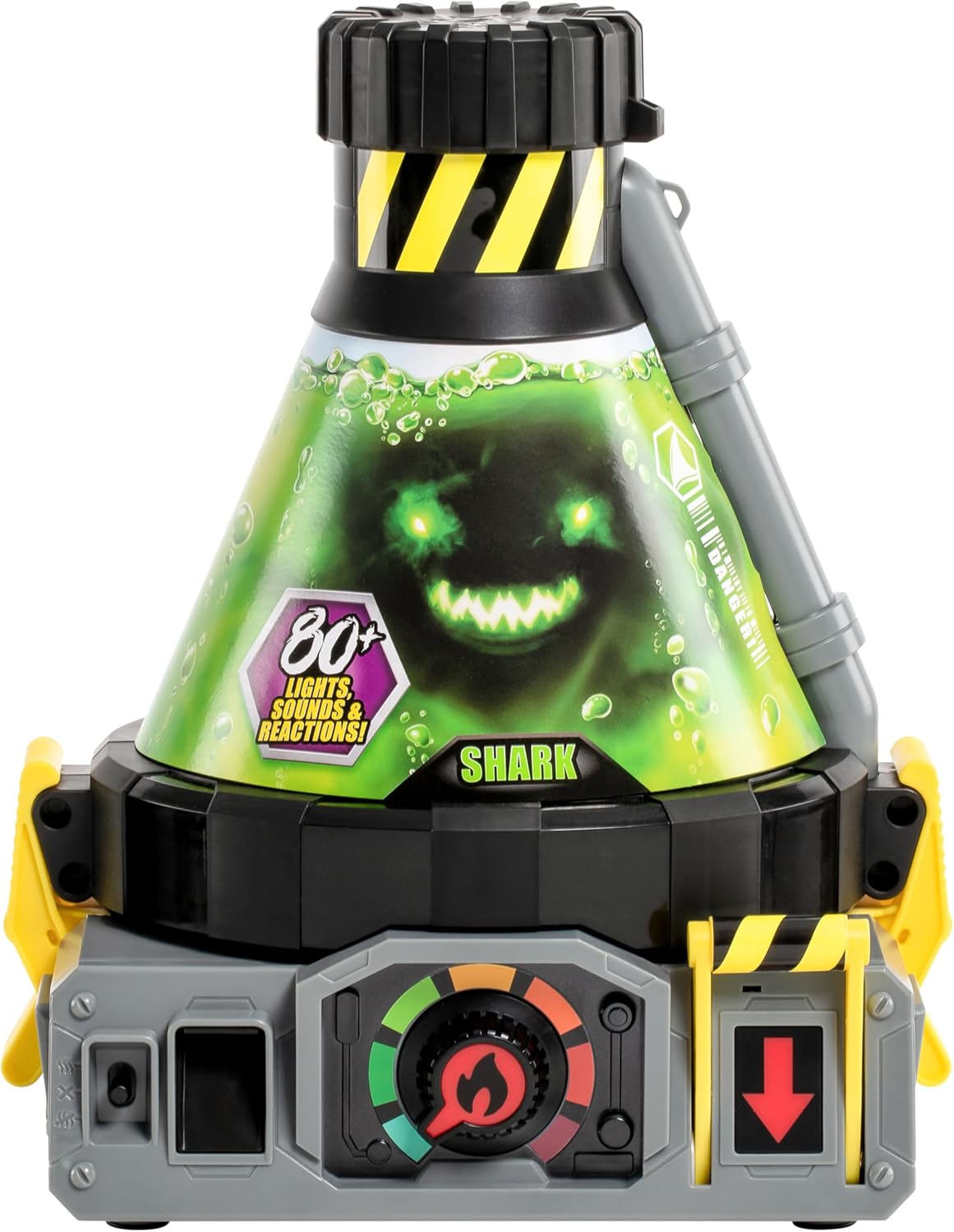
This close-up image focuses on the main Beast Lab Creator unit, showcasing its design, control panel with a dial and levers, and the transparent experiment chamber.
3. Operating Instructions: The Beast Creation Experiment
Follow these steps carefully to create your shark beast. The Beast Lab Creator will guide you with lights and sounds throughout the process.
- Prepare the Creator: Ensure the creator unit is powered on. The unit will emit initial sounds and lights.
- Add Ingredients: The Beast Lab Creator will prompt you to add specific ingredients in sequence. These include:
- Attack Serum
- Roar Rocks
- Fossil Fragments
- Skin Scrapings
- Pandemonium Crystal (the final ingredient)

This image illustrates the step of adding an ingredient into the top opening of the Beast Lab Creator unit, a key part of the beast creation process.

This image details the five specific ingredients required for the beast creation experiment: Fossil Fragment, Roar Rocks, Pandemonium Crystal, Attack Serum, and Skin Scrapings, shown alongside a blue shark beast figure.
- Observe the Reaction: As ingredients are added, the chamber will release real bio mist, and the unit will produce various lights and sounds, indicating the experiment's progress. The intensity will build, especially after adding the Pandemonium Crystal.
- Reveal Your Beast: When prompted, pull down the emergency lever. This action will drain the liquid from the chamber, revealing your shark beast figure inside, surrounded by the bio mist.

This image captures the moment of the beast's reveal, showing a shark beast figure emerging from the bio mist inside the creator chamber, eliciting a surprised reaction from the child.

After the experiment, the child holds the fully revealed shark beast figure, which is still surrounded by the atmospheric bio mist generated during the creation process.
- Identify Your Beast: You will have created either the Havoc Hammerhead or the Mayhem Megashark. Each beast has unique characteristics.

This image displays the two possible shark beast figures that can be created: the blue Havoc Hammerhead and the grey Mayhem Megashark, each with unique designs.
- Activate Beast Features: Your shark beast figure is fully articulated and equipped with several interactive features:
- Light-Up Power Crystal: Located on the beast's chest.
- Battle Roar SFX: Activate to hear ferocious roars.
- Power Strike Attack: Utilize the beast's weapon for dynamic action.
- Pandemonium Weapon: Each beast comes with a unique weapon.

This image highlights the key features of the shark beast figure, including its light-up power crystal, battle roar sound effects, power strike attack mechanism, included pandemonium weapon, and fully articulated joints for dynamic posing.

The image shows a child holding a shark beast figure, which is holding a green weapon, illustrating the figure's articulated design and play potential.
4. Maintenance
Cleaning:
- Wipe the Beast Lab Creator unit and beast figures with a damp cloth.
- Do not submerge the electronic components in water.
- Ensure the experiment chamber is clean and dry after each use, especially if refilling.
Refilling and Replaying:
The Beast Lab Creator is designed for repeated use. Refill packs (sold separately) are available to conduct new experiments. To reset the creator:
- Remove the beast figure and any remaining liquid from the chamber.
- Clean the chamber thoroughly.
- Follow the operating instructions from step 1 with new refill ingredients.
Storage:
Store the Beast Lab Creator and its components in a cool, dry place away from direct sunlight when not in use. Remove batteries if storing for extended periods to prevent leakage.
5. Troubleshooting
Common Issues:
- No Power/Lights/Sounds: Check battery installation. Ensure fresh AA batteries are used for the main unit.
- Mist Not Generating: Ensure the water reservoir (if applicable, refer to the process booklet for exact location) is filled correctly and the unit has sufficient power.
- Liquid Not Draining: Verify the emergency lever is fully pulled down. Ensure no obstructions are present in the drainage path.
- Beast Figure Not Appearing: Confirm the beast figure was correctly placed in the chamber before starting the experiment.
Safety Information:
CHOKING HAZARD - Small parts. Not for children under 3 years.
- Adult supervision is recommended during the experiment.
- Do not ingest any of the experiment ingredients.
- Wash hands thoroughly after handling ingredients.
- Keep the product away from eyes and mouth. In case of contact, rinse immediately with water.
6. Specifications
| Feature | Detail |
|---|---|
| Product Dimensions | 7.99 x 11.89 x 15 inches |
| Item Weight | 5.31 pounds |
| Model Number | 11105 |
| Manufacturer Recommended Age | 5 - 15 years |
| Batteries Required (Creator Unit) | 6x AA batteries (not included) |
| Batteries Required (Beast Figure) | 3x LR44 batteries (included) |
| Release Date | September 1, 2023 |
| Manufacturer | MOOSE TOYS LLC |
Beast Figure Dimensions:
- Havoc Hammerhead (Blue): Approximately 15 inches (31 cm) tall.

This image shows the blue Havoc Hammerhead shark beast figure, with a visual indicator confirming its height of 15 inches (approximately 31 cm).
- Mayhem Megashark (Grey): Approximately 7.5 inches (19 cm) tall.
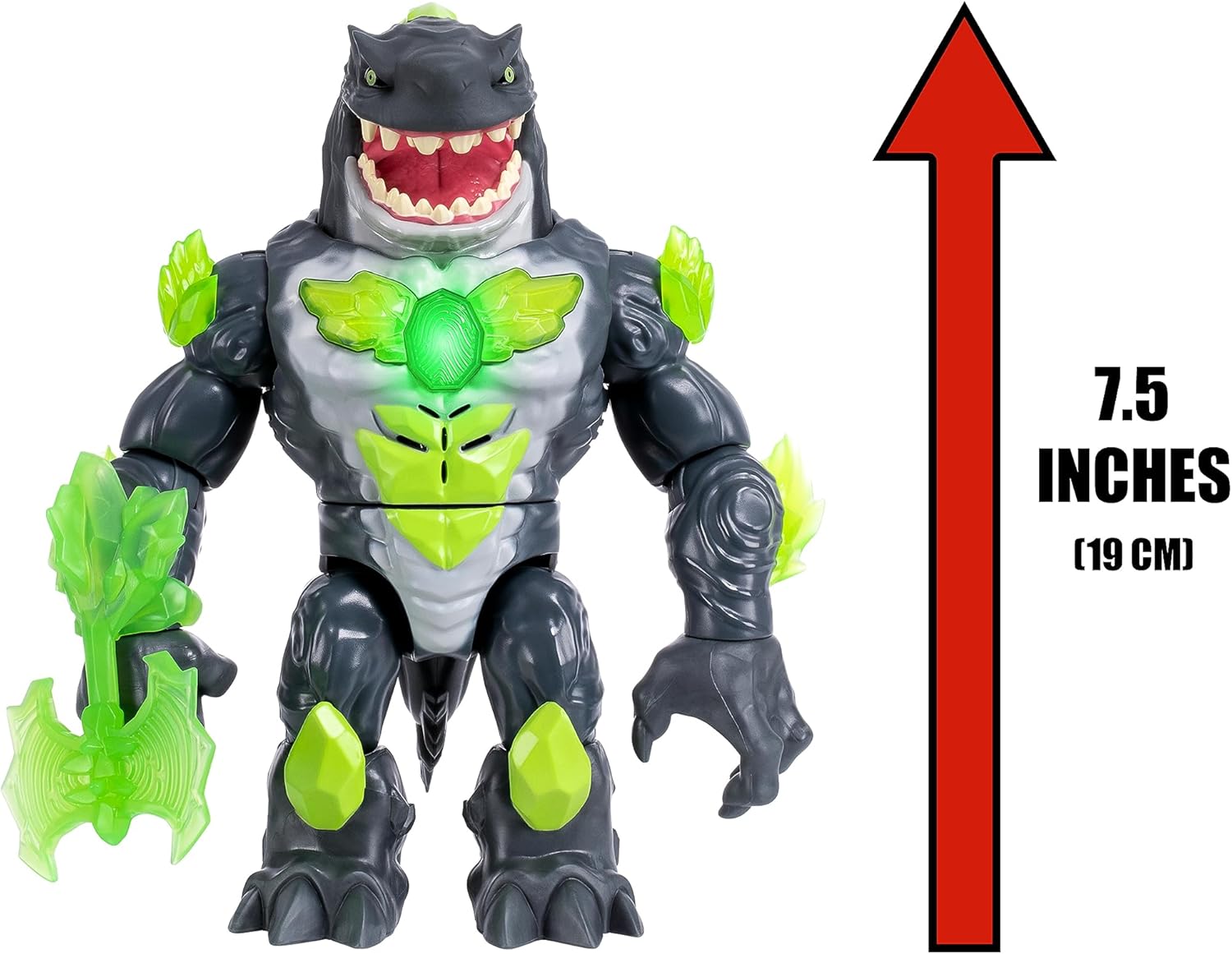
This image shows the grey Mayhem Megashark beast figure, with a visual indicator confirming its height of 7.5 inches (approximately 19 cm).
7. Warranty and Support
Specific warranty information for the Beast Lab Shark Beast Creator (Model 11105) was not provided in the product details. For warranty inquiries, please contact the manufacturer directly.
Manufacturer Contact:
MOOSE TOYS LLC
Please refer to the packaging or the official Beast Lab website for the most current contact information and support resources.
8. Official Product Videos
No official seller-created product videos were provided in the available product data for embedding in this manual.


