
Introduction
Thank you for choosing the Silvercrest Personal Scale. This digital scale is designed for accurate body weight measurement, featuring a convenient step-on function and advanced 4-sensor technology for reliable readings. With a large, easy-to-read digital display and a maximum capacity of 180 kg, it is a practical addition to any home. Please read this manual carefully before first use to ensure proper operation and maintenance.
Safety Instructions
- Always place the scale on a hard, flat, and stable surface. Uneven surfaces can affect accuracy.
- The scale's surface, especially the glass platform, can be slippery when wet. Ensure the surface is dry before stepping on.
- Do not jump on the scale or drop heavy objects on it. This can damage the sensors or the glass platform.
- This scale is intended for personal use only and should not be used for medical diagnosis or treatment.
- Keep the scale away from water and excessive moisture. Do not immerse it in water.
- Do not attempt to disassemble or repair the scale yourself. Refer to qualified service personnel for any repairs.
- Keep batteries out of reach of children. If swallowed, seek immediate medical attention.
Product Components
The Silvercrest Personal Scale consists of the following main components:
- Weighing Platform (Tempered Glass)
- Digital Display
- 4 High-Precision Sensors (located at the corners underneath the platform)
- Battery Compartment (on the underside)

Figure 1: Front view of the Silvercrest Personal Scale, showing the large digital display and the clear tempered glass platform.
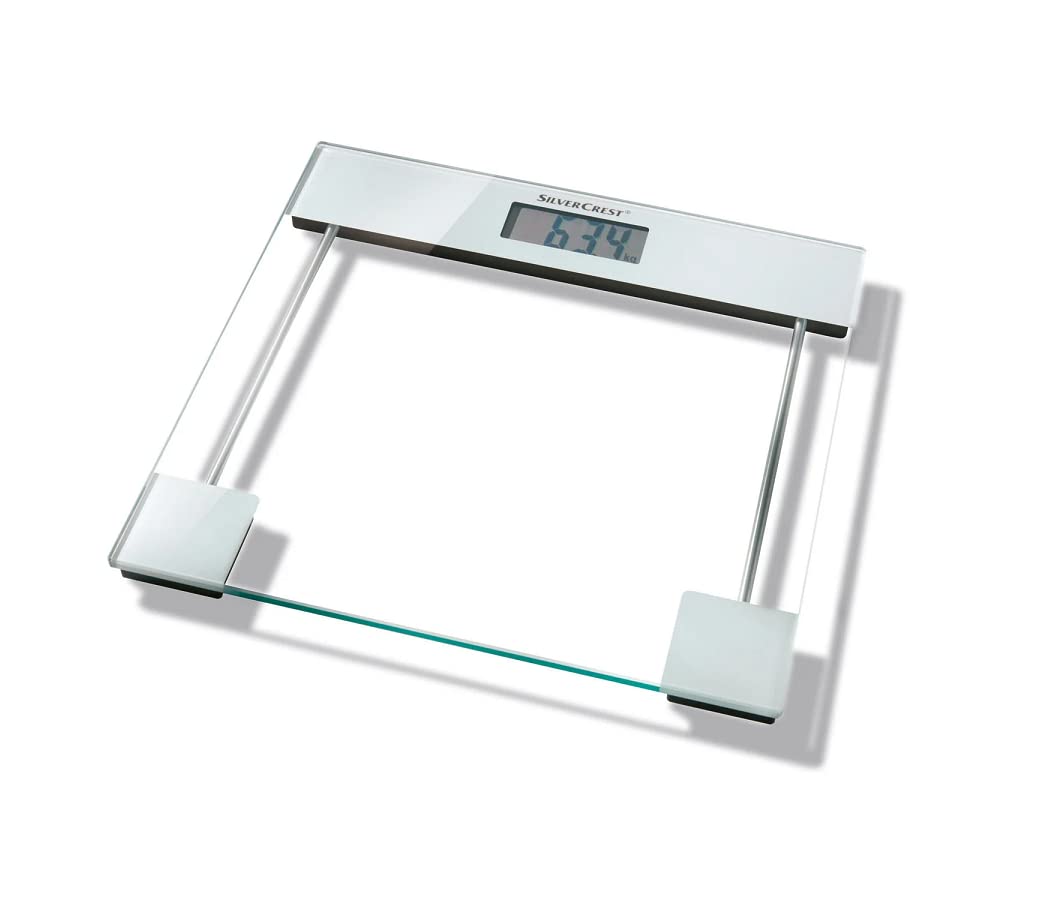
Figure 2: Angled view of the Silvercrest Personal Scale, highlighting the tempered glass platform and the four support feet with integrated sensors.
Setup
- Unpack the Scale: Carefully remove the scale from its packaging.
- Install Batteries: Open the battery compartment on the underside of the scale. Insert the required batteries (typically 2x AAA or 1x CR2032, not specified in product data, please refer to packaging for exact type) ensuring correct polarity (+/-). Close the battery compartment securely.
- Placement: Place the scale on a hard, flat, and stable surface. Avoid carpets or soft flooring, as this can affect measurement accuracy.
- Initial Calibration: For first use or after moving the scale, gently step on the scale until the display lights up, then step off. The display should show "0.0" or similar. This calibrates the scale to its environment.
Operating Instructions
- Step-on Function: Ensure the scale is on a flat, stable surface. Simply step onto the scale with bare feet. The scale will automatically turn on.
- Weight Measurement: Stand still on the scale, distributing your weight evenly. The display will show your weight, typically flashing a few times before settling on a final reading.
- Automatic Shut-off: The scale will automatically turn off after a few seconds of inactivity to conserve battery life.
- Unit Conversion (if applicable): Some models allow switching between kilograms (kg), pounds (lb), and stones (st). Look for a button on the underside of the scale, usually near the battery compartment, to change the unit.
Maintenance and Cleaning
- Cleaning: Wipe the scale's surface with a slightly damp cloth. Do not use abrasive cleaners, harsh chemicals, or immerse the scale in water.
- Storage: Store the scale in a dry place at room temperature. Avoid extreme temperatures or high humidity.
- Battery Replacement: If the display shows "Lo" or becomes dim, it's time to replace the batteries. Follow the battery installation steps in the "Setup" section. Dispose of old batteries responsibly according to local regulations.
Troubleshooting
| Problem | Possible Cause | Solution |
|---|---|---|
| Scale does not turn on / Display is blank | Dead or incorrectly installed batteries. | Check battery polarity or replace batteries. |
| "Lo" displayed | Low battery power. | Replace batteries. |
| "Err" displayed | Overload (weight exceeds 180 kg) or measurement error. | Step off the scale. Ensure weight is within limits. If error persists, recalibrate by stepping on and off. |
| Inaccurate readings | Scale on uneven surface, moved recently, or not calibrated. | Place on a hard, flat surface. Perform initial calibration (step on, then off). Ensure feet are dry. |
Specifications
- Model: 1555
- Brand: Crivit (Manufacturer: Silvercrest)
- Color: Silver
- Material: Plastic, Tempered Glass
- Maximum Capacity: 180 kg
- Display Type: Digital
- Special Features: Large Display, Step-on Function, 4-Sensor Technology
- First Available: November 27, 2023
Warranty and Support
For warranty information and customer support, please refer to the warranty card included with your purchase or visit the official Crivit/Silvercrest website. Do not attempt to repair the device yourself, as this may void the warranty.
