
1. Introduction
Thank you for choosing the SLuB Mini Power Bank USB C (Model E05). This compact and lightweight portable charger is designed to provide convenient power for your USB-C compatible devices, such as iPhone 15 and Samsung smartphones. With a 5000mAh capacity and a built-in USB-C connector, it eliminates the need for extra cables, making it ideal for travel and daily use. The power bank also features an LED indicator to display the remaining battery level.

Image: The SLuB Mini Power Bank USB C, showcasing its compact design, built-in USB-C connector, and LED power indicators.

Image: The SLuB Mini Power Bank demonstrating its lightweight and portable design, easily fitting into a pocket.
2. Setup and Charging the Power Bank
Before first use, fully charge your SLuB Mini Power Bank.
Charging the Power Bank:
- Using the Built-in USB-A Input Cable: Locate the integrated USB-A input cable on the power bank. Plug this USB-A connector into a compatible USB power source, such as a wall adapter, car charger, or computer USB port.
- Using the USB-C Input Port: Alternatively, you can use a separate USB-C to USB-C cable (not included) and plug it into the USB-C input port on the power bank, connecting the other end to a USB-C power source.
The LED indicators will illuminate to show the charging progress. Once all four LEDs are solid, the power bank is fully charged.

Image: The SLuB Mini Power Bank highlighting its built-in USB-A input cable and the separate Type-C input port for recharging the power bank.

Image: Detailed view of the SLuB Mini Power Bank, labeling the USB input, Type-C input, power indicator, and protective cover for the USB-C output connector.
3. Operating Instructions
Charging Your Device:
- Locate the built-in USB-C output connector on the power bank.
- Carefully plug the USB-C connector directly into the charging port of your USB-C compatible device (e.g., smartphone, tablet).
- The power bank will automatically begin charging your device. The LED indicators on the power bank will show its remaining charge level.
Simultaneous Charging:
The SLuB Mini Power Bank supports charging your device while the power bank itself is being recharged. This allows for convenient power management.
LED Power Indicator:
The power bank features four LED lights that indicate the remaining battery capacity:
- 1 LED: <25% remaining charge
- 2 LEDs: 26%-50% remaining charge
- 3 LEDs: 51%-75% remaining charge
- 4 LEDs: 76%-100% remaining charge
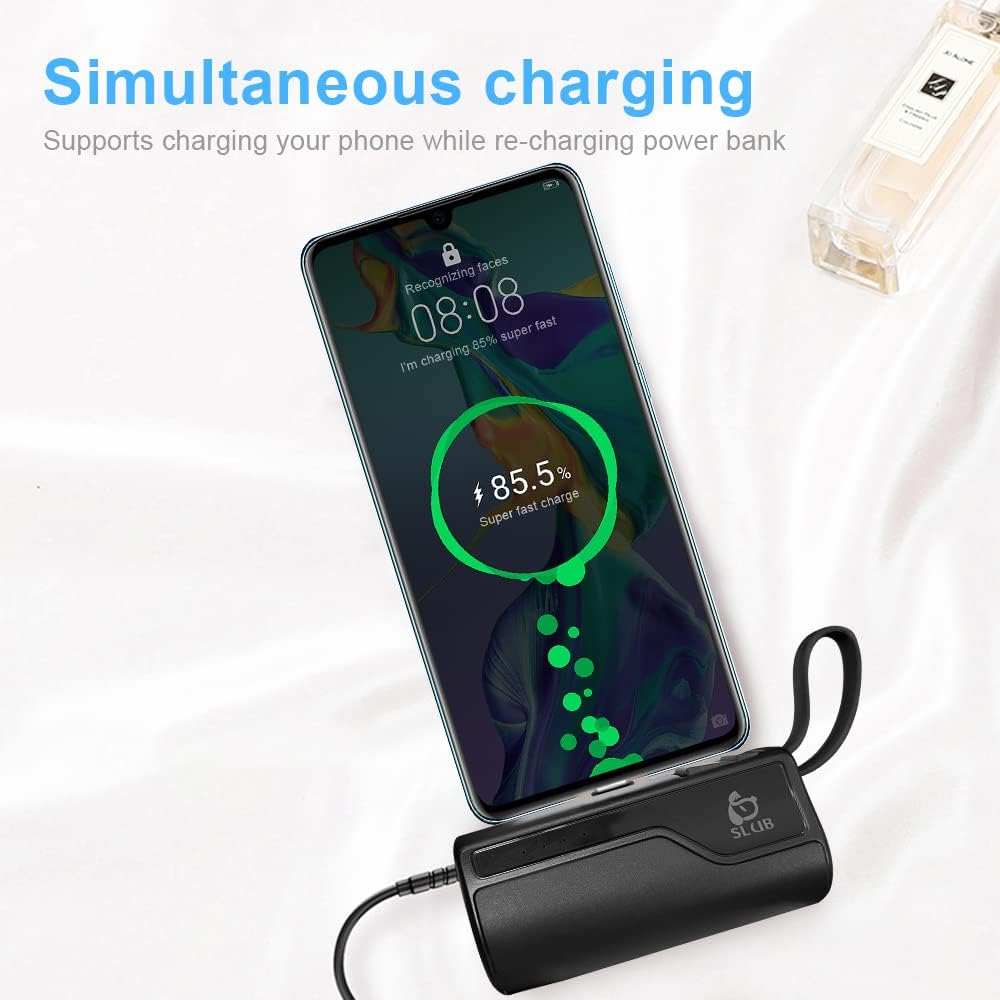
Image: The SLuB Mini Power Bank connected to a smartphone, demonstrating its ability to charge a device.

Image: Close-up of the SLuB Mini Power Bank's LED power display, illustrating how the number of lit LEDs corresponds to the remaining battery percentage.
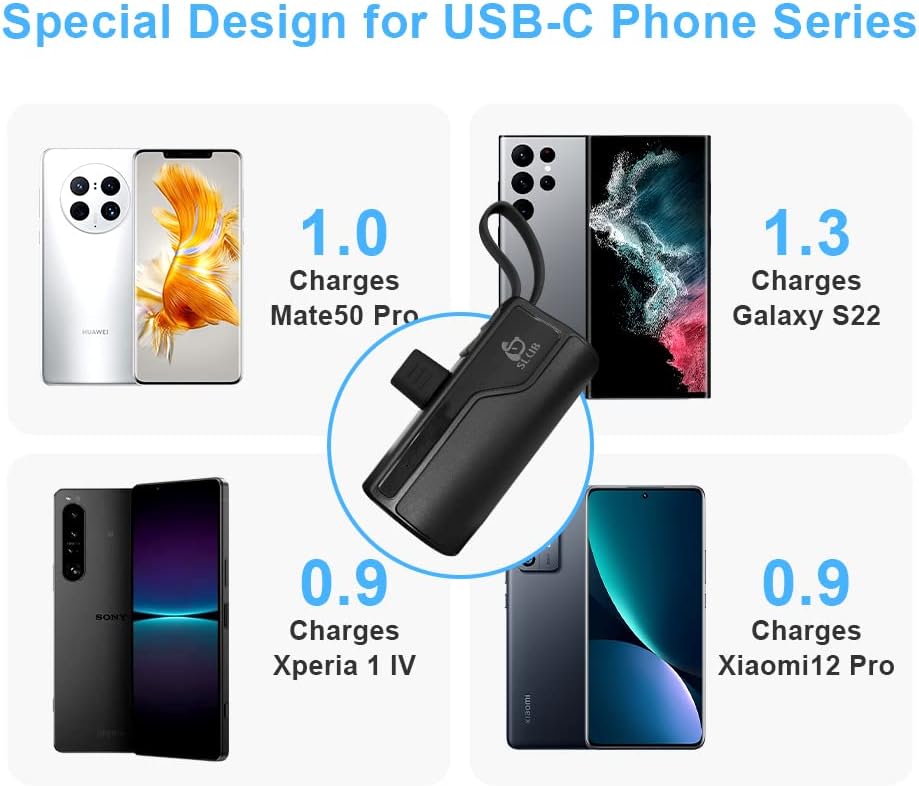
Image: The SLuB Mini Power Bank shown with various USB-C compatible smartphones, indicating its broad compatibility and approximate charge cycles for different models.
4. Maintenance
- Cleaning: Use a soft, dry cloth to clean the power bank. Do not use harsh chemicals or abrasive materials.
- Storage: Store the power bank in a cool, dry place away from direct sunlight and extreme temperatures.
- Avoid Moisture: Keep the power bank away from water and high humidity.
- Handle with Care: Avoid dropping or subjecting the power bank to strong impacts.
5. Troubleshooting
Power Bank Not Charging:
- Ensure the USB-A input cable or USB-C input cable is securely connected to both the power bank and the power source.
- Verify that the power source (wall adapter, computer USB port) is active and providing power.
- Try a different charging cable or power source if available.
Device Not Charging from Power Bank:
- Ensure the power bank's built-in USB-C connector is fully and correctly inserted into your device's charging port.
- Check if your device is USB-C compatible.
- Verify that the power bank has sufficient charge (check LED indicators).
- Remove any thick phone cases that might prevent a proper connection between the power bank and your device.
Slow Charging:
- Ensure your device supports fast charging if you expect rapid charging speeds.
- The charging speed can be affected by the remaining battery level of both the power bank and the device.
6. Specifications
| Feature | Detail |
|---|---|
| Model Number | E05 |
| Brand | SLuB |
| Capacity | 5000mAh |
| Dimensions (L x W x H) | 10.6 x 7.2 x 2.8 cm |
| Weight | 120 grams |
| Output Connector | Built-in USB Type C |
| Input Connectors | Built-in USB Type A cable, USB Type C port |
| Voltage | 5 Volts |
| Output Current | 2 A |
| Special Features | Compact, Built-in cable, LED indicators |
| Compatible Devices | Smartphones (e.g., iPhone 15, Samsung), other USB-C devices |
7. Warranty and Support
The SLuB Mini Power Bank USB C (Model E05) comes with a 12-month manufacturer warranty. This warranty covers defects in materials and workmanship under normal use.
For technical support, warranty claims, or any questions regarding your product, please contact our customer service team. Refer to the contact information provided with your purchase or visit the official SLuB website for assistance.