
1. Introduction
Thank you for choosing the Xiaomi Smart Air Fryer Pro 4L. This appliance is designed to provide a healthier and more convenient way to cook your favorite meals. With its versatile functions including air frying, baking, yogurt making, fruit drying, defrosting, and fermentation, it offers a wide range of culinary possibilities. Please read this manual thoroughly before use and retain it for future reference.
2. Important Safety Information
WARNING: This appliance operates on 220-240 Volts. Do NOT use with 110-120 Volt systems without a suitable voltage adapter. Using it with an incorrect voltage can cause damage to the appliance, fire, or electric shock.
- Always place the air fryer on a stable, heat-resistant surface, away from walls and other appliances to allow for proper ventilation.
- Do not immerse the main unit, cord, or plug in water or other liquids.
- Ensure the power outlet voltage matches the voltage specified on the appliance.
- Keep children and pets away from the appliance during operation. The exterior surfaces can become hot.
- Do not block the air inlet or outlet vents during operation.
- Unplug the air fryer from the power outlet when not in use and before cleaning.
- Do not operate the appliance if the cord or plug is damaged, or if the appliance malfunctions or has been damaged in any way.
- Only use accessories recommended by the manufacturer.
- Exercise extreme caution when removing the basket or disposing of hot grease.
3. Product Overview
3.1 Product Components
The Xiaomi Smart Air Fryer Pro 4L consists of the following main components:
- Main Unit: Houses the heating element, fan, and control panel.
- Frying Basket: Non-stick coated basket for holding food.
- Frying Tray: Removable tray that sits inside the basket.
- Power Cord: For connecting to an electrical outlet.

Figure 1: Xiaomi Smart Air Fryer Pro 4L with the cooking basket visible.
3.2 Control Panel and Display
The air fryer features an intuitive control panel with a rotary knob and an integrated OLED display for easy operation and monitoring.
- OLED Display: Shows cooking time, temperature, mode, and other indicators.
- Rotary Knob: Used to select cooking modes, adjust time and temperature, and confirm selections.

Figure 2: Front view of the Xiaomi Smart Air Fryer Pro 4L, highlighting the control knob and display.
4. Setup
4.1 Unpacking
- Carefully remove the air fryer and all accessories from the packaging.
- Remove any packaging materials, stickers, or labels.
4.2 Initial Cleaning
- Wash the frying basket and frying tray with hot water, dish soap, and a non-abrasive sponge.
- Rinse thoroughly and dry completely.
- Wipe the inside and outside of the main unit with a damp cloth.
4.3 Placement
- Place the air fryer on a stable, level, and heat-resistant surface.
- Ensure there is at least 10 cm (4 inches) of free space around the back and sides of the appliance for proper air circulation.
- Do not place the appliance near flammable materials or heat sources.
4.4 Power Connection
- Before plugging in, ensure your power supply is 220-240V.
- Insert the power plug into a grounded electrical outlet.
5. Operating Instructions
5.1 Basic Operation
- Place the frying tray into the frying basket, then slide the basket into the main unit.
- Add your ingredients to the frying basket. Do not overfill.
- Plug in the air fryer. The display will light up.
- Use the rotary knob to select a cooking mode or adjust temperature and time. Press the knob to confirm.
- Press the knob again to start cooking.

Figure 3: The air fryer basket with food ready for cooking.
5.2 Cooking Modes and Functions
The Xiaomi Smart Air Fryer Pro 4L offers multiple cooking functions:
- Air Frying: For crispy results with little to no oil.
- Baking: Suitable for cakes, muffins, and other baked goods.
- Yogurt: Fermentation function for homemade yogurt.
- Fruit Drying: Low-temperature drying for dehydrated fruits.
- Defrosting: Gently thaws frozen food.
- Fermentation: For dough proofing or other fermentation processes.
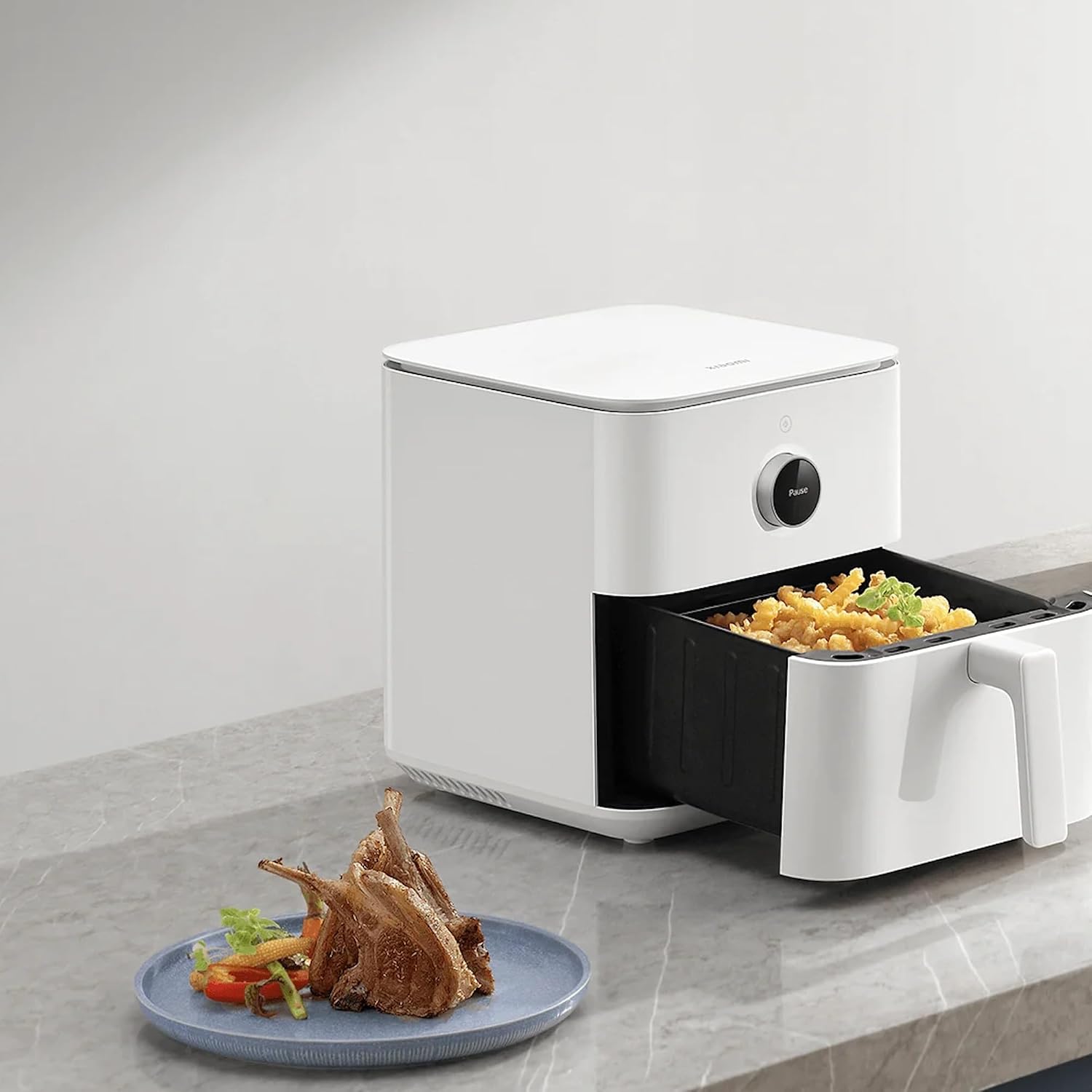
Figure 4: Air frying french fries.
5.3 Using the Xiaomi Home App
Connect your air fryer to the Xiaomi Home app for smart control, recipe access, and remote monitoring.
- Download the Xiaomi Home app from your app store.
- Create an account or log in.
- Follow the in-app instructions to add your Xiaomi Smart Air Fryer Pro 4L.
- Through the app, you can select recipes, adjust settings, monitor cooking progress, and receive notifications.
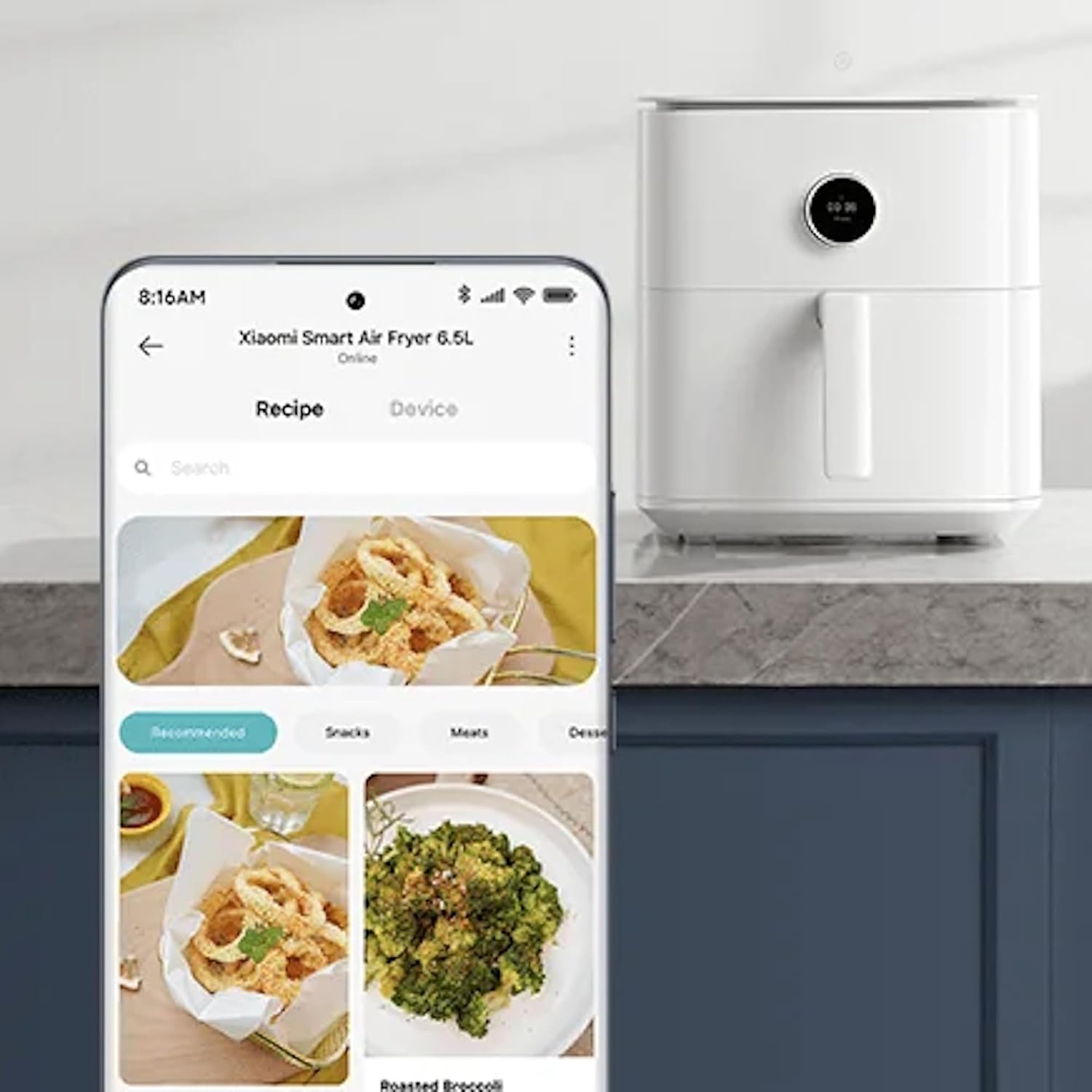
Figure 5: Controlling the air fryer via the Xiaomi Home App.
5.4 Preheating and Shaking
- Preheating: For best results, some recipes may require preheating. Select the preheat function or manually set the temperature and allow the air fryer to heat up for 3-5 minutes before adding food.
- Shaking Food: For even cooking and browning, especially with smaller items like fries or nuggets, the air fryer may prompt you to shake the basket midway through cooking. Carefully remove the basket, shake the contents, and reinsert.
6. Maintenance and Cleaning
Regular cleaning ensures optimal performance and extends the lifespan of your air fryer.
6.1 Cleaning the Frying Basket and Tray
- Always unplug the air fryer and allow it to cool completely before cleaning.
- The frying basket and tray are dishwasher safe.
- Alternatively, wash them with hot water, dish soap, and a non-abrasive sponge. For stubborn residue, soak in warm soapy water for 10-15 minutes.
- Do not use metal utensils or abrasive cleaning materials, as they can damage the non-stick coating.
6.2 Cleaning the Main Unit
- Wipe the exterior of the air fryer with a damp cloth.
- Clean the interior with a soft, damp cloth. Do not use abrasive cleaners.
- Ensure the air inlet and outlet vents are clear of dust and debris.

Figure 6: Rear ventilation grille, important for proper airflow and cleaning.
6.3 Storage
Store the air fryer in a cool, dry place when not in use. Ensure it is clean and dry before storing.
7. Troubleshooting
| Problem | Possible Cause | Solution |
|---|---|---|
| Air fryer does not turn on. | Not plugged in; Power outlet issue; Incorrect voltage. | Ensure plug is fully inserted. Test outlet with another appliance. Verify power supply is 220-240V. |
| Food is not cooked evenly. | Basket overloaded; Food not shaken. | Do not overload the basket. Shake or flip food halfway through cooking. |
| White smoke coming from appliance. | Greasy residue from previous use; High-fat food. | Clean the basket and tray thoroughly. For high-fat foods, drain excess oil. |
| App connection issues. | Wi-Fi signal weak; Incorrect pairing steps. | Ensure strong Wi-Fi signal. Refer to the Xiaomi Home app for detailed pairing instructions. |
8. Specifications
| Feature | Detail |
|---|---|
| Model Name | Pro 4L |
| Item Model Number | BHR6943EU |
| Brand | XIAOMI |
| Capacity | 4 Liters |
| Output Wattage | 1600 Watts |
| Voltage | 240 Volts |
| Min Temperature Setting | 40 Degrees Celsius |
| Max Temperature Setting | 200 Degrees Celsius |
| Control Method | App, Rotary Knob |
| Material | Plastic |
| Color | White |
| Item Weight | 3.9 Kilograms (8.58 pounds) |
| Product Dimensions | 11.97 x 9.88 x 13.19 inches |
| Has Nonstick Coating | Yes |
| Is Dishwasher Safe (Basket/Tray) | Yes |
9. Warranty and Support
For warranty information, please refer to the warranty card included with your product or visit the official Xiaomi website. For technical support, product inquiries, or service requests, please contact Xiaomi customer service through their official channels. Keep your purchase receipt as proof of purchase for warranty claims.
You can find more information and support on the official Xiaomi website: www.mi.com/global/service/support/


