
XP METAL DETECTORS WSAII-XL
XP METAL DETECTORS WSAII-XL Wireless Headphones User Manual
Model: WSAII-XL
Introduction
The XP METAL DETECTORS WSAII-XL wireless headphones are designed for use with XP metal detectors, specifically the DEUS II remote control or the WS6 Master. These headphones offer superior comfort, portability, and performance, especially in challenging environments. They feature an ultra-fast wireless protocol, advanced audio controls, and robust rainproof construction.
Key Features
- Full Wireless Connectivity: Utilizes XP's proprietary wireless protocol, which is approximately 10 times faster than low-latency Bluetooth, ensuring better target localization.
- Comfort and Portability: Very comfortable design, easy to carry with a compact form factor.
- Rainproof (IP68): Tested and proofed to IP68 standard, allowing submersion up to 1 meter (3 feet) deep, making them suitable for noisy and wet environments like wind, bad weather, or beach waves.
- Advanced Audio Control: Volume and a 4-band audio equalizer are adjustable from the remote control (DEUS II or WS6 Master) or directly via the headset's +/- keys.
- Automatic Power Management: Automatically turns on and off when paired with the remote control or WS6 Master. If no connection is detected, the headset powers off after 5 minutes.
- Long Battery Life: Lithium-powered with up to 27 hours of battery life.
- Battery Level Indicator: After ignition, the headset indicates battery level with 1 to 3 long successive flashes (3 flashes = 100%, 2 flashes = 60%, 1 flash = 30%).
- Durable Construction: Product certified Longtime, designed to last, and comes with a 5-year warranty.
Package Contents
Your XP METAL DETECTORS WSAII-XL Wireless Headphones package includes:
- WSAII-XL Wireless Headphones
- Charging Cable
- User Manual (this document)
Setup
1. Initial Charge
Before first use, fully charge your WSAII-XL headphones using the provided charging cable. Connect the charging cable to the headphone's charging port and a compatible USB power source. The charging indicator will provide feedback on the charging status.
2. Pairing with Your Detector
The WSAII-XL headphones are designed to pair seamlessly with your DEUS II remote control or WS6 Master. Follow these steps:
- Ensure your DEUS II remote control or WS6 Master is powered on.
- To turn on the headphones, press the - (minus) key.
- The headphones will automatically attempt to connect to the nearest compatible XP metal detector control unit.
- Once connected, the headphones will power on and off automatically in sync with your control unit.
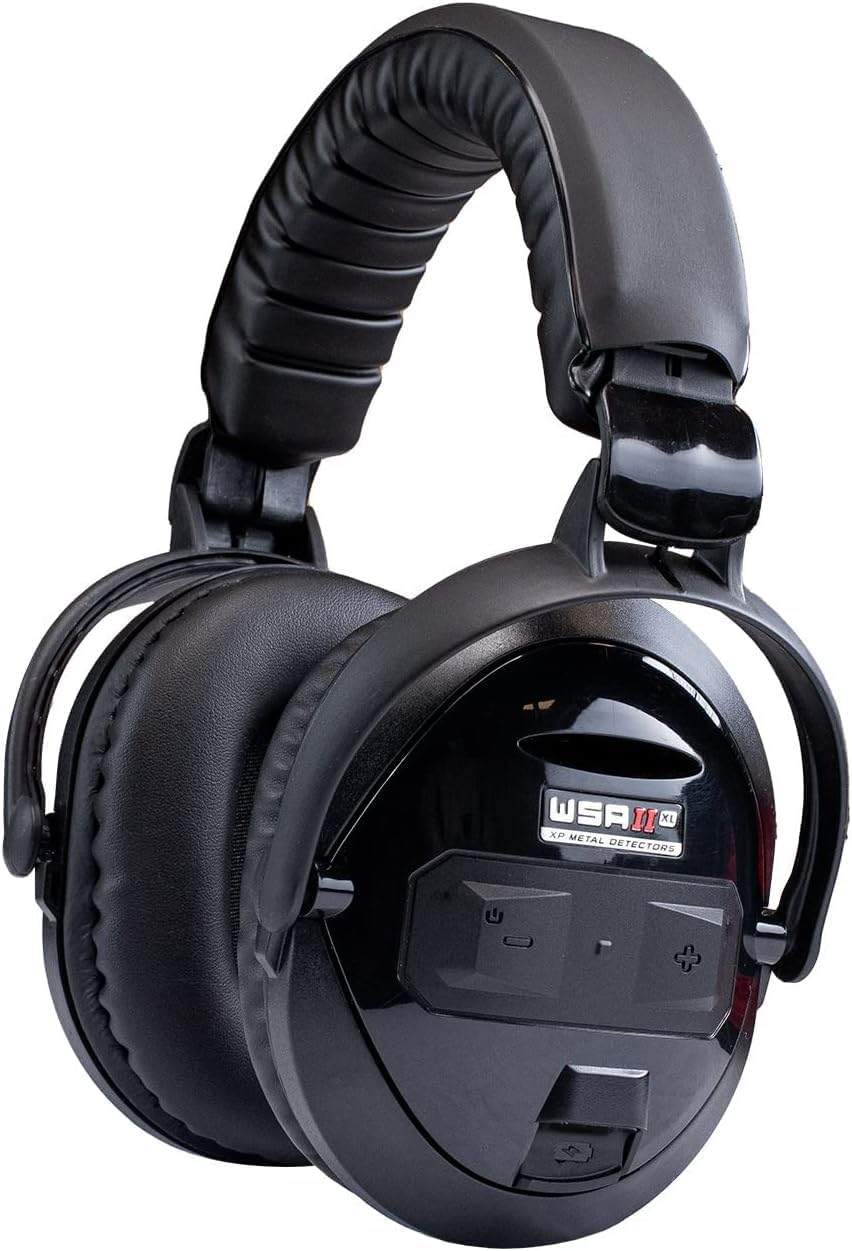
Image: XP METAL DETECTORS WSAII-XL Wireless Headphones. This image shows the overall design of the headphones, highlighting the earcups and headband.
Operating Instructions
Power On/Off
- Manual Power On: Press the - (minus) key on the headset.
- Manual Power Off: Press and hold both + (plus) and - (minus) keys simultaneously.
- Automatic Power Off: If no connection to a control unit is detected for 5 minutes, the headset will automatically power off to conserve battery.
Volume Control
Adjust the volume of your WSAII-XL headphones using one of the following methods:
- From the Control Unit: Adjust the volume directly from your DEUS II remote control or WS6 Master.
- From the Headset: Use the + (plus) and - (minus) keys on the headphone earcup to increase or decrease the volume.
Audio Equalizer
The headphones feature a 4-band audio equalizer to customize the sound to your preference and hearing. This equalizer is adjustable from your DEUS II remote control or WS6 Master.

Image: Diagram illustrating key features of the WSAII-XL headphones, including 10x faster wireless than Bluetooth, 4-band equalizer, rich audio options, and rainproof capability. It also shows easy volume adjustment.
Battery Management
Checking Battery Level
After the rapid flashes indicating ignition, the headset will provide a visual indication of its battery level through a series of long flashes:
- 3 Flashes: Approximately 100% battery level.
- 2 Flashes: Approximately 60% battery level.
- 1 Flash: Approximately 30% battery level.
Charging
Use the provided charge cord to recharge the internal lithium battery. A full charge provides up to 27 hours of operation. Avoid using non-approved chargers, as this may damage the battery and void the warranty.

Image: A person wearing the WSAII-XL headphones, emphasizing the ultra-fast wireless transmission for better target localization and the long-lasting lithium battery (up to 27 hours).
Maintenance
- Cleaning: Wipe the headphones with a soft, damp cloth. Do not use harsh chemicals or abrasive cleaners.
- Storage: Store the headphones in a cool, dry place when not in use. Avoid extreme temperatures.
- Water Exposure: While rainproof (IP68), ensure the charging port is dry before connecting the charging cable. Do not intentionally submerge the headphones beyond the specified depth or for extended periods.
- Cable Care: Handle the charging cable gently. Do not pull on the cable to disconnect it.

Image: The WSAII-XL headphones shown with water splashing on them, visually representing their fully rainproof capability for use in all conditions.
Troubleshooting
| Problem | Possible Cause | Solution |
|---|---|---|
| Headphones do not turn on. | Low battery; Not properly powered on. | Charge the headphones. Press the '-' key to manually turn on. |
| No sound or intermittent sound. | Not paired; Out of range; Volume too low; Interference. | Ensure headphones are paired with the control unit. Move closer to the control unit. Increase volume. Move away from sources of strong electromagnetic interference. |
| Headphones turn off unexpectedly. | Low battery; No connection detected for 5 minutes. | Recharge the headphones. Ensure they are connected to the control unit during use. |
| Cannot adjust volume/equalizer from control unit. | Connection issue; Control unit settings. | Verify connection. Check settings on your DEUS II or WS6 Master. Try adjusting directly on the headset. |
Specifications
| Feature | Detail |
|---|---|
| Model Name | WSAII-XL |
| Connectivity Technology | Wireless (XP Proprietary Protocol) |
| Wireless Communication Technology | Wi-Fi (for XP Protocol) |
| Included Components | Battery, Charge Cord |
| Material | Plastic |
| Item Weight | 250 Grams (8.8 ounces) |
| Water Resistance Level | Waterproof (IP68, 1m/3ft deep) |
| Control Method | Remote (DEUS II / WS6 Master) and On-Headset Buttons |
| Batteries | 1 Lithium Metal battery (included) |
| Battery Life | Up to 27 hours |
| Product Dimensions | 5.98 x 2.01 x 7.01 inches |
| Manufacturer | XP METAL DETECTORS |
| Color | Black |
| Ear Placement | Over Ear |
| Noise Control | Sound Isolation |
Warranty and Support
The XP METAL DETECTORS WSAII-XL Wireless Headphones come with a 5-year warranty, reflecting the product's durable design and quality manufacturing. For warranty claims, technical support, or any inquiries, please contact XP METAL DETECTORS customer service or visit their official website. Repairs are also available in the USA.
For further assistance, please refer to the contact information provided with your purchase or visit the XP METAL DETECTORS Store on Amazon.
Important Safety Information
- Do not attempt to disassemble or modify the headphones. This will void the warranty and may cause damage.
- Keep out of reach of small children.
- Avoid exposing the headphones to extreme heat or direct sunlight for prolonged periods.
- Dispose of batteries according to local regulations.
Related documentsWSAII-XL


Ask a question about this manual
Ask about setup, troubleshooting, compatibility, parts, safety, or missing instructions. Manuals+ will review the question and use this page’s manual context to help answer it.