
ThermoPro TP393B
ThermoPro TP393B Indoor Thermometer with Bluetooth Clock and Date Display User Manual
Model: TP393B
1. Introduction
Thank you for purchasing the ThermoPro TP393B Indoor Thermometer with Bluetooth Clock. This device provides accurate indoor temperature and humidity readings, along with a clock and date display. It features Bluetooth connectivity for data synchronization with your smartphone, allowing for remote monitoring and historical data tracking. Please read this manual thoroughly before using the device to ensure proper operation and to maximize its features.

Image 1.1: The ThermoPro TP393B device showing its main display alongside the mobile application interface, illustrating real-time data and historical trends for temperature and humidity.
2. Package Contents
- 1 x ThermoPro TP393B Indoor Thermometer
- 2 x AAA Batteries (included)
- 1 x User Manual
3. Key Features
- Indoor Temperature & Humidity Monitoring: Provides accurate readings for your environment.
- Bluetooth Connectivity: Synchronizes data with the ThermoPro app on your smartphone.
- Large Backlit LCD Display: Easy to read in various lighting conditions.
- Clock and Date Display: Shows current time and date, automatically synchronized via Bluetooth.
- 12/24 Hour Time Display: User-selectable format.
- MAX/MIN Records: Tracks highest and lowest temperature/humidity readings.
- Comfort Indicator: Displays comfort levels (Dry, Comfort, Wet).
- Magnetic Back & Kickstand: Versatile placement options.

Image 3.1: An overview of the ThermoPro TP393B's main features, including time and date display, 12/24-hour format, maximum/minimum records, alert notifications, comfort indicator, touch backlight, trend arrows, and app monitoring capabilities.
4. Device Layout
The ThermoPro TP393B features a clear LCD display and intuitive controls. Familiarize yourself with the components:
- LCD Display: Shows temperature, humidity, time, date, and comfort level.
- Backlight Button (Lightbulb icon): Activates or deactivates the backlight.
- °C/°F Button: Toggles between Celsius and Fahrenheit temperature units.
- MAX/MIN Button: Displays maximum and minimum recorded values.
- RESET Button (on back): Clears MAX/MIN records.
- Battery Compartment (on back): Holds 2 AAA batteries.
- Magnets (on back): For attaching to metallic surfaces.
- Fold-out Stand (on back): For tabletop placement.
5. Setup
- Insert Batteries: Open the battery compartment on the back of the device and insert 2 AAA batteries, observing the correct polarity (+/-). The device will power on automatically.
- Download the App: Search for "ThermoPro" in the Apple App Store or Google Play Store and download the official application.
- Enable Bluetooth: Ensure Bluetooth is enabled on your smartphone.
- Pair the Device:
- Open the ThermoPro app.
- Follow the in-app instructions to add your TP393B device. The app will automatically search for and connect to the thermometer.
- Once connected, the time and date on the TP393B will automatically synchronize with your phone's settings.
- Placement: Place the thermometer in your desired location. It can be placed on a tabletop using the fold-out stand or attached to a metallic surface using the built-in magnets.
6. Operating Instructions
6.1. Temperature and Humidity Display
The main display shows current indoor temperature and humidity. The comfort level indicator (DRY, COMFORT, WET) provides a quick reference for environmental conditions.
- Press the °C/°F button once to switch between Celsius and Fahrenheit.
6.2. MAX/MIN Records
The device records the maximum and minimum temperature and humidity values over a 24-hour period or since the last reset.
- Press the MAX/MIN button once to view the maximum recorded temperature and humidity.
- Press the MAX/MIN button again to view the minimum recorded temperature and humidity.
- To clear the MAX/MIN records, press and hold the RESET button on the back of the device for 3 seconds.
6.3. Time and Date Display
The device displays the current time and date. These are automatically set upon successful Bluetooth pairing with your smartphone.

Image 6.3.1: The ThermoPro TP393B's display clearly showing the current time and date, demonstrating its dual functionality as a thermometer and a clock.
6.4. 12/24 Hour Time Format
The time display automatically adjusts to your phone's settings (12-hour or 24-hour format) upon Bluetooth synchronization.

Image 6.4.1: This image demonstrates how the ThermoPro TP393B automatically synchronizes its time display (12-hour or 24-hour) with your smartphone's settings via Bluetooth.
6.5. Backlight Operation
The large LCD display features a backlight for improved visibility in low-light conditions.
- Press the Lightbulb icon button to activate the backlight.
- The backlight will remain on for a few seconds before automatically turning off to conserve battery.
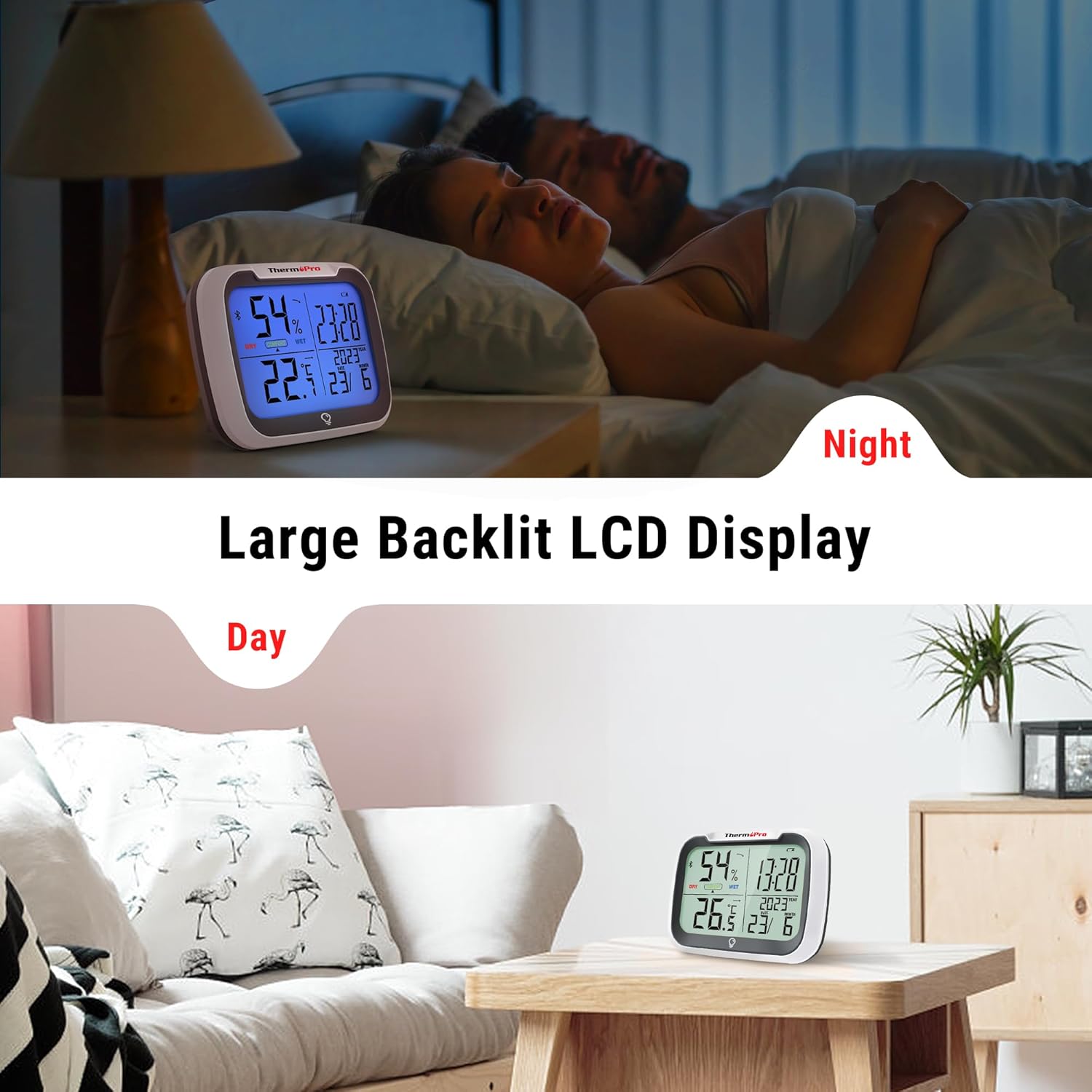
Image 6.5.1: The ThermoPro TP393B's large backlit LCD display is shown in both daytime and nighttime settings, highlighting its readability in various lighting conditions.
6.6. App Monitoring (Bluetooth)
The ThermoPro app allows you to monitor real-time temperature and humidity, view historical data, and receive alerts from your device within an 80-meter range.
- Ensure your device is paired with the app (refer to Section 5: Setup).
- Open the ThermoPro app on your smartphone to view current readings and access advanced features.
- The app provides graphical representations of temperature and humidity trends over time.
- You can set custom temperature and humidity alerts within the app.

Image 6.6.1: This image illustrates the ThermoPro TP393B's 80-meter remote range, allowing users to monitor real-time temperature and humidity data from multiple devices via the smartphone application.
7. Maintenance
- Cleaning: Wipe the device with a soft, damp cloth. Do not use abrasive cleaners or immerse the device in water.
- Battery Replacement: When the battery indicator appears on the display, replace the 2 AAA batteries. Ensure correct polarity.
- Storage: If storing the device for an extended period, remove the batteries to prevent leakage. Store in a cool, dry place.
- Environmental Conditions: Avoid exposing the device to extreme temperatures, direct sunlight, or high humidity, which can affect accuracy and lifespan.
8. Troubleshooting
| Problem | Possible Cause / Solution |
|---|---|
| No display or dim display. |
|
| Bluetooth connection fails. |
|
| Inaccurate readings. |
|
| Time/Date not synchronizing. |
|
9. Specifications
| Feature | Detail |
|---|---|
| Brand | ThermoPro |
| Model Number | TP393B |
| Dimensions (L x W x H) | 8.95 x 8.95 x 3.1 cm |
| Item Weight | 250 grams |
| Power Source | 2 x AAA Batteries (included) |
| Temperature Accuracy | ±0.5°C (±1°F) |
| Bluetooth Range | Up to 80 meters (unobstructed) |
| Features | Backlit Display, Bluetooth Connectivity, Time & Date, MAX/MIN Records, Comfort Indicator, Magnetic Back, Kickstand |
10. Warranty and Support
ThermoPro provides a 1-year warranty for this product from the date of purchase. This warranty covers defects in materials and workmanship under normal use. It does not cover damage resulting from misuse, accidents, unauthorized modifications, or improper installation.
For warranty claims or technical support, please contact ThermoPro customer service:
- Website: www.buythermopro.com/support/
- Email: support@buythermopro.com
Please have your model number (TP393B) and proof of purchase ready when contacting support.
Related documentsTP393B


Ask a question about this manual
Ask about setup, troubleshooting, compatibility, parts, safety, or missing instructions. Manuals+ will review the question and use this page’s manual context to help answer it.