
1. Product Overview
This manual provides instructions for the Keymall Smart Remote Keyless Entry Key Fob, designed as a replacement for specific Mazda vehicles. This key fob integrates keyless entry functions and an uncut emergency key blade.

Image 1: Keymall Smart Remote Key Fob. This image displays the key fob and highlights its characteristics as a replacement product.
2. Compatibility and Verification
Before proceeding with programming, it is crucial to verify that this key fob is compatible with your vehicle. Please compare the specifications below with your original key fob.
- Compatible Vehicles:
- For Mazda CX-3 (2020 - 2021)
- For Mazda CX-5 (2020 - 2021)
- Important: Vehicle year and model are for reference only. Ensure your original key's FCC ID, Part Number, button configuration, chip type, and key blade are identical to the specifications provided.

Image 2: Key Fob Verification Details. This image shows the key fob alongside its technical specifications for verification.
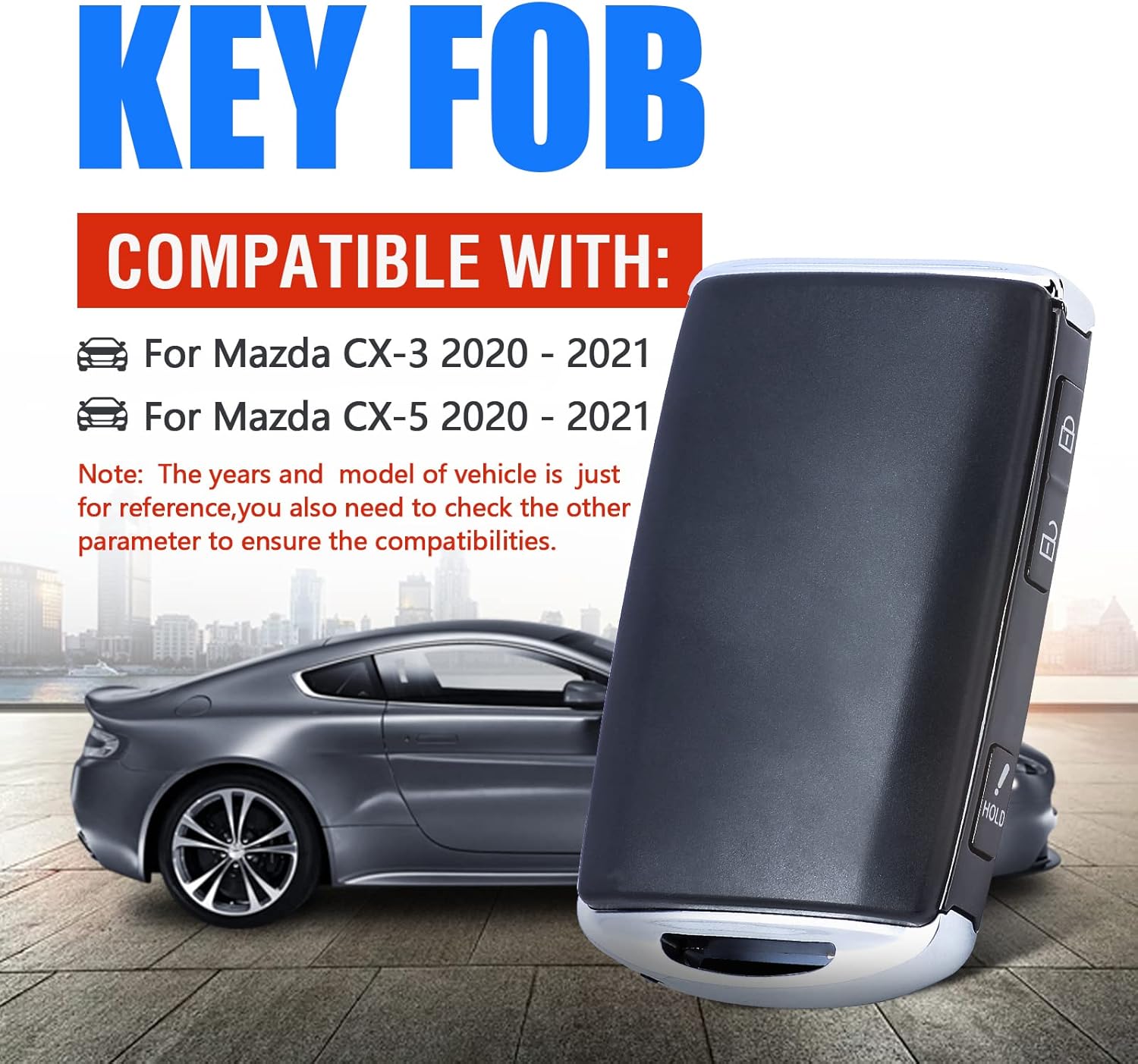
Image 3: Key Fob Compatibility. This image illustrates the key fob's compatibility with Mazda CX-3 and CX-5 models.
3. Setup and Programming
This key fob requires professional programming and key cutting to function with your vehicle. It cannot be self-programmed.
- Professional Programming: The remote circuit board must be programmed by a qualified automotive locksmith. This process typically requires specialized diagnostic tools such as a VCM II Diagnostic Tool (Incode-outcode dealer).
- Key Blade Cutting: The included uncut emergency key blade must be cut by a qualified automotive locksmith to match your vehicle's ignition and door locks.
- Chip Technology: This key fob uses a 128 Bit AES Crypto 3D Transponder Microchip, which requires specific equipment for programming.
Do not attempt to program or cut the key blade yourself unless you are a qualified professional with the necessary tools.

Image 4: Key Fob Components and Programming Note. This image shows the internal circuit board, uncut key blade, and emphasizes the need for professional programming.
4. Operating Instructions
Once properly programmed and the key blade is cut, your Keymall Smart Remote Key Fob will function similarly to your original key.
- Lock Button: Press once to lock all vehicle doors.
- Unlock Button: Press once to unlock the driver's door, or twice to unlock all doors (may vary by vehicle settings).
- Panic Button (Hold): Press and hold to activate the vehicle's alarm system. Release to deactivate.
- Emergency Key Blade: The physical key blade can be used to manually unlock the driver's door or start the vehicle if the key fob battery is depleted or the remote function is not working.
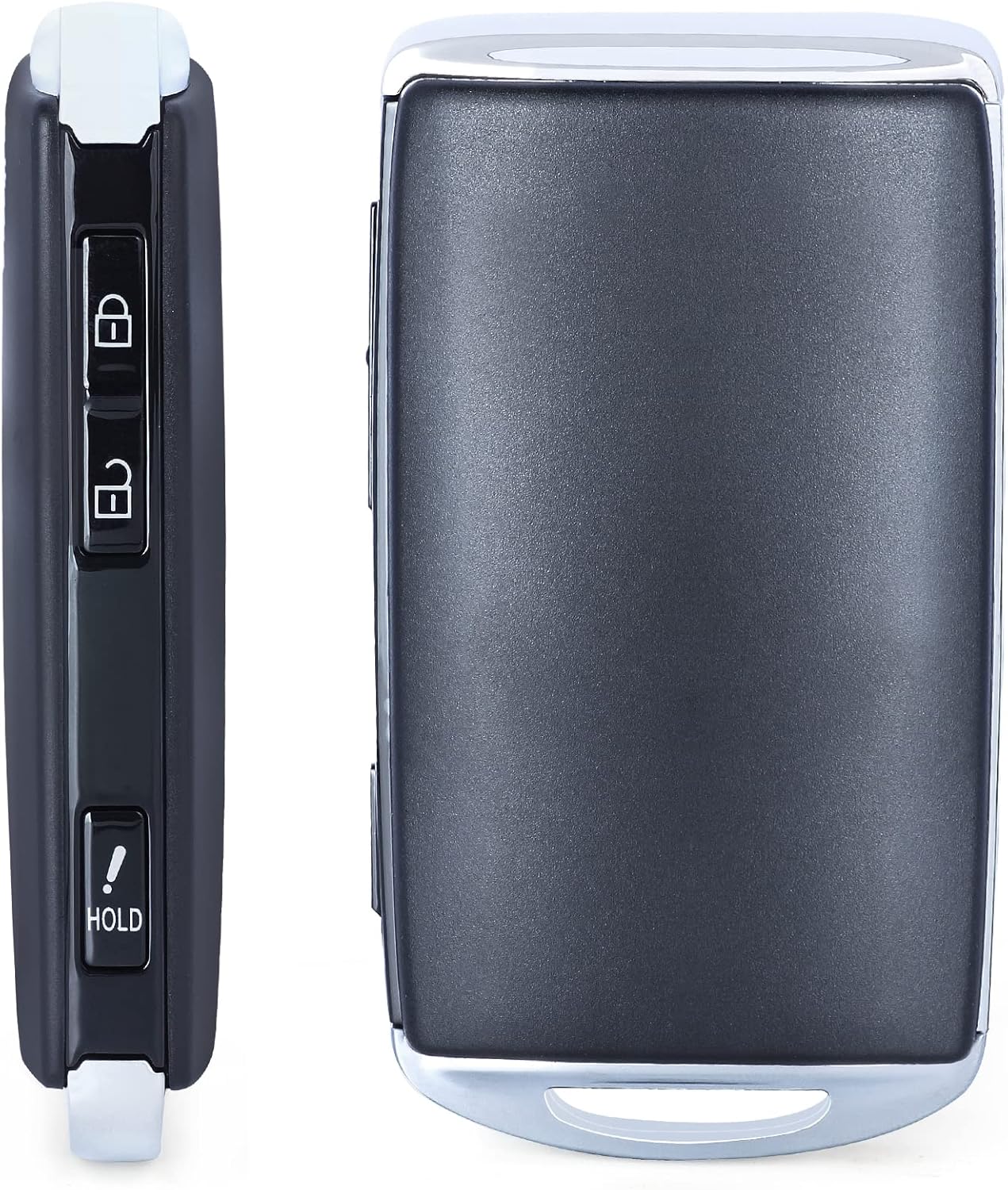
Image 5: Key Fob Buttons. This image displays the side view of the key fob, showing the Lock, Unlock, and Panic buttons.
5. Maintenance
Proper maintenance ensures the longevity and reliable operation of your key fob.
Battery Replacement
The key fob is powered by a CR2025 coin cell battery. When the remote range decreases or it stops responding, the battery may need replacement.
- Accessing the Battery: Carefully separate the key fob casing. This may require a small, flat-head tool to gently pry open the seam. Exercise caution to avoid damaging the internal components or the casing.
- Remove Old Battery: Locate the CR2025 battery and carefully remove it. Note its orientation (+/- sides).
- Install New Battery: Insert a new CR2025 battery with the positive (+) side facing up, matching the orientation of the old battery.
- Reassemble: Carefully snap the key fob casing back together, ensuring all parts are securely fitted.
Note: Some users have reported difficulty in opening the key fob to replace the battery. If you encounter significant resistance, consider seeking assistance from a professional to avoid damage.
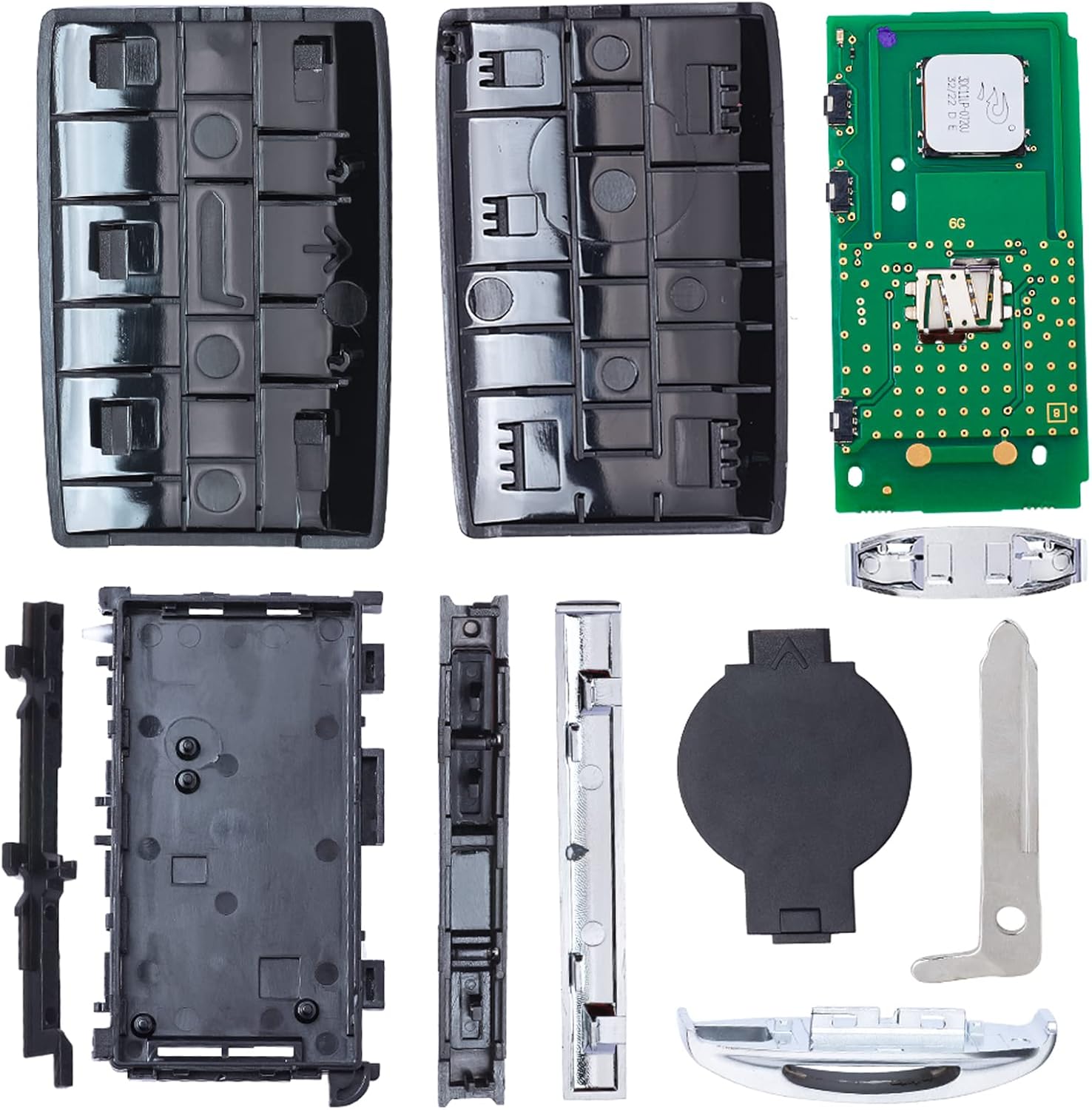
Image 6: Disassembled Key Fob. This image shows the internal components, including the circuit board and battery compartment, useful for battery replacement.
General Care
- Avoid exposing the key fob to extreme temperatures, direct sunlight for prolonged periods, or moisture.
- Do not drop the key fob or subject it to strong impacts.
- Clean the exterior with a soft, dry cloth. Avoid using harsh chemicals.
6. Troubleshooting
If you experience issues with your key fob, consider the following troubleshooting steps:
- Key Fob Not Responding:
- Check the battery: Replace the CR2025 battery if it's old or depleted (refer to Maintenance section).
- Ensure you are within the operating range (approximately 10 meters).
- Verify there are no strong radio frequency interferences in the area.
- Key Fob Not Programming:
- Confirm that the key fob's specifications (FCC ID, PN, chip type) precisely match your vehicle's requirements. Incompatible fobs cannot be programmed.
- Ensure the programming is being attempted by a qualified automotive locksmith using the correct diagnostic tools. Incorrect programming procedures will fail.
- Physical Key Blade Not Working:
- Verify that the key blade was cut correctly by a professional locksmith to match your vehicle's locks.
If issues persist after troubleshooting, contact a qualified automotive locksmith or the product seller for further assistance.
7. Specifications
| Brand | Keymall |
| Model | SKE13D-03 |
| Part Number (PN) | TAYA-67-5DYB |
| FCC ID | WAZSKE13D03 |
| IC | 662F-SKE13D03 |
| Frequency | 315 MHz |
| Chip Type | 4A (128 Bit AES Crypto 3D Transponder Microchip) |
| Battery Type | CR2025 (included) |
| Buttons | Lock, Unlock, Panic |
| Test Key | MZ27 |
| Connectivity Technology | Radio Frequency |
| Maximum Range | 10 meters |
| Color | Black |
8. Warranty and Support
Warranty Information
This product typically comes with a 30-day warranty from the date of purchase. Please refer to your purchase documentation for specific terms and conditions regarding returns or replacements.
Customer Support
For technical assistance, programming inquiries, or warranty claims, please contact the seller or a qualified automotive locksmith. Ensure you have your purchase details and the product's specifications readily available when seeking support.