
1. Important Safety Information
Please read all instructions carefully before assembly and use. Keep this manual for future reference.
- Maximum Weight Capacity: Do not exceed the maximum weight capacity of 300 pounds (136 kilograms).
- Assembly: Ensure the chair is properly assembled according to the instructions to avoid injury.
- Stability: Always sit properly in the chair with both feet on the floor to maintain stability.
- Children: Keep children away from the chair during assembly. Small parts may pose a choking hazard.
2. Setup and Assembly
Assembly typically takes about 15 minutes with the included tools. Follow the steps below and refer to the installation video for visual guidance.
Video 2.1: Step-by-step installation guide for the FelixKing Ergonomic Desk Chair 918-H. This video demonstrates how to assemble all components of the chair.
Assembly Steps:
- Attach Casters to Foot Stool: Insert the 5 casters (wheels) firmly into the holes of the foot stool (chair base). Ensure they are fully inserted to prevent the chair from falling.
- Insert Air Rod: Place the air rod (gas lift cylinder) into the center hole of the foot stool.
- Attach Armrests to Backrest: Using the provided M6x30mm screws and Hexagon Wrench, securely fix both armrests to the backrest. Cover the screws with the decoration caps.
- Attach Base Plate to Seat Cushion: Fix the base plate to the bottom of the seat cushion using the M6x18mm screws and Hexagon Wrench. Ensure the 'FRONT' letter on the base plate faces the front of the seat cushion.
- Connect Seat to Base: Insert the air rod into the hole in the middle of the base plate. Press the seat cushion firmly onto the air rod using your body weight.
- Attach Headrest: Align the headrest with the screw holes on the top of the backrest. Tighten the two M6x20mm screws firmly and then cover them with decoration caps.
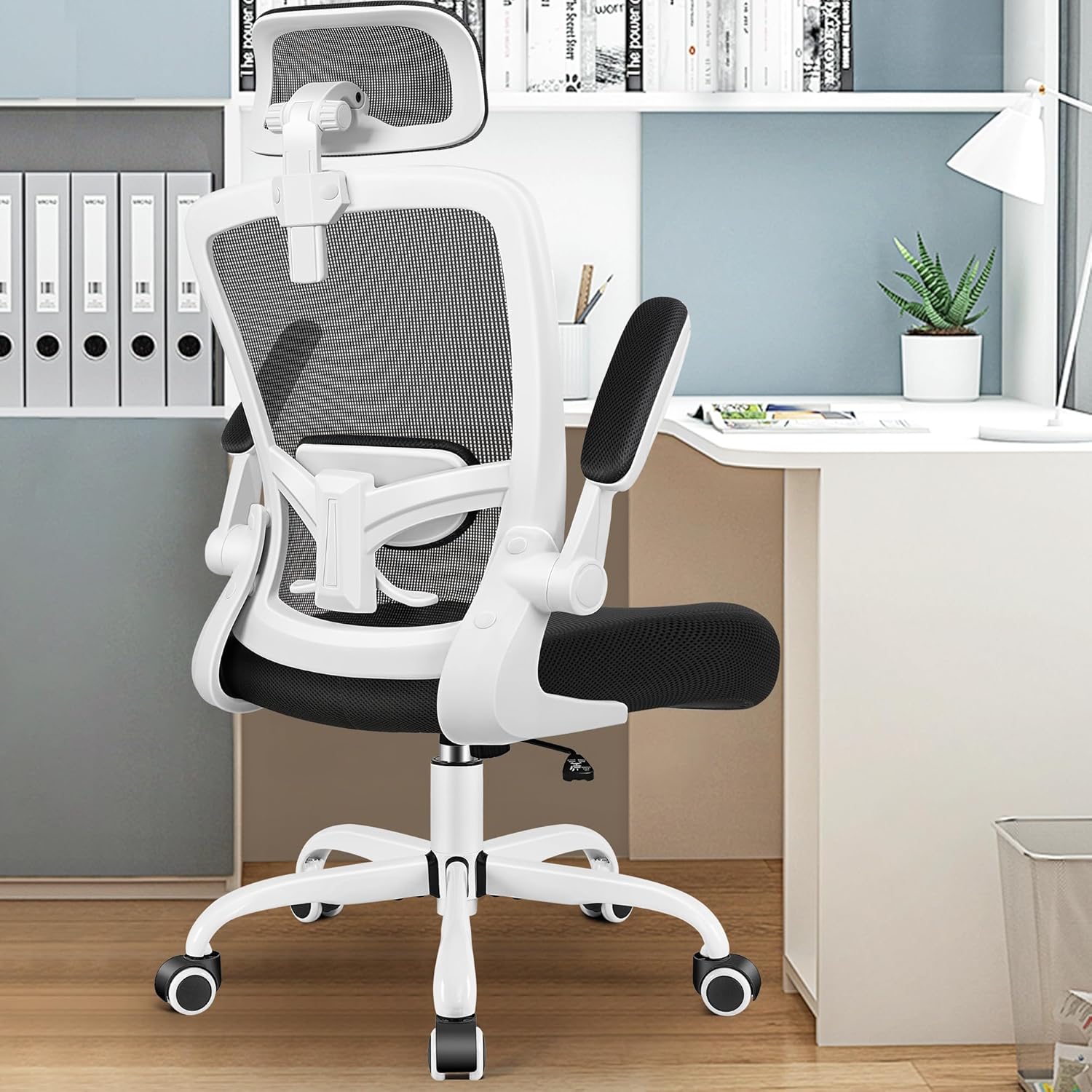
Figure 2.2: Exploded view of the FelixKing Office Chair components for assembly.
3. Operating Instructions
The FelixKing Ergonomic Office Chair offers multiple adjustments to customize your seating experience for optimal comfort and support.
Video 3.1: Demonstration of the FelixKing Ergonomic Desk Chair 918-H features and adjustments.
3.1. Seat Height Adjustment
To adjust the seat height (up to 3.9 inches / 10 cm), pull the lever located under the right side of the seat upwards. While holding the lever, raise or lower your body to the desired height. Release the lever to lock the height.

Figure 3.2: Seat height adjustment mechanism and adjustable lumbar support.
3.2. Lumbar Support Adjustment
The chair features an adjustable lumbar support that moves up and down by 2 inches (5 cm) to fit the natural curve of your spine. Gently push or pull the lumbar support to position it at your preferred height for optimal back comfort.

Figure 3.3: Ergonomic features including adjustable lumbar support.
3.3. Recline Function
The backrest can recline between 90° and 120°. To recline, pull the lever on the left side of the seat outwards and lean back. To lock the chair in an upright 90° position, push the lever inwards.

Figure 3.4: Recline function with 90-120 degree tilt range.
3.4. Headrest Adjustment
The headrest is 3D adjustable, allowing for height and angle adjustments. It can rotate 35° and 45°, and move up and down by 4.72 inches (12 cm) to provide optimal neck support for various user heights.
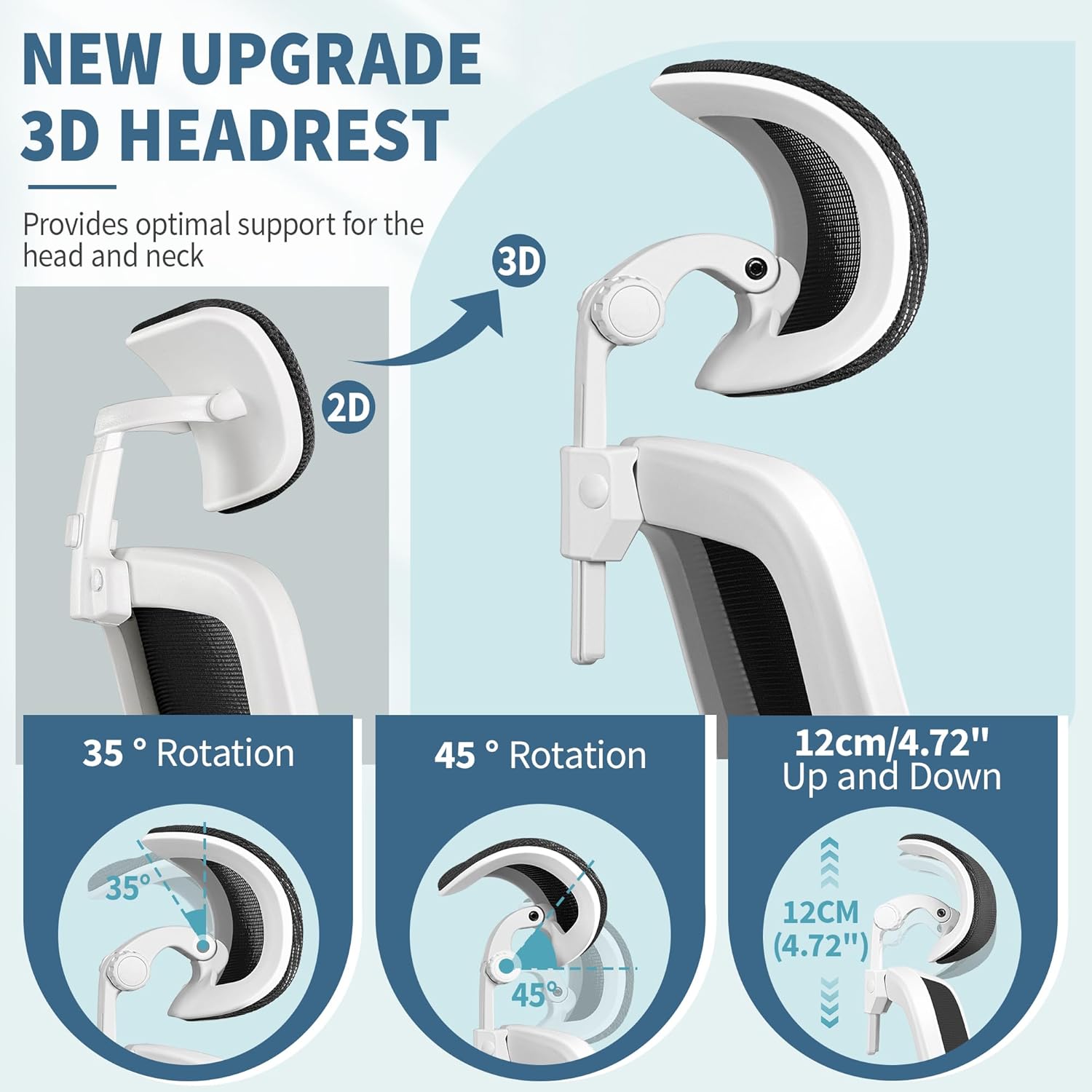
Figure 3.5: Detailed view of the 3D adjustable headrest.
3.5. Flip-up Armrests
The armrests can be flipped up by 90° to allow the chair to be pushed closer to your desk or for easier storage. Simply lift the armrests upwards until they lock into the vertical position.

Figure 3.6: Flip-up armrests for space-saving and versatility.
3.6. Swivel and Rolling
The chair features a 360° swivel base and silent PU casters for smooth, effortless movement across various floor types without causing damage.

Figure 3.7: Breathable mesh back, comfortable seat cushion, and smooth-rolling casters.
4. Maintenance
To ensure the longevity and appearance of your FelixKing Office Chair, follow these simple maintenance guidelines:
- Cleaning: Wipe clean with a damp cloth. Avoid harsh chemicals or abrasive cleaners that may damage the mesh or frame.
- Inspection: Periodically check all screws and bolts to ensure they are tight. Re-tighten if necessary.
- Casters: Keep casters free of hair and debris to ensure smooth rolling.
5. Troubleshooting
If you encounter any issues with your FelixKing Office Chair, consider the following common solutions:
- Chair Wobbles: Ensure all assembly screws are securely tightened. Check that the air rod is firmly inserted into the base plate.
- Height Adjustment Not Working: Verify that the gas lift lever is fully engaged. If the issue persists, the gas lift cylinder may need replacement.
- Casters Not Rolling Smoothly: Check for any debris (hair, lint, etc.) caught in the casters and clean them thoroughly.
- Backrest Recline Issues: Ensure the recline tension knob (if present) is not overtightened, and the recline lever is functioning correctly.
For persistent issues, please contact customer support.
6. Specifications
| Feature | Detail |
|---|---|
| Brand | FelixKing |
| Model Number | 918H-C |
| Color | White |
| Material | Polypropylene, Mesh, Foam |
| Product Dimensions (D x W x H) | 10.63"D x 19.69"W x 20.87"H |
| Item Weight | 12.74 Kilograms |
| Maximum Weight Recommendation | 300 Pounds (136 kg) |
| Recommended Uses | Gaming, Office, Home Office, Study Room |
| Adjustable Height | Yes (3.9 inches / 10 cm lift) |
| Reclining Position Count | 2 (90-120 degrees) |
| Lumbar Support | Adjustable (moves up and down by 2 inches / 5 cm) |
| Arm Style | Flip-up (90 degrees) |
| Headrest | 3D Adjustable (height and angle) |
| Casters | Silent PU Casters |
| Assembly Required | Yes |
| Product Care | Wipe Clean |
7. Warranty and Support
FelixKing provides a 1-year warranty for this product, ensuring a smooth and worry-free experience from assembly to everyday use. Our responsive customer care team is available to assist you with any questions or concerns.
How to Contact Us:
- Login to your Amazon Account.
- Navigate to 'Your Orders'.
- Find the relevant order for your FelixKing Office Chair.
- Click 'Contact Seller'.
Alternatively, you may contact us directly:
- Email: service@felixking7.com
- Phone: +1 (269) 397-4226

Figure 7.1: FelixKing Customer Support Contact Information.


