
Introduction
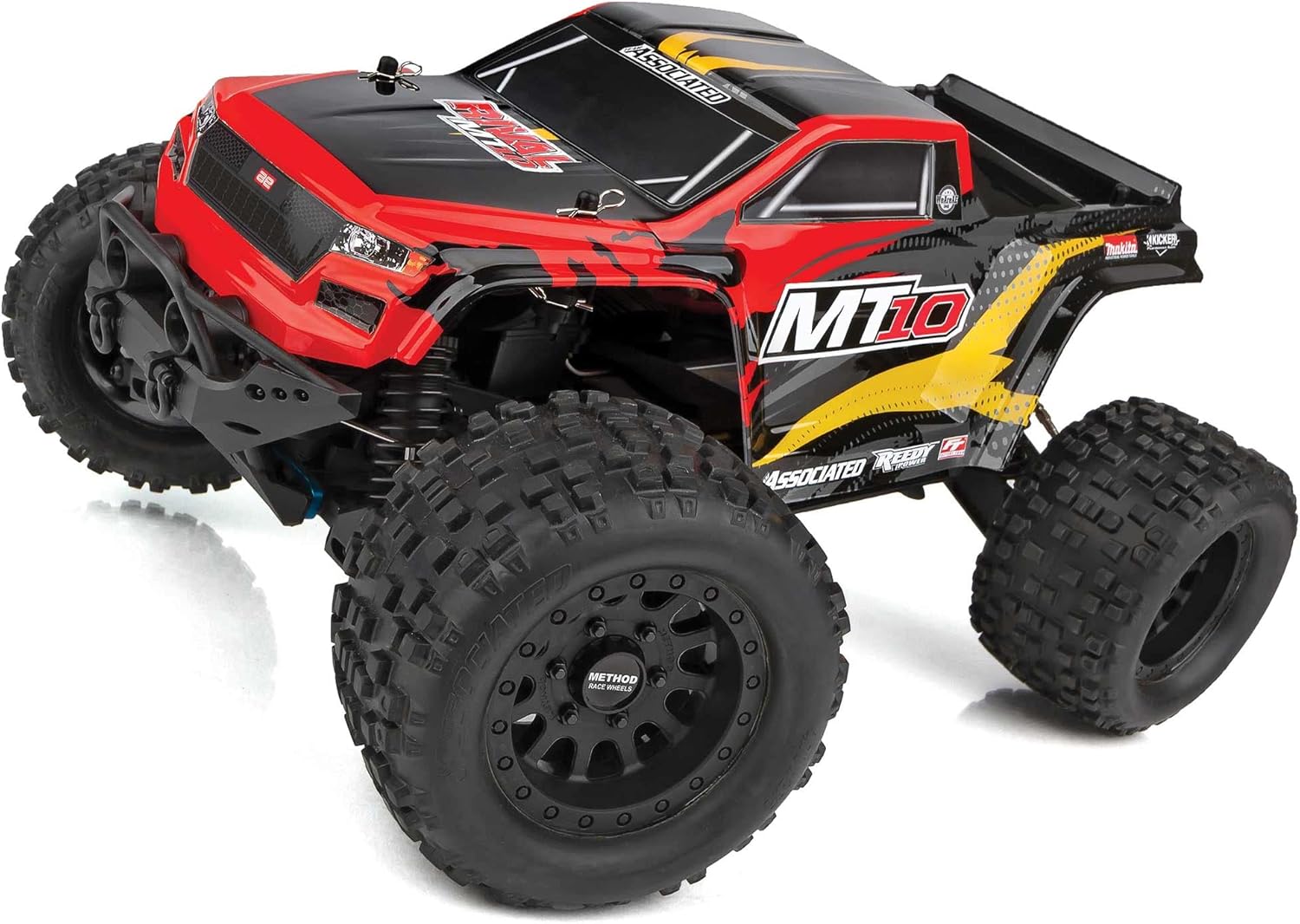
The Team Associated Rival MT10 is a high-performance, ready-to-run (RTR) 1:10 scale brushless monster truck designed for durability and aggressive off-road action. It features a robust 4WD drivetrain, powerful Reedy brushless motor, and water-resistant electronics, making it suitable for various terrains. This manual provides essential information for setting up, operating, and maintaining your Rival MT10 to ensure optimal performance and longevity.
What's in the Box
Your Team Associated Rival MT10 package includes the following components:
- Rival MT10 Brushless RTR RC Truck (fully assembled)
- 2.4GHz 2-channel radio system
- 3 sealed gear differentials
- 12mm hex wheels inspired by Method Race Wheels
- Threaded, oil-filled, coil-over shock absorbers
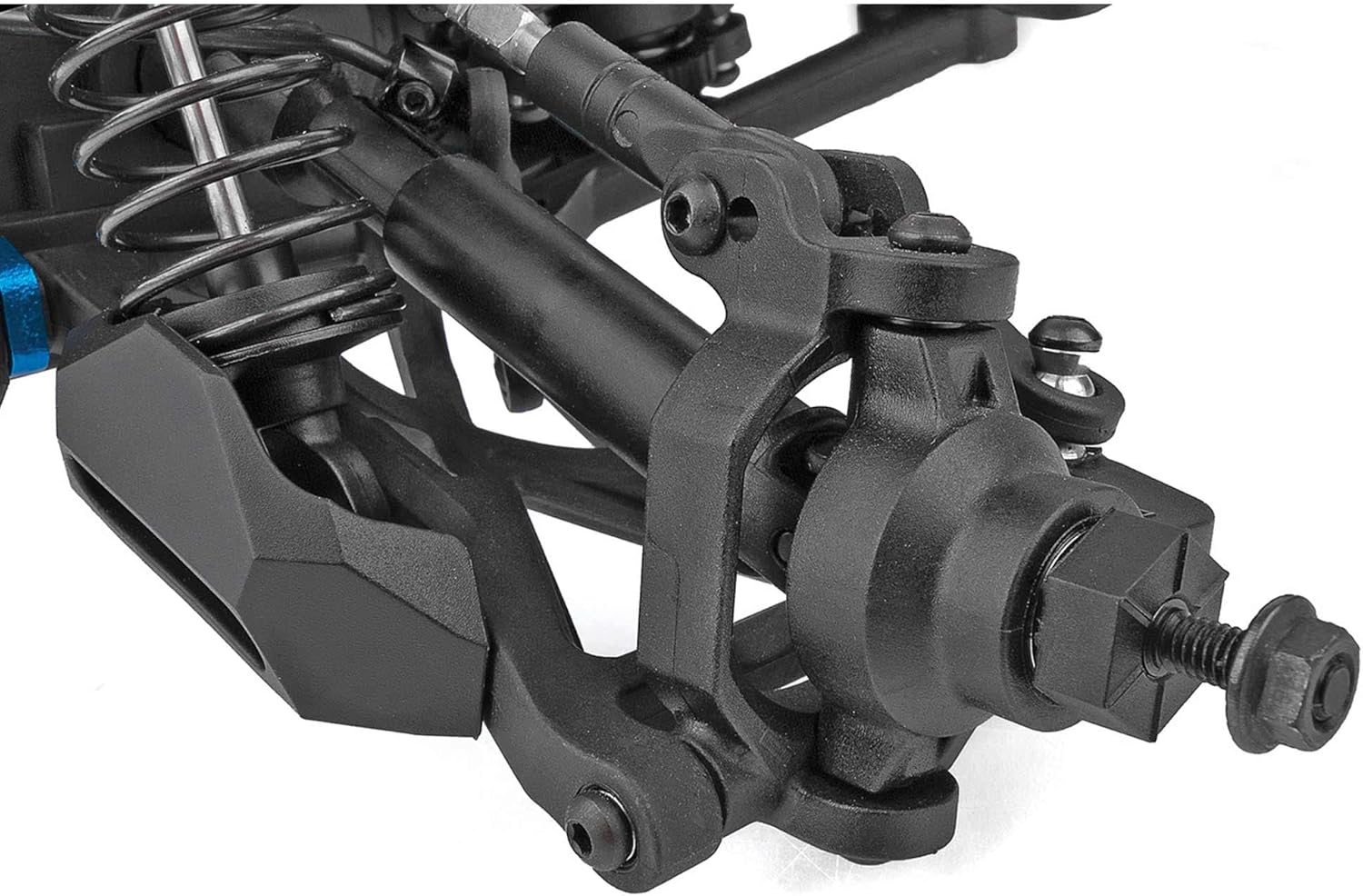
- 4mm heavy-duty adjustable steel turnbuckles
- Durable slider-type drive shafts
- Factory-finished RIVAL monster-truck-inspired style body
- High-traction, all-terrain tires
- Steel center drive shaft
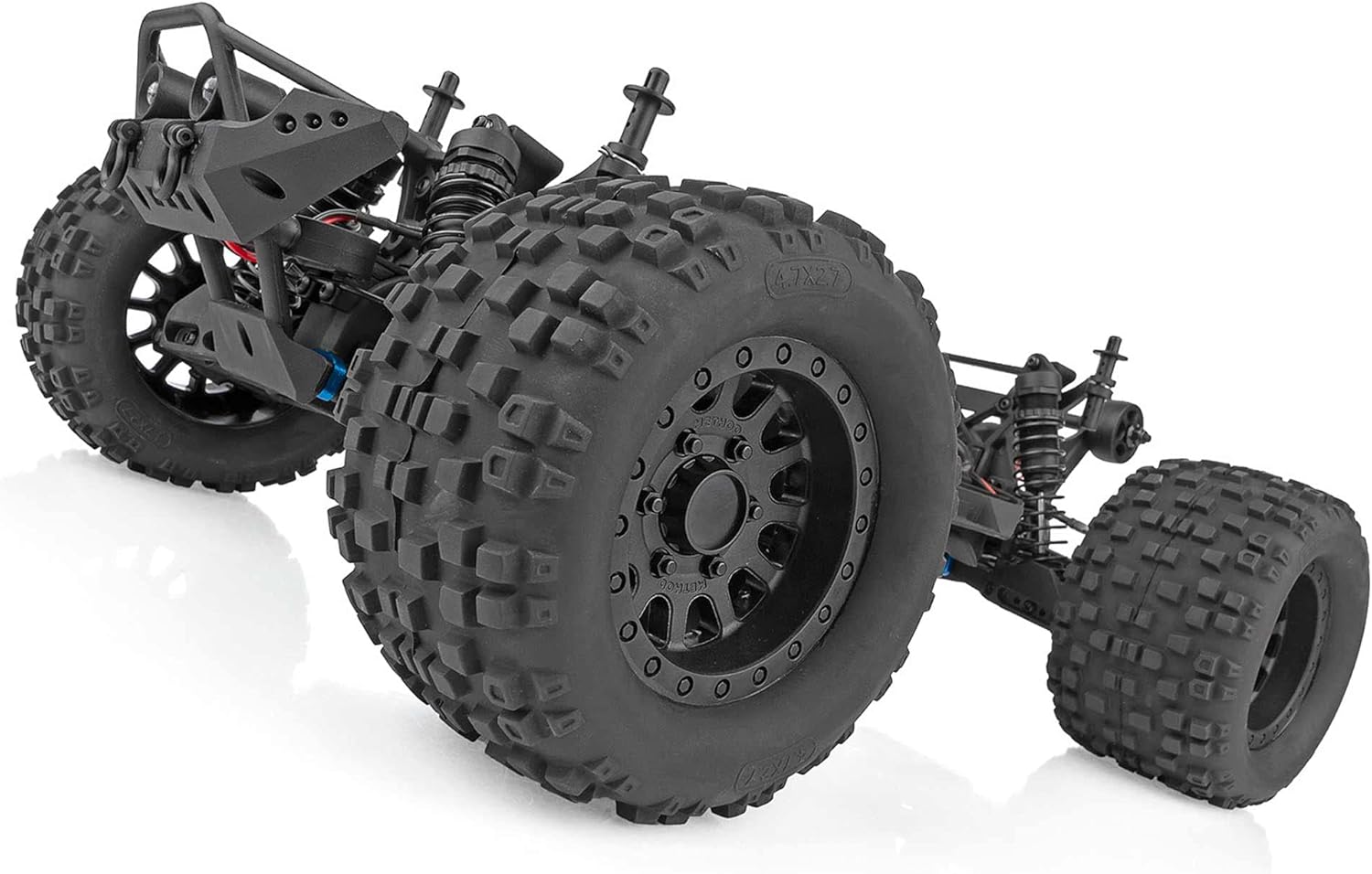
- Rugged, adjustable wheelie bar with LEDs
- Durable, impact-absorbing front bumper with LEDs
Note: Batteries and charger are NOT included and must be purchased separately.
Setup
- Unpack the Product: Carefully remove the Rival MT10 and all accessories from its packaging. Inspect for any shipping damage.
- Install Batteries: The Rival MT10 requires a suitable Lithium-Ion Polymer (LiPo) battery for the truck and AA batteries for the 2.4GHz radio transmitter. Ensure the LiPo battery is fully charged using a compatible charger (sold separately) and installed correctly in the truck's battery compartment. Install the AA batteries into the transmitter.
- Radio System Setup: Follow the specific instructions provided with your 2.4GHz 2-channel radio system to bind the transmitter to the receiver in the truck. This ensures proper communication and control.
- Initial Inspection: Before first use, check all screws and fasteners to ensure they are tight. Verify that the steering and throttle controls respond correctly to the transmitter inputs.
Operating Instructions
Once your Rival MT10 is set up, follow these steps for safe and enjoyable operation:
- Power On: Turn on the transmitter first, then turn on the power switch on the truck. This sequence helps prevent accidental runaway.
- Control Familiarization: Familiarize yourself with the steering wheel and throttle trigger on your 2.4GHz 2-channel radio system. Practice in an open, safe area at low speeds before attempting high-speed maneuvers.
- Driving: The powerful Reedy 3300kV 4-pole brushless motor and water-resistant Reedy brushless speed control provide significant power. The high-traction, all-terrain tires are designed for optimal grip on various surfaces.
- Wheelie Bar: The rugged, adjustable wheelie bar with LEDs helps manage the truck's power, preventing it from flipping over during aggressive acceleration. Adjust it as needed for your driving style.
- Suspension: The four-wheel independent suspension and threaded, oil-filled, coil-over shock absorbers are designed to absorb impacts and maintain stability over rough terrain.
- Power Off: Always turn off the truck's power switch first, then turn off the transmitter.


Maintenance
Regular maintenance is crucial for the longevity and performance of your Rival MT10:
- Cleaning: After each use, especially in dirty or wet conditions, clean the truck thoroughly. Remove dirt, mud, and debris from the chassis, suspension components, and motor area. A soft brush and compressed air can be useful.
- Inspection: Regularly inspect all screws, nuts, and bolts for tightness. Check for any signs of wear or damage on the suspension arms, drive shafts, turnbuckles, and tires. Replace damaged parts promptly.
- Differentials: Periodically check the three sealed gear differentials for smooth operation. If performance degrades, they may require cleaning and re-lubrication.
- Shocks: Ensure the oil-filled, coil-over shock absorbers are free from leaks and provide consistent damping. Replace shock oil if performance diminishes.
- Motor and ESC: Keep the motor and Electronic Speed Control (ESC) free from excessive dirt and debris to prevent overheating. Ensure proper ventilation.
Troubleshooting
- No Power:
Symptom: Truck does not respond or power on.
Solution: Ensure the LiPo battery in the truck is fully charged and correctly connected. Check that the AA batteries in the transmitter are fresh and properly installed. Verify all power switches are in the 'ON' position. - Loss of Control/Erratic Behavior:
Symptom: Truck responds intermittently or not at all to transmitter inputs.
Solution: Check the range of your radio system. Ensure there is no interference from other 2.4GHz devices. Re-bind the transmitter and receiver according to your radio system's instructions. Inspect steering servo and linkages for damage. - Reduced Performance/Slow Speed:
Symptom: Truck lacks power or speed.
Solution: Confirm the LiPo battery is fully charged and in good condition. Check for debris obstructing the motor or drivetrain. Inspect the motor and ESC for signs of overheating or damage. Ensure tires are not excessively worn. - Unusual Noises:
Symptom: Grinding, clicking, or other abnormal sounds during operation.
Solution: Immediately stop operation. Inspect the gear mesh, differentials, and drive shafts for any foreign objects, stripped gears, or damaged components.
Specifications
| Brand Name | Team Associated |
| Model Name | AS20518 (Rival MT10) |
| Scale | 1:10 Scale |
| Power Source | Battery Powered |
| Motor | Reedy 3300kV 4-pole Brushless Motor |
| Speed Control | Water-resistant Reedy Brushless ESC with T-plug connector and LiPo low-voltage cutoff |
| Radio System | 2.4GHz 2-channel |
| Suspension | Four-wheel independent, threaded oil-filled coil-over shocks |
| Drive System | 4WD with three sealed gear differentials |
| Tires | High-traction, all-terrain |
| Wheels | 12mm hex, Method Race Wheels inspired |
| Material Type | Plastic |
| Item Weight | 2800 Grams |
| Item Dimensions (L x W x H) | 19.96 x 12.8 x 8.66 inches (507 x 325 x 220 mm) |
| Minimum Age | 14 Months |
Warranty and Support
For warranty information, technical assistance, or to purchase replacement parts, please refer to the official Team Associated website or contact their customer service department directly. It is recommended to keep your purchase receipt as proof of purchase for any warranty claims.


