
mucar JS502
MUCAR JS502 2-in-1 Jump Starter and OBD2 Scanner User Manual
Model: JS502
Introduction
The MUCAR JS502 is a versatile 2-in-1 device combining a powerful jump starter with a comprehensive OBD2 scanner. This manual provides essential information for safe and effective operation, maintenance, and troubleshooting of your device.
Key functionalities include:
- Vehicle diagnosis and error code reading.
- Emergency jump-starting for various 12V vehicles.
- Advanced battery booster system for reliable performance.
- Universal OBD II car code reader with extensive diagnostic capabilities.
- Additional utility functions and user-friendly design.
Package Contents
Please verify that all items are present in your package:
- MUCAR JS502 Jump Starter and OBD2 Scanner Unit
- Smart Battery Clamps
- USB Charging Cable
- User Manual (this document)

Image: The MUCAR JS502 device shown with its smart battery clamps, illustrating the main components included.
Setup and Initial Use
Charging the Device
Before first use, fully charge the MUCAR JS502. Connect the provided USB charging cable to the device's charging port and a suitable USB power adapter (not included). The device features a built-in 18000mAh lithium battery, designed for long standby times and reliable performance.
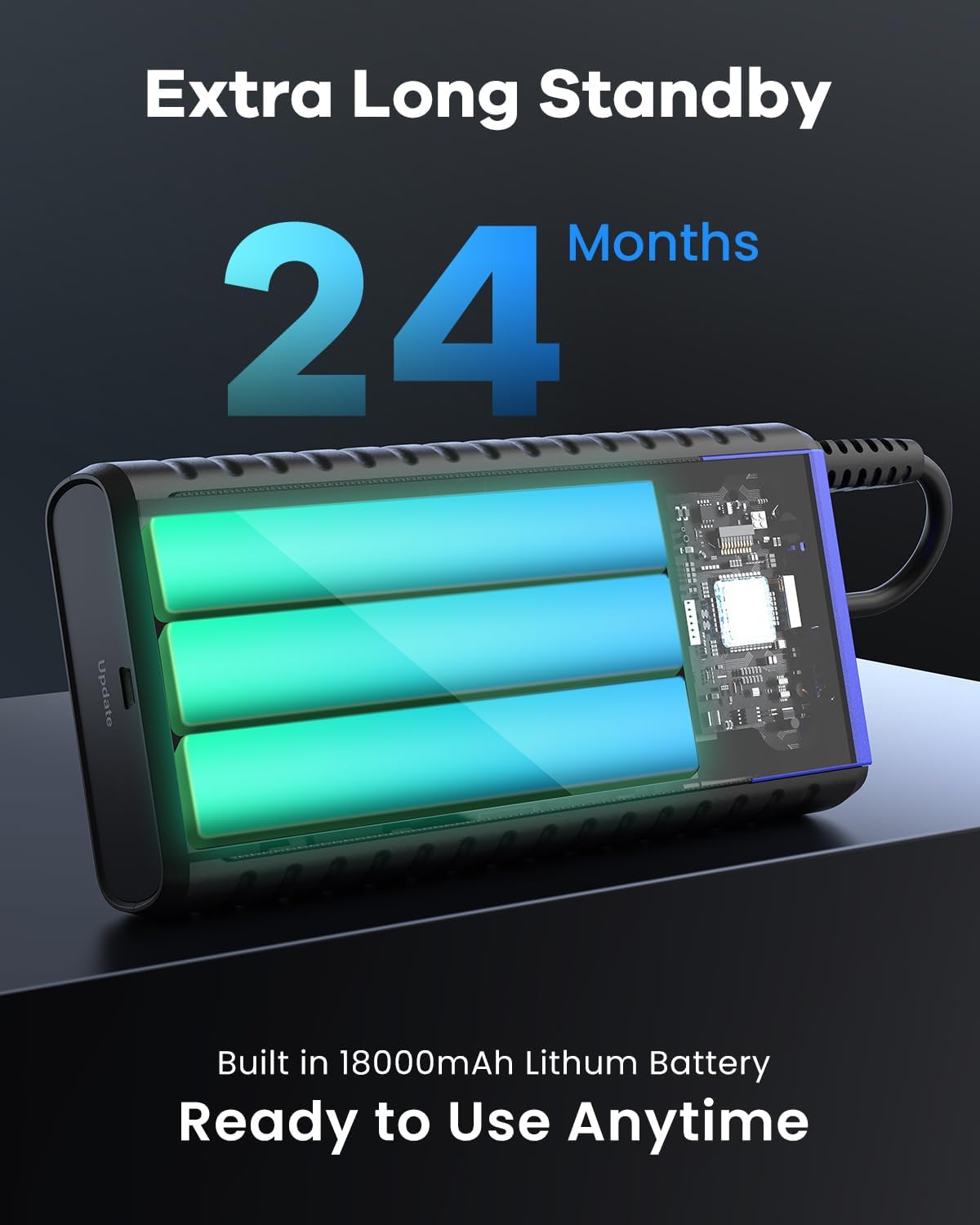
Image: An internal view of the MUCAR JS502, highlighting its high-magnification A-level battery cells, which contribute to its 24-month standby capability.
Powering On/Off
Press and hold the power button to turn the device on or off. The 2.8-inch color LCD display will illuminate upon activation.
Operating Instructions
Using the Jump Starter Function
The JS502 can safely jump-start most 12V vehicles, including those with up to 8.0L gas and 6.0L diesel engines. It is suitable for motorcycles, SUVs, pickups, trucks, and boats.
- Ensure the JS502 is sufficiently charged.
- Connect the smart battery clamps to the JS502's jump start port.
- Attach the red (+) clamp to the positive terminal of the vehicle's battery.
- Attach the black (-) clamp to the negative terminal of the vehicle's battery.
- Ensure the clamps are securely connected and free from corrosion. The smart clamps include built-in protection programs.
- Start the vehicle's engine.
- Once the vehicle starts, immediately remove the clamps from the vehicle battery, then disconnect them from the JS502.

Image: The MUCAR JS502 connected to a vehicle battery, demonstrating the proper setup for jump-starting a car.
Using the OBD2 Scanner Function
The JS502 provides comprehensive OBD2 diagnostic capabilities for all OBD II protocol cars after 1996. It features a user-friendly interface and a built-in DTC library with over 100,000 detailed definitions.
- Locate your vehicle's OBD2 port (usually under the dashboard).
- Connect the JS502 to the vehicle's OBD2 port using the appropriate cable.
- Turn the vehicle's ignition to the "ON" position (engine off).
- The JS502 will automatically link with the vehicle.
- Navigate through the menu using the device's buttons to access various functions:
- Read Codes: Displays current, pending, and permanent Diagnostic Trouble Codes (DTCs).
- Erase Codes: Clears DTCs from the vehicle's computer and turns off the Check Engine Light (MIL).
- Live Data: Shows real-time data streams from the vehicle's sensors.
- EVAP System Test: Initiates a test of the Evaporative Emission Control System.
- On-Board Monitor Test: Retrieves results for emission-related powertrain components.
- View Freeze Frame: Displays a snapshot of operating conditions when an emission-related fault occurred.
- O2 Sensor Test: Retrieves O2 sensor monitor test results.
- Vehicle Info: Displays vehicle identification number (VIN), calibration ID (CID), and calibration verification number (CVN).
- I/M Readiness: Checks the status of emission-related monitors to determine if the vehicle is ready for an inspection/maintenance test.
- DTC Code Look-up: Provides detailed definitions for DTCs.
- Use the I/M Shortcut Key for quick access to emission system conditions.
- The 3-color LED indicator provides a visual cue for coded severity.

Image: A visual representation of the MUCAR JS502's display, showcasing various OBD2 scanner functions such as Read Code, Clear Code, Live Data Stream, and DTC Lookup.
Additional Functions
Emergency LED Flashlight
The JS502 includes an integrated LED flashlight with multiple modes (Flashlight, Strobe, SOS) for use in low-light conditions or emergencies.

Image: The MUCAR JS502 demonstrating its emergency LED flashlight function, useful for night or low-light situations.
Portable Power Bank
Utilize the 18000mAh battery and Quick Charge 3.0 USB port to charge other electronic devices such as smartphones, tablets, and other USB-powered gadgets.

Image: The MUCAR JS502 functioning as a portable power bank, illustrating its ability to charge various electronic devices via its Quick Charge 3.0 port.
Maintenance
- Cleaning: Wipe the device with a soft, dry cloth. Avoid using harsh chemicals or abrasive materials.
- Storage: Store the JS502 in a cool, dry place, away from direct sunlight and extreme temperatures. The device is designed to operate in temperatures from -4°F to 140°F (-20°C to 60°C). For optimal battery life, it is recommended to charge the device every 3-6 months, even if not in use, to maintain battery health.
- Battery Care: The high-magnification A-level battery cells are designed for durability. Avoid fully discharging the battery frequently.

Image: An illustration highlighting the internal safety features and the wide operating temperature range of the MUCAR JS502, emphasizing its robust design.
Troubleshooting
If you encounter issues with your MUCAR JS502, refer to the following common problems and solutions:
- Device does not power on: Ensure the device is fully charged. Connect it to a power source and allow it to charge for at least 30 minutes before attempting to power on again.
- Vehicle does not jump start:
- Check that the smart clamps are securely connected to the correct battery terminals (red to positive, black to negative).
- Ensure the JS502 has sufficient charge.
- Verify that the vehicle's battery is not severely damaged or completely dead beyond the device's capacity.
- The smart clamps have built-in protection; if an error is detected, they may prevent operation. Check for error indicators on the clamps or device.
- OBD2 scanner not connecting to vehicle:
- Ensure the OBD2 cable is securely connected to both the JS502 and the vehicle's OBD2 port.
- Verify the vehicle's ignition is in the "ON" position (engine off).
- Confirm your vehicle is OBD II compliant (most vehicles after 1996).
- Check Engine Light remains on after clearing codes: Some fault codes may require multiple drive cycles to clear or indicate an underlying issue that needs repair. If the light persists, further diagnosis or professional assistance may be required.
Specifications
| Feature | Specification |
|---|---|
| Model | JS502 |
| Peak Current | 2000 Amps |
| Battery Capacity | 18000 mAh |
| Battery Cell Composition | Lithium Ion |
| Voltage | 12 Volts |
| Engine Compatibility (Gas) | Up to 8.0L |
| Engine Compatibility (Diesel) | Up to 6.0L |
| Operating Temperature | -4°F to 140°F (-20°C to 60°C) |
| Display | 2.8-inch Color LCD |
| USB Output | Quick Charge 3.0 Port |
| Product Dimensions | 10 x 10 x 10 cm |
| Item Weight | 1.44 kg |
Warranty and Support
MUCAR offers lifetime customer support for the JS502. All software updates are free. You can review and print diagnostic reports by connecting the device to a computer via USB.
For additional product information, support, or to access the official website, please visit Mythinkcar.com.
Ask a question about this manual
Ask about setup, troubleshooting, compatibility, parts, safety, or missing instructions. Manuals+ will review the question and use this page’s manual context to help answer it.