
ODK B0BQBRDG5N
ODK L-Shaped Computer Gaming Desk Instruction Manual
Model: B0BQBRDG5N
1. Introduction
Thank you for purchasing the ODK L-Shaped Computer Gaming Desk. This manual provides essential information for the safe and efficient assembly, operation, and maintenance of your new desk. Please read these instructions carefully before beginning assembly and retain them for future reference.
2. Safety Information
- Ensure all parts are present and undamaged before assembly. Do not proceed with assembly if any parts are missing or broken.
- Assemble the desk on a soft, clean surface to prevent scratches.
- Do not overtighten screws during assembly, as this may damage the material.
- Keep small parts and packaging materials away from children and pets to prevent choking hazards.
- The desk tabletop has a load capacity of approximately 60kg. Do not exceed this weight limit to ensure stability and prevent damage.
- The desk features a fillet design on the tabletop edges for safety. However, always exercise caution to avoid bumps and injuries.
3. Package Contents
Please verify that all the following components are included in your package:
- Desk tabletops (L-shaped sections)
- Steel frame components (legs, cross-bracing)
- Monitor stand
- Storage bag
- Headphone hook
- Adjustable feet
- Assembly hardware (screws, bolts, Allen wrench)
- Instruction manual
4. Setup and Assembly
Assembly of the ODK L-Shaped Desk is designed to be straightforward. Follow the clear instructions provided in the included manual. It is recommended to have a second person assist with assembly for easier handling of larger components.
- Unpack and Identify Parts: Carefully unpack all components and lay them out on a protected surface. Refer to the parts list in the separate assembly guide to identify each piece.
- Assemble the Frame: Begin by attaching the steel frame components according to the diagrams. Ensure all connections are secure but do not fully tighten screws until the entire frame is assembled. The sturdy steel frame and cross-bracing hardware are designed for enhanced stability.
- Attach Tabletop Sections: Carefully place the L-shaped tabletop sections onto the assembled frame. Secure them using the provided hardware. The tabletop is made of high-strength melamine laminated board, resistant to scratches and moisture.
- Install Adjustable Feet: Screw the adjustable feet into the bottom of the desk legs. These allow for minor height adjustments to ensure the desk is level on uneven floors, preventing wobbling.
- Attach Storage Bag: The storage bag can be attached to either the long or short side of the desk, as it is non-directional. This provides ample storage for books, documents, and other items, keeping your desk area neat.
- Install Headphone Hook: Attach the headphone hook to a convenient location on the desk frame. This hook is designed to hold headphones, bags, or other accessories.
- Place Monitor Stand: Position the monitor stand on the desk as desired. This stand helps raise your monitor to an ergonomic eye level, improving posture during work or gaming.
- Final Tightening: Once all components are in place and aligned, systematically tighten all screws and bolts. Do not overtighten.
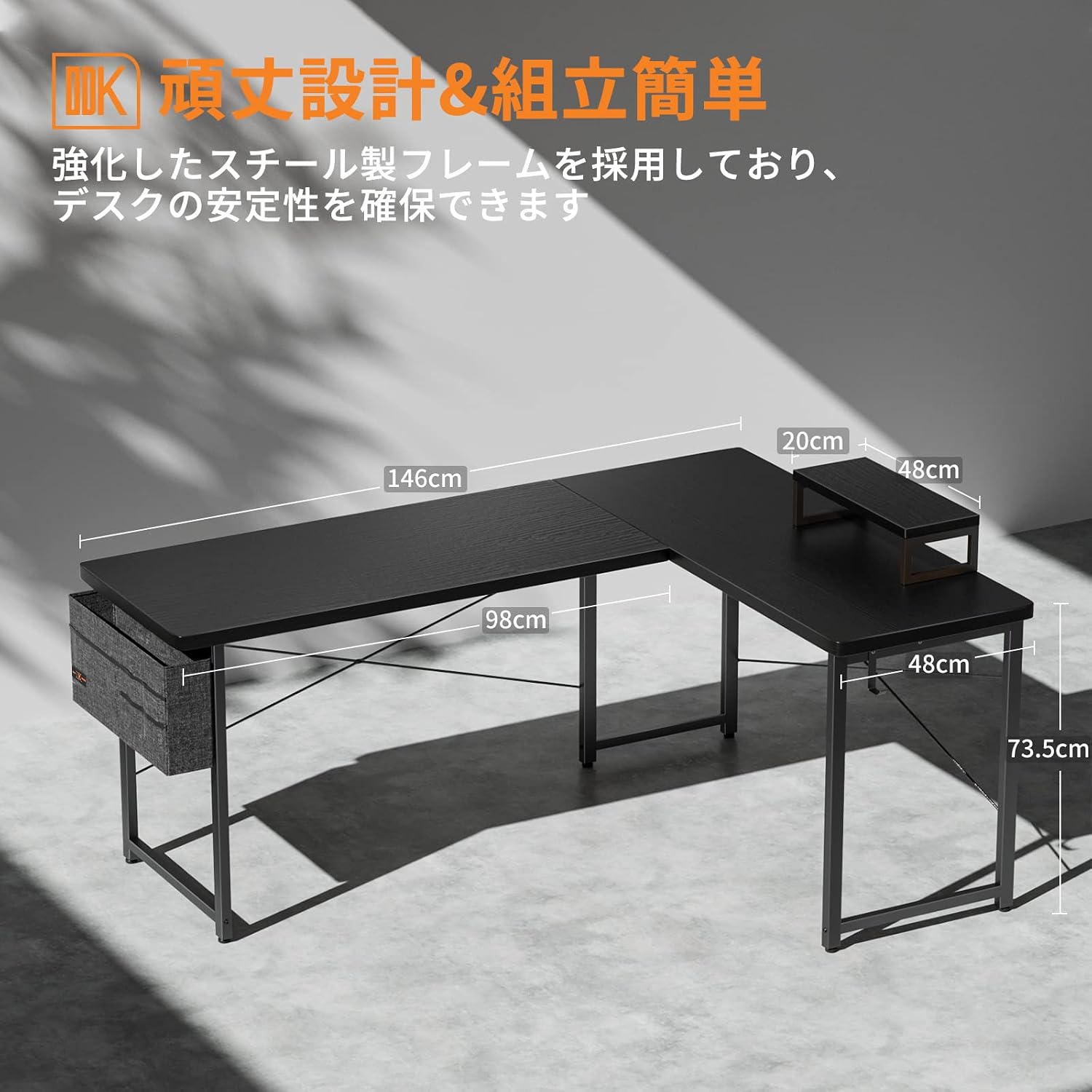
Figure 4.1: Desk Dimensions and Sturdy Design Features

Figure 4.2: Integrated Storage Bag for Organization

Figure 4.3: Convenient Headphone Hook
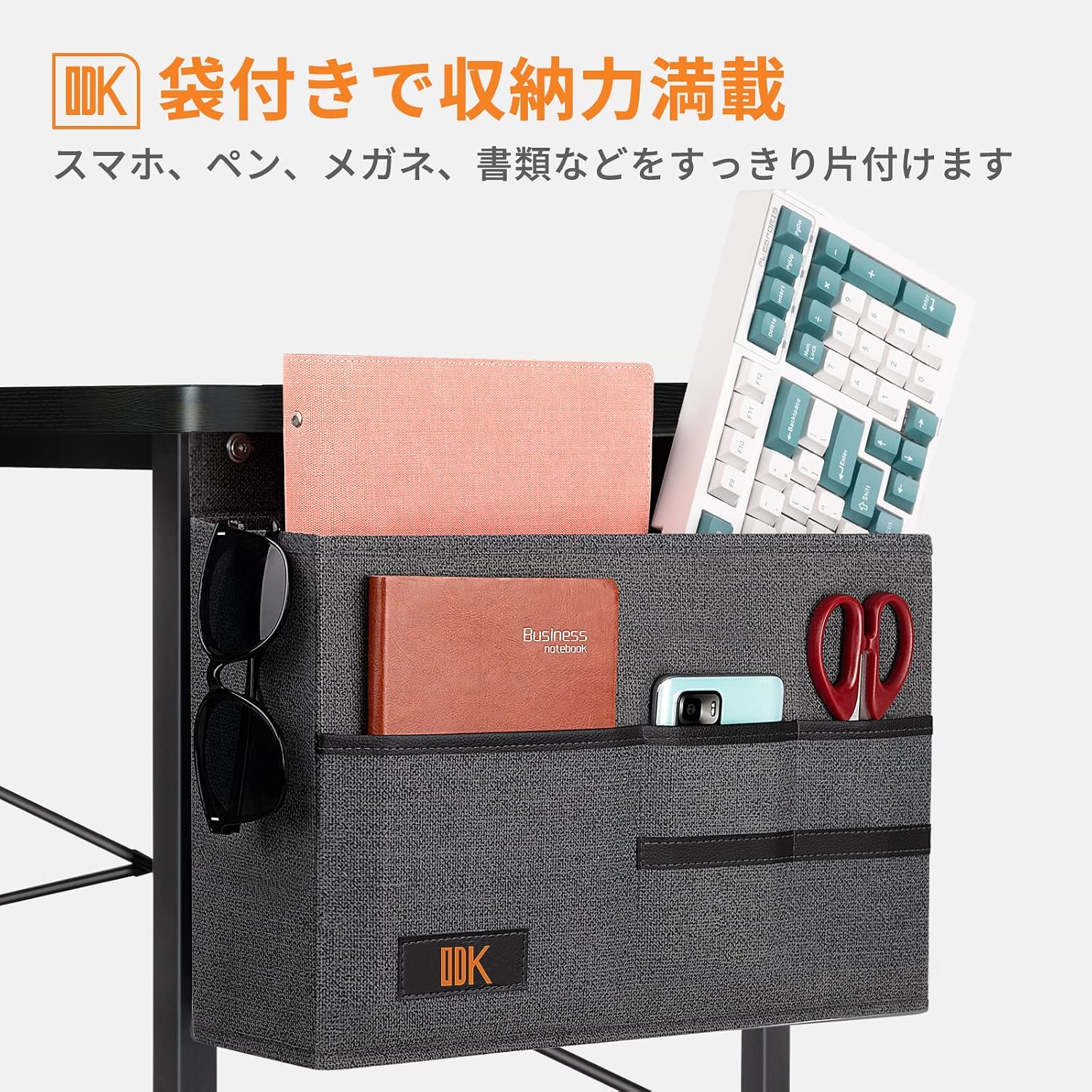
Figure 4.4: Ergonomic Monitor Stand
5. Operating and Features
The ODK L-Shaped Desk is designed for versatility and comfort, suitable for various uses from gaming to telework and study.
- L-Shaped Design: Maximizes corner space, providing a large work surface for multiple monitors, gaming setups, or extensive study materials.
- Integrated Storage Bag: Keeps essential items like documents, pens, and personal devices organized and within easy reach, reducing clutter.
- Headphone Hook: Offers a dedicated spot for headphones or bags, keeping them off the desk surface and preventing tangles.
- Monitor Stand: Elevates your monitor to an optimal viewing height, promoting better posture and reducing neck and eye strain during long sessions.
- Durable Construction: The high-strength melamine laminated board and powder-coated steel frame ensure the desk is resistant to daily wear, scratches, heat, and moisture, providing long-lasting performance.
6. Maintenance
To ensure the longevity and appearance of your ODK L-Shaped Desk, follow these simple maintenance guidelines:
- Cleaning: Wipe the desk surfaces with a soft, damp cloth. For stubborn marks, a mild soap solution can be used, followed by drying with a clean cloth. Avoid abrasive cleaners or harsh chemicals.
- Spills: Promptly wipe up any liquid spills to prevent damage to the tabletop.
- Heat Protection: While the tabletop is heat-resistant, it is advisable to use coasters or protective pads under hot items to prevent potential damage.
- Regular Checks: Periodically check all screws and bolts to ensure they remain tight. Retighten if necessary, but do not overtighten.
- Avoid Excessive Weight: Do not place excessively heavy items on the desk, especially on the edges, to maintain structural integrity.
7. Troubleshooting
If you encounter any issues with your ODK L-Shaped Desk, refer to the following common problems and solutions:
- Desk Wobbles:
- Ensure all assembly screws and bolts are securely tightened.
- Adjust the leveling feet at the bottom of the desk legs to compensate for uneven floor surfaces.
- Difficulty Assembling:
- Double-check the assembly instructions and diagrams. Ensure you are using the correct hardware for each step.
- Some parts may appear similar but have slight differences (e.g., bolt lengths). Verify part numbers or sizes before attaching.
- If a part does not fit easily, do not force it. Re-examine the instructions and the orientation of the parts.
- Scratches or Chips on Surface:
- Minor cosmetic issues can sometimes occur during shipping or assembly. For significant damage, please contact customer support.
- To prevent future scratches, use desk mats or pads under items that might scratch the surface.
If the problem persists or is not listed here, please contact ODK customer support for assistance.
8. Specifications
| Feature | Specification |
|---|---|
| Brand | ODK |
| Model | B0BQBRDG5N |
| Desk Type | Computer Desk, Gaming Desk |
| Shape | L-shaped |
| Product Dimensions (W x D x H) | 146 cm x 120 cm x 74 cm (Approx.) |
| Product Weight | Approx. 18.5 KG |
| Tabletop Load Capacity | Approx. 60 KG |
| Material | Alloy Steel (Frame), Melamine Laminated Board (Top) |
| Finish Type | Powder Coated |
| Color | Black |
| Special Feature | Durable, with Storage Bag, Headphone Hook, Monitor Stand, Adjustable Feet |
9. Warranty and Support
ODK provides a 1-year manufacturer's warranty for this product. This warranty covers defects in materials and workmanship under normal use.
In the unlikely event of an initial defect with your purchased product, or if you require any assistance with assembly, parts, or troubleshooting, please do not hesitate to contact ODK customer support. Our team is ready to assist you.
For support, please refer to the contact information provided on the product packaging or the official ODK website.
Related documentsB0BQBRDG5N


Ask a question about this manual
Ask about setup, troubleshooting, compatibility, parts, safety, or missing instructions. Manuals+ will review the question and use this page’s manual context to help answer it.