
Creative EF1050
Creative Zen Air Wireless Earbuds User Manual
Model: EF1050 | Brand: Creative
1. Introduction
Welcome to the Creative Zen Air Wireless Earbuds user manual. These lightweight true wireless in-ear headphones are designed to provide an immersive audio experience with advanced features such as Active Noise Cancellation (ANC) and Ambient Mode. With Bluetooth 5.0 connectivity, IPX4 sweatproof rating, and long battery life, the Creative Zen Air earbuds are perfect for daily use, workouts, and travel.
2. What's in the Box
Ensure all components are present before proceeding:
- Creative Zen Air Wireless Earbuds (Left and Right)
- Charging Case
- USB-C Charging Cable
- Silicone Ear Tips (Small, Medium, Large)

Image: The Creative Zen Air Wireless Earbuds, showing both the left and right earbuds, along with their compact charging case.
3. Product Overview
The Creative Zen Air earbuds are engineered for superior sound and user convenience.
Key Features:
- Active Noise Cancellation (ANC): Filter out unwanted background noise for focused listening.
- Ambient Mode: Stay aware of your surroundings by letting in environmental sounds.
- 10mm Neodymium Drivers: Delivers powerful audio with clear highs and balanced mids.
- IPX4 Sweatproof: Resistant to sweat and light splashes, suitable for workouts and outdoor activities.
- Intuitive Touch Controls: Manage music playback, calls, and voice assistants with simple taps.
- Four Microphones: Ensures clear voice pickup for enhanced call clarity.
- Long Battery Life: Up to 6 hours per charge, and up to 18 hours total with the charging case.
- Lightweight Design: Each earbud weighs only 5g, and the charging case weighs 36g for comfortable, all-day wear.

Image: Diagram illustrating Active Noise Cancellation (ANC) to filter out background noise and Ambient Mode to let in surrounding sound, allowing users to choose their preferred listening experience.

Image: A woman smiling while adjusting the Creative Zen Air earbuds in her ears, demonstrating the convenient touch controls for managing audio and calls.

Image: A man running on a treadmill with Creative Zen Air earbuds, emphasizing their IPX4 sweatproof rating suitable for gym workouts and outdoor jogs.
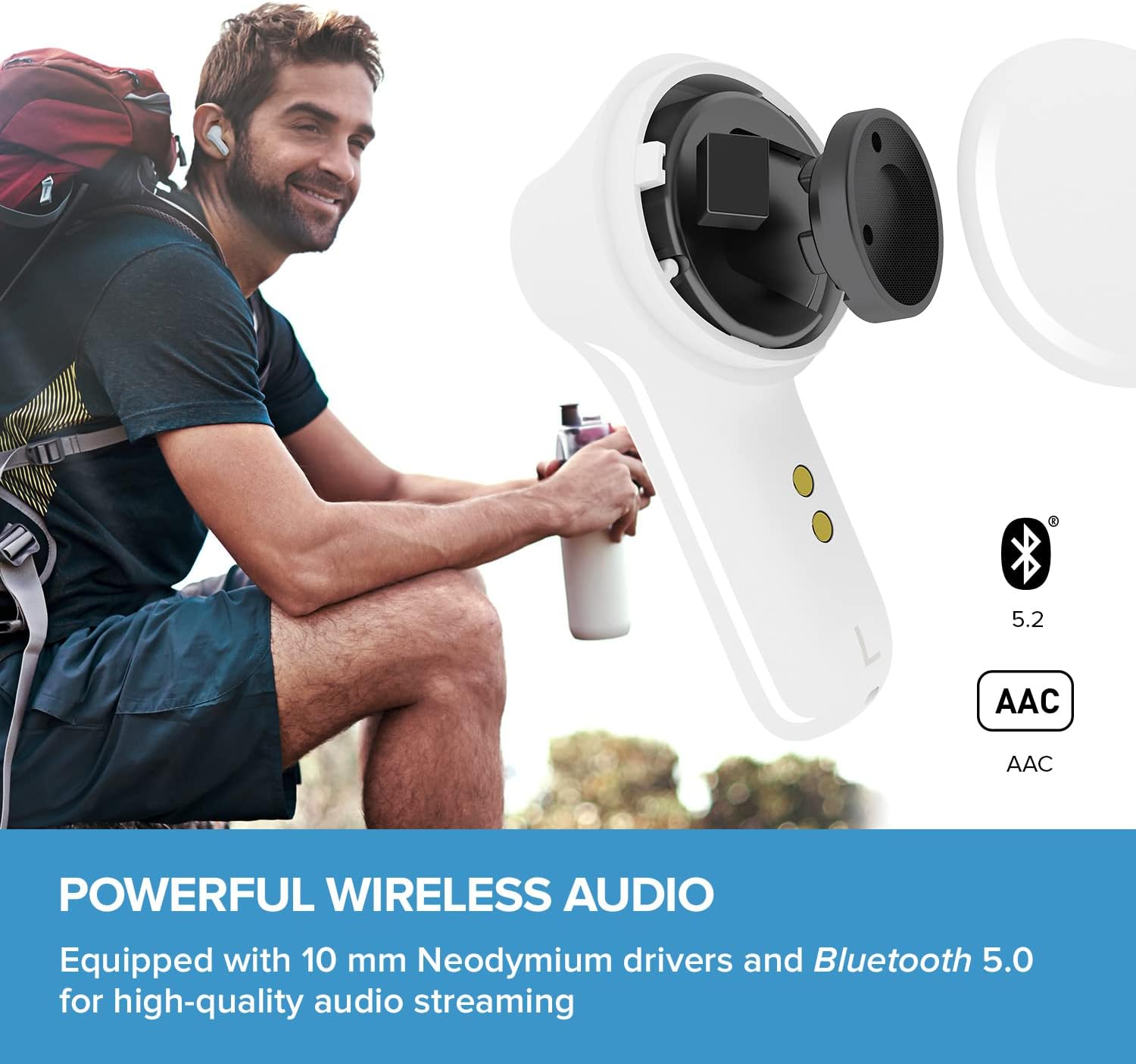
Image: A man sitting outdoors with a backpack, alongside an exploded view of the earbud showing its 10mm Neodymium driver, highlighting powerful wireless audio with Bluetooth 5.0 and AAC codec support.

Image: The Creative Zen Air earbuds in their charging case placed on a wireless charging pad, illustrating the long battery life and convenient charging options.

Image: The Creative Zen Air earbuds in their case next to the Super X-Fi logo, indicating compatibility with the SXFI App for spatial holography preview on local content.
Official Product Video:
Video: An official product video showcasing the features and benefits of the Creative Zen Air Wireless Earbuds, including noise cancellation, ambient mode, and design highlights.
4. Setup
4.1 Initial Charging
- Place both earbuds into the charging case.
- Connect the USB-C charging cable to the charging port on the case and to a power source. The LED indicator on the case will show charging status.
- Alternatively, place the charging case on a Qi-certified wireless charging pad.
- Allow the earbuds and case to fully charge before first use (approximately 6 hours for full charge).
4.2 Bluetooth Pairing
- Open the charging case. The earbuds will automatically enter pairing mode (LEDs will flash).
- On your device (smartphone, tablet, etc.), enable Bluetooth.
- Search for "Creative Zen Air" in the list of available Bluetooth devices.
- Select it to connect. Once connected, the earbud LEDs will stop flashing.
4.3 Fitting the Earbuds
The Creative Zen Air comes with three sizes of silicone ear tips (Small, Medium, Large). Choose the size that provides the most comfortable and secure fit for optimal sound quality and noise cancellation.
- Gently insert the earbud into your ear canal.
- Rotate the earbud slightly until it feels snug and comfortable.
- Test different ear tip sizes to find the best seal.
5. Operating
5.1 Touch Controls
The Creative Zen Air earbuds feature intuitive touch controls on each earbud. The following are common functions:
| Action | Function |
|---|---|
| Single Tap (Left/Right) | Play/Pause Music, Answer/End Call |
| Double Tap (Right) | Next Track |
| Double Tap (Left) | Previous Track |
| Triple Tap (Left/Right) | Activate Voice Assistant (Siri/Google Assistant) |
| Long Press (Left/Right) | Toggle ANC/Ambient Mode |
5.2 Noise Control Modes
The Creative Zen Air offers two noise control modes:
- Active Noise Cancellation (ANC): Reduces external noise, ideal for noisy environments.
- Ambient Mode: Allows you to hear your surroundings, useful for safety or conversations.
To switch between modes, perform a long press on either earbud (refer to the touch controls table above).
6. Maintenance
6.1 Cleaning
- Regularly clean the earbuds and charging case with a soft, dry, lint-free cloth.
- Remove ear tips and clean them with mild soap and water if necessary. Ensure they are completely dry before reattaching.
- Do not use abrasive cleaners or solvents.
6.2 Storage
When not in use, always store the earbuds in their charging case to protect them and ensure they remain charged.
6.3 Water Resistance
The Creative Zen Air earbuds are IPX4 sweatproof. This means they are resistant to splashing water from any direction. They are suitable for workouts and light rain but should not be submerged in water or exposed to heavy downpours.
7. Troubleshooting
If you encounter issues with your Creative Zen Air earbuds, try the following solutions:
| Problem | Possible Solution |
|---|---|
| Earbuds not pairing |
|
| No sound or low volume |
|
| ANC/Ambient Mode not working |
|
| Charging issues |
|
8. Specifications
| Feature | Detail |
|---|---|
| Model Name | Zen Air |
| Model Number | EF1050 |
| Connectivity Technology | Wireless (Bluetooth 5.0) |
| Audio Driver Type | 10mm Neodymium Dynamic Driver |
| Noise Control | Active Noise Cancellation, Ambient Mode |
| Microphones | Four (for voice pickup) |
| Water Resistance Level | IPX4 (Sweatproof) |
| Earbud Weight (each) | 5g / 0.17 oz |
| Charging Case Weight | 36g / 1.27 oz |
| Battery Life (Earbuds) | Up to 6 hours per charge |
| Total Playtime (with Case) | Up to 18 hours |
| Charging Interface | USB-C, Qi Wireless Charging |
| Control Method | Touch |
| Product Dimensions (Case) | 2.36 x 1.89 x 1.14 inches |
| Frequency Range | 20 Hz - 20,000 Hz |
| UPC | 054651195400 |
9. Warranty and Support
Creative products come with a limited warranty. For detailed warranty information, technical support, and frequently asked questions, please visit the official Creative website or your regional support page.
You can also visit the Creative Store on Amazon for more product information and support resources.
Related documentsEF1050


Ask a question about this manual
Ask about setup, troubleshooting, compatibility, parts, safety, or missing instructions. Manuals+ will review the question and use this page’s manual context to help answer it.