
1. Introduction
This manual provides comprehensive instructions for the installation, operation, and maintenance of the Mighty Mule RP1007 Replacement Control Board. This board is specifically designed for use with Mighty Mule MM37x and MM57x series automatic gate openers. It serves as a direct replacement for control boards that may have been damaged by external factors such as lightning strikes, power surges, or incorrect battery wiring.
Important Compatibility Note: The RP1007 control board is only compatible with Mighty Mule Model MM37x/MM57x 7th Generation Series gate openers.

Figure 1: Mighty Mule RP1007 Replacement Control Board with wiring harnesses.
2. Product Features
- Compatibility: Designed for Mighty Mule MM37x and MM57x 7th Generation Series gate openers.
- Damage Replacement: Ideal for replacing boards damaged by lightning strikes, power surges, or reversed battery wiring.
- UL 325 Compliant: Meets safety standards, featuring Mighty Mule's exclusive Dual Sense Technology for enhanced protection.
- Versatile Operation: Supports both push-to-open and pull-to-open gate configurations.
- Dual Gate Support: Capable of managing dual gate operations.
- Power Input Options: Can receive power from a solar panel or an AC transformer.
3. Setup and Installation
Before beginning installation, ensure the gate opener system is completely powered off and disconnected from all power sources (AC transformer and battery). Refer to your specific MM37x or MM57x gate opener manual for detailed wiring diagrams and safety precautions.
- Power Disconnection: Disconnect the main power supply and battery from the existing control board.
- Existing Board Removal: Carefully disconnect all wires from the old control board, noting their positions for re-connection. It is recommended to take a photograph before disconnecting.
- New Board Installation: Mount the RP1007 replacement board securely in the control box.
- Wiring Connection: Reconnect all wires to the new RP1007 board according to the wiring diagram provided in your gate opener's original manual. Pay close attention to battery polarity to avoid damage. The board is designed to prevent damage from reversed battery wiring, but correct connection is always recommended.
- Power Source Connection: Connect your chosen power source (solar panel or AC transformer) to the designated terminals on the board.
- Initial Power-Up: Reconnect the battery first, then the main power supply. Observe the indicator lights on the board for proper function.
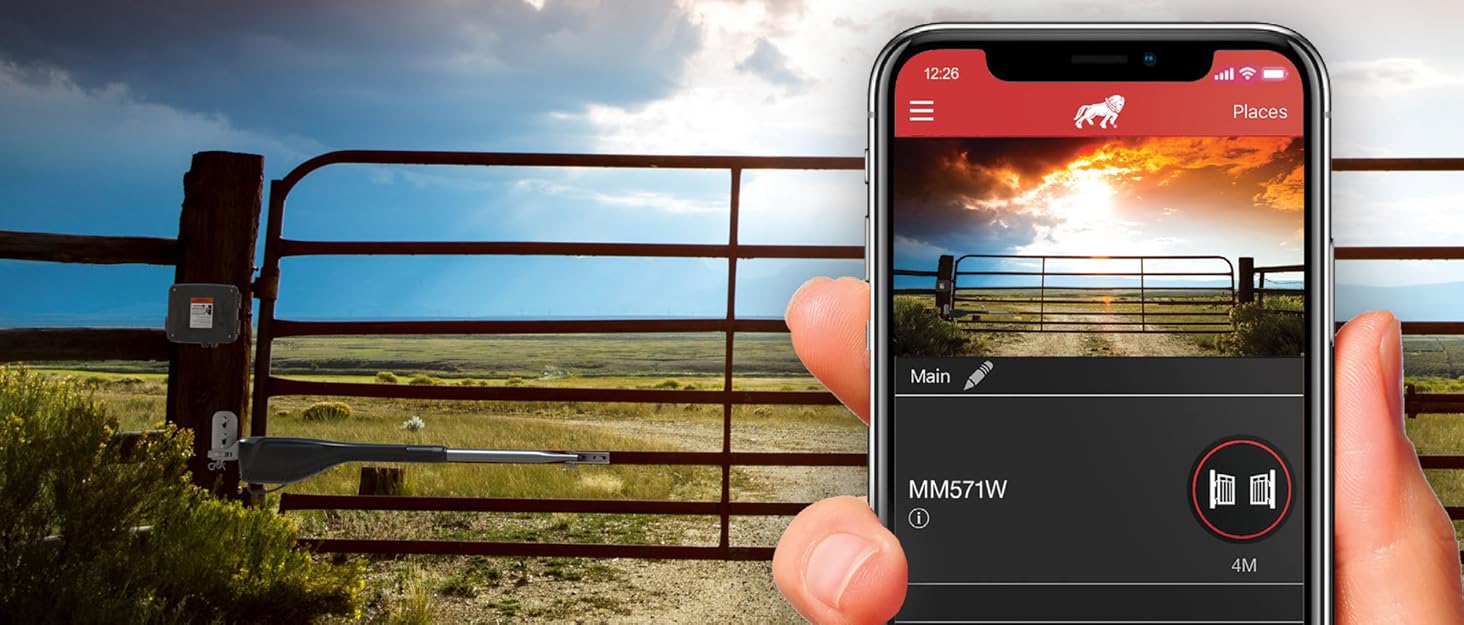
Figure 2: Example of a Mighty Mule gate opener system, which the control board operates.
4. Operating Instructions
Once the RP1007 control board is installed and powered, it will manage the operation of your Mighty Mule MM37x or MM57x gate opener. The board supports various operational settings and safety features.
- Gate Configuration: The board can be configured for both push-to-open and pull-to-open gate operations. Refer to your gate opener's original manual for instructions on setting these configurations, typically involving DIP switches or jumpers on the board.
- Dual Gate Operation: For dual gate systems, the RP1007 board coordinates the movement of both gate leaves. Ensure all necessary wiring for dual gate functionality is correctly connected.
- Safety Features: The board incorporates UL 325 compliant safety features, including Dual Sense Technology, which provides additional protection by detecting obstructions during gate movement.
- Remote Control/Access: The board integrates with Mighty Mule remote controls and other access devices. Follow the pairing instructions in your gate opener's manual to link these devices.
5. Maintenance
The Mighty Mule RP1007 control board is designed for durability and minimal maintenance. However, regular checks of the overall gate opener system are recommended to ensure optimal performance and longevity.
- Visual Inspection: Periodically inspect the control board and all wiring connections for any signs of wear, corrosion, or damage.
- Cleanliness: Ensure the control box remains clean and free from debris, insects, or moisture, which can affect board performance.
- Battery Check: If using a battery, regularly check its charge level and condition, especially if powered by a solar panel.
- System Functionality: Test the gate opener's basic functions, including opening, closing, and safety reversal mechanisms, at least once a month.
6. Troubleshooting
If you encounter issues with your gate opener after installing the RP1007 control board, consider the following common troubleshooting steps:
- No Power: Verify that the AC transformer is plugged in and supplying power, or that the solar panel is receiving adequate sunlight and the battery is charged. Check all power connections to the board.
- Gate Not Responding: Ensure all remote controls are properly paired. Check for any obstructions in the gate's path. Verify that safety sensors (if installed) are aligned and functioning correctly.
- Erratic Operation: Inspect all wiring for loose connections or damage. Ensure DIP switch settings on the board match your gate configuration.
- Indicator Lights: Consult your gate opener's original manual for the meaning of specific indicator light patterns on the control board, as these can often diagnose issues.
If problems persist after performing these checks, contact Mighty Mule customer support for further assistance.
7. Specifications
| Attribute | Detail |
|---|---|
| Manufacturer | Mighty Mule |
| Part Number | RP1007 |
| Item Weight | 11.3 ounces |
| Product Dimensions | 8.3 x 6.5 x 2.9 inches |
| Model Number | RP1007 |
| Color | Green |
| Included Components | Control Board |
| Batteries Included | No |
| Batteries Required | No |
8. Warranty Information
The Mighty Mule RP1007 Replacement Control Board comes with a 6-month manufacturer's warranty. This warranty covers defects in materials and workmanship under normal use. For specific terms, conditions, and to initiate a warranty claim, please refer to the official Mighty Mule warranty documentation or contact their customer support.
9. Customer Support
For technical assistance, troubleshooting guidance, or warranty inquiries, please contact Mighty Mule customer support. You can typically find their contact information (phone number, email, or support website) on the Mighty Mule official website or in the original documentation that came with your gate opener system.
Online Resources: Visit the official Mighty Mule website for FAQs, additional manuals, and support resources.


