
Introduction
The MEDca A39 Digital In-Ear Hearing Amplifier is a personal sound amplification device designed to enhance sound for individuals experiencing mild to moderate hearing difficulties. This rechargeable, in-the-ear (ITE) device offers clear and crisp sound amplification with noise reduction, making conversations and daily activities more accessible. Its discreet design and portable charging case provide convenience and ease of use.
What's Included
Your MEDca A39 Digital In-Ear Hearing Amplifier package includes:
- 1 x Portable Charging Case
- 2 x Digital In-Ear Hearing Amplifiers (Left and Right)
- 1 x USB Charging Cable
- 3 x Pairs of Ear Domes (Small, Medium, Large)
- 1 x Cleaning Brush
- 1 x Cleaning Pick
- 1 x Quick Start Manual and Guide

Image: Package contents of the MEDca A39 Digital In-Ear Hearing Amplifier.
Setup
- Charge the Devices: Before first use, place both hearing amplifiers into the charging case. Connect the USB charging cable to the case and a power source. Allow approximately 2 hours for a full charge. The charging case itself, once fully charged, can provide 3-4 full charges to the hearing amplifiers.
- Select Ear Domes: Choose the ear dome size that provides a comfortable and secure fit in your ear canal. An improper fit can lead to feedback noise or reduced sound quality.
- Insert into Ear: Gently insert the hearing amplifier into your ear canal, ensuring it sits comfortably and securely. The device is designed to be discreetly placed within the ear.

Image: MEDca A39 hearing amplifier properly inserted in the ear.
Operating Instructions
- Power On/Off: Press and hold the button on the hearing amplifier for 3 seconds to power it on. To power off, press and hold the button again for 3 seconds.
- Adjust Volume: Once powered on, short press the button to cycle through the available volume levels. There are multiple levels of amplification to suit your needs.
- Usage: The devices are ready for use immediately after powering on and adjusting the volume. They are suitable for various environments, including conversations, watching TV, using mobile devices, attending meetings, and dining in restaurants.
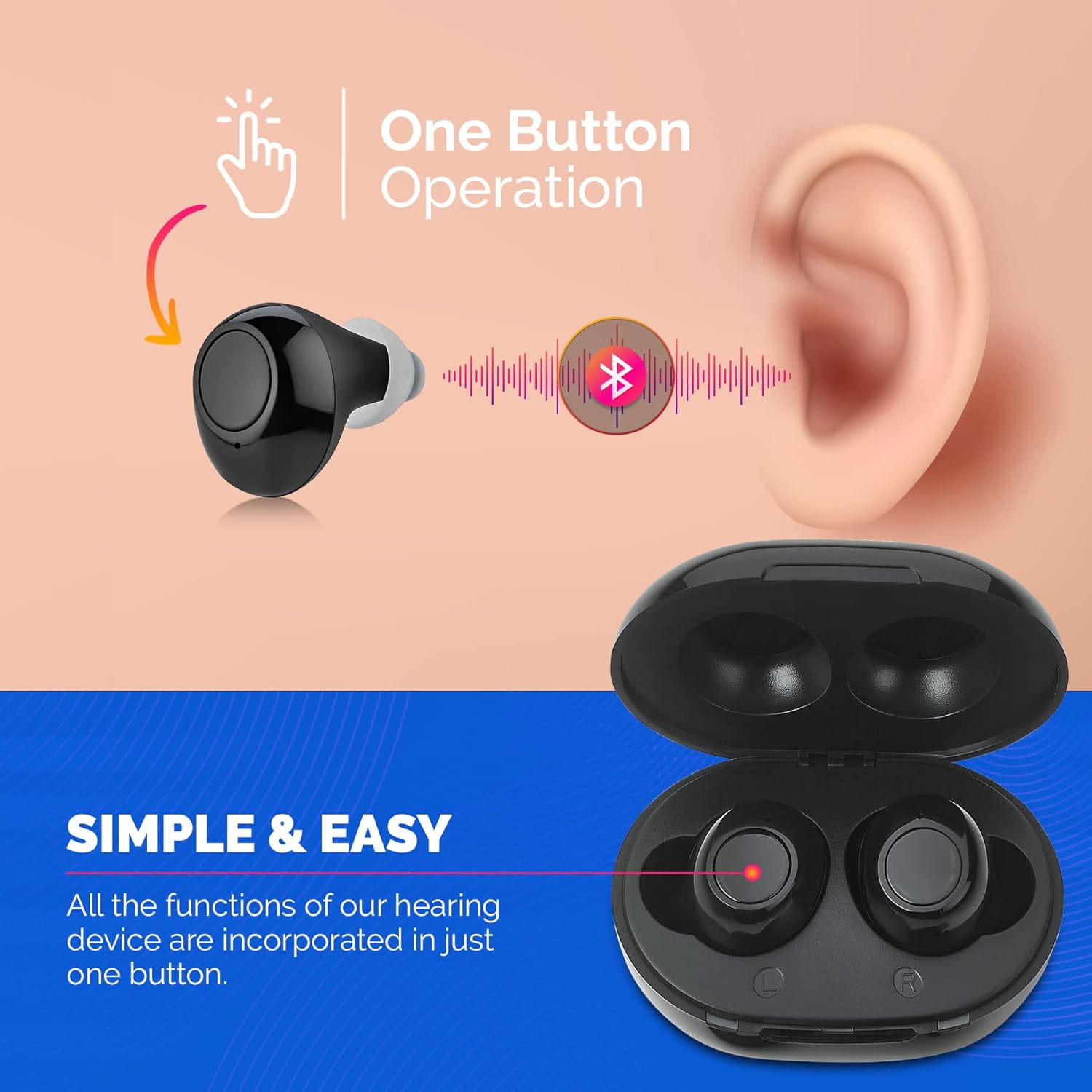
Image: One-button operation of the MEDca A39 hearing amplifier.
Official Product Video: Digital Hearing Amplifiers
Video: An overview of the Digital Hearing Amplifiers, demonstrating their features and ease of use.
Charging
The MEDca A39 hearing amplifiers are designed for convenience with a portable charging case. A full charge of the hearing amplifiers takes approximately 2 hours and provides up to 12 hours of continuous use. The charging case itself, when fully charged, can recharge the hearing amplifiers 3-4 times before needing to be recharged.

Image: MEDca A39 portable charging case with devices.
Maintenance
Regular cleaning is essential to maintain the performance and longevity of your hearing amplifiers.
- Daily Cleaning: Use the provided cleaning brush and pick to remove any earwax or debris from the ear domes and the sound output opening.
- Prevent Wax Buildup: Earwax can interfere with sound quality. Clean your earpieces regularly to avoid buildup.
- Storage: When not in use, store the hearing amplifiers in their charging case to protect them and ensure they are always charged.
Troubleshooting
| Problem | Possible Cause | Solution |
|---|---|---|
| No Sound / Low Sound | Low battery; Ear dome clogged with wax; Incorrect volume setting. | Charge the devices; Clean the ear dome and sound output; Adjust volume. |
| Feedback / Whistling Noise | Improperly fitted ear dome; Device not fully inserted; Earwax in ear canal. | Try a different ear dome size; Re-insert the device securely; Consult a healthcare professional for earwax removal if necessary. |
| Device Not Charging | Charging cable not connected properly; Charging case battery low; Dirty charging contacts. | Ensure cable is secure; Charge the case; Clean charging contacts on devices and case. |
Specifications
- Model Name: A39
- Product Dimensions: 0.39 x 0.39 x 0.39 inches
- Weight: 6.7 ounces (total package)
- Power Source: Rechargeable battery
- Battery Type: 2 Lithium Ion batteries (included)
- Battery Life: Up to 12 hours per charge
- Charging Time: Approximately 2 hours for full charge
- Control Type: Button Control
- Fit Type: In the canal (ITE)
- Noise Control: Active Noise Cancellation
- Compatible Devices: Smartphone, TV (for general sound amplification)
- Material: Plastic
- Color: Black
Important Safety Information
This product is a Personal Sound Amplifier Product (PSAP) as defined by the United States FDA. PSAPs are not intended to amplify speech or environmental sounds for individuals with impaired hearing or to compensate for hearing impairment. Because PSAPs are not intended to diagnose, treat, cure, or mitigate disease and do not alter the body, they are not devices as defined in the Food, Drug and Cosmetic Act. Statements regarding dietary supplements have not been evaluated by the FDA and are not intended to diagnose, treat, cure, or prevent any disease or health condition.
Warranty and Support
Specific warranty details and direct customer support contact information are not provided in the product data. Please refer to the packaging or the manufacturer's official website for the most current warranty policy and support options.