
1. Introduction
The Hydra-LG Electronic Cigar Humidifier is designed to maintain optimal humidity levels within large cigar humidors, up to 16 cubic feet, capable of preserving up to 2,500 cigars. This device features HygroSet adjustable technology for precise humidity regulation and includes a remote control for convenient monitoring and adjustment. The system ensures consistent moisture distribution through internal fans and external fan ports, supported by a large capacity water cartridge and clear LED display with audible alerts.
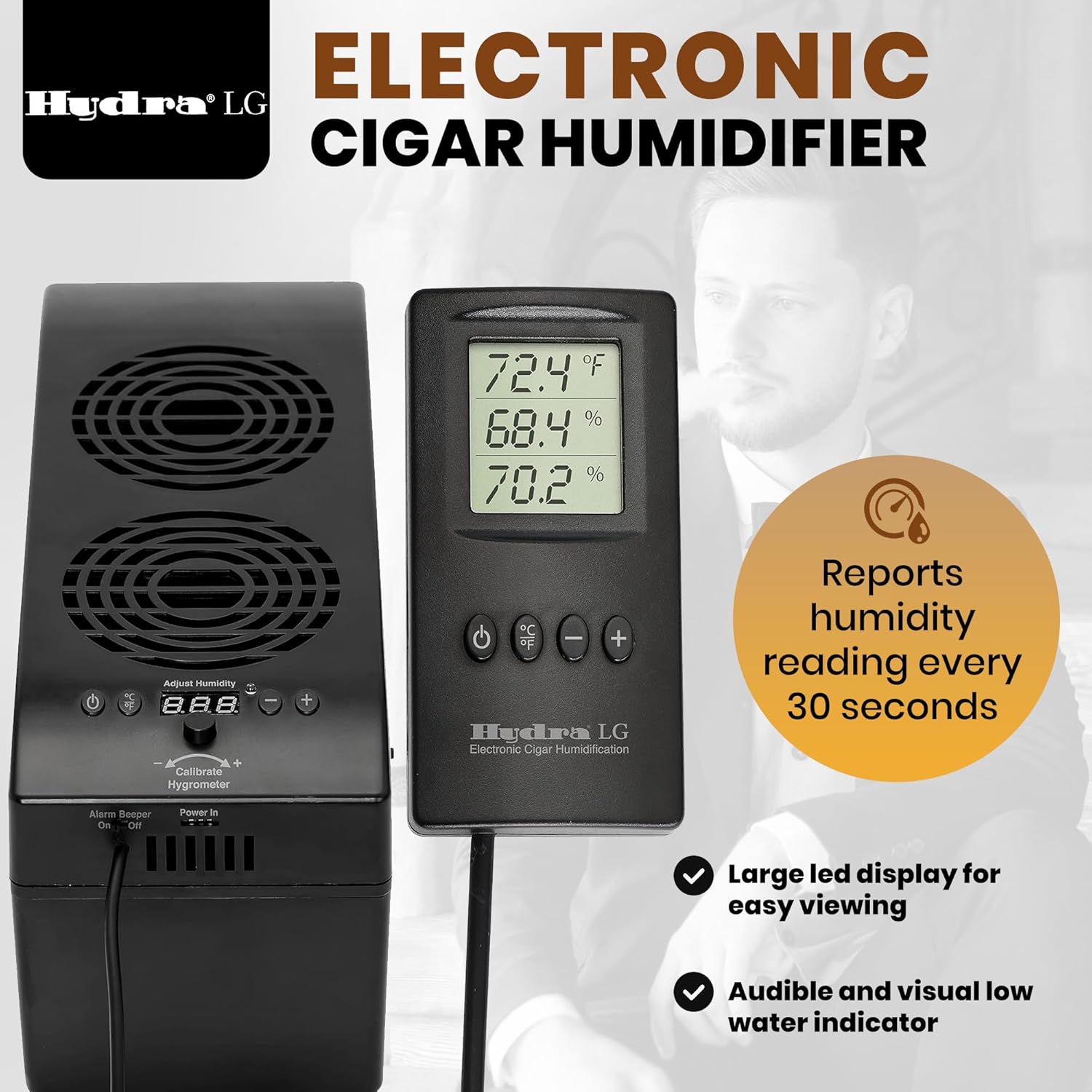
Image 1.1: The Hydra-LG Electronic Cigar Humidifier main unit and its remote control, displaying current humidity and temperature readings.
2. Safety Information
- Read all instructions before operating the device.
- Use only distilled water in the humidifier's reservoir. Tap water or other liquids can lead to mineral buildup, damage the unit, and promote bacterial growth.
- Ensure the power adapter is connected to a suitable power source as specified in the product specifications.
- Do not immerse the main unit or remote control in water or any other liquid.
- Keep the device out of reach of children and pets.
- Do not block the fan vents on the unit, as this can impede airflow and affect performance.
- If the unit emits unusual noises, smells, or smoke, immediately disconnect it from the power source and contact customer support.
3. Package Contents
Verify that all components are present in the package:
- Hydra-LG Electronic Cigar Humidifier Main Unit
- Handheld Remote Control Unit (with 54" long wire)
- AC/DC Power Adapter
- DC Adapter
- Ribbon Cable (for external fan ports, if applicable)
- Florist Foam (pre-installed in water cartridge)
- Instruction Manual (this document)
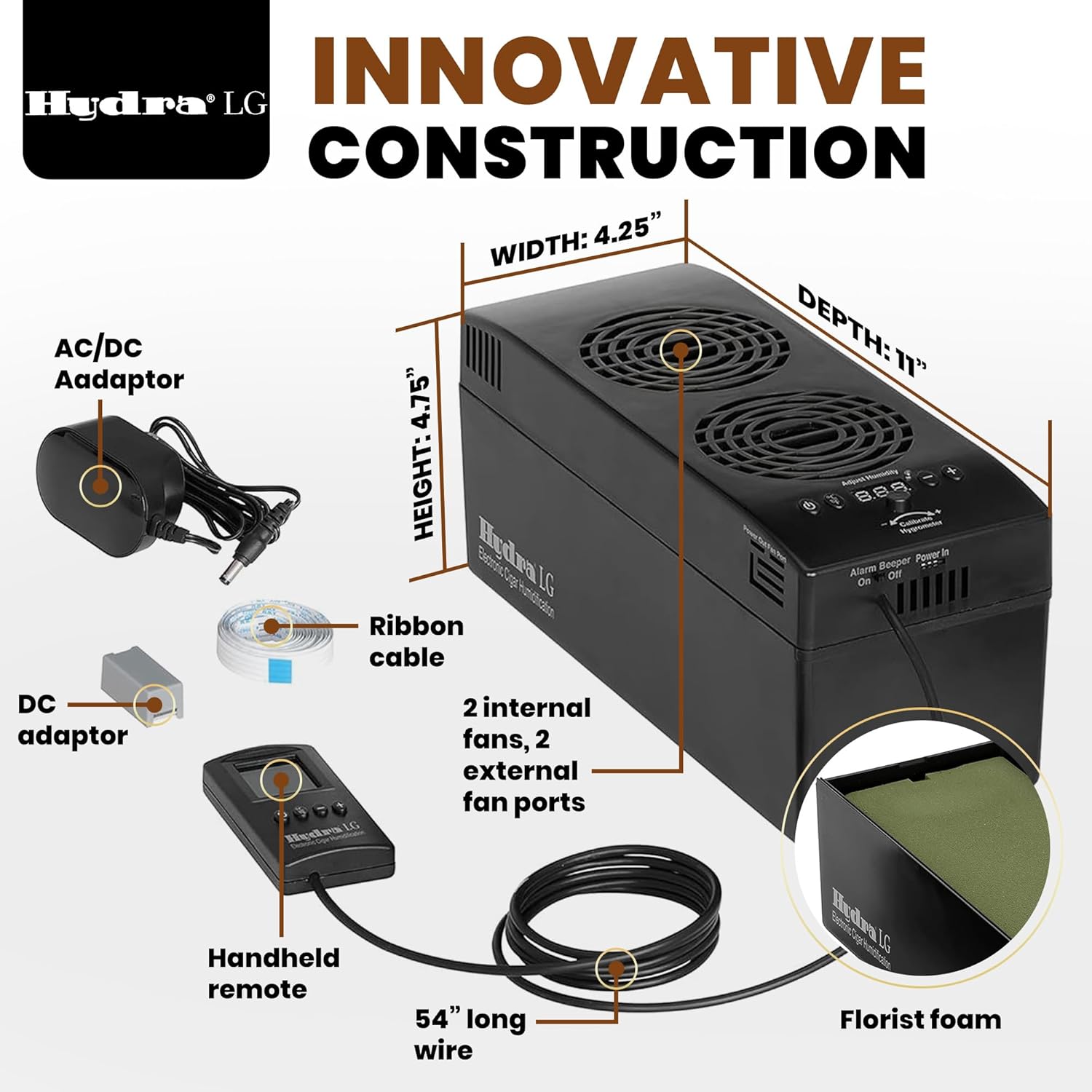
Image 3.1: Illustrated diagram of the Hydra-LG humidifier and its included accessories.
4. Setup
4.1 Initial Placement
- Position the Main Unit: Place the Hydra-LG main unit inside your humidor. Ensure it is positioned to allow for optimal air circulation. The unit requires a minimum of 5 inches in height.
- Connect the Remote Control: Plug the remote control unit's wire into the designated port on the main humidifier unit. The remote can be placed outside the humidor for easy access and monitoring.

Image 4.1: The Hydra-LG main unit positioned within a humidor, with the remote control placed externally for user interaction.
4.2 Filling the Water Reservoir
- Access Reservoir: Carefully remove the top cover of the main unit to access the water cartridge.
- Fill with Distilled Water: Fill the water cartridge with distilled water only. Do not overfill. The florist foam inside should be saturated but not overflowing.
- Replace Cover: Securely replace the top cover of the main unit.
4.3 Power Connection
- Connect Power Adapter: Plug the AC/DC power adapter into the "Power In" port on the main unit.
- Plug into Outlet: Plug the power adapter into a standard electrical outlet. The unit will power on automatically.
5. Operating Instructions
5.1 Understanding the Display and Controls
The remote control features a large LED display that provides real-time humidity and temperature readings. Readings are refreshed every 30 seconds.


Image 5.1: The remote control display (left) and the main unit's control panel (right) for monitoring and adjustments.
- Power Button (⏻): Turns the unit on or off.
- Temperature Unit Button (℃/℉): Toggles between Celsius and Fahrenheit temperature display.
- Adjust Buttons (- / +): Used to set the desired humidity level.
- Alarm Beeper Switch: Located on the main unit, this switch allows you to toggle the audible low water alarm on or off.
5.2 Setting Desired Humidity
- Press the + or - buttons on the remote control to adjust the target humidity level. The display will show the set point.
- The unit will automatically activate its fans and humidification process to reach and maintain the set humidity.
5.3 HygroSet Calibration
The HygroSet technology allows for calibration to ensure accuracy. If you notice a discrepancy between the unit's reading and a trusted hygrometer, you can calibrate it:
- Place the Hydra-LG remote control next to a calibrated psychrometer or another trusted hygrometer inside the humidor.
- Allow sufficient time for both devices to stabilize (e.g., 24 hours).
- Use the Calibrate Hygrometer adjustment knob on the main unit (located near the "Adjust Humidity" display) to match the reading of your trusted hygrometer. Turn the knob slightly to increase (+) or decrease (-) the displayed humidity.
5.4 Low Water Indication
The unit is equipped with both audible and visual low water indicators. When the water level in the reservoir is low, an alarm will sound (if enabled via the "Alarm Beeper" switch) and a visual indicator will appear on the display. Refill the reservoir with distilled water promptly.
6. Maintenance
6.1 Water Refilling
- Regularly check the water level. When the low water indicator activates, refill the reservoir with distilled water as described in Section 4.2.
- The frequency of refilling depends on humidor size, ambient conditions, and set humidity level.
6.2 Cleaning the Unit
- Exterior: Wipe the exterior of the main unit and remote control with a soft, damp cloth. Do not use harsh chemicals or abrasive cleaners.
- Interior/Reservoir: Periodically, it is recommended to clean the water reservoir and replace the florist foam to prevent mold or bacterial growth. Disconnect power before cleaning. Rinse the reservoir thoroughly with distilled water.
- Fan Vents: Ensure fan vents are clear of dust and debris to maintain optimal airflow.
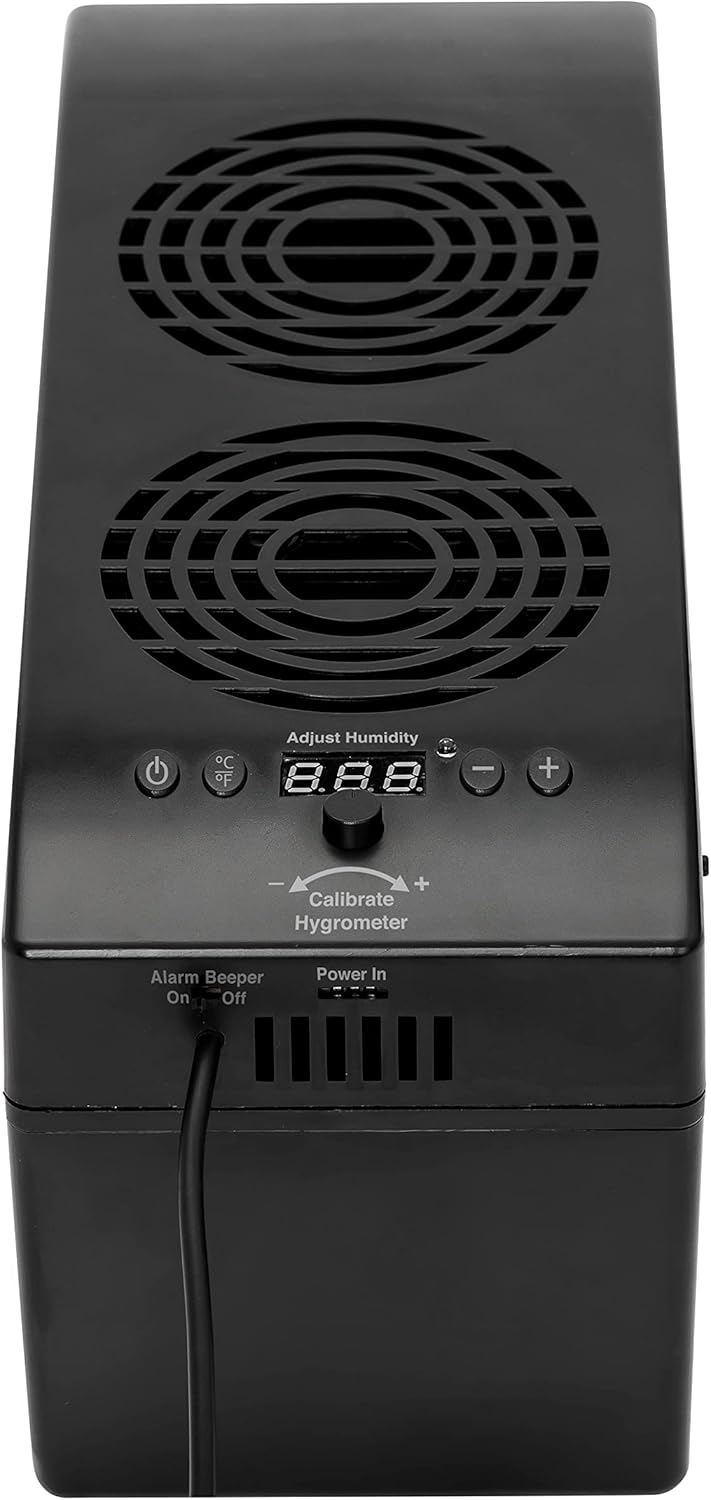
Image 6.1: Top view of the Hydra-LG main unit, highlighting the fan vents that require periodic cleaning.
7. Troubleshooting
| Problem | Possible Cause | Solution |
|---|---|---|
| Unit not powering on. | Power adapter not connected or faulty; power outlet issue. | Ensure power adapter is securely plugged into the unit and a working electrical outlet. Test the outlet with another device. |
| Humidity not reaching desired level. | Low water level; humidor not sealed properly; unit too small for humidor volume; fan vents blocked. | Check and refill water reservoir. Inspect humidor for leaks. Ensure unit capacity matches humidor size (up to 16 cubic feet). Clear fan vents. |
| Audible low water alarm sounds frequently. | Water reservoir is low or empty. | Refill the water reservoir with distilled water. If the alarm persists after refilling, ensure the water sensor is clean. |
| Humidity reading appears inaccurate. | Unit requires calibration. | Perform HygroSet calibration using a trusted hygrometer as described in Section 5.3. |
| Fans run continuously. | Possible internal malfunction or sensor issue. | Disconnect power, wait a few minutes, then reconnect. If the issue persists, contact customer support. |
8. Specifications
| Feature | Detail |
|---|---|
| Model Name | HYDRA-LG |
| Brand | Hydra |
| Humidor Capacity | Up to 16 cubic feet (approx. 2,500 cigars) |
| Control Method | Remote Control |
| Operation Mode | Automatic |
| Display | Large LED (Humidity, Temperature) |
| Humidity Reading Refresh Rate | Every 30 seconds |
| Fan System | Two internal fans, two external fan ports |
| Water Cartridge | Large capacity, includes florist foam |
| Low Water Indicator | Audible and Visual |
| Power Source | Corded Electric (AC/DC Adapter) |
| Item Dimensions (D x W x H) | 11"D x 4.25"W x 4.75"H |
| Item Weight | 1 kg |
| Material | Metal |
9. Warranty and Support
9.1 Warranty Information
This product comes with a manufacturer's warranty. Please refer to the warranty card included in your original packaging for specific terms, conditions, and duration. Keep your proof of purchase for warranty claims.
9.2 Customer Support
For technical assistance, troubleshooting not covered in this manual, or warranty inquiries, please contact Hydra customer support. Contact information can typically be found on the manufacturer's website or on the product packaging.
Manufacturer: Hydra
Note: Please check the official Hydra website for the most current contact details.
