
1. Important Safety Instructions
- Keep small parts away from children.
- Ensure proper ventilation for both the monitor and camera units.
- Use only the provided power adapters.
- Do not place the camera or monitor near water or heat sources.
- This product is intended for indoor use to monitor a baby. While the camera has an IP54 rating (dust protected, splash proof), it is not designed for prolonged outdoor exposure.
- The baby monitor is not a substitute for responsible adult supervision.
2. Package Contents
Please check the package contents. If any items are missing or damaged, contact VTimes customer support.
- Baby Monitor Unit (Parent Unit)
- Baby Camera Unit (Baby Unit)
- Power Adapter for Monitor
- Power Adapter for Camera
- User Manual
3. Product Overview
3.1 Parent Unit (Monitor)
The parent unit features an advanced IPS touchscreen for clear viewing and intuitive control.

Image: The VTimes baby monitor parent unit displaying its touchscreen interface with various control icons.
- IPS Touch Screen Display
- Microphone
- Speaker
- Power Button
- Volume Controls
- Antenna
3.2 Baby Unit (Camera)
The baby unit is equipped with a night light and infrared sensors for night vision.

Image: The VTimes baby monitor camera unit shown alongside the parent unit, highlighting key features.
- Camera Lens
- Infrared LEDs for Night Vision
- Night Light
- Microphone
- Speaker
- Temperature Sensor
- Power Port
- Pairing Button
4. Setup
- Charge the Parent Unit: Connect the parent unit to a power outlet using its adapter. Charge fully before first use.
- Position the Baby Unit: Place the baby unit (camera) in a secure location in the baby's room, ensuring a clear view of the baby. Keep it at least 3 feet (1 meter) away from the baby to avoid entanglement hazards with the power cord.
- Power On: Connect the baby unit to a power outlet using its adapter. The unit will power on automatically. Turn on the parent unit by pressing and holding the power button.
- Pairing (if necessary): The units are pre-paired from the factory. If they do not connect automatically, refer to the troubleshooting section for manual pairing instructions.
5. Operating Instructions
5.1 Touch Screen Operation
The monitor features a responsive IPS touchscreen. Navigate menus and control functions by tapping and swiping on the screen.
5.2 VOX Mode (Voice Operated Exchange)
VOX mode conserves battery by turning off the screen when no sound is detected. The screen will automatically activate when the baby makes a sound.

Image: The VTimes baby monitor demonstrating VOX mode, with the screen turning on when a baby cries.
- To activate/deactivate VOX mode, navigate through the monitor's menu settings.
- Adjust VOX sensitivity levels to detect different sound intensities.
5.3 Two-Way Talk
Communicate with your baby remotely through the monitor.

Image: Illustration of the two-way talk feature, allowing parents to speak to their baby through the monitor.
- Press and hold the talk button on the parent unit to speak. Release to listen.
5.4 Sound Recording and Playback
The monitor allows you to record your voice and play it back to soothe your baby.
- Access the recording function via the touchscreen menu.
- Record a message.
- Play back recorded messages to your baby.
5.5 Lullabies and Natural Sounds
The baby unit can play a selection of lullabies and natural ambient sounds.
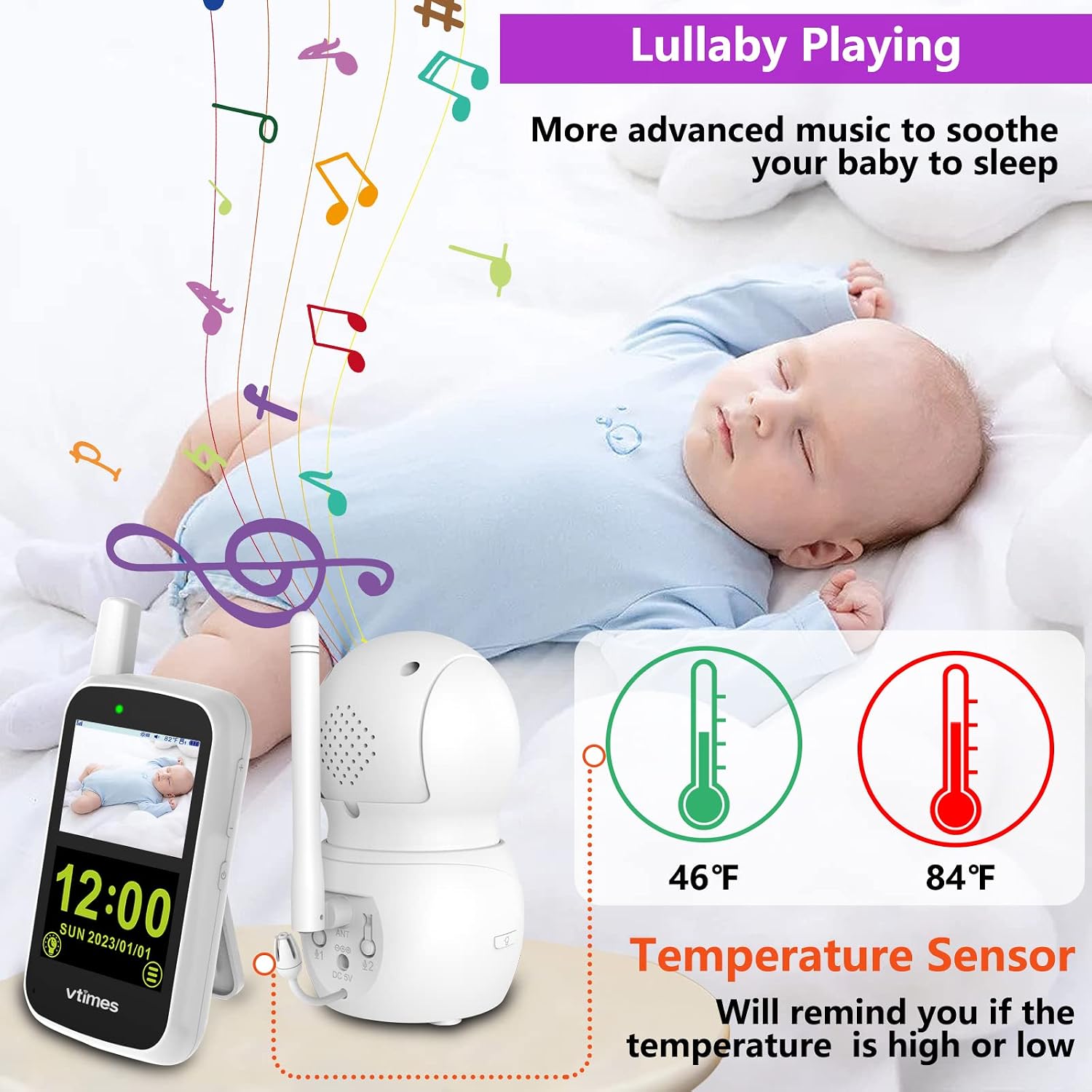
Image: The VTimes baby monitor playing lullabies to a sleeping baby, with a temperature sensor reading displayed.
- Select from eight lullabies, natural ambient sounds, piano music, or chord music.
- Adjust the volume of the music through the monitor settings.
5.6 Night Vision and Night Light
The camera provides clear vision in low light conditions and includes a remote-controlled night light.

Image: The VTimes baby monitor demonstrating infrared night vision and the soft glow of its night light in a dark room.
- Automatic infrared night vision activates in low light.
- Control the night light on the baby unit remotely from the parent unit.
5.7 Temperature Monitoring
The baby unit includes a temperature sensor to monitor the room temperature.
- The current temperature is displayed on the parent unit.
- Set temperature alerts for high or low readings.
5.8 Zoom and Pan-Tilt Control
Adjust the camera's view from the parent unit.
- Use the touchscreen controls to digitally zoom in on the image.
- Remotely pan (move horizontally) and tilt (move vertically) the camera lens to get the desired view.
5.9 Battery Life

Image: A visual comparison of the VTimes baby monitor's battery life: 25 hours in VOX mode and 12 hours with the screen continuously on.
- The parent unit offers over 12 hours of battery life with the screen continuously on.
- In VOX (eco) mode, battery life extends to approximately 25 hours.
6. Maintenance
- Cleaning: Use a soft, dry cloth to clean the monitor and camera units. Do not use abrasive cleaners or solvents.
- Storage: If storing the unit for an extended period, ensure both units are fully charged, then power them off. Store in a cool, dry place.
- Battery Care: To prolong battery life, avoid extreme temperatures and do not allow the battery to fully discharge frequently.
7. Troubleshooting
| Problem | Possible Cause | Solution |
|---|---|---|
| No image/sound on monitor | Units not powered on or not paired. | Ensure both units are plugged in and powered on. If still no connection, try manual pairing. |
| Poor image quality | Out of range, interference, or dirty lens. | Move monitor closer to camera. Avoid obstacles. Clean camera lens. |
| Static or interference | Other 2.4GHz devices nearby. | Move the monitor or camera away from other wireless devices (e.g., Wi-Fi routers, microwaves). |
| Battery drains quickly | Screen always on, old battery. | Use VOX mode. Ensure full charge. Contact support if battery life significantly degrades. |
| Manual Pairing: If units lose connection, press the pairing button on the back of the camera unit. Within 10 seconds, access the pairing menu on the parent unit and select 'Pair'. |
8. Specifications
- Model Number: VT60TR99
- Brand: VTimes
- Connectivity: 2.4GHz FHSS Wireless (Non-WiFi Internet Connected)
- Screen Type: IPS Touch Screen
- Screen Resolution: 720p
- Viewing Angle: 120 Degrees
- Optical Sensor: CMOS
- Night Vision: Automatic Infrared (Color Night)
- Special Features: VOX Mode, Two-Way Talk, Sound Recording, Lullabies, Night Light, Temperature Sensor, Pan-Tilt, Zoom
- Parent Unit Battery Life: Approx. 12 hours (screen on), 25 hours (VOX mode)
- Power Source: Battery Powered (Parent Unit), AC Adapter (Both Units)
- Control Method: Touch
- IP Rating (Camera): IP54 (Dust Protected, Splash Proof)
- Dimensions: 14 x 11 x 12.5 cm
- Weight: 640 grams
9. Warranty and Support
VTimes products come with a standard manufacturer's warranty. For specific warranty details, please refer to the warranty card included in your package or visit the official VTimes website.
If you encounter any issues or have questions regarding your VTimes VT60TR99 Baby Monitor, please contact our customer support team:
- Email: support@vtimes.com
- Website: www.vtimes.com
