
SMONET Y1
SMONET Smart Front Door Lock Set
Model: Y1 - User Manual
1. Introduction
Thank you for choosing the SMONET Smart Front Door Lock Set. This advanced keyless entry system provides multiple convenient and secure ways to access your home, including fingerprint recognition, digital keypad entry, smartphone app control, IC fob, and traditional mechanical keys. Designed for ease of use and robust security, this manual will guide you through the installation, operation, and maintenance of your new smart lock.
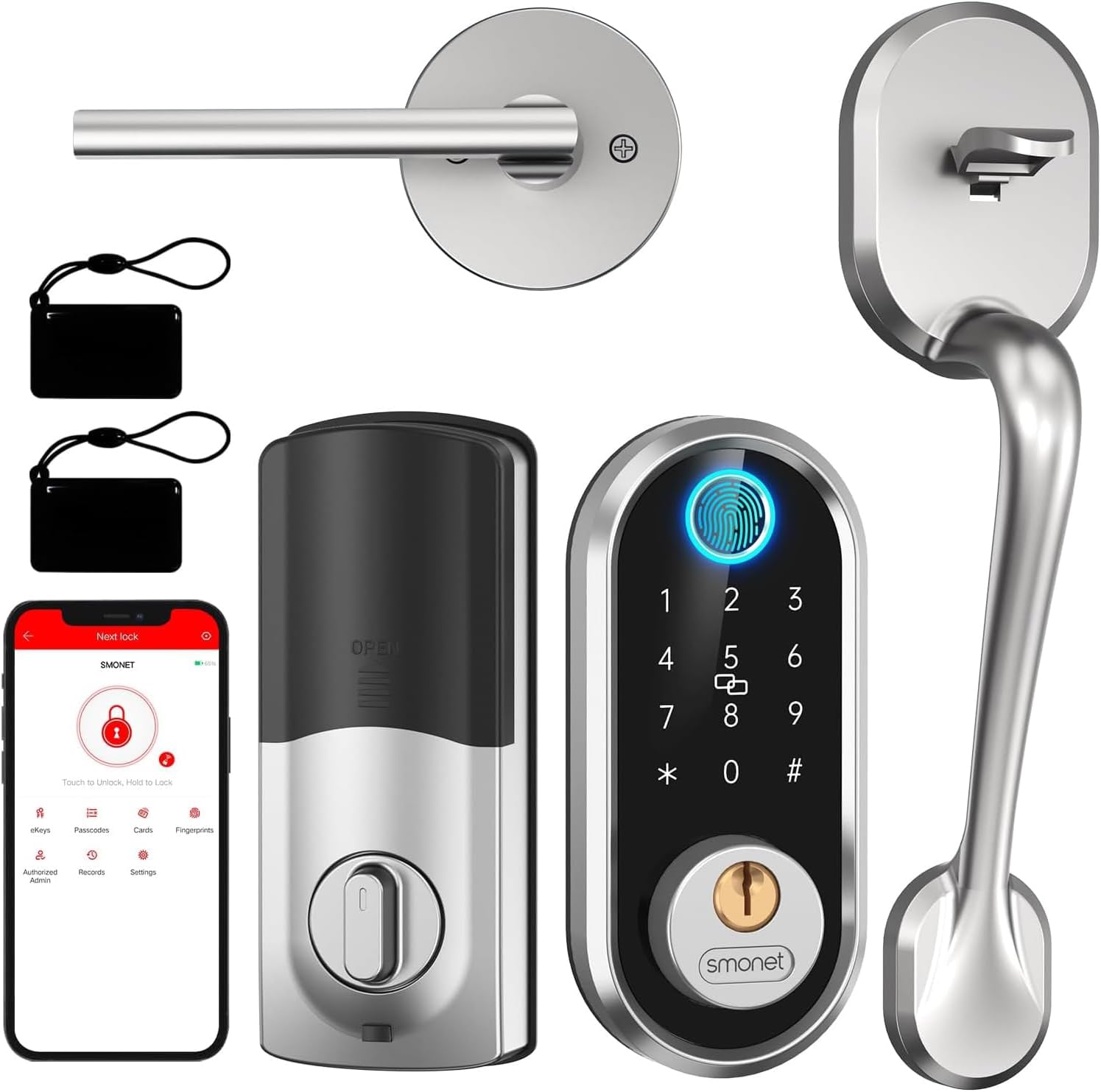
This image displays all the components included in the SMONET Smart Front Door Lock Set, featuring the exterior keypad and handle, the interior lock mechanism, and two keyfobs for convenient access.
2. Safety Information
- Read all instructions carefully before installation and use.
- Do not attempt to disassemble or modify the lock. This may cause damage and void the warranty.
- Use only the specified battery type (4 AA batteries). Do not mix old and new batteries or different types of batteries.
- Keep mechanical keys in a secure location outside the home, accessible only in emergencies.
- Protect your passcodes and fingerprints. Do not share them with unauthorized individuals.
- Ensure the door closes and locks properly after each use.
3. Package Contents
Verify that all the following components are included in your package:
- 1 x Exterior Assembly
- 1 x Interior Lock
- 1 x Exterior Handleset
- 1 x Interior Lever Door Handle (reversible)
- 1 x Radius Square Corner Strike (with latch box)
- 1 x Diagram Template for Installation
- 1 x Screwdriver
- Mechanical Keys (quantity may vary)
- IC Fobs (quantity may vary)
4. Specifications
| Feature | Description |
|---|---|
| Brand | SMONET |
| Model Name | Y1 Front Door Lock Set |
| Lock Type | Biometric, Bluetooth, APP Lock, Keypad, Keyfobs & Key, Keyless Lock |
| Special Features | Fingerprint Unlock, Fob Unlock, Key Unlock, Passcode Unlock, Smartphone Unlock |
| Material | Metal |
| Color | Polished Chrome |
| Item Dimensions (L x W x H) | 16.93 x 7.87 x 3.94 inches |
| Item Weight | 4.66 pounds |
| Power Source | 4 AA Batteries (not included) |
| Connectivity Protocol | Bluetooth |
| Controller Type | Amazon Alexa (with optional gateway) |
| Compatibility | American standard left and right handed doors |
5. Setup and Installation
The SMONET Smart Lock is designed for straightforward installation, typically requiring only a screwdriver. It is compatible with all American standard left and right-handed doors. Please ensure your door's existing holes match the required dimensions before proceeding.

This diagram provides critical measurements for proper installation, ensuring compatibility with standard door preparations. It details the required bore hole diameter and backset dimensions for both the deadbolt and handle components.
Installation Steps:
- Prepare the Door: Ensure your door's existing holes and dimensions match the specifications provided in the diagram.
- Install the Latch and Strike Plate: Insert the latch into the door edge and secure it with screws. Install the strike plate on the door frame.
- Install the Exterior Assembly: Place the exterior keypad and handle assembly onto the door, feeding the cable through the bore hole.
- Install the Interior Mounting Plate: Secure the interior mounting plate to the exterior assembly using screws, ensuring the cable passes through the plate.
- Connect the Cable and Install the Interior Lock: Connect the cable from the exterior assembly to the interior lock unit. Carefully align and attach the interior lock unit to the mounting plate.
- Install Batteries: Insert 4 AA batteries into the battery compartment of the interior unit.
- Test Operation: Test the mechanical key, keypad, and handle to ensure smooth operation before closing the battery cover.

A visual guide to the installation process, showing how to mount the exterior and interior components, connect the wiring, and secure the lock to the door. This process is designed for straightforward setup without requiring extra drilling.
6. Operating Instructions
Your SMONET Smart Lock offers multiple convenient ways to lock and unlock your door.
6.1 Unlocking Methods
- Fingerprint Unlock: Place your registered fingerprint on the sensor for quick access. The lock recognizes your fingerprint in approximately half a second.
- Keypad Unlock: Enter your programmed PIN code on the digital keypad.
- App Unlock: Use the dedicated smartphone application to unlock the door remotely via Bluetooth. For remote control outside Bluetooth range, a Wi-Fi gateway (sold separately) is required.
- IC Fob Unlock: Tap the provided IC fob against the designated area on the lock to unlock.
- Mechanical Key Unlock: In case of battery depletion or emergency, use the provided mechanical keys to unlock the door manually.

The SMONET Smart Lock offers versatile unlocking options, including quick fingerprint recognition, secure PIN code entry via the digital keypad, remote access through the dedicated mobile application, and convenient unlocking with an IC card.
6.2 Locking Methods
- One-Touch Locking: Simply press the '#' button on the keypad to lock the door from the outside.
- Auto-Lock: Enable the auto-lock feature via the app to automatically lock the door after a set period (adjustable from 5 to 900 seconds) once it closes.
- Manual Locking: Turn the thumb-turn on the interior unit to manually lock the door.

The smart lock features a convenient one-touch locking function, allowing users to secure the door quickly by simply pressing a button on the keypad, eliminating the need for complex sequences.
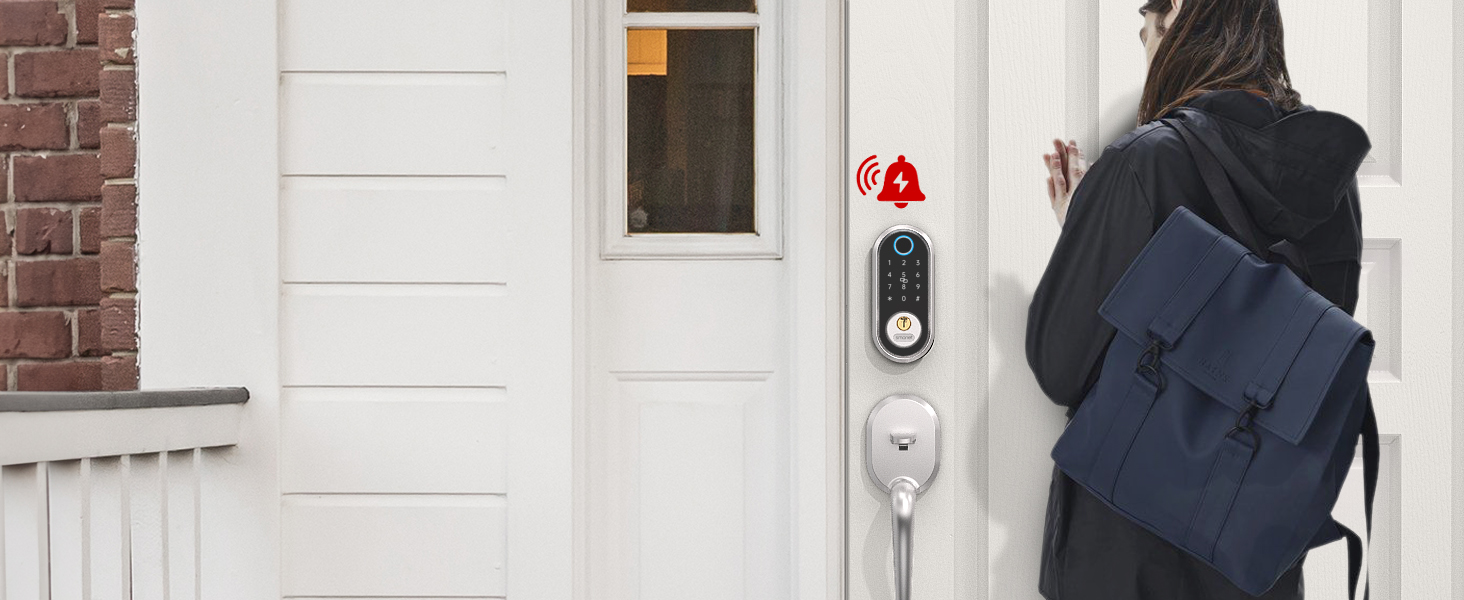
The auto-lock feature automatically secures the door after a set period (5-900 seconds) once it's closed, providing enhanced security and peace of mind, ensuring the door is never left unlocked unintentionally.
6.3 App Features and Voice Control
The SMONET app provides comprehensive control and monitoring capabilities:
- User Management: Add, modify, or delete fingerprints, passcodes, and IC fobs.
- Temporary Access: Generate custom, permanent, one-time, or timed passcodes for guests, friends, or service providers.
- Operation Records: View a real-time log of all lock activities, including unlock times, methods, and incorrect attempts.
- Battery Status: Monitor the lock's battery level and receive low battery alerts.
- Voice Control: Connect to Amazon Alexa or Google Assistant (requires separate Wi-Fi gateway) for convenient voice commands to lock or unlock your door.

The mobile application allows users to view a detailed history of all lock operations, including successful unlocks via app or passcode, and any incorrect entry attempts, providing a comprehensive security log.

Illustrates the convenience of controlling the smart lock remotely via the mobile app and through voice commands using Amazon Alexa. A Wi-Fi gateway (sold separately) is required for remote and voice control functionalities.

The mobile application provides real-time battery status updates for the smart lock. When the battery level is low, a notification will be displayed, prompting the user to replace the batteries to ensure continuous operation.
7. Maintenance
- Battery Replacement: Replace all four AA batteries when the low battery alert is displayed. Use high-quality alkaline batteries for optimal performance.
- Cleaning: Wipe the lock's exterior with a soft, damp cloth. Avoid abrasive cleaners or solvents that could damage the finish or electronic components.
- Lubrication: Periodically check the latch and deadbolt for smooth operation. If needed, apply a small amount of graphite lubricant to the moving parts of the latch mechanism. Do not lubricate the cylinder.
- Firmware Updates: Check the SMONET app regularly for any available firmware updates to ensure your lock has the latest features and security enhancements.
8. Troubleshooting
| Problem | Possible Cause | Solution |
|---|---|---|
| Lock does not respond to keypad/fingerprint. | Low batteries; incorrect code/fingerprint; system error. | Replace batteries; re-enter code; re-register fingerprint; use mechanical key; contact support. |
| App cannot connect to the lock. | Bluetooth off; app not paired; lock out of range; Wi-Fi gateway issue. | Ensure Bluetooth is on; re-pair lock in app; move closer to lock; check gateway connection. |
| Lock is difficult to turn or latch. | Misalignment; debris in latch; worn parts. | Check door and frame alignment; clean latch area; lubricate latch mechanism; contact support if issue persists. |
| Battery life is shorter than expected. | Poor quality batteries; frequent usage; extreme temperatures. | Use high-quality alkaline batteries; consider usage patterns; ensure proper installation. |
9. Warranty and Support
SMONET provides a 1-year warranty for your smart lock from the date of purchase. Additionally, lifetime free technical support is available to assist you with any questions or challenges regarding installation, app usage, or gateway information.
Contact Information:
- Toll Free: 1-(888)-572-0797
- Email: service@smonet.com
Please have your model number (Y1) and purchase date ready when contacting support for faster service.
Related documentsY1


Ask a question about this manual
Ask about setup, troubleshooting, compatibility, parts, safety, or missing instructions. Manuals+ will review the question and use this page’s manual context to help answer it.