
1. Introduction
Welcome to the ZIUTY Wireless Earbuds Model A1 user manual. This guide provides detailed instructions for setting up, operating, and maintaining your new earbuds. Please read this manual thoroughly to ensure optimal performance and longevity of your device.
2. What's in the Box
Please check the package contents to ensure all items are present:
- Wireless Earbuds (Left and Right)
- Charging Case
- Type-C Charging Cable
- User Manual
- Eartips (L/S sizes)
3. Product Overview
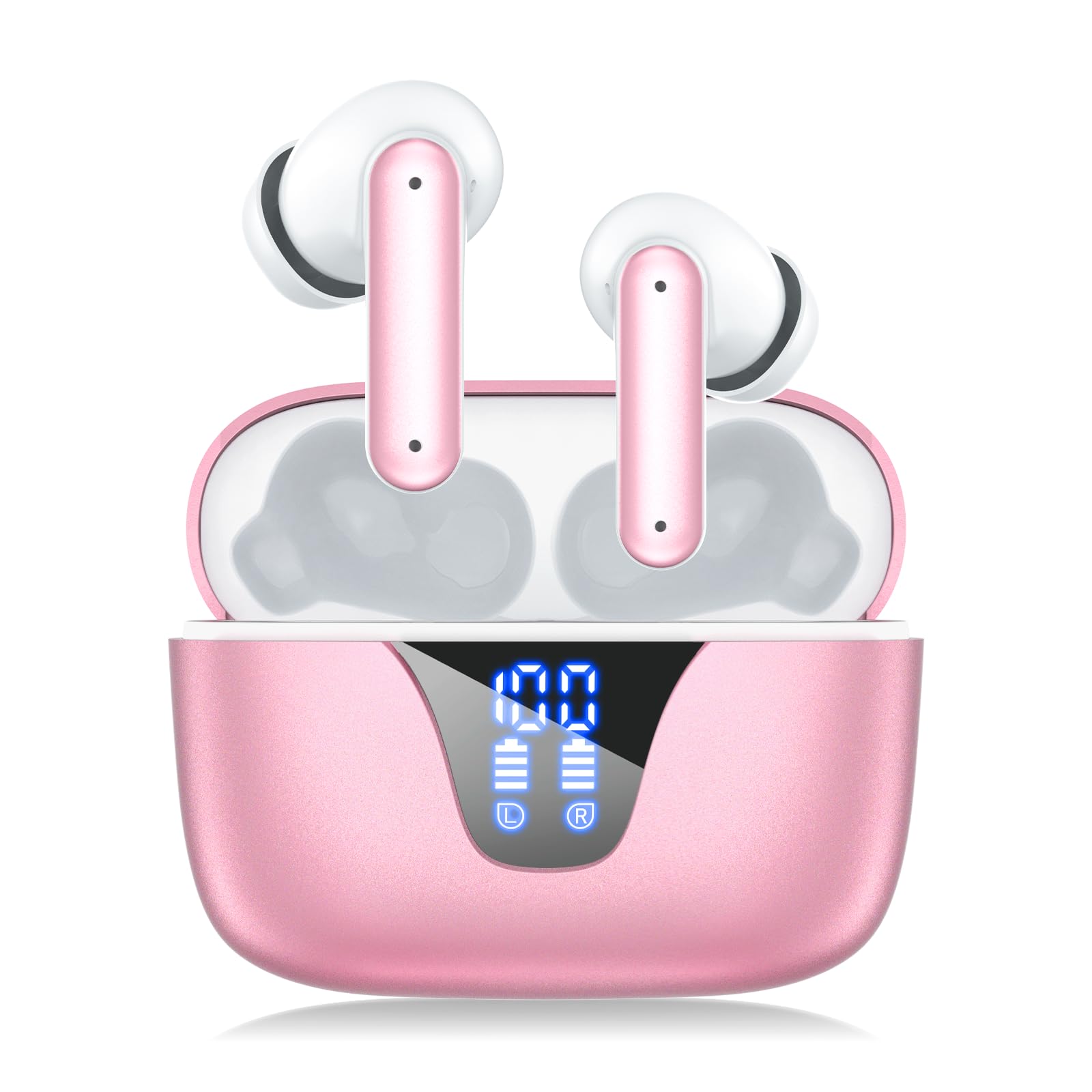
The ZIUTY Model A1 wireless earbuds are designed for comfort and high-quality audio. They feature a half-in-ear design and come with a portable charging case.

The ZIUTY Model A1 wireless earbuds are shown resting in their charging case. The case is open, revealing the earbuds and their charging contacts.
The charging case is equipped with an LED digital display to provide real-time battery status for both the case and individual earbuds.
A close-up of the ZIUTY A1 charging case displaying the LED digital power indicators for the case and each earbud.
4. Charging Your Earbuds and Case
Ensure your earbuds and charging case are fully charged before first use.
Charging the Earbuds:
- Place the earbuds into their corresponding slots in the charging case.
- Close the charging case lid. The earbuds will begin charging automatically.
- The LED display on the case will show the charging status of each earbud.
Charging the Case:
- Connect the provided Type-C charging cable to the charging port on the case.
- Connect the other end of the cable to a USB power adapter (not included) or a computer's USB port.
- The LED display will show the charging progress of the case.
A full charge for the earbuds takes approximately 1 hour. The charging case provides multiple charges, extending total playtime up to 50 hours.
5. Setup: Bluetooth Pairing
Follow these steps to pair your ZIUTY A1 earbuds with your device:
- Power On: Open the charging case. The earbuds will automatically power on and enter pairing mode.
- Activate Bluetooth: On your smartphone, tablet, or other Bluetooth-enabled device, go to the Bluetooth settings and turn Bluetooth on.
- Select Device: In the list of available devices, search for and select "A1".
- Confirm Connection: Once connected, you will hear an audible confirmation, and your device will show "Connected".

An illustration showing a smartphone's Bluetooth settings screen with "A1" listed as a connected device, demonstrating the pairing process.
The earbuds utilize advanced Bluetooth 5.3 technology for a stable connection up to 15 meters.
6. Operating: Touch Controls
The ZIUTY A1 earbuds feature intuitive touch controls on each earbud for easy management of music and calls.

A diagram illustrating the touch-sensitive areas on the ZIUTY A1 earbuds and their corresponding functions for music, calls, and voice assistant.
- Play/Pause: Single tap on either earbud.
- Next Track: Double tap the right earbud.
- Previous Track: Double tap the left earbud.
- Answer/End Call: Single tap on either earbud during an incoming call.
- Reject Call: Press and hold either earbud for 2 seconds during an incoming call.
- Activate Voice Assistant (Siri/Google Assistant): Triple tap on either earbud.
- Volume Up: Press and hold the right earbud.
- Volume Down: Press and hold the left earbud.
7. Maintenance
Proper care ensures the longevity of your ZIUTY A1 earbuds:
- Cleaning: Use a soft, dry, lint-free cloth to clean the earbuds and charging case. Avoid using liquids or abrasive cleaners.
- Storage: Always store the earbuds in their charging case when not in use to protect them and keep them charged.
- Temperature: Avoid exposing the device to extreme temperatures (hot or cold) or high humidity.
- Water Resistance: Note that these earbuds are not water resistant. Avoid exposure to water or excessive moisture.
8. Troubleshooting
If you encounter issues, try the following solutions:
- Earbuds not pairing:
- Ensure both earbuds are charged.
- Make sure Bluetooth is enabled on your device.
- Place earbuds back in the case, close the lid, wait a few seconds, then reopen to re-enter pairing mode.
- Try forgetting "A1" from your device's Bluetooth list and re-pairing.
- Only one earbud working:
- Ensure both earbuds are charged.
- Place both earbuds back into the charging case, close the lid, then open it again. This often resets the connection.
- No sound:
- Check the volume level on both your device and the earbuds.
- Ensure the earbuds are correctly connected to your device via Bluetooth.
- Charging issues:
- Verify the Type-C cable is securely connected to both the case and the power source.
- Ensure the earbuds are properly seated in the charging case and the charging contacts are clean.
9. Specifications
| Model Name | A1 |
| Bluetooth Version | 5.3 |
| Earbud Battery Capacity | 40mAh |
| Charging Case Battery Capacity | 400mAh |
| Earphone Charge Time | Approx. 1 hour |
| Music Playing Time | Approx. 4-5 hours (per charge), up to 50 hours with charging case |
| Maximum Transmission Range | 15 meters |
| Working Temperature Range | -10°C to +50°C |
| Water Resistance Level | Not Water Resistant |
| Earpiece Shape | Half-in-ear |
| Control Method | Touch |
10. Safety Information
Please observe the following safety guidelines:
- Do not disassemble, repair, or modify the product. This may cause fire, electric shock, or complete damage to the product.
- Keep the device away from water, rain, and high humidity.
- Avoid exposing the product to extreme temperatures (below -10°C or above 50°C).
- Do not expose the product to fire or dispose of it in fire, as batteries may explode.
- Keep out of reach of children and pets.
- Dispose of batteries and electronic components according to local regulations.
11. Product Video Overview
This video provides a visual overview of the ZIUTY Wireless Earbuds Model A1, demonstrating key features and design elements.

