
1. Introduction
This manual provides essential information for the safe and effective use of your SENIX B50X2 20 Volt Max 5.0 Ah Lithium-ion Battery. Please read these instructions carefully before using the battery with any compatible SENIX X2 Series power tools. Proper understanding and adherence to these guidelines will ensure optimal performance and extend the lifespan of your battery.
2. Safety Information
WARNING: To reduce the risk of injury, always follow basic safety precautions when using this battery. Failure to do so can result in serious injury or property damage.
- Read all instructions in this manual and the tool's manual before use.
- Do not immerse the battery in water or other liquids.
- Do not store or use the battery in locations where the temperature may reach or exceed 104°F (40°C).
- Do not incinerate the battery, even if it is severely damaged or completely dead. The battery can explode in a fire.
- Do not short-circuit the battery terminals.
- Do not open, disassemble, or attempt to repair the battery pack.
- Use only with specified charging devices and tools.
- Keep the battery away from children.
CALIFORNIA PROPOSITION 65 WARNING:
This product can expose you to chemicals including lead, a chemical known to the State of California to cause cancer and birth defects or other reproductive harm. For more information go to www.P65Warnings.ca.gov.

Image: SENIX B50X2 battery showing the warning label. This label indicates potential exposure to chemicals and directs users to the Proposition 65 website for more information.
3. Product Overview
The SENIX B50X2 is a high-performance 20 Volt Max 5.0 Ah Lithium-ion battery designed to provide reliable, fade-free power for SENIX X2 Series cordless lawn and garden and power tools. It features integrated battery indicator lights to display the charge level.
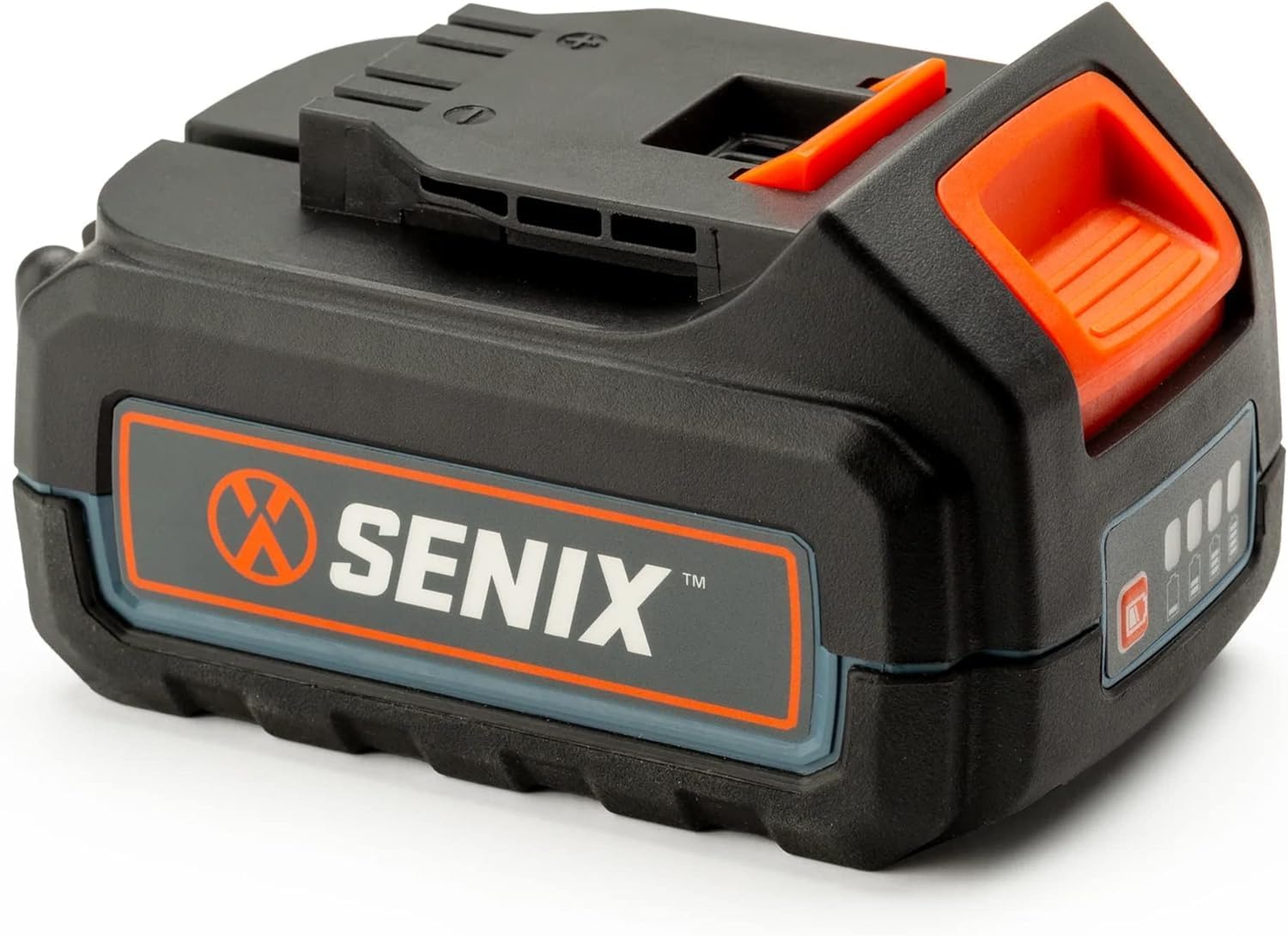
Image: Front view of the SENIX B50X2 20V Max 5.0 Ah Lithium-ion Battery, highlighting its design and branding.

Image: Illustration demonstrating the compatibility of SENIX batteries with both X2 (20V) and 2X2 (40V) tool platforms, indicating versatility across multiple tools.
4. Charging the Battery
Before first use, fully charge the battery. Use only SENIX-approved chargers for your B50X2 battery. Refer to your charger's instruction manual for specific charging procedures.
Battery Indicator Lights
The battery features indicator lights to show the current charge level. Press the battery indicator button to activate the lights.
- 4 Lights Solid: Full charge
- 3 Lights Solid: 75% charge
- 2 Lights Solid: 50% charge
- 1 Light Solid: 25% charge
- 1 Light Flashing: Low charge, recharge soon

Image: Close-up view of the battery's charge indicator lights, showing four illuminated bars, which typically signifies a full charge.
5. Installation and Removal
Installing the Battery
- Align the battery with the battery port on the tool.
- Slide the battery into the tool until it clicks securely into place. Ensure it is fully seated to prevent accidental dislodgement during operation.
Removing the Battery
- Locate the battery release button(s) on the tool or battery.
- Press and hold the release button(s).
- Slide the battery out of the tool.

Image: Underside view of the SENIX B50X2 battery, displaying the electrical contacts and locking mechanism designed for secure attachment to compatible tools.
6. Operating the Battery
Once installed in a compatible SENIX X2 Series tool, the battery provides consistent power. The Lithium-ion technology ensures fade-free performance throughout the discharge cycle, meaning the tool maintains full power until the battery is depleted.
- Monitor the battery indicator lights periodically during operation to anticipate when a recharge will be necessary.
- If the tool's performance decreases significantly, the battery may be low and require charging.
7. Maintenance
Regular maintenance helps ensure the longevity and safe operation of your battery.
- Cleaning: Keep the battery terminals clean and free of debris. Use a clean, dry cloth to wipe the battery exterior. Do not use solvents or harsh chemicals.
- Inspection: Periodically inspect the battery for any signs of damage, such as cracks, swelling, or corrosion on the terminals. Do not use a damaged battery.
- Recycling: When the battery reaches the end of its life, do not dispose of it in household waste. Recycle it responsibly at an authorized battery recycling center.
8. Storage
Proper storage is crucial for maintaining battery health when not in use.
- Store the battery in a cool, dry place, away from direct sunlight and extreme temperatures.
- Avoid storing the battery in temperatures below 32°F (0°C) or above 104°F (40°C).
- For long-term storage, it is recommended to store the battery with a partial charge (around 50%). Fully discharging or fully charging for extended periods can reduce battery life.
- Keep the battery away from metallic objects that could short-circuit the terminals.
9. Troubleshooting
If you encounter issues with your SENIX B50X2 battery, refer to the following common troubleshooting steps:
| Problem | Possible Cause | Solution |
|---|---|---|
| Battery not charging |
|
|
| Battery not powering tool |
|
|
| Reduced run time |
|
|
10. Specifications
- Model: B50X2
- Voltage: 20 Volt Max*
- Capacity: 5.0 Ah (Amp Hours)
- Battery Type: Lithium-ion
- Product Dimensions: 4.7 x 3 x 2.7 inches
- Item Weight: 1.5 pounds
- Compatibility: SENIX X2 Series Cordless Power Tools
*Maximum initial battery voltage (measured without a workload) is 20 volts. Nominal voltage is 18.
11. Warranty and Support
For warranty information, technical support, or service inquiries regarding your SENIX B50X2 battery, please contact SENIX customer service. Keep your purchase receipt as proof of purchase.
SENIX Customer Service: Please refer to the official SENIX website or product packaging for the most current contact information.
You can visit the official SENIX store for more information on products and support: SENIX Store


