
Sharp CP-SS30(BK)
Sharp CP-SS30(BK) Active Bookshelf Speakers User Manual
Model: CP-SS30(BK)
1. Introduction
Thank you for purchasing the Sharp CP-SS30(BK) Active Bookshelf Speakers. These speakers are designed to provide superior sound reproduction with versatile connectivity options. Please read this manual carefully before using the product to ensure proper operation and to maximize your listening experience.
The CP-SS30(BK) features a robust plywood cabinet, 60W RMS (2 x 30W) two-way active sound, and multiple input options including Bluetooth v5.0, USB, Optical, Auxiliary, and RCA. It also includes an equalizer with preset and custom bass/treble adjustments, and a full-function remote control for convenience.
2. Safety Information
Please observe the following safety precautions to prevent damage to the product and to ensure your safety:
- Do not expose the speakers to rain or moisture.
- Do not block any ventilation openings.
- Do not install near any heat sources such as radiators, heat registers, stoves, or other apparatus (including amplifiers) that produce heat.
- Protect the power cord from being walked on or pinched, particularly at plugs, convenience receptacles, and the point where they exit from the apparatus.
- Only use attachments/accessories specified by the manufacturer.
- Unplug this apparatus during lightning storms or when unused for long periods of time.
- Refer all servicing to qualified service personnel. Servicing is required when the apparatus has been damaged in any way, such as power-supply cord or plug is damaged, liquid has been spilled or objects have fallen into the apparatus, the apparatus has been exposed to rain or moisture, does not operate normally, or has been dropped.
3. Package Contents
Please check that all items are present and in good condition:
- 2 x Sharp CP-SS30(BK) Bookshelf Speakers
- 1 x Remote Control (batteries included)
- 1 x RCA Audio Cable (3 meters)
- 1 x AUX Audio Cable (1.2 meters)
- 1 x Power Cable (1.2 meters)
- 1 x Speaker Connection Cable
- User Documentation

Image: All components included in the Sharp CP-SS30(BK) package, including two speakers, remote control, and various cables.
4. Product Features
The Sharp CP-SS30(BK) speakers offer a range of features for an enhanced audio experience:
- Powerful Audio Output: 60W RMS (2 x 30W) two-way active speakers for clear and dynamic sound.
- Premium Construction: Plywood cabinet design ensures superior sound reproduction and durability.
- Wireless Connectivity: Seamless audio streaming with Bluetooth v5.0.
- Multiple Inputs: Connect various devices via Bluetooth, USB, Optical, Auxiliary (AUX), and RCA inputs.
- Customizable Sound: Built-in equalizer with five preset settings and independent bass and treble adjustment.
- Modern Design: Removable speaker grilles allow for a contemporary aesthetic.
- Convenient Control: Full-function remote control for easy operation from a distance.

Image: Front view of the Sharp CP-SS30(BK) speakers with the remote control, showcasing their design and compact size.

Image: A close-up view of the front panel of one Sharp CP-SS30(BK) speaker with the grille removed, highlighting the tweeter, woofer, indicator light, and volume/input knob.
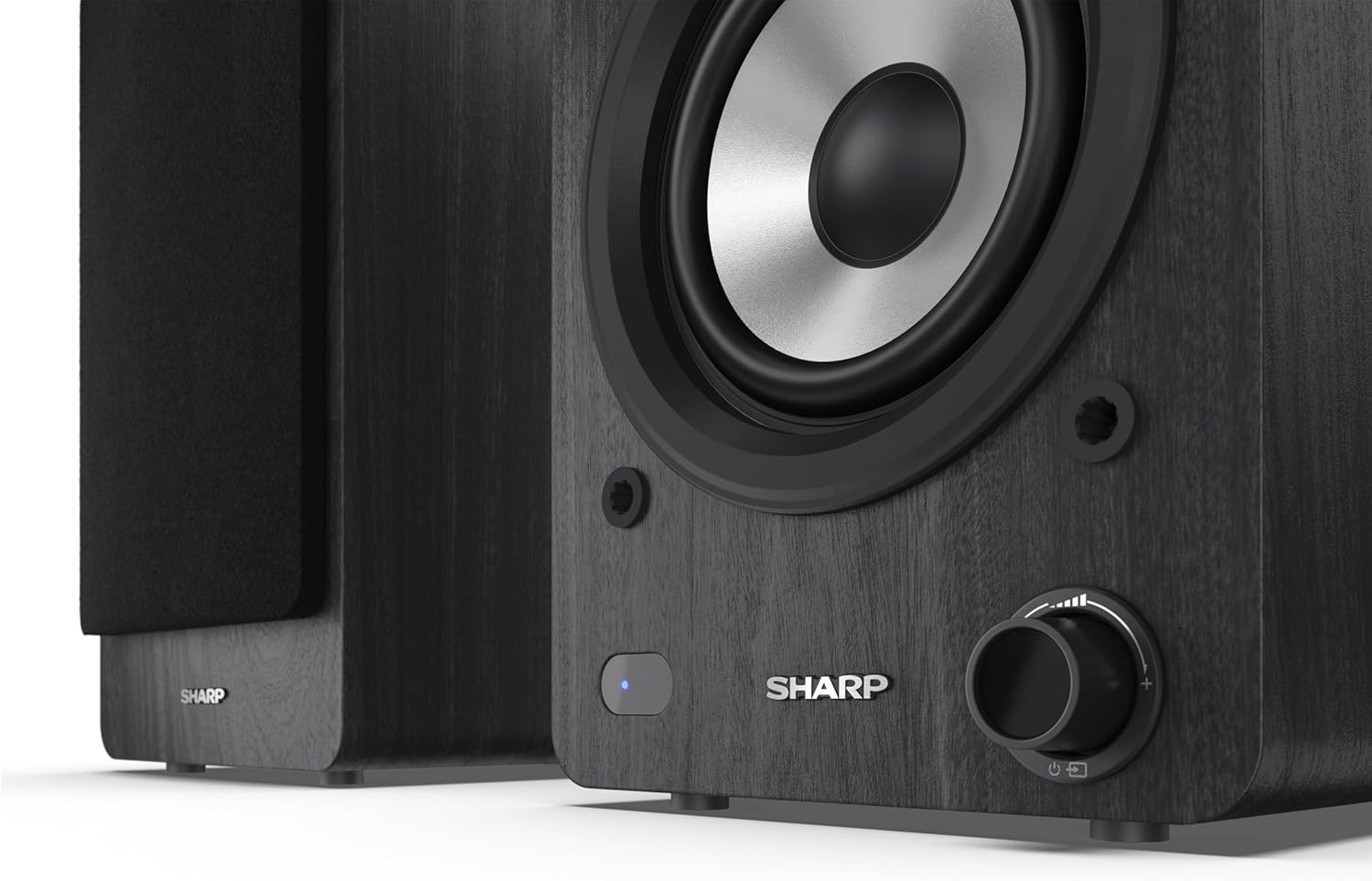
Image: A detailed shot of the control knob and the blue indicator light on the Sharp CP-SS30(BK) speaker, showing the subtle branding.
5. Setup
5.1 Speaker Placement
For optimal sound quality, place the speakers on a stable, flat surface. Position them at an equal distance from your listening position, forming an equilateral triangle for the best stereo imaging. Ensure there is adequate space behind the speakers for ventilation and cable connections.
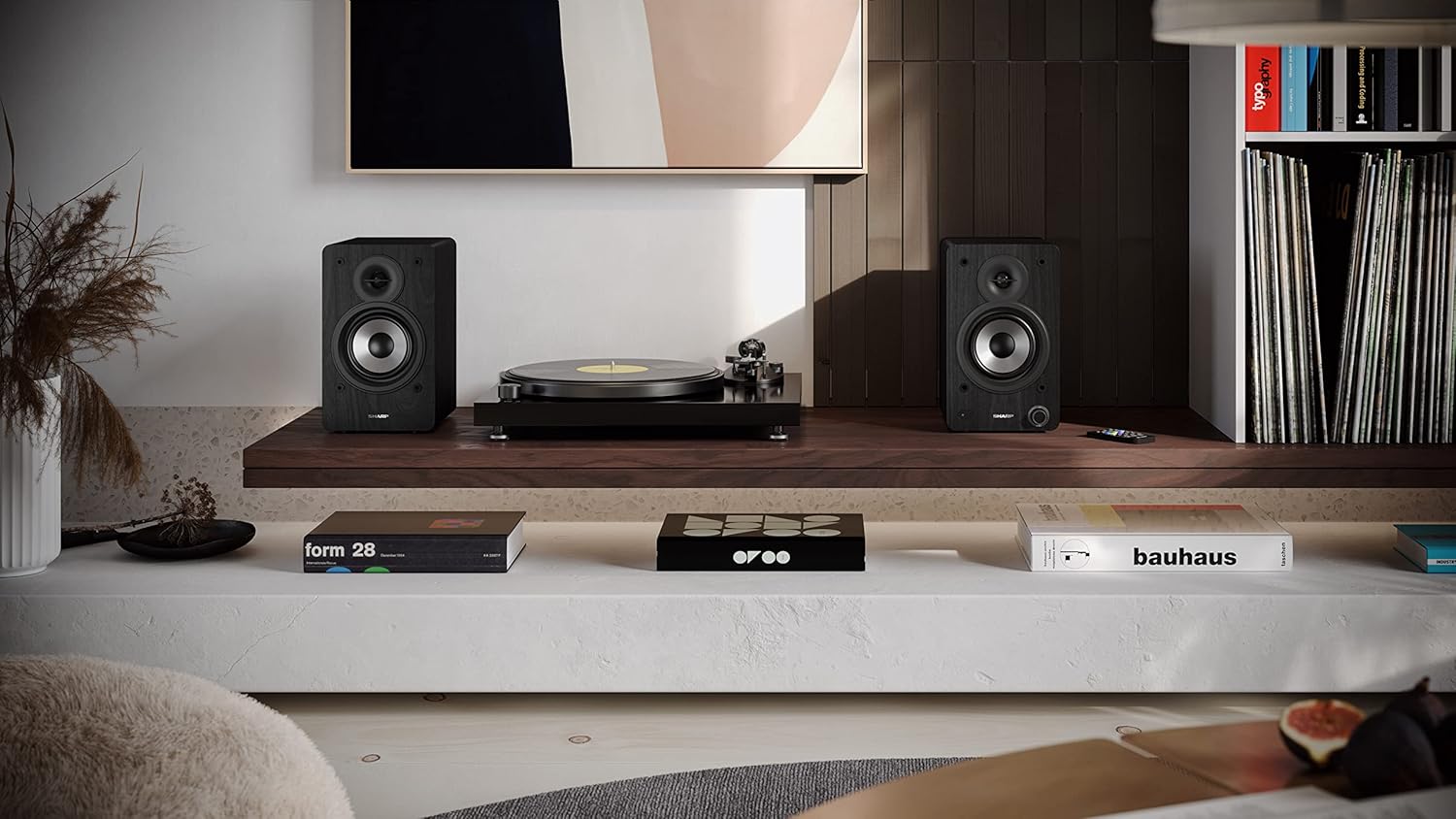
Image: The Sharp CP-SS30(BK) speakers positioned on a shelf in a living room setting, demonstrating a typical setup with a turntable.
5.2 Connecting the Speakers
The CP-SS30(BK) consists of one active (main) speaker and one passive (secondary) speaker. Connect them using the provided speaker connection cable.
- Identify the active speaker (with controls and input ports) and the passive speaker.
- Connect one end of the speaker connection cable to the speaker terminals on the active speaker, ensuring correct polarity (+ to + and - to -).
- Connect the other end of the speaker connection cable to the speaker terminals on the passive speaker, maintaining correct polarity.

Image: The rear panel of the Sharp CP-SS30(BK) speakers, illustrating the various input ports (USB, Optical, RCA, AUX) and the speaker connection terminals.
5.3 Power Connection
- Ensure the power switch on the active speaker is in the OFF position.
- Connect the provided power cable to the AC input on the active speaker.
- Plug the other end of the power cable into a suitable wall outlet.
6. Operating Instructions
6.1 Powering On/Off
To power on the speakers, flip the power switch on the active speaker to the ON position. The indicator light on the front will illuminate. To power off, flip the switch back to OFF.
6.2 Input Selection
You can select the input source using the remote control or the knob on the front of the active speaker. Available inputs include Bluetooth, USB, Optical, Auxiliary (AUX), and RCA.
- Bluetooth: Select Bluetooth input. The indicator light will flash, indicating pairing mode. Search for "SHARP CP-SS30(BK)" on your device and connect. The light will become solid once paired.
- USB: Insert a USB drive with audio files into the USB port on the active speaker.
- Optical: Connect an optical cable from your audio source (e.g., TV, game console) to the Optical input.
- AUX: Connect an AUX cable from your audio source (e.g., smartphone, tablet) to the AUX input.
- RCA: Connect RCA cables from your audio source (e.g., turntable, CD player) to the RCA inputs.
6.3 Volume Control
Adjust the volume using the remote control's volume buttons or by rotating the knob on the front of the active speaker.
6.4 Equalizer Settings
The speakers feature an equalizer to tailor the sound to your preference. Use the remote control to:
- Select from five preset equalizer modes (e.g., Flat, Rock, Pop, Classical, Jazz).
- Adjust bass and treble levels independently for a customized sound profile.
7. Maintenance
To ensure the longevity and optimal performance of your Sharp CP-SS30(BK) speakers, follow these maintenance guidelines:
- Cleaning: Use a soft, dry cloth to clean the speaker cabinets. Do not use liquid cleaners or aerosol sprays, as they may damage the finish or internal components.
- Grilles: The speaker grilles are removable for cleaning. Gently pull them off to clean any dust accumulation on the drivers. Reattach them carefully.
- Ventilation: Ensure that the ventilation openings on the back of the active speaker are not obstructed to prevent overheating.
- Storage: If storing the speakers for an extended period, disconnect them from power and store them in a cool, dry place away from direct sunlight and extreme temperatures.
8. Troubleshooting
If you encounter any issues with your speakers, please refer to the following common problems and solutions:
| Problem | Possible Cause | Solution |
|---|---|---|
| No power | Power cable not connected; Power outlet not active; Power switch off. | Ensure power cable is securely connected. Check power outlet with another device. Flip power switch to ON. |
| No sound | Incorrect input selected; Volume too low; Cables not connected properly; Source device issue. | Select the correct input source. Increase volume. Check all audio cables (RCA, AUX, Optical, USB) and speaker connection cable for secure fit and correct polarity. Test with a different audio source. |
| Bluetooth pairing failed | Speakers not in pairing mode; Device too far; Interference. | Ensure Bluetooth input is selected and indicator light is flashing. Move device closer to speakers. Avoid strong electromagnetic interference. Try unpairing and re-pairing. |
| Distorted sound | Volume too high; Source audio quality is poor; Speaker placement. | Reduce volume. Check the audio source quality. Adjust speaker placement to avoid reflections or resonance. |
| Remote control not working | Batteries depleted; Obstruction between remote and speaker; Remote not pointed correctly. | Replace remote control batteries. Remove any obstructions. Point the remote directly at the active speaker's sensor. |
9. Specifications
| Feature | Detail |
|---|---|
| Model Number | CP-SS30(BK) |
| Output Power | 60 Watts RMS (2 x 30W) |
| Speaker Type | Active Bookshelf, 2-Way |
| Cabinet Material | Wood (Plywood) |
| Connectivity Technology | Bluetooth v5.0, USB, Optical, Auxiliary (AUX), RCA |
| Bluetooth Version | v5.0 |
| Audio Output Mode | Stereo (2.0 Channel) |
| Frequency Response | 60 Hz |
| Controller Type | Button, Remote Control |
| Product Dimensions (each speaker) | 19D x 15.8W x 24.8H cm (7.5D x 6.2W x 9.8H inches) |
| Item Weight | 4.3 Kilograms (9.5 lbs) |
| Color | Black |
| Recommended Uses | Gaming console, Music player, Smartphone/Tablet, Ambient sound system, Television |
| Compatible Devices | Laptop, Smartphone, Tablet |

Image: Diagram showing the dimensions of one Sharp CP-SS30(BK) speaker (Height: 248mm, Width: 158mm, Depth: 190mm).
10. Warranty and Support
Warranty: This product comes with a 1-year warranty for spare parts availability from the date of purchase. Please retain your proof of purchase for warranty claims.
For technical support, troubleshooting assistance beyond this manual, or warranty inquiries, please contact Sharp customer service. Refer to the contact information provided in the user documentation included in your package or visit the official Sharp website.
Note: Software updates guaranteed until information is not available.
Related documentsCP-SS30(BK)


Ask a question about this manual
Ask about setup, troubleshooting, compatibility, parts, safety, or missing instructions. Manuals+ will review the question and use this page’s manual context to help answer it.