1. Introduction
Thank you for choosing INIU products. This user manual provides detailed instructions for the safe and efficient use of your INIU B41 Portable Charger (10000mAh Power Bank) and INIU I622 USB C Charger (45W GaN Dual Port Wall Charger). Please read this manual thoroughly before use and retain it for future reference.
2. Package Contents
Upon opening the package, please verify that all items listed below are present and in good condition:
- INIU 10000mAh Portable Charger (B41) x 1
- INIU GaN 45W Dual USB-C Charger (I622) x 1
- 0.3M/1ft USB A to USB C Cable x 1
- Travel Pouch x 1
- User Manual x 1
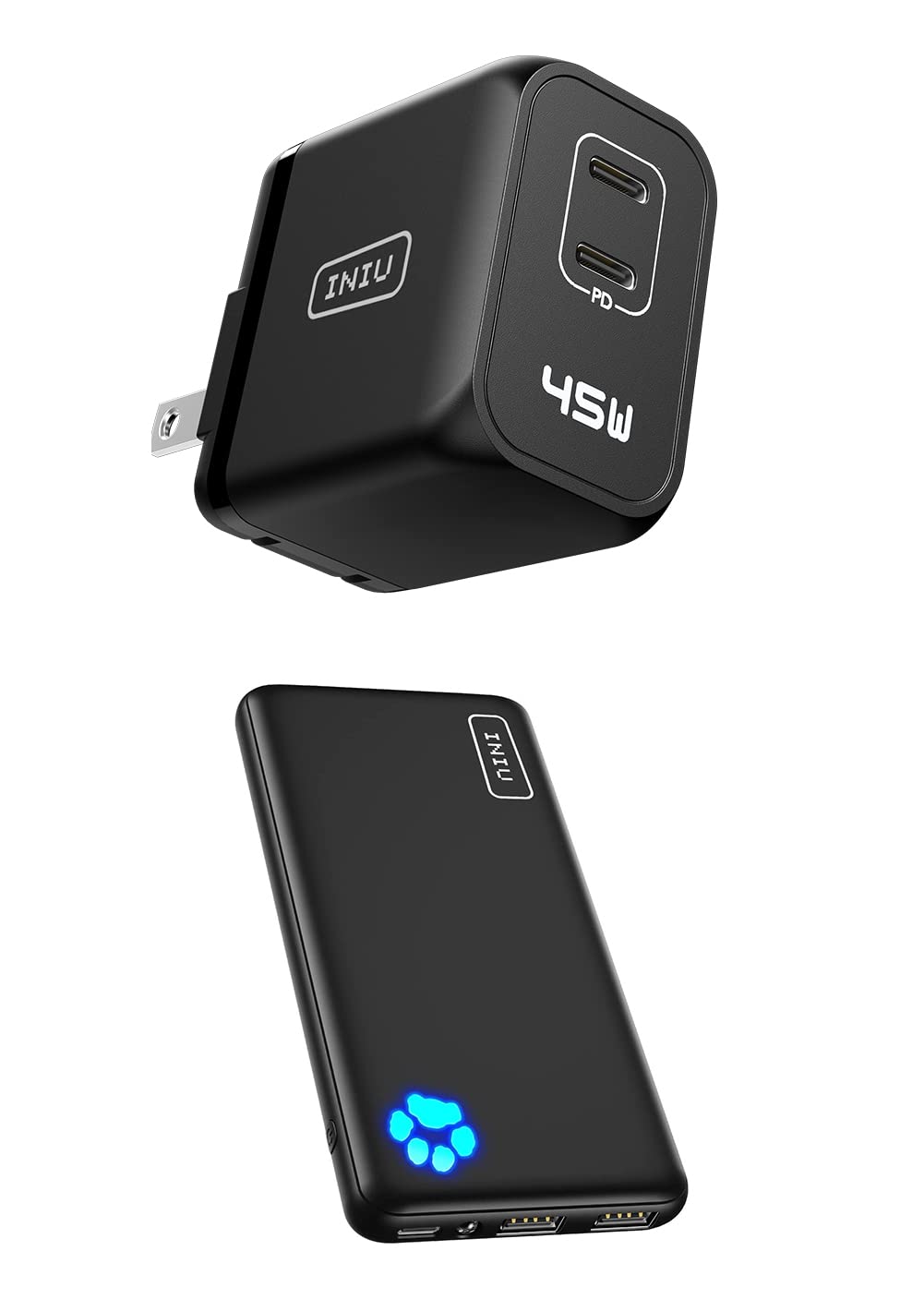
Image: The INIU B41 Portable Charger (bottom) and the INIU I622 USB C Charger (top), as included in the package.
3. Product Overview
3.1 INIU B41 Portable Charger (10000mAh Power Bank)
The INIU B41 is a slim and portable power bank designed for on-the-go charging. It features a high-capacity battery and versatile USB-C input/output.

Image: A hand holding the INIU B41 Portable Charger, demonstrating its compact and slim design for easy portability.

Image: Diagram illustrating the USB-C port on the INIU B41 Portable Charger, which functions as both an input for charging the power bank and an output for charging devices.
3.2 INIU I622 USB C Charger (45W GaN Dual Port Wall Charger)
The INIU I622 is a powerful and compact wall charger utilizing GaN (Gallium Nitride) technology for efficient and fast charging. It features dual USB-C ports.

Image: The INIU I622 USB C Charger showcasing its foldable US prongs for compact storage and travel.

Image: An overview of the INIU I622 GaN II 45W Dual USB C Charger, highlighting its capability to charge various modern devices like iPads and iPhones.
4. Setup and Initial Use
4.1 Charging the INIU B41 Portable Charger
- Connect the provided USB-A to USB-C cable (or your own USB-C to USB-C cable) to the USB-C port on the INIU B41.
- Connect the other end of the cable to a USB wall charger (such as the INIU I622) or a computer's USB port.
- The LED indicators on the power bank will illuminate to show the charging status. A full charge is indicated when all LEDs are solid.
4.2 Using the INIU I622 USB C Charger
- Unfold the prongs of the INIU I622 charger.
- Plug the charger into a standard wall outlet.
- Connect your device's charging cable (USB-C to USB-C or USB-C to Lightning) to one of the USB-C output ports on the charger.
- Connect the other end of the cable to your device to begin charging.
5. Operating Instructions
5.1 Charging Devices with the INIU B41 Portable Charger
- Connect your device's charging cable to one of the output ports on the INIU B41 (USB-A or USB-C).
- Connect the other end of the cable to your device. The power bank will automatically begin charging your device.
- The LED indicators will show the remaining battery level of the power bank.

Image: Examples of charging capacity for the INIU B41 10000mAh Portable Charger, showing approximate charges for Samsung S8, iPhone 8, AirPods Pro, and iPad Air.
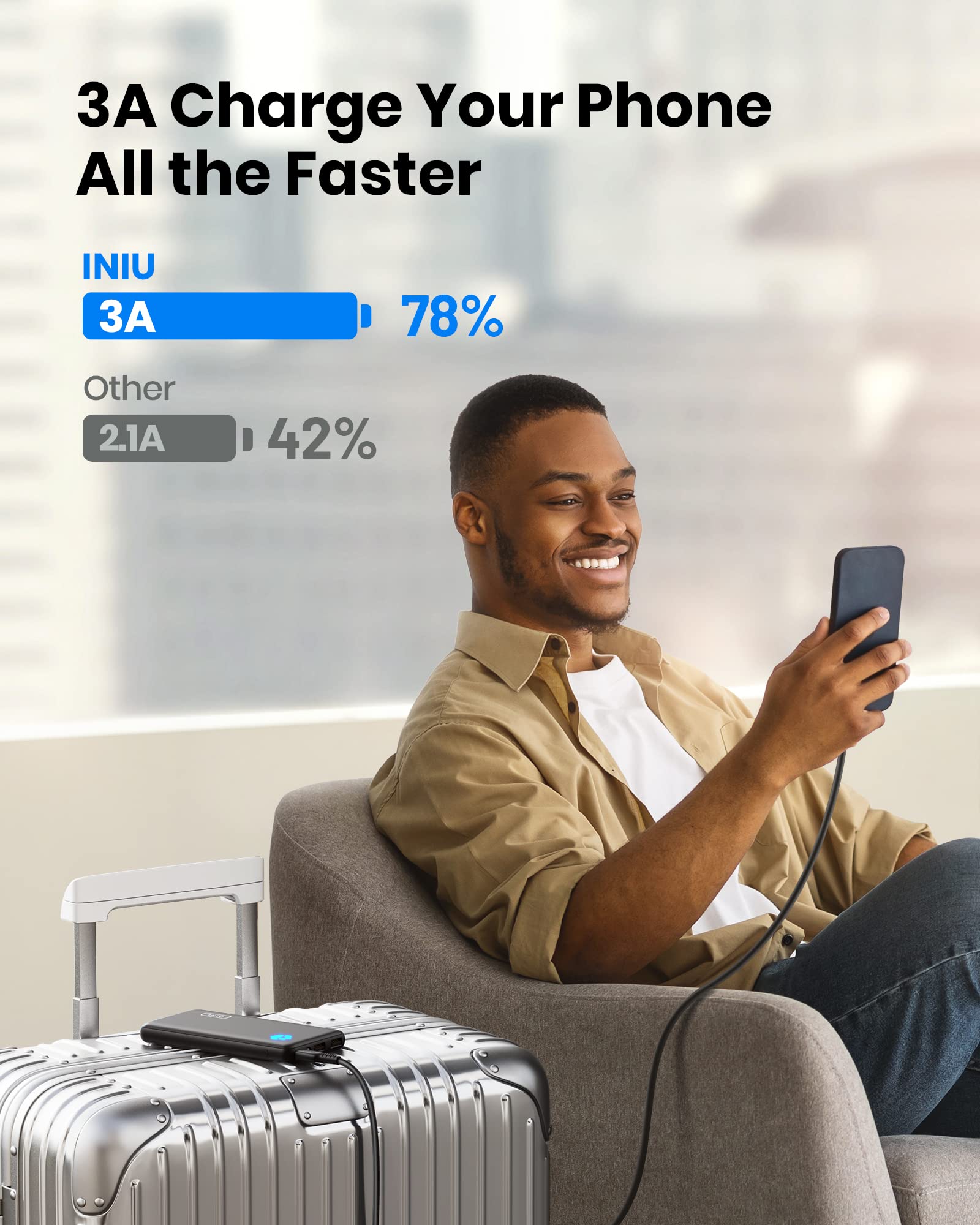
Image: A visual comparison demonstrating the faster charging speed of INIU's 3A output compared to a standard 2.1A output.
5.2 Charging Devices with the INIU I622 USB C Charger
The INIU I622 charger can deliver up to 45W of power from a single USB-C port or distribute power when both ports are in use.
- Single Port Use: When only one USB-C port is used, it can deliver up to 45W, suitable for fast charging laptops, tablets, and smartphones.
- Dual Port Use: When both USB-C ports are used simultaneously, the power is intelligently distributed (e.g., 20W + 20W), allowing you to charge two devices efficiently.
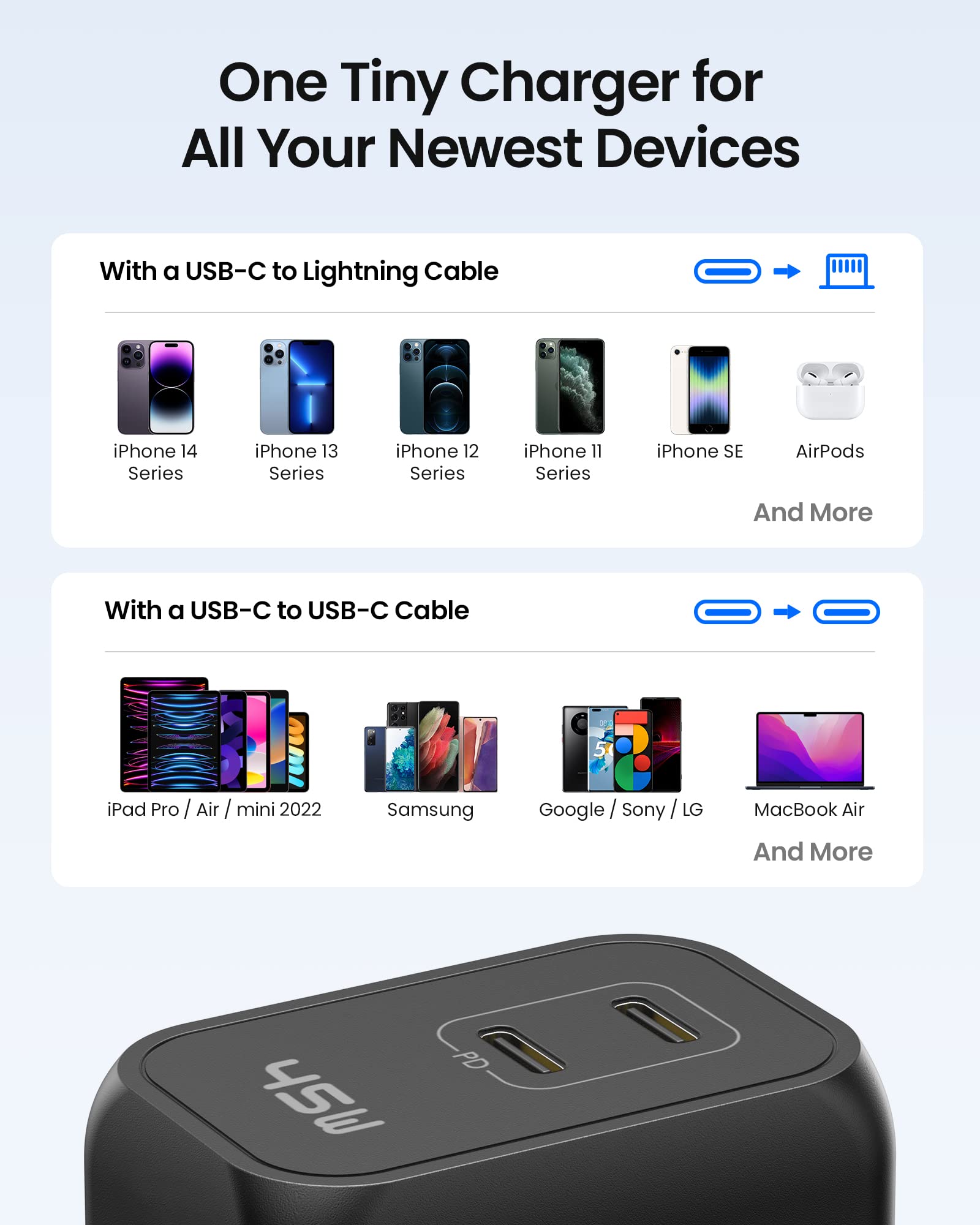
Image: A compatibility chart for the INIU I622 USB C Charger, showing various devices it can charge, including iPhone 13/14 series, iPad series, Steam Deck, MacBook Air, and Samsung Galaxy devices.
6. Safety Information and Precautions
- Do not expose the devices to extreme temperatures (hot or cold), direct sunlight, or humid environments.
- Avoid dropping, impacting, or disassembling the devices.
- Keep away from water and flammable materials.
- Use only original or certified cables for charging.
- Keep out of reach of children.
- The INIU B41 Portable Charger is airline approved for carry-on luggage.
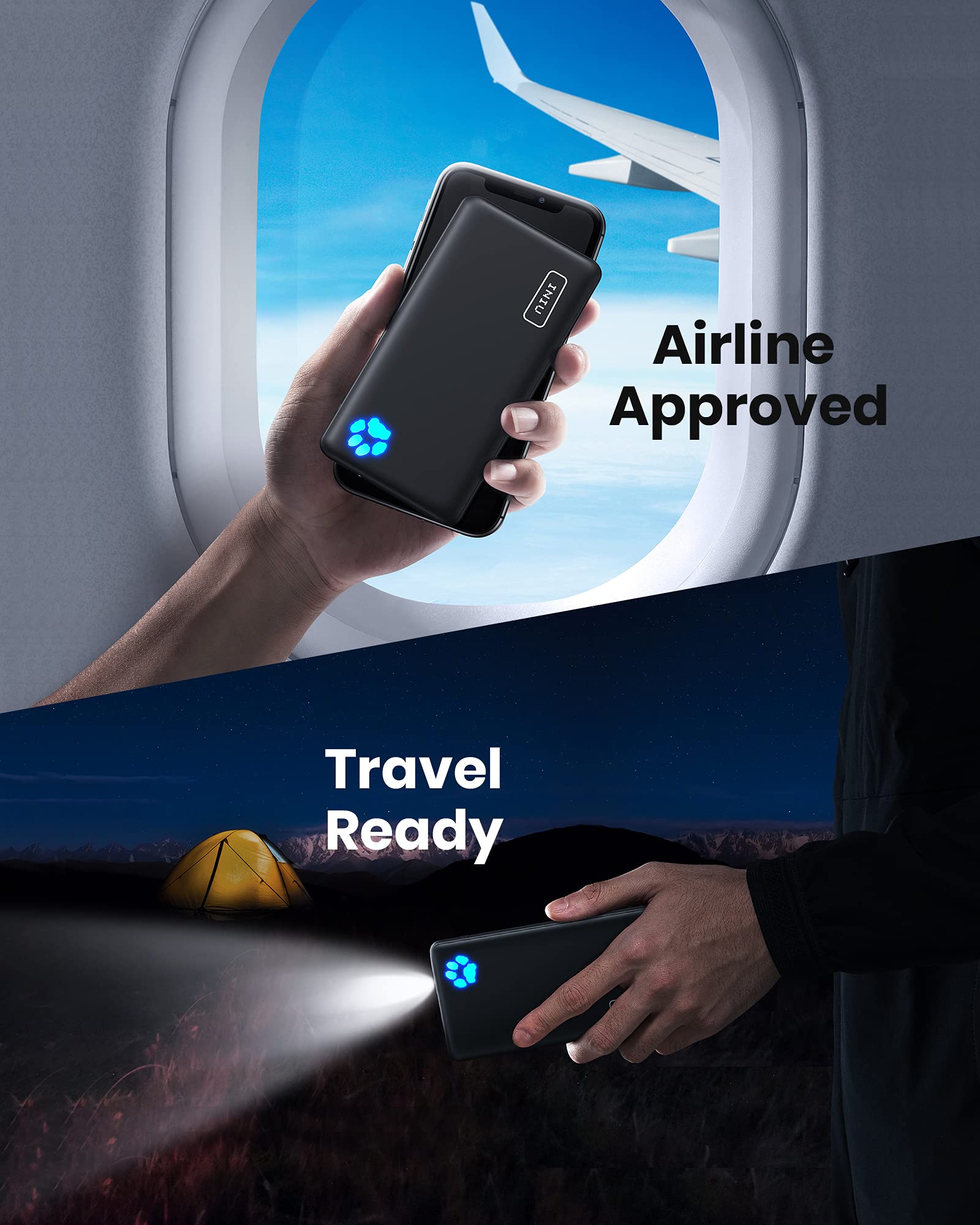
Image: The INIU B41 Portable Charger depicted in scenarios demonstrating its suitability for travel, including being airline approved and featuring a built-in flashlight for convenience.
7. Maintenance
- Clean the devices with a soft, dry cloth. Do not use abrasive cleaners or solvents.
- Store the devices in a cool, dry place when not in use.
- For optimal battery life of the power bank, charge it fully at least once every three months if not used regularly.
8. Troubleshooting
8.1 Power Bank Not Charging / Not Charging Devices
- Ensure the charging cable is securely connected to both the power bank/charger and the device.
- Try a different charging cable.
- Ensure the power bank has sufficient charge. Recharge if necessary.
- Verify that the wall adapter used for charging the power bank is functional.
8.2 Slow Charging
- Ensure you are using a high-quality cable that supports fast charging.
- Check if your device supports the fast charging protocols of the INIU charger/power bank.
- For the I622 charger, ensure only one port is used for maximum 45W output if your device requires it.
8.3 Overheating
- It is normal for chargers and power banks to become slightly warm during operation.
- If the device becomes excessively hot, disconnect it immediately and contact customer support.
- Ensure adequate ventilation around the charger when in use.
9. Specifications
| Feature | Specification |
|---|---|
| Brand | INIU |
| Model (Portable Charger) | B41 |
| Model (Wall Charger) | I622 |
| Battery Capacity (Portable Charger) | 10000 Milliamp Hours |
| Charger Output Power | 45W (Max) |
| Charger Ports | Dual USB-C |
| Portable Charger Ports | USB-C (Input & Output), USB-A (Output) |
| Special Features | Fast Charge, Portable Charger, GaN Technology |
| Recommended Uses | iPhone, Samsung, iPad, MacBook Air, and other USB-C devices |
| Date First Available | December 14, 2022 |
10. Warranty and Support
INIU offers a 3-Year Replacement Promise for this product. This warranty covers manufacturing defects and ensures a replacement if issues arise within the warranty period.
For technical support, warranty claims, or any inquiries, please contact INIU customer service through the official INIU website or your purchase platform.
Please retain your purchase receipt as proof of purchase for warranty purposes.


