1. Introduction
Thank you for choosing the Cecotec Conga Windroid Robot Window Cleaner. This device is designed to simplify window cleaning, providing an efficient and streak-free finish. Its advanced technology ensures thorough cleaning while maintaining safety on various glass surfaces. Please read this manual carefully before use to ensure proper operation and maintenance.
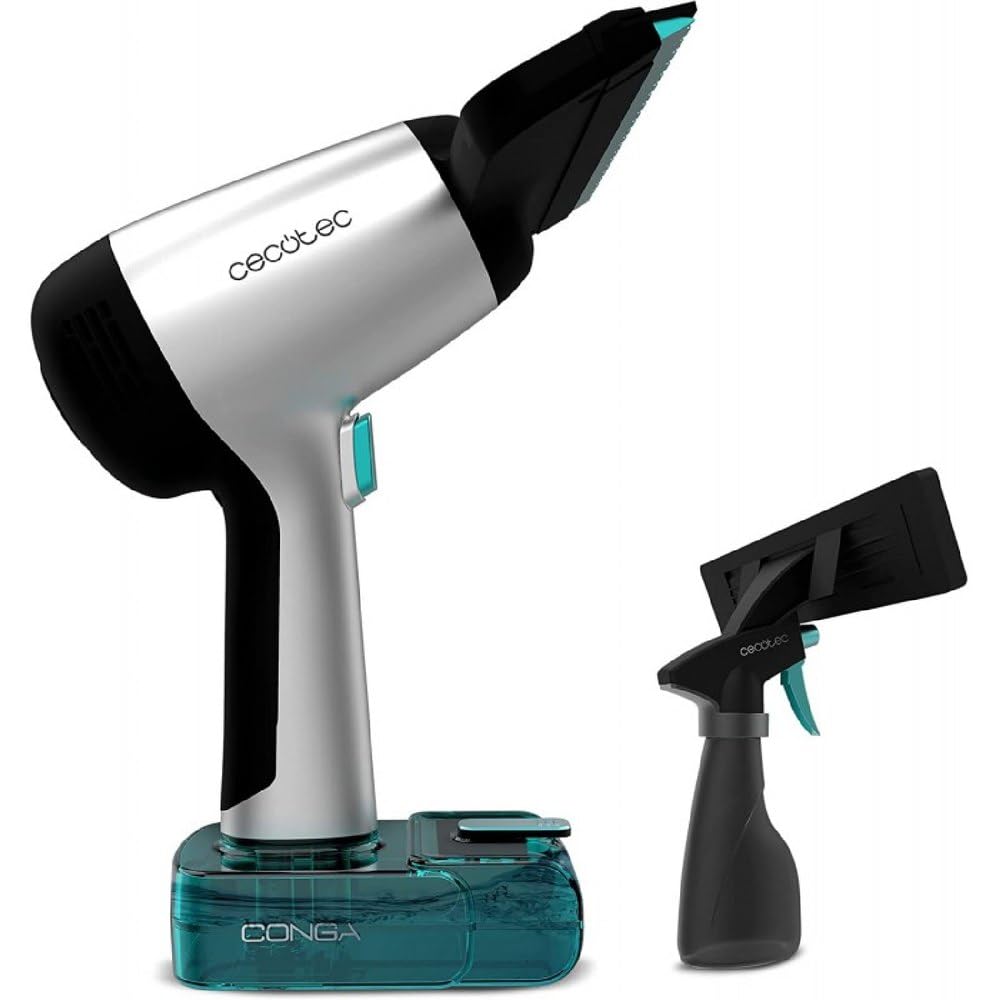
Image 1.1: The Cecotec Conga Windroid Robot Window Cleaner. This image displays the compact and ergonomic design of the window cleaning device.
2. Safety Instructions
To prevent injury or damage, always follow these basic safety precautions:
- Read all instructions before operating the device.
- Use the device only as described in this manual.
- Keep the device out of reach of children and pets.
- Do not use the device on cracked or broken glass surfaces.
- Always attach the safety rope securely before placing the device on a window, especially for high-rise windows.
- Use only manufacturer-approved accessories and cleaning solutions.
- Do not immerse the device in water or other liquids.
- Unplug the device from the power source before cleaning or performing maintenance.
- Ensure the power cord is not damaged or tangled during operation.
3. Package Contents
Verify that all components are present in the package:
- Cecotec Conga Windroid Robot Window Cleaner
- Power Adapter
- Remote Control
- Reusable Cleaning Pads (multiple pairs)
- Safety Rope
- User Manual
- Cleaning Solution Bottle (empty)
4. Product Overview
Familiarize yourself with the main parts of your Conga Windroid:
- Suction Area: The underside of the device that adheres to the glass.
- Cleaning Pads: Removable fabric pads attached to the suction area for cleaning.
- Power Port: For connecting the power adapter.
- Safety Rope Attachment Point: A designated point to secure the safety rope.
- Power Button: To turn the device on or off.
- Water Tank/Spray Nozzle: For dispensing cleaning solution onto the glass.
- Sensors: Detect window edges and obstacles.
5. Setup
- Charge the Battery: Before first use, fully charge the device's internal battery. Connect the power adapter to the device and a power outlet. The charging indicator will show the status.
- Attach Cleaning Pads: Securely attach clean cleaning pads to the designated areas on the underside of the robot. Ensure they are flat and cover the entire cleaning surface.
- Fill Water Tank: Open the water tank cap and fill it with clean water or a recommended window cleaning solution (max 50 ml). Close the cap tightly.
- Attach Safety Rope: Securely fasten one end of the safety rope to the robot's attachment point. Fasten the other end to a sturdy object indoors, such as a heavy piece of furniture or a window frame. This is crucial for safety.
- Power On: Press and hold the power button until the indicator lights up.
6. Operating Instructions
- Placement: Place the robot on the window surface, ensuring it is flat against the glass. The suction will activate automatically or can be manually activated via the remote control.
- Start Cleaning: Press the 'Start' button on the remote control. The robot will begin its cleaning cycle, automatically detecting edges and navigating the window.
- Cleaning Modes: Use the remote control to select different cleaning modes if available (e.g., Z-path, N-path, spot cleaning).
- Manual Control: For specific areas, use the directional buttons on the remote control to guide the robot manually.
- Pause/Stop: Press the 'Pause' or 'Stop' button on the remote control to temporarily halt or end the cleaning cycle.
- Removing the Robot: Once cleaning is complete or paused, carefully grasp the robot and press the release button (if applicable) or turn off the suction to detach it from the window. Always hold the safety rope as a backup.
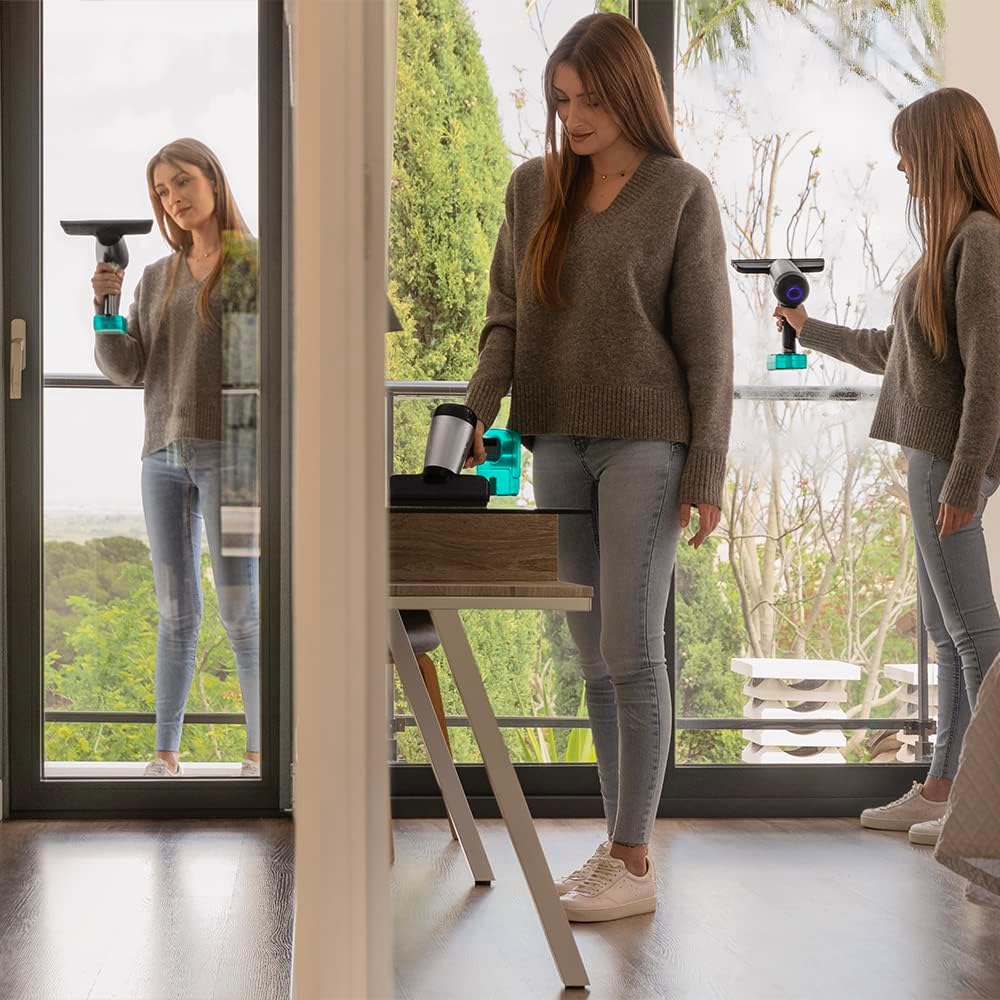
Image 6.1: A user operating a window cleaning device. This illustrates the typical use case for such a product, ensuring clear visibility and ease of use.
7. Maintenance
Regular maintenance ensures optimal performance and extends the lifespan of your device:
- Clean Cleaning Pads: After each use, remove the cleaning pads and wash them with water and mild detergent. Allow them to air dry completely before reuse or storage.
- Empty Water Tank: Empty any remaining cleaning solution from the water tank after each use. Rinse the tank with clean water and allow it to dry.
- Clean Sensors: Periodically wipe the sensors with a soft, dry cloth to ensure they remain free of dust and debris, which can affect navigation.
- Device Exterior: Wipe the exterior of the robot with a damp cloth. Do not use abrasive cleaners or solvents.
- Storage: Store the device in a cool, dry place away from direct sunlight and extreme temperatures.
8. Troubleshooting
If you encounter issues, refer to the following common problems and solutions:
| Problem | Possible Cause | Solution |
|---|---|---|
| Robot not sticking to window | Low suction power; dirty window surface; dirty cleaning pads; battery low. | Ensure the suction area is clean. Clean the window surface. Replace or clean the cleaning pads. Charge the battery fully. |
| Leaves streaks on glass | Dirty cleaning pads; incorrect cleaning solution; too much solution. | Replace or clean the cleaning pads. Use a recommended window cleaning solution. Reduce the amount of solution applied. |
| Robot not moving or erratic movement | Obstruction; dirty sensors; battery low; uneven surface. | Clear any obstructions. Clean the sensors. Charge the battery. Ensure the surface is suitable for the robot. |
| Water leakage | Water tank cap not closed properly; device tilted excessively. | Ensure the water tank cap is securely closed. Operate the device on a relatively flat surface and avoid excessive tilting. |
9. Specifications
| Feature | Detail |
|---|---|
| Brand | Cecotec |
| Model Number | IN-CE-08058 |
| Dimensions (L x W x H) | 29 x 16.5 x 22.5 cm |
| Weight | 500 g |
| Water Tank Capacity | 50 Milliliters |
| Voltage | 3.7 Volts |
| Material | Metal |
| Battery Autonomy | Up to 30 minutes |
| Special Feature | Waterproof (for cleaning solutions) |
| Power Source | Battery powered |
| Recommended Surface | Glass surfaces |
| Filter Type | Fabric (for cleaning pads) |
10. Warranty and Support
Your Cecotec Conga Windroid Robot Window Cleaner comes with a manufacturer's warranty. Please refer to the warranty card included in your package for detailed terms and conditions.
For technical support, spare parts, or any inquiries regarding your product, please contact Cecotec customer service through their official website or the contact information provided on your warranty card.
Online Support: Visit the official Cecotec website for FAQs and support resources.
Contact Information: Refer to your product packaging or warranty documentation.


