
Cecotec X-Bike 3000 Neo
Cecotec X-Bike 3000 Neo Foldable Stationary Exercise Bike User Manual
Model: X-Bike 3000 Neo
1. Introduction
Thank you for choosing the Cecotec X-Bike 3000 Neo Foldable Stationary Exercise Bike. This manual provides essential information for the safe assembly, operation, and maintenance of your new fitness equipment. Please read this manual thoroughly before first use and retain it for future reference.
The X-Bike 3000 Neo is designed for home fitness, featuring a compact foldable design, a 3 kg inertia flywheel with a Silence Fit system for smooth and quiet pedaling, 8 levels of adjustable magnetic resistance, a comfortable saddle, and an LCD monitor to track your workout progress.

Figure 1: Cecotec X-Bike 3000 Neo in its upright position.
2. Important Safety Information
To ensure safe operation and prevent injury, please observe the following safety precautions:
- Read all instructions in this manual before using the exercise bike.
- Consult your physician before starting any exercise program, especially if you have pre-existing health conditions.
- Keep children and pets away from the equipment during use.
- Place the exercise bike on a flat, stable surface with adequate clearance around it.
- Wear appropriate exercise clothing and footwear. Avoid loose clothing that could get caught in moving parts.
- Inspect the equipment for any damaged or worn parts before each use. Do not use if damaged.
- Do not exceed the maximum user weight capacity of 100 kg (220 lbs).
- Stop exercising immediately if you feel faint, dizzy, or experience pain.
- Ensure all bolts and nuts are securely tightened before and during use.
3. Package Contents
Carefully unpack the box and ensure all components are present. If any parts are missing or damaged, contact customer support.
- Main Frame Assembly
- Front and Rear Stabilizers
- Saddle and Seat Post
- Handlebar Assembly
- Pedals (Left and Right)
- LCD Monitor
- Hardware Kit (bolts, washers, nuts, tools)
- User Manual
4. Assembly Instructions
Follow these steps to assemble your Cecotec X-Bike 3000 Neo. It is recommended to have two people for assembly.
- Unpack and Prepare: Remove all components from the packaging and lay them out on a clean, flat surface. Ensure all packing materials are removed.
- Attach Stabilizers: Secure the front and rear stabilizers to the main frame using the provided bolts and nuts. Ensure they are firmly attached for stability.
- Install Pedals: Identify the left (L) and right (R) pedals. The left pedal screws counter-clockwise, and the right pedal screws clockwise. Tighten them securely to the crank arms.
- Mount Seat Post and Saddle: Insert the seat post into the main frame and secure it at your desired height using the adjustment knob. Attach the saddle to the seat post.
- Attach Handlebar Assembly: Connect the handlebar assembly to the main frame. Ensure all cables for the heart rate monitor and LCD display are properly connected before securing the handlebars.
- Install LCD Monitor: Mount the LCD monitor onto the designated bracket on the handlebar assembly. Connect the sensor wires from the main frame to the monitor.
- Final Check: Review all connections and ensure all bolts and nuts are tightened. Test the folding mechanism (EasyFold) to ensure it operates smoothly.
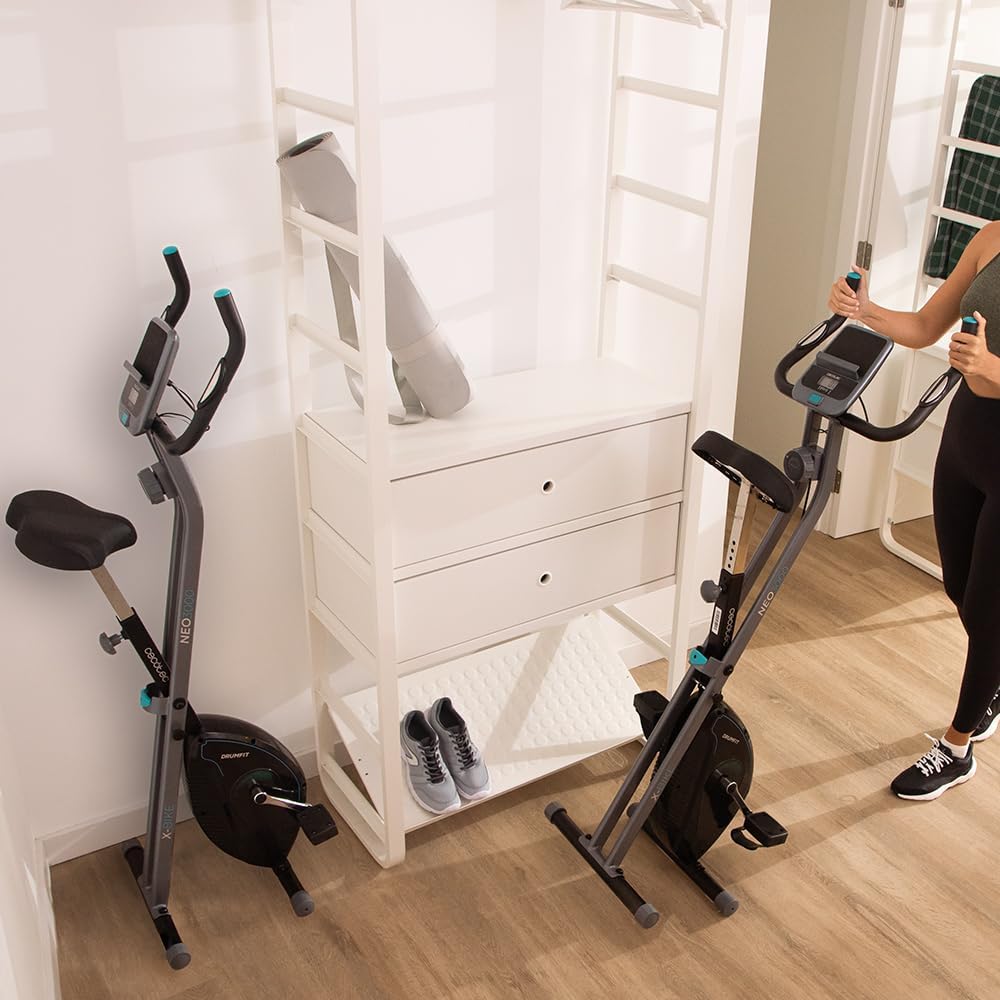
Figure 2: The X-Bike 3000 Neo features an EasyFold system for compact storage.
5. Operating Instructions
5.1 Adjusting the Bike
- Saddle Height: Loosen the adjustment knob on the seat post, raise or lower the saddle to a comfortable height where your leg is slightly bent at the knee when the pedal is at its lowest point. Tighten the knob securely.
- Handlebar Position: The handlebars are fixed for optimal ergonomic positioning.
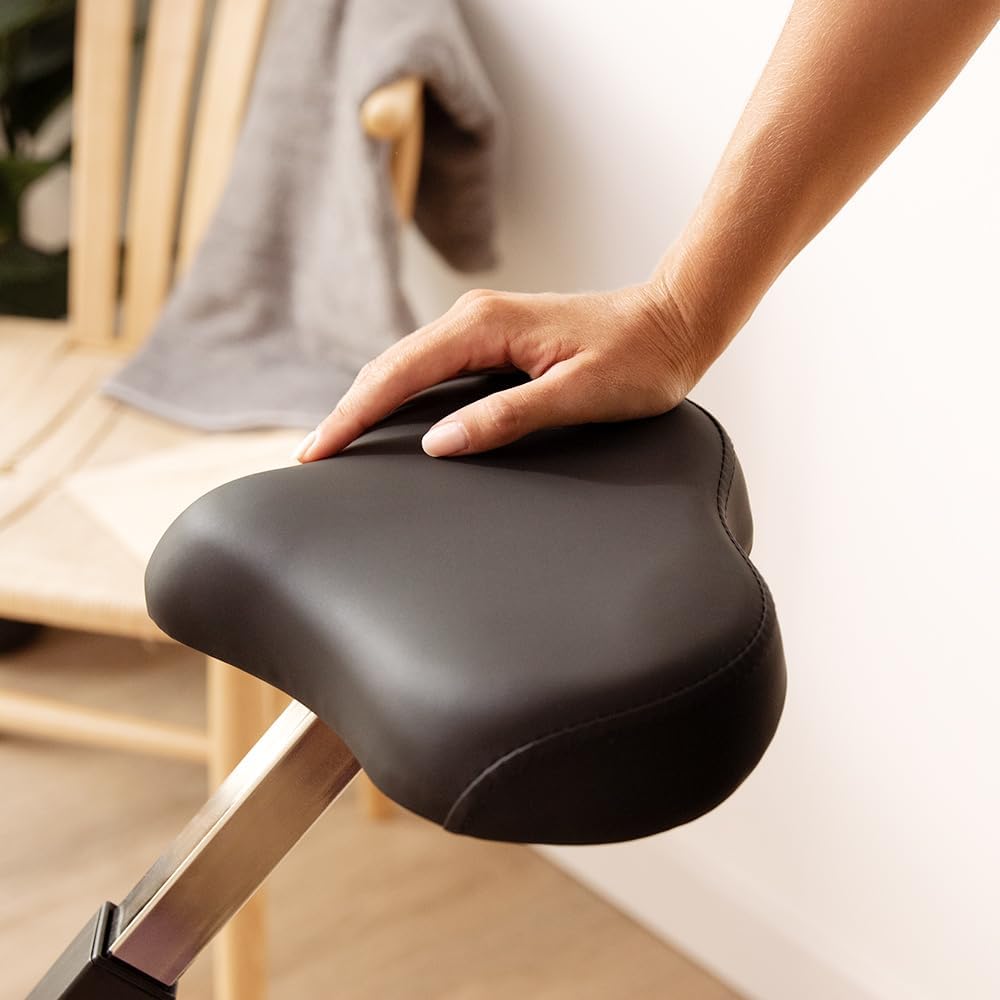
Figure 3: The comfortable saddle provides support during workouts.
5.2 Using the LCD Monitor
The LCD monitor displays your workout data. It typically operates on batteries (not included) and activates when you start pedaling or press a button.
- SCAN: Automatically cycles through all functions (Time, Speed, Distance, Calories, Pulse).
- TIME: Displays the duration of your workout.
- SPD (Speed): Shows your current cycling speed.
- DST (Distance): Displays the distance covered during your current workout.
- CAL (Calories): Estimates the calories burned during your workout.
- ODO (Odometer): Displays the total accumulated distance.
- PULSE: Shows your heart rate when holding the pulse sensors on the handlebars.
- MODE Button: Press to select a specific display function or to reset values (hold for a few seconds).
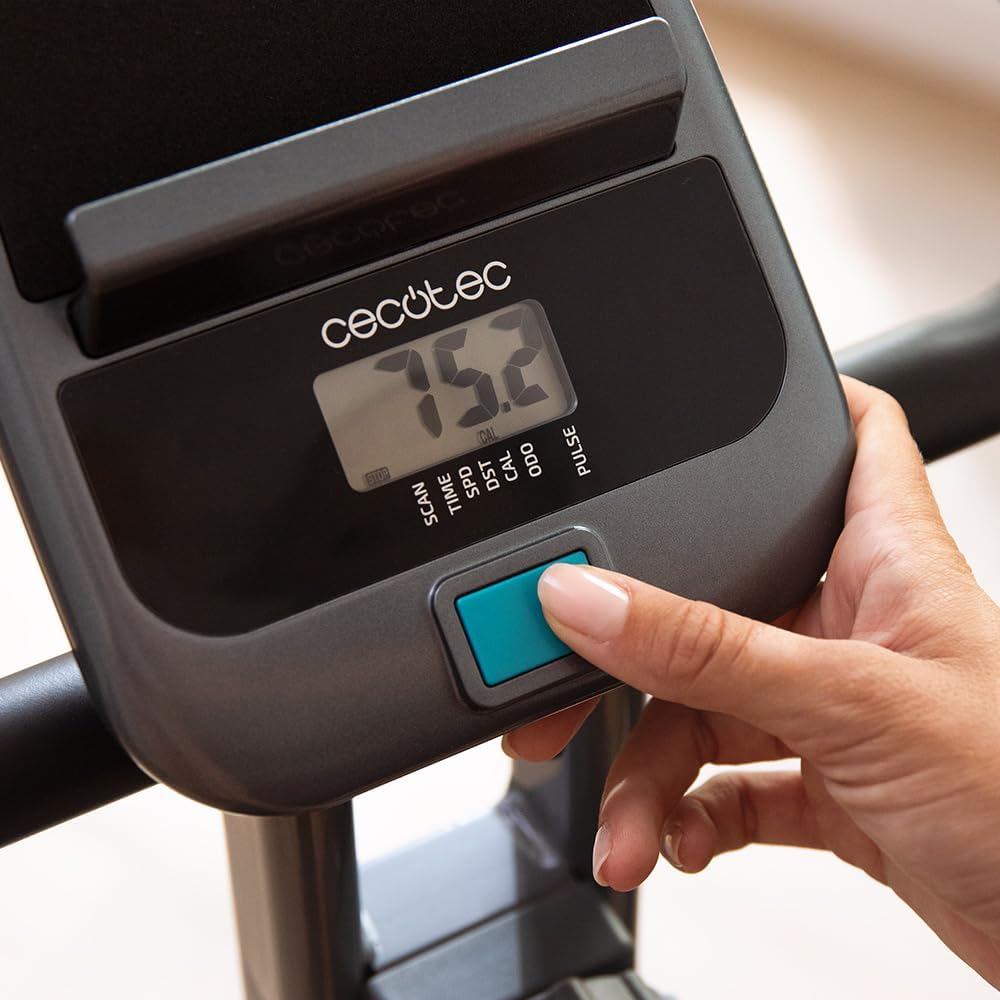
Figure 4: The LCD monitor tracks key workout metrics.
5.3 Adjusting Resistance
The X-Bike 3000 Neo features 8 levels of magnetic resistance. Turn the resistance knob located on the main frame to increase or decrease the intensity of your workout.
- Turn clockwise to increase resistance (higher numbers).
- Turn counter-clockwise to decrease resistance (lower numbers).
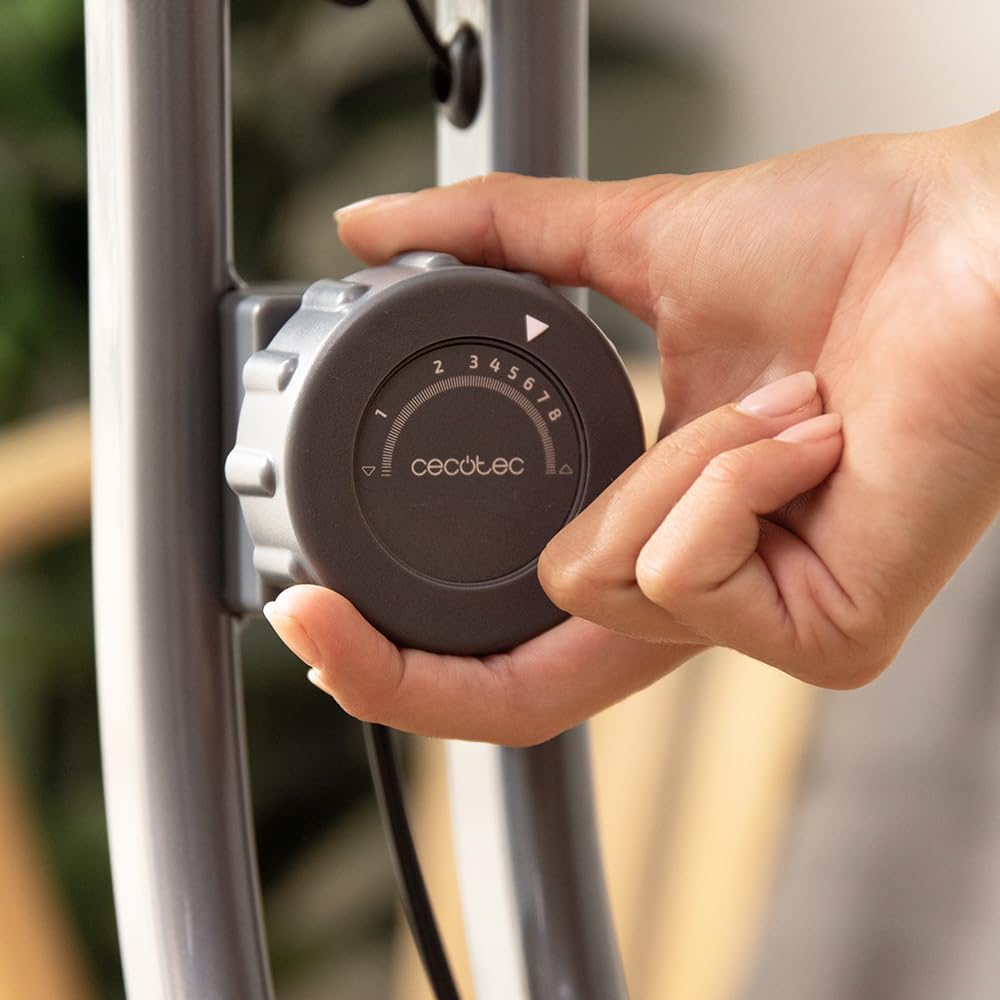
Figure 5: The resistance knob allows for easy adjustment of workout intensity.
5.4 Using the Tablet Holder
The integrated tablet holder allows you to place your electronic devices for entertainment or guided workouts during your exercise session.
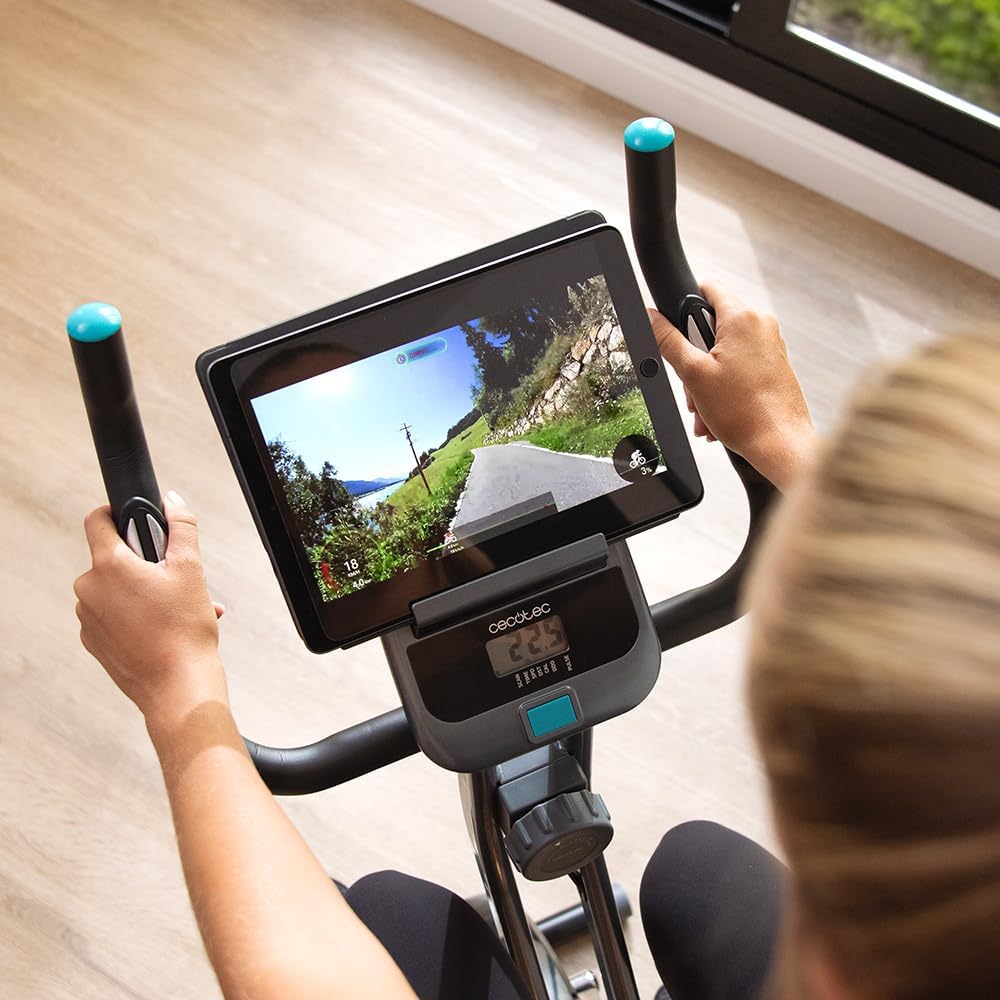
Figure 6: The tablet holder provides convenience for entertainment during workouts.
6. Maintenance
Regular maintenance ensures the longevity and safe operation of your exercise bike.
- Cleaning: Wipe down the bike with a damp cloth after each use to remove sweat and dust. Do not use abrasive cleaners or solvents.
- Inspection: Periodically check all bolts, nuts, and moving parts for tightness and wear. Tighten any loose fasteners.
- Lubrication: No specific lubrication is required for the magnetic resistance system.
- Storage: When not in use, fold the bike using the EasyFold system and store it in a dry, cool place away from direct sunlight.
7. Troubleshooting
If you encounter issues with your X-Bike 3000 Neo, refer to the following common solutions:
| Problem | Possible Cause | Solution |
|---|---|---|
| LCD monitor not displaying | Batteries are dead or incorrectly installed. Loose sensor connection. | Replace batteries. Check battery orientation. Ensure all sensor cables are securely connected. |
| Unusual noise during pedaling | Loose bolts or components. Friction from moving parts. | Check and tighten all assembly bolts, especially around pedals and crank arms. Ensure no foreign objects are caught. |
| Resistance not changing | Resistance cable disconnected or damaged. | Inspect the resistance cable connection to the knob and the flywheel mechanism. Contact customer support if damaged. |
| Bike feels unstable | Stabilizers not properly tightened. Bike on an uneven surface. | Ensure stabilizer bolts are tight. Move the bike to a flat, level surface. |
If the problem persists after attempting these solutions, please contact Cecotec customer support.
8. Product Specifications
- Model Name: DrumFit X-Bike 3000 Neo
- Brand: Cecotec
- Color: Grey
- Style: Foldable | No Backrest
- Resistance Mechanism: Magnetic
- Inertia Flywheel: 3 kg
- Resistance Levels: 8
- Drive System: Pedal (Belt)
- Material: Aluminum
- Maximum Weight Capacity: 100 Kilograms (220 lbs)
- Recommended Maximum User Height: 190 Centimeters (6'2")
- Product Dimensions (L x W x H): 54 x 53 x 115 cm (21.3 x 20.9 x 45.3 inches)
- Item Weight: 13.5 Kilograms (29.8 lbs)
- Power Source (Monitor): Battery Powered (Batteries not included)
- Special Features: Foldable, Heart Rate Monitor, LCD Display, Tablet Holder, Transport Wheels, Silence Fit System
- Item Model Number: 07175
9. Warranty and Support
Your Cecotec X-Bike 3000 Neo is covered by a manufacturer's warranty. Please refer to the warranty card included in your package or visit the official Cecotec website for detailed warranty terms and conditions.
For technical assistance, spare parts, or any questions regarding your product, please contact Cecotec customer support through their official channels. Have your model number (X-Bike 3000 Neo) and purchase information ready when contacting support.
- Online Support: Visit www.cecotec.com
- Email/Phone: Refer to the contact information provided on the Cecotec website or in your product documentation.
Related documentsX-Bike 3000 Neo

Ask a question about this manual
Ask about setup, troubleshooting, compatibility, parts, safety, or missing instructions. Manuals+ will review the question and use this page’s manual context to help answer it.