1. Introduction
This user manual provides essential information for the safe and efficient operation, maintenance, and troubleshooting of your Cecotec Conga Windroid 1290 DoubleSpray Connected T. Smart Window Cleaning Robot. Please read this manual thoroughly before using the device and retain it for future reference.
2. Safety Instructions
To ensure safe operation, always adhere to the following precautions:
- Ensure the safety rope is securely attached to a fixed point before operation, especially when cleaning exterior windows or high surfaces.
- Do not use the robot on cracked, damaged, or uneven glass surfaces.
- Keep the robot away from children and pets during operation.
- Use only the original power adapter and accessories provided by Cecotec.
- Do not immerse the robot in water or other liquids. Clean with a damp cloth only.
- Ensure the glass surface is free of large debris, sand, or dirt particles before operation to prevent scratches.
- Do not operate the robot in extreme weather conditions (e.g., strong winds, heavy rain).
- If the robot stops unexpectedly, ensure the safety rope prevents it from falling.
- Unplug the device from the power outlet before cleaning or performing maintenance.
3. Package Contents
Verify that all items are present in the package:
- 1 x Cecotec Conga Windroid 1290 DoubleSpray Connected T. Window Cleaning Robot
- 1 x Power Adapter
- 1 x Power Cable
- 1 x Safety Rope
- 1 x Remote Control
- 3 x Microfiber Mops
- 1 x Filling Bottle (for cleaning solution)
- 1 x Instruction Manual
- 1 x User Manual (this document)

Image: The Cecotec Conga Windroid 1290 DoubleSpray Connected T. robot with its included accessories: remote control, safety rope, three microfiber mops, and a filling bottle.
4. Product Components
Familiarize yourself with the main parts of your window cleaning robot:
- Main Unit: Houses the motor, suction pump, and control electronics.
- Microfiber Mops: Removable and washable pads for cleaning and polishing.
- Water Spray Nozzles: Integrated nozzles for automatic water or cleaning solution application.
- Power Button/Indicator Light: For turning the device on/off and indicating status.
- Safety Rope Attachment Point: Where the safety rope is secured.
- Power Port: For connecting the power adapter.
- Remote Control: For manual control and selecting cleaning modes.
- App Control: Allows control via a smartphone application.

Image: Close-up view of the Cecotec Conga Windroid 1290 DoubleSpray Connected T. robot demonstrating its double water jet function while cleaning a window.
5. Setup
- Charge the Battery: Before first use, fully charge the robot's internal battery. Connect the power adapter to the robot and then to a power outlet. The indicator light will show charging status.
- Attach Microfiber Mops: Securely attach the clean microfiber mops to the designated areas on the robot's cleaning pads. Ensure they are flat and cover the entire cleaning surface.
- Fill Water Tank: Open the water tank cap and use the provided filling bottle to add distilled water or a recommended window cleaning solution. Do not overfill. Close the cap tightly.
- Connect Safety Rope: Attach one end of the safety rope to the robot's safety rope attachment point. Secure the other end to a sturdy, fixed object (e.g., a heavy piece of furniture, a window frame anchor) that can withstand the robot's weight in case of a fall.
- Power Connection: Connect the power cable to the robot and then to a power outlet. The robot requires continuous power during operation. The internal battery serves as a backup in case of power loss.
- Prepare Surface: Remove any loose dirt, dust, or large particles from the window surface before placing the robot to prevent scratching and ensure optimal cleaning performance.

Image: The Cecotec Conga Windroid 1290 DoubleSpray Connected T. robot positioned on a window, with its power cable and safety rope visibly connected to ensure secure operation.
6. Operating Instructions
6.1. Starting Operation
- Place the robot on the window surface, ensuring it is flat against the glass.
- Press the power button on the robot or the remote control to activate the suction. The robot will firmly attach to the glass.
- Once suction is stable, select a cleaning mode using the remote control or the smartphone app.
6.2. Cleaning Modes
- Automatic Mode: The robot will automatically detect the window size and shape, then proceed with a systematic cleaning path.
- Manual Mode: Use the directional buttons on the remote control or app to guide the robot manually for spot cleaning or specific areas.
- Edge Cleaning Mode: Focuses on cleaning the edges and corners of the window, utilizing its square design.
6.3. Using the Double Water Jet
The robot features an automatic double water jet system. It will spray cleaning solution at intervals during the cleaning cycle. Ensure the water tank is filled before starting.
6.4. Stopping Operation
To stop the robot, press the power button on the robot or the stop button on the remote control/app. The robot will cease movement and maintain suction. Carefully remove the robot from the window by holding it firmly and then releasing the suction.
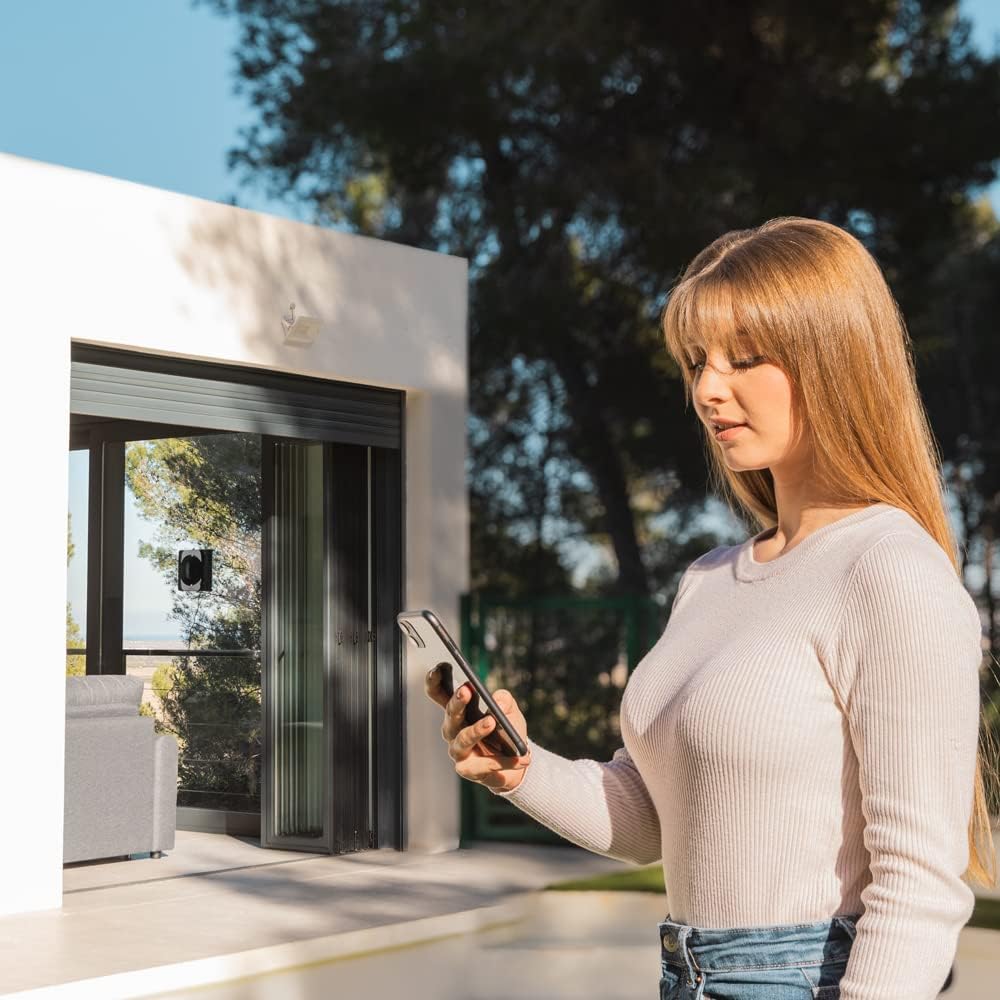
Image: A user operating the Cecotec Conga Windroid 1290 DoubleSpray Connected T. window cleaning robot remotely via a smartphone application, with the robot visible on a large window in the background.

Image: The Cecotec Conga Windroid 1290 DoubleSpray Connected T. robot actively cleaning an interior window, demonstrating its compact size and operation within a living space.

Image: The Cecotec Conga Windroid 1290 DoubleSpray Connected T. robot cleaning an exterior window, showcasing its ability to operate on various glass surfaces.
7. Maintenance
Regular maintenance ensures optimal performance and extends the lifespan of your robot.
- Clean Microfiber Mops: After each use, remove the microfiber mops and wash them with water and mild detergent. Allow them to air dry completely before reattaching.
- Clean Water Tank: Periodically empty and rinse the water tank to prevent residue buildup.
- Clean Sensors and Wheels: Use a soft, dry cloth to wipe the sensors and wheels to ensure proper navigation and adhesion.
- Inspect Safety Rope: Regularly check the safety rope for any signs of wear or damage. Replace if necessary.
- Store Properly: When not in use, store the robot in a cool, dry place, away from direct sunlight and extreme temperatures.
8. Troubleshooting
Refer to the table below for common issues and their solutions:
| Problem | Possible Cause | Solution |
|---|---|---|
| Robot does not attach to window. | Insufficient suction; dirty pads; uneven surface; power issue. | Ensure power cable is securely connected. Clean microfiber mops. Check for cracks or unevenness on glass. |
| Robot falls during operation. | Power loss; suction failure; extremely dirty surface. | Ensure continuous power supply. Check safety rope attachment. Clean window surface thoroughly before use. |
| Streaks left on window. | Dirty mops; incorrect cleaning solution; too much solution. | Wash mops thoroughly. Use distilled water or recommended solution. Do not overfill water tank. |
| Robot not moving or stuck. | Obstruction; sensor dirty; low battery (backup). | Remove any obstructions. Clean sensors. Ensure robot is connected to power. |
9. Specifications
| Brand | Cecotec |
| Model Name | Conga Windroid 1290 DoubleSpray Connected T |
| Model Number | 00255 |
| Color | Black |
| Dimensions (L x W x H) | 24.5 x 24.5 x 9 cm |
| Weight | 1.76 kg |
| Power | 72 Watts |
| Voltage | 72 Volts |
| Battery Type | Lithium-ion (1 included) |
| Surface Recommendation | Glass |
| Controller Type | App Control, Remote Control |
| Special Features | Smart mapping, Motorized brush roller, Variable suction control, Automatic stop, Programmable |
| Included Components | Robot, Power Adapter, Power Cable, Safety Rope, Remote Control, 3 Mops, Filling Bottle, Manuals |
| Filter Type | HEPA |
| Spare Parts Availability | 10 Years |
10. Warranty and Support
Cecotec products come with a standard manufacturer's warranty. Please refer to the warranty card included in your package for specific terms and conditions. For technical support, spare parts, or service inquiries, please contact Cecotec customer service through their official website or the contact information provided in your product documentation.
Official Website: www.cecotec.com


