Introduction
This manual provides instructions for the safe and effective use of your Cecotec Surface Precision Smart Healthy Digital Bathroom Scale. Please read this manual thoroughly before first use and keep it for future reference. This scale is designed to measure weight and analyze body composition using Bioelectrical Impedance Analysis (BIA).
Safety Information
- Do not use this device if you have a pacemaker or other internal medical device.
- Do not use this device if you are pregnant.
- Place the scale on a hard, flat surface for accurate measurements. Avoid carpets or soft surfaces.
- Keep the scale dry. Avoid contact with water.
- Clean the scale with a damp cloth. Do not use abrasive cleaners.
- The scale has a maximum capacity of 180 kg (400 lb). Do not exceed this limit.
- Keep out of reach of children.
- The glass surface can be slippery when wet. Step on and off carefully.
Package Contents
Verify that all components are present:
- 1 x Cecotec Surface Precision Smart Healthy Digital Bathroom Scale
- 1 x Measuring Tape
- 4 x AAA Batteries
Setup
1. Installing Batteries
Open the battery compartment on the underside of the scale. Insert the 4 AAA batteries, ensuring correct polarity (+/-). Close the compartment securely.

Image: Diagram showing the battery compartment and how to insert batteries.
2. Initializing the Scale
Place the scale on a hard, flat surface. Step on the scale briefly until the display lights up, then step off. The scale will show "0.0" or "CAL" and then turn off. This calibrates the scale for first use.
3. Unit Conversion (Kg/Lb)
On the underside of the scale, locate the unit conversion button. Press it to switch between kilograms (kg) and pounds (lb) as desired.
Operating Instructions
1. Basic Weight Measurement
- Place the scale on a hard, flat surface.
- Step onto the scale barefoot and stand still.
- The display will show your weight.
- The scale will automatically turn off after a few seconds.
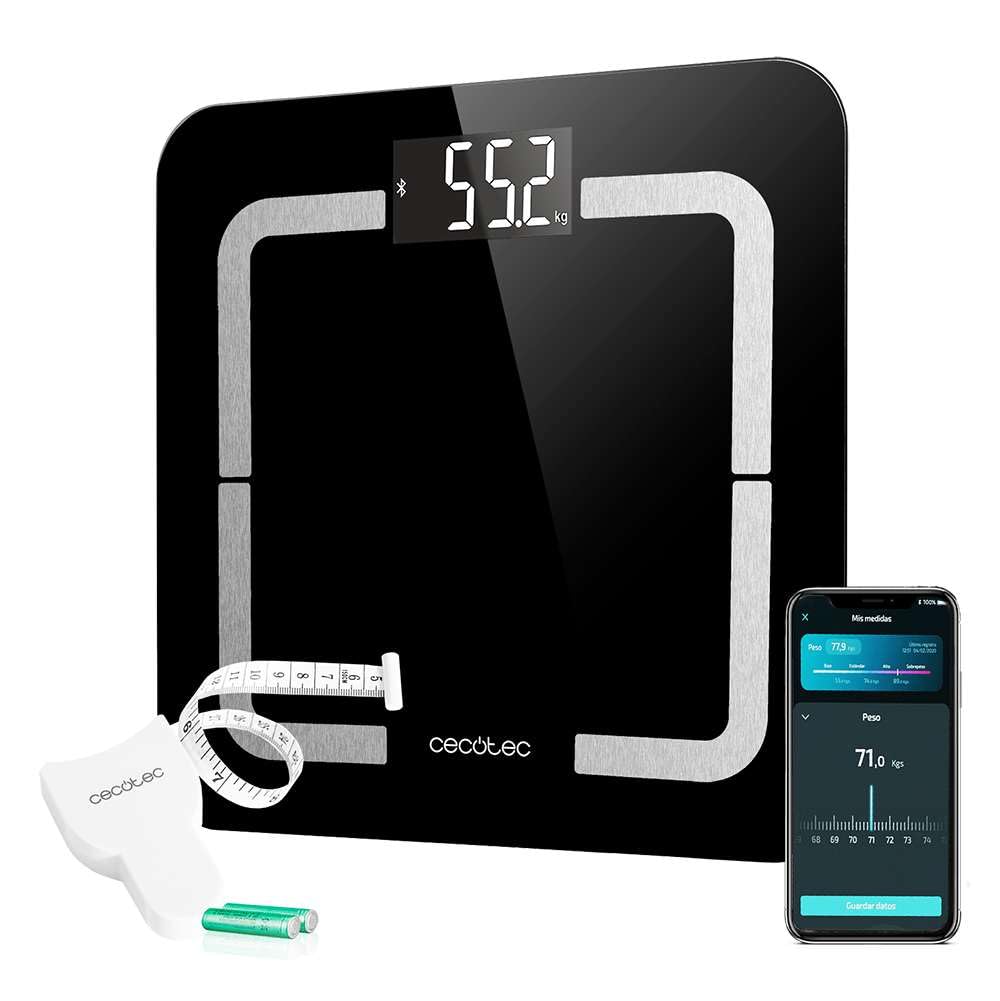
Image: The digital bathroom scale showing a weight measurement on its LCD screen.
2. App Connectivity (Bluetooth 4.0)
To utilize the full features of the scale, download the "Surface Precision Smart Healthy" app from your smartphone's app store. The app allows for automatic parameter registration and tracking for up to 8 different users.
- Ensure Bluetooth is enabled on your smartphone.
- Open the "Surface Precision Smart Healthy" app.
- Step onto the scale. The scale will automatically connect to the app.
- Your measurements will be displayed in the app and saved to your profile.

Image: A person sitting next to the scale, interacting with the companion app on a smartphone.
3. Bioimpedance Measurement (10 Parameters)
The scale uses Bioelectrical Impedance Analysis (BIA) to measure various body composition parameters. For accurate results, ensure your feet are clean and dry, and make direct contact with the metal electrodes on the scale surface.
The app will display the following parameters:
- Weight
- Body Fat Percentage
- Body Mass Index (BMI)
- Muscle Mass
- Bone Mass
- Body Age
- Water Percentage
- Visceral Fat
- Basal Metabolism Rate (BMR)
- Fitness Assessment

Image: Icon symbolizing body composition measurement.
4. BabyWeight Function
This function allows you to weigh infants or pets accurately. First, weigh yourself, then hold the baby/pet and step on the scale again. The scale will calculate the difference to provide the baby's/pet's weight.

Image: Icon depicting a baby bottle, indicating the BabyWeight function.
Maintenance and Care
- Clean the scale surface with a soft, damp cloth. Do not use harsh chemicals or abrasive cleaners.
- Avoid immersing the scale in water.
- Store the scale in a cool, dry place.
- If the scale will not be used for an extended period, remove the batteries to prevent leakage.
- Do not drop the scale or subject it to strong impacts.
Troubleshooting
| Problem | Possible Cause | Solution |
|---|---|---|
| "Lo" displayed | Low battery. | Replace all 4 AAA batteries. |
| "Err" or "O-Ld" displayed | Overload. Weight exceeds maximum capacity. | Step off the scale. The maximum capacity is 180 kg (400 lb). |
| Inaccurate readings | Scale not on a hard, flat surface; scale not initialized; user not standing still. | Ensure scale is on a hard, flat surface. Re-initialize by stepping on and off. Stand still during measurement. |
| Bluetooth not connecting | Bluetooth off on phone; app not open; scale not active. | Ensure phone Bluetooth is on. Open the app. Step on the scale to activate it. |
| Bioimpedance measurements not working | Feet not making proper contact with electrodes; feet are too dry. | Ensure bare feet are clean and make full contact with the metal electrodes. Slightly dampen feet if necessary. |
Specifications
- Model: 04742
- Dimensions: 310 x 310 mm (Surface), 34 x 35.5 x 6 cm (Product)
- Weight: 1.92 kg
- Material: Tempered Glass, Silicone (feet)
- Maximum Load Capacity: 180 kg (400 lb)
- Measurement Graduation: 100 g (0.2 lb)
- Display Type: LCD
- Connectivity: Bluetooth 4.0
- Power Source: 4 x AAA Alkaline Batteries (included)
- Parameters Measured: Weight, Body Fat, BMI, Muscle Mass, Bone, Body Age, Water, Visceral Fat, Basal Metabolism, Fitness Assessment

Image: Icon indicating the scale's dimensions (310 x 310 mm).

Image: Icon showing "180 kg", representing the maximum load capacity of the scale.
Warranty and Support
This product comes with a standard manufacturer's warranty. For detailed warranty information, please refer to the documentation included in your product packaging or visit the official Cecotec website.
For technical support, troubleshooting assistance, or to inquire about spare parts, please contact Cecotec customer service. Contact details can typically be found on the Cecotec website or in your product's warranty card.
Availability of replacement parts in the EU: 10 Years.


