
1. Introduction
This manual provides essential information for the safe and efficient operation of your Cecotec Touch&Toast Double Toaster, model 04843. Please read these instructions carefully before first use and keep them for future reference. Proper use and maintenance will ensure optimal performance and extend the lifespan of your appliance.

Image: The Cecotec Touch&Toast Double Toaster positioned on a kitchen counter, ready for use, surrounded by breakfast foods.
2. Important Safety Instructions
When using electrical appliances, basic safety precautions should always be followed, including the following:
- Read all instructions before operating the toaster.
- Do not touch hot surfaces. Use handles or knobs.
- To protect against electrical shock, do not immerse cord, plugs, or toaster in water or other liquid.
- Close supervision is necessary when any appliance is used by or near children.
- Unplug from outlet when not in use and before cleaning. Allow to cool before putting on or taking off parts.
- Do not operate any appliance with a damaged cord or plug, or after the appliance malfunctions or has been damaged in any manner. Return appliance to the nearest authorized service facility for examination, repair, or adjustment.
- The use of accessory attachments not recommended by the appliance manufacturer may cause injuries.
- Do not use outdoors.
- Do not let cord hang over edge of table or counter, or touch hot surfaces.
- Do not place on or near a hot gas or electric burner, or in a heated oven.
- Do not use appliance for other than intended household use.
- Oversized foods, metal foil packages, or utensils must not be inserted into a toaster as they may create a fire or risk of electric shock.
- A fire may occur if toasters are covered or touching flammable material, including curtains, draperies, walls, and the like, when in operation.
- Do not attempt to dislodge food when the toaster is plugged in.
- Do not use without the crumb tray properly installed.
- Bread may burn. Therefore, do not use the toaster near or below combustible material, such as curtains.
3. Product Overview
The Cecotec Touch&Toast Double Toaster is designed for efficient and precise toasting. Familiarize yourself with its main components:
- Stainless Steel Body: Durable and elegant finish.
- Two Short, Extra-Wide Slots: Accommodates two slices of bread, including thicker slices up to 3.8 cm.
- Touch Panel with Color Screen: Intuitive interface for selecting functions and monitoring progress.
- Digital Rotary Dial: For precise adjustment of browning levels.
- Automatic Stop and Pop-up Mechanism: Ensures bread is automatically ejected when toasting is complete.
- Centering System: Automatically positions bread for even toasting.
- Crumb Tray: Collects crumbs for easy cleaning.
- Lever: Used to lower and raise the bread carriage.

Image: A detailed view of the toaster's control panel, highlighting the touch screen and the digital dial for settings adjustment.

Image: The toaster's touch screen showing different toast shade options, from light to dark, for user selection.
4. Setup
- Unpack: Carefully remove the toaster and all packaging materials. Retain packaging for future storage or transport.
- Placement: Place the toaster on a stable, flat, heat-resistant surface, away from flammable materials such as curtains or walls. Ensure there is adequate ventilation around the appliance.
- Power Connection: Ensure your household voltage matches the voltage specified on the toaster's rating label (230 Volts). Plug the power cord into a grounded electrical outlet.
- Initial Use: Before toasting bread for the first time, operate the toaster without bread on the highest browning setting (level 7) for a few minutes. This will burn off any manufacturing residues and may produce a slight odor or smoke, which is normal. Ensure the area is well-ventilated during this process.
5. Operating Instructions
Follow these steps to toast bread with your Cecotec Touch&Toast Double Toaster:
- Insert Bread: Place up to two slices of bread into the toaster slots. The extra-wide slots accommodate various bread types and thicknesses.
- Lower Lever: Push the lever down until it locks into place. The toaster will automatically center the bread.
- Select Browning Level: Use the digital rotary dial on the front panel to select your desired browning level, from 1 (lightest) to 7 (darkest). The selected level will be displayed on the screen.
- Start Toasting: The toasting cycle will begin automatically once the lever is lowered and a browning level is selected. The screen will show a countdown timer.
- Special Functions: The touch screen offers additional functions:
- Defrost: For toasting frozen bread.
- Reheat: For warming previously toasted bread without further browning.
- Cancel: To stop the toasting cycle at any time.
- Completion: Once the toasting cycle is complete, the bread will automatically pop up.
- Remove Toast: Carefully remove the toasted bread. Be cautious as the toaster and toast will be hot.
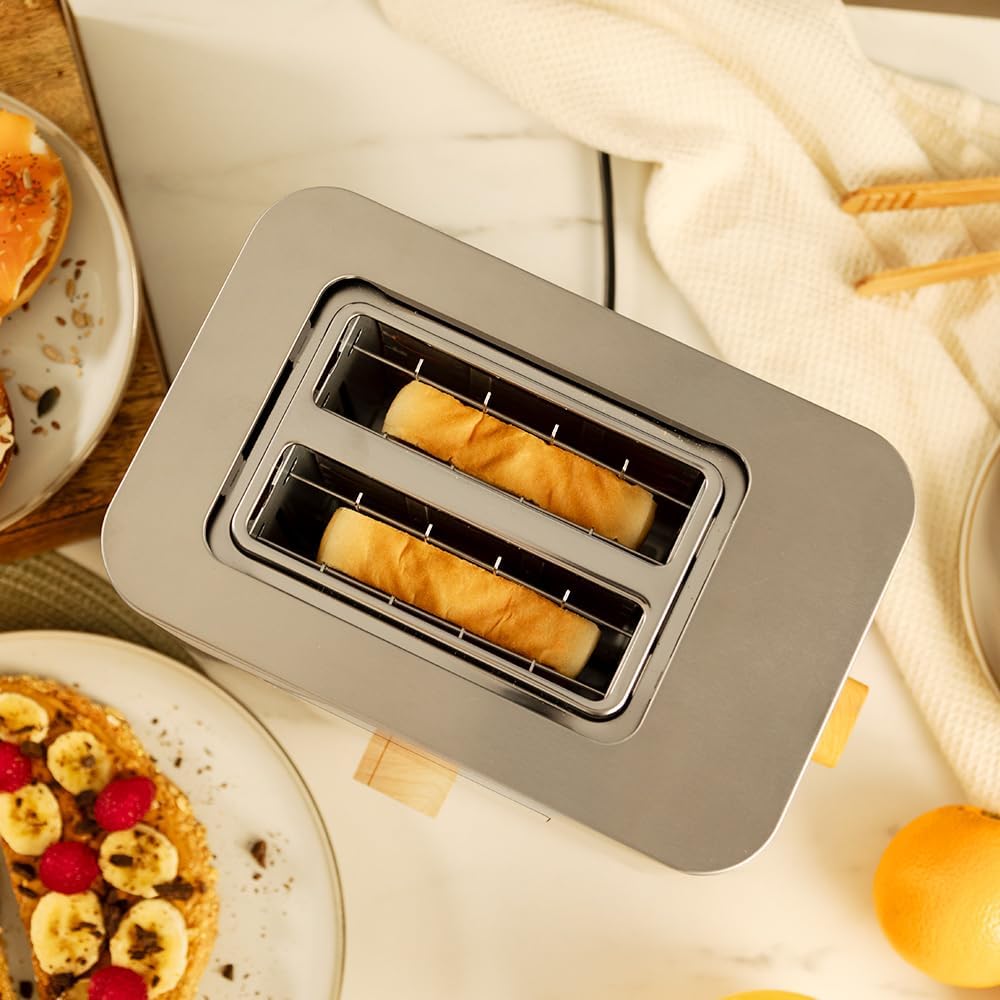
Image: A top-down view showing bread slices correctly placed within the toaster's wide slots.

Image: A user's hand engaging the toaster's lever to initiate the toasting process.
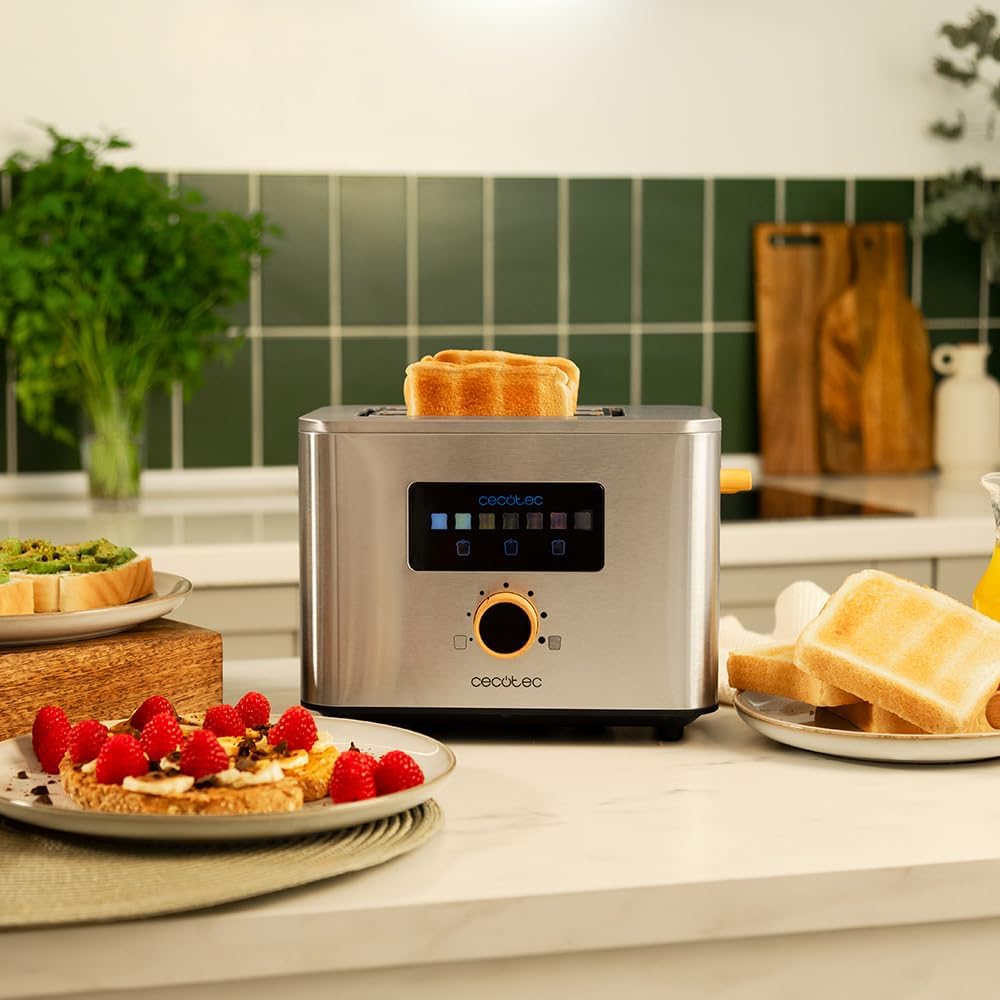
Image: A slice of perfectly toasted bread emerging from the toaster, indicating the completion of the toasting cycle.
6. Maintenance and Cleaning
Regular cleaning and maintenance will help keep your toaster in optimal condition.
- Unplug and Cool: Always unplug the toaster from the power outlet and allow it to cool completely before cleaning.
- Crumb Tray: Pull out the crumb tray located at the bottom of the toaster. Empty the crumbs and wipe the tray clean with a damp cloth. Reinsert the crumb tray securely before next use.
- Exterior Cleaning: Wipe the exterior of the toaster with a soft, damp cloth. For stubborn stains, a mild detergent can be used, but ensure no liquid enters the toaster slots or internal components. Do not use abrasive cleaners, scouring pads, or harsh chemicals, as these can damage the stainless steel finish.
- Interior Cleaning: Never insert any objects into the toaster slots to clean them. If food particles are stuck, unplug the toaster, turn it upside down over a sink, and gently shake to dislodge crumbs.
- Storage: When not in use, store the toaster in a clean, dry place.
7. Troubleshooting
If you encounter any issues with your toaster, refer to the following common problems and solutions:
| Problem | Possible Cause | Solution |
|---|---|---|
| Toaster does not turn on. | Not plugged in, power outage, faulty outlet. | Ensure the power cord is securely plugged into a working electrical outlet. Check your household's circuit breaker. |
| Bread does not toast evenly. | Uneven bread thickness, browning level too low/high. | Ensure bread slices are of uniform thickness. Adjust the browning level using the digital dial. |
| Bread is stuck in the slots. | Oversized bread, toaster malfunction. | Unplug the toaster immediately. Allow it to cool, then carefully remove the bread using non-metallic tongs. Never use metal utensils. |
| Smoke or burning smell. | Crumbs accumulated, food stuck, first use residue. | Unplug the toaster immediately. Empty the crumb tray. If it's the first use, this is normal (see Setup). If not, check for stuck food particles. |
8. Specifications
Technical details for the Cecotec Touch&Toast Double Toaster, Model 04843:
- Brand: Cecotec
- Model Number: 04843
- Power: 950 Watts
- Voltage: 230 Volts
- Material: Stainless Steel
- Number of Slots: 2
- Slot Width: 3.8 cm
- Dimensions (L x W x H): 27 x 18 x 20 cm
- Weight: 1.3 Kilograms
- Special Features: Touch panel with color screen, digital rotary dial, 7 browning levels, automatic stop and pop-up mechanism, centering system.

Image: A visual representation of the toaster's dimensions, indicating its length, width, and height.
9. Warranty and Support
Cecotec is committed to providing quality products. This product is designed for durability and performance.
- Spare Parts Availability: Spare parts for this model are available for a period of 10 years from the date of purchase.
- Technical Support: For technical assistance, warranty claims, or further inquiries, please refer to the contact information provided with your purchase documentation or visit the official Cecotec website for customer service details.