
1. Important Safety Instructions
Read all instructions carefully before using the appliance and retain them for future reference. Always follow basic safety precautions to reduce the risk of fire, electric shock, and injury to persons.
- Do not attempt to operate this oven with the door open as this can result in harmful exposure to microwave energy.
- Do not place any object between the oven front face and the door or allow soil or cleaner residue to accumulate on sealing surfaces.
- Do not operate the oven if it is damaged. It is particularly important that the oven door closes properly and that there is no damage to the: (1) Door (bent), (2) Hinges and latches (broken or loosened), (3) Door seals and sealing surfaces.
- The oven should not be adjusted or repaired by anyone except properly qualified service personnel.
- Ensure the appliance is properly grounded.
- This appliance is not intended for use by persons (including children) with reduced physical, sensory or mental capabilities, or lack of experience and knowledge, unless they have been given supervision or instruction concerning use of the appliance by a person responsible for their safety.
- Children should be supervised to ensure that they do not play with the appliance.
- Only use utensils suitable for microwave ovens.
- Do not heat liquids or other foods in sealed containers since they are liable to explode.
- The microwave alerts you when cooking is finished with its end-of-cooking signal.
- Child safety lock prevents accidental opening by children.
2. Product Overview
The Cecotec ProClean 5110 is a digital microwave oven with an integrated grill function, offering a 20-liter capacity and 700W of power. Its vintage design complements various kitchen aesthetics.
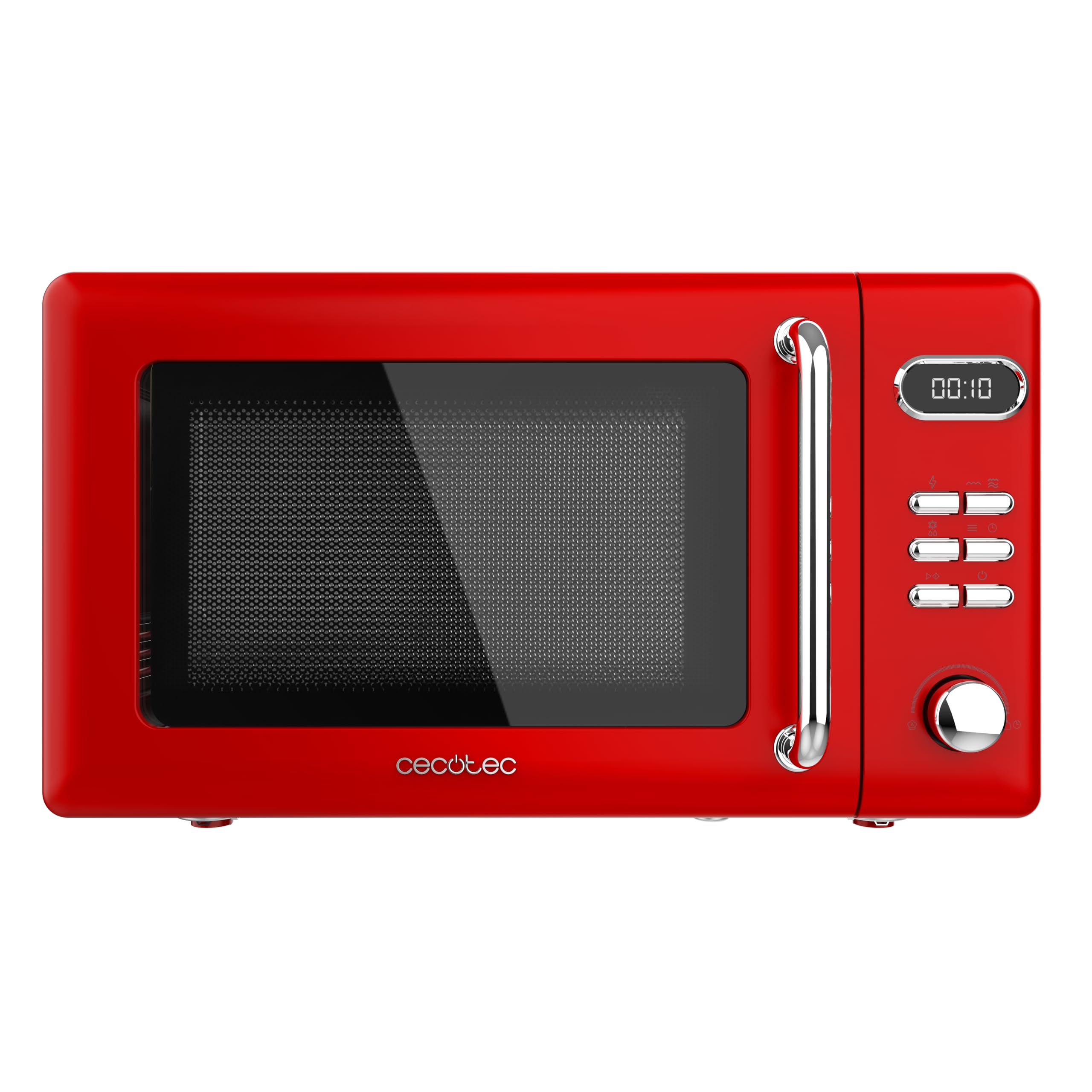
Figure 1: Front view of the Cecotec ProClean 5110 Retro Red Digital Microwave with Grill.

Figure 2: Angled view of the Cecotec ProClean 5110 Retro Red Digital Microwave, highlighting the digital display and control panel.
3. Setup
- Unpacking: Carefully remove the microwave oven and all materials from the carton.
- Placement: Place the oven on a flat, stable surface that can support its weight and the heaviest food likely to be cooked in the oven. Ensure there is adequate ventilation space:
- Leave a minimum of 20 cm (8 inches) of space above the oven.
- Leave a minimum of 10 cm (4 inches) of space at the rear and sides.
- Power Connection: Plug the power cord into a standard 230V AC electrical outlet. Ensure the outlet is properly grounded.
- Initial Cleaning: Before first use, wipe the interior and exterior of the microwave with a damp cloth.
4. Operating Instructions
4.1 Control Panel Overview
The microwave features a digital display and control buttons for various functions. Refer to Figure 2 for a visual representation of the control panel.
- Digital Display: Shows time, power level, and program indicators.
- Power Level Buttons: Adjust microwave power (5 levels available).
- Function Buttons: Select cooking modes (e.g., Microwave, Grill, Defrost).
- Timer/Start Knob: Used to set cooking time and start the cooking process.
- Stop/Cancel Button: Stops cooking or clears settings.
4.2 Basic Microwave Cooking
- Place food in a microwave-safe container and place it on the turntable inside the oven.
- Close the oven door securely.
- Select the desired power level using the power level buttons (5 levels available).
- Turn the Timer/Start knob to set the cooking time (up to 60 minutes).
- Press the Timer/Start knob to begin cooking. The oven will beep when cooking is complete.
4.3 Grill Function
The integrated grill allows for browning and crisping food.
- Place food on the grill rack (if included) or a heat-resistant dish.
- Select the Grill function using the appropriate button.
- Set the desired grilling time using the Timer/Start knob.
- Press the Timer/Start knob to begin grilling.
Note: Always use heat-resistant dishes when using the grill function. Do not use plastic containers.
4.4 Defrost Mode
The defrost mode is designed to thaw food evenly without cooking it.
- Place frozen food in a microwave-safe container.
- Select the Defrost function.
- Set the defrost time or weight (if applicable) using the Timer/Start knob. The microwave will automatically adjust power levels for optimal defrosting.
- Press the Timer/Start knob to begin defrosting.
4.5 Automatic Cooking Programs (8 Modes)
The microwave offers 8 pre-set automatic cooking programs for common dishes. Consult the appliance's internal guide or specific instructions for details on each program.
- Place food in the oven.
- Select the desired automatic program.
- The oven will automatically set the cooking time and power level.
- Press the Start button to begin.
5. Maintenance
Regular cleaning and maintenance will ensure the longevity and optimal performance of your microwave oven.
- Cleaning the Exterior: Wipe the exterior surfaces with a soft, damp cloth. Do not use abrasive cleaners or solvents.
- Cleaning the Interior: For light spills, wipe with a damp cloth. For stubborn stains, place a bowl of water with lemon juice inside and microwave for 2-3 minutes. The steam will loosen food particles, making them easier to wipe away.
- Cleaning the Door Seals: Regularly clean the door seals and adjacent parts with a damp cloth to remove any food residue.
- Cleaning the Turntable: The glass turntable can be removed and washed in warm soapy water or in a dishwasher. Ensure it is completely dry before placing it back in the oven.
- Grill Cleaning: After using the grill, allow it to cool, then wipe down the interior and grill elements with a damp cloth.
Caution: Always unplug the microwave oven before cleaning.
6. Troubleshooting
If you encounter issues with your microwave, refer to the following common problems and solutions:
| Problem | Possible Cause | Solution |
|---|---|---|
| Oven does not start | Power cord not plugged in; Door not closed properly; Fuse blown or circuit breaker tripped. | Ensure power cord is securely plugged in; Close door firmly; Check household fuse or reset circuit breaker. |
| Food not heating | Incorrect cooking time or power level set; Door not closed properly. | Adjust cooking time and power level; Ensure door is fully closed. |
| Sparking inside oven | Metal or foil used in oven; Food residue on interior walls. | Remove any metal objects; Clean oven interior thoroughly. |
| Turntable not rotating | Turntable not properly seated; Obstruction under turntable. | Ensure turntable is correctly placed on its support; Remove any obstructions. |
If the problem persists after attempting these solutions, please contact customer support.
7. Specifications
| Feature | Detail |
|---|---|
| Brand | Cecotec |
| Model Name | ProClean 5110 |
| Model Number | 01715 |
| Capacity | 20 Liters |
| Microwave Power | 700 Watts |
| Power Levels | 5 |
| Voltage | 230 Volts |
| Product Dimensions (L x W x H) | 35.4 x 45.1 x 25.8 cm |
| Weight | 10 Kilograms |
| Installation Type | Freestanding |
| Special Features | Defrost, Timer, Grill, 8 Automatic Programs, Child Safety Lock |
| Interior Coating | Glass |
| Included Components | Grill |
| Spare Parts Availability | 10 Years |
| Country of Origin | Spain |
| Battery Requirement | 1 AA battery required (not included) |
8. Warranty and Support
For warranty information and customer support, please refer to the official Cecotec website or contact your retailer. Keep your purchase receipt as proof of purchase for any warranty claims.
Spare parts for this model are available for up to 10 years from the date of purchase.


