
Cecotec DrumFit WayHome 1400 Runner Vibration (Model 07079)
Cecotec DrumFit WayHome 1400 Runner Vibration Treadmill User Manual
1. Important Safety Information
Please read this entire manual carefully before assembling or operating your Cecotec DrumFit WayHome 1400 Runner Vibration treadmill. Retain this manual for future reference. Failure to follow these instructions could result in injury or damage to the product.
- Always consult a physician before starting any exercise program.
- Keep children and pets away from the treadmill during operation.
- Place the treadmill on a flat, stable surface with adequate clearance around it.
- Wear appropriate athletic footwear and clothing.
- Do not operate the treadmill if it is damaged or malfunctioning.
- Ensure the safety key is properly attached before starting your workout.
- Unplug the treadmill from the power outlet when not in use or before cleaning/maintenance.
2. Product Overview
The Cecotec DrumFit WayHome 1400 Runner Vibration treadmill is designed for home fitness, offering a range of features for a comprehensive workout experience.
Key Features:
- Powerful Motor: 1500W / 2 HP motor for consistent performance.
- Smart Training System: Includes 12 pre-defined programs and 4 pre-set operating modes (speed/inclination).
- Cross-training Center: Integrated dumbbells and foam bars for a multi-functional workout.
- Vibrator Belt: A vibrating massage belt with lipo-reducing properties, designed to target abdominal and waist areas.
- Adjustable Speed: Speed range from 1 km/h to 14 km/h.
- UltraFlex System: Advanced cushioning system with 8 elastomers for reduced impact.
- Spacious Running Surface: Measures 123 x 40 cm for comfortable training.
- Manual Incline: 3 adjustable manual incline levels.
- AutoFold Tech: Hydraulic vertical folding system for easy storage.
Components:
Familiarize yourself with the main parts of your treadmill:

Figure 2.1: Overall view of the Cecotec DrumFit WayHome 1400 Runner Vibration treadmill.

Figure 2.2: The treadmill's control console, showing the display and various buttons for operation.

Figure 2.3: An overhead view highlighting the 123 x 40 cm running surface dimensions.

Figure 2.4: A user engaging with the integrated cross-training center, including dumbbells and foam bars.
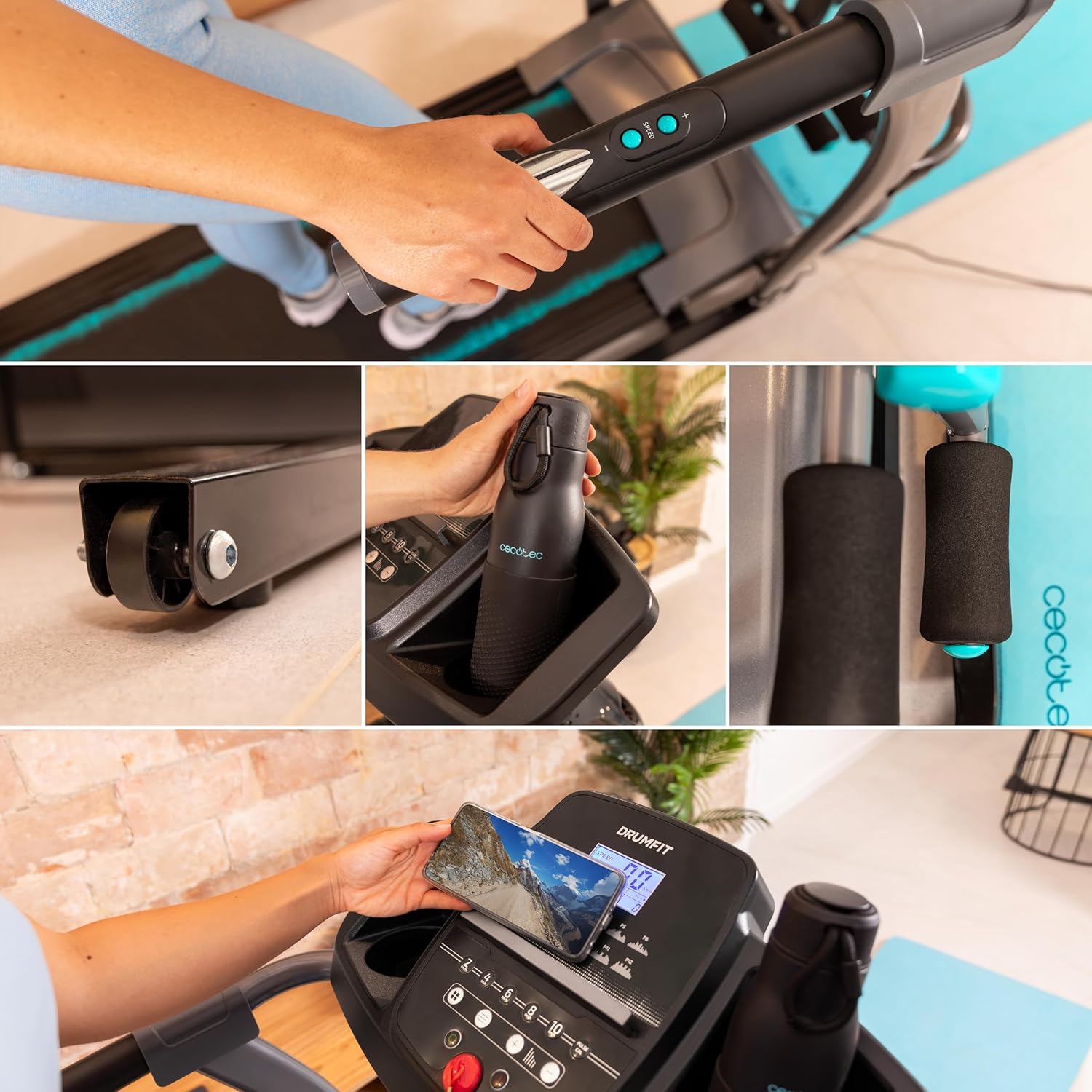
Figure 2.5: A collage showcasing various practical features such as transport wheels, a bottle holder, comfortable foam grips, and a dedicated phone holder on the console.
3. Assembly and Initial Setup
The treadmill requires some assembly before first use. All necessary tools and detailed instructions are included in the packaging. Follow the step-by-step guide provided with your product for proper assembly.
Unfolding the Treadmill:
- Place the treadmill on a clear, level surface.
- Carefully lower the running deck from its vertical storage position until it locks into place. The AutoFold Tech hydraulic system assists in this process.
- Ensure all locking mechanisms are securely engaged before use.

Figure 3.1: A close-up view of the treadmill's base and folding mechanism, illustrating its compact design.
4. Operating Instructions
This section details how to operate your treadmill for an effective workout.
Starting and Stopping:
- Connect the power cord and ensure the safety key is in place.
- Press the 'START' button on the console to begin. The belt will start moving at a low speed.
- To stop, press the 'STOP' button or pull the safety key.
Speed and Incline Adjustment:
- Use the speed control buttons on the console to increase or decrease the belt speed (1-14 km/h).
- Adjust the manual incline to one of the 3 available levels before starting your workout.
Pre-set Programs:
The treadmill features 12 pre-defined programs and 4 pre-set operating modes. Refer to the console display and your product's specific program guide for details on selecting and utilizing these programs to vary your workout intensity and goals.
Using the Vibrator Belt:
The integrated vibrator belt can be used for massage and to assist in reducing accumulated fat in the abdominal and waist areas. Attach the belt as instructed in the product guide and activate it via the console controls.
Cross-Training Center:
Utilize the included dumbbells and foam bars for additional strength and toning exercises during or after your cardio workout. These accessories are designed to enhance your overall fitness routine.

Figure 4.1: A user demonstrating the treadmill in operation, highlighting the running experience.

Figure 4.2: Another perspective of a user exercising on the treadmill, showcasing its ergonomic design.
5. Care and Maintenance
Regular maintenance ensures the longevity and optimal performance of your treadmill.
Cleaning:
- Always unplug the treadmill before cleaning.
- Wipe down the console and exterior surfaces with a soft, damp cloth. Avoid abrasive cleaners.
- Periodically vacuum underneath the treadmill to remove dust and debris.
Lubrication:
The running belt requires periodic lubrication to reduce friction and extend its lifespan. Refer to your product's specific instructions for the recommended lubrication schedule and procedure, typically involving silicone oil applied under the belt.
6. Troubleshooting Guide
This section addresses common issues you might encounter with your treadmill.
- Treadmill does not start: Ensure the power cord is securely plugged in and the safety key is correctly placed on the console. Check the main power switch.
- Unusual noise during operation: Check for loose parts. Ensure the running belt is properly aligned and lubricated. If the noise persists, contact customer support.
- Heart rate sensor inaccuracy: The pulse sensors on the handlebars provide an estimate. For more accurate readings, consider using a compatible external heart rate monitor.
- Automatic shutdown after 60 minutes: This model features an automatic shutdown function after approximately 60 minutes of continuous use. This is a safety feature. To continue your workout, simply restart the treadmill.
- Running belt slipping or sticking: The belt may require adjustment or lubrication. Refer to the maintenance section and your product's specific instructions.
If you experience issues not covered here or if problems persist, please contact Cecotec customer support.
7. Technical Specifications
Below are the technical specifications for the Cecotec DrumFit WayHome 1400 Runner Vibration treadmill:
| Feature | Specification |
|---|---|
| Brand | Cecotec |
| Model Number | 07079 |
| Color / Variant | Runner Vibration |
| Motor Power | 1500 W / 2 HP |
| Speed Range | 1 - 14 km/h |
| Running Surface | 123 x 40 cm |
| Incline Levels | 3 (Manual) |
| Programs | 12 pre-defined, 4 pre-set modes |
| Cushioning System | UltraFlex System (8 elastomers) |
| Special Features | Foldable (AutoFold Tech), Vibrator Belt, Cross-training Center (Dumbbells, Foam Bars) |
| Material | Aluminum |
| Product Dimensions | 128 x 50 x 120 cm |
| Product Weight | 25 kg |
8. Warranty and Customer Support
Your Cecotec DrumFit WayHome 1400 Runner Vibration treadmill is backed by Cecotec's commitment to quality.
- Return Policy: This product is eligible for returns up to February 6, 2025. Please refer to your purchase documentation for specific terms and conditions.
- Specialized Customer Service: Cecotec provides dedicated customer support for assistance with product inquiries, technical issues, or warranty claims.
For further assistance, please visit the official Cecotec store on Amazon or contact their customer service directly:
Ask a question about this manual
Ask about setup, troubleshooting, compatibility, parts, safety, or missing instructions. Manuals+ will review the question and use this page’s manual context to help answer it.