
1. Important Safety Instructions
Please read all instructions carefully before using the appliance and retain them for future reference. Failure to follow these instructions may result in electric shock, fire, or serious injury.
- Always ensure the appliance is unplugged from the power outlet before cleaning or when not in use.
- Do not immerse the appliance, cord, or plug in water or any other liquid.
- This appliance is not intended for use by persons (including children) with reduced physical, sensory, or mental capabilities, or lack of experience and knowledge, unless they have been given supervision or instruction concerning use of the appliance by a person responsible for their safety.
- Close supervision is necessary when any appliance is used by or near children.
- Do not operate any appliance with a damaged cord or plug, or after the appliance malfunctions or has been damaged in any manner.
- Do not use outdoors. This appliance is for household use only.
- Do not let the cord hang over the edge of a table or counter, or touch hot surfaces.
- Do not place on or near a hot gas or electric burner, or in a heated oven.
- Extreme caution must be used when moving an appliance containing hot oil or other hot liquids.
- Always attach plug to appliance first, then plug cord into the wall outlet. To disconnect, turn any control to "off", then remove plug from wall outlet.
- Do not use the appliance for other than intended use.
- Ensure adequate ventilation around the oven during operation. Maintain a minimum clearance of 10 cm on all sides.
- The temperature of accessible surfaces may be high when the appliance is operating. Do not touch hot surfaces directly. Use oven mitts or handles.
- Do not place paper, cardboard, plastic, or other flammable materials inside the oven.
2. Product Overview and Components
The Cecotec Bake & Toast 4600 Gyro is a 46-liter convection oven designed for versatile cooking. It features a rotisserie function, interior light, and a double-glazed door for efficient heat retention.

Image 2.1: Front view of the Cecotec Bake & Toast 4600 Gyro convection oven.
Included Components:
- 1 x Convection Oven Unit
- 1 x Baking Tray
- 1 x Grill Rack
- 1 x Handle for Accessories (tray/rack removal)
- 1 x Rotisserie Fork
- 1 x Handle for Rotisserie Removal
- 1 x Crumb Tray
- 1 x User Manual

Image 2.2: Illustration of using the accessory handle to remove items from the oven.
3. Setup
3.1 Unpacking
- Carefully remove the oven and all accessories from the packaging.
- Remove any protective films, stickers, or packaging materials from the oven's interior and exterior.
- Inspect the oven for any signs of damage. If damaged, do not operate and contact customer support.
3.2 Placement
- Place the oven on a stable, flat, heat-resistant surface.
- Ensure there is at least 10 cm of clear space around all sides of the oven (top, back, and sides) for proper ventilation. Do not place it directly against a wall or under cabinets.
- Do not place the oven near flammable materials such as curtains or paper.
- Ensure the power cord is not kinked or trapped.
3.3 Initial Cleaning and First Use
- Before first use, wipe the interior and exterior of the oven with a damp cloth and mild detergent. Dry thoroughly.
- Wash the baking tray, grill rack, and rotisserie accessories in warm, soapy water. Rinse and dry completely.
- For the first use, operate the oven empty for approximately 15 minutes at the maximum temperature (230°C) with the convection function enabled. This will burn off any manufacturing residues and odors. A slight smoke or odor is normal during this process. Ensure the area is well-ventilated.
- Allow the oven to cool completely before its first cooking use.
4. Operating Instructions
4.1 Control Panel Overview
The oven features four control knobs on the right side:
- Top Knob: Temperature control (up to 230°C).
- Second Knob: Function selector (top heat, bottom heat, both, convection, rotisserie).
- Third Knob: Timer control (up to 60 minutes or "Stay On").
- Bottom Knob: Power indicator light.

Image 4.1: Front view highlighting the control panel with four knobs.
4.2 Basic Operation
- Place food on the baking tray or grill rack. Insert the tray/rack into the desired slot inside the oven.
- Close the oven door securely.
- Set the desired temperature using the Temperature Control Knob.
- Select the desired cooking function using the Function Selector Knob. Options include:
- Top Heat: For browning and grilling.
- Bottom Heat: For baking bases.
- Top & Bottom Heat: Standard baking.
- Convection: Circulates hot air for even cooking and faster results.
- Rotisserie: Activates the rotisserie motor (must also select a heat function).
- Set the cooking time using the Timer Control Knob. Turn past 10 minutes and then back to the desired time. For continuous operation, turn to the "Stay On" position. The oven will turn off automatically when the timer reaches zero, indicated by an audible signal.
- The power indicator light will illuminate when the oven is operating.
- When cooking is complete, carefully remove food using oven mitts and the provided accessory handle.
4.3 Using the Rotisserie Function
The rotisserie function is ideal for roasting poultry or large cuts of meat, ensuring even cooking and browning.
- Skewer the food onto the rotisserie fork, ensuring it is centered and balanced. Secure with the prongs.
- Insert the pointed end of the rotisserie fork into the drive socket on the right side of the oven interior.
- Rest the square end of the rotisserie fork onto the support on the left side of the oven interior.
- Select the desired temperature and a heat function (e.g., Top & Bottom Heat or Convection).
- Turn the Function Selector Knob to the rotisserie icon (often combined with a heat setting).
- Set the cooking time.
- To remove the hot rotisserie, use the dedicated rotisserie handle. Hook the handle under the rotisserie rod and lift it out, placing it on a heat-resistant surface.
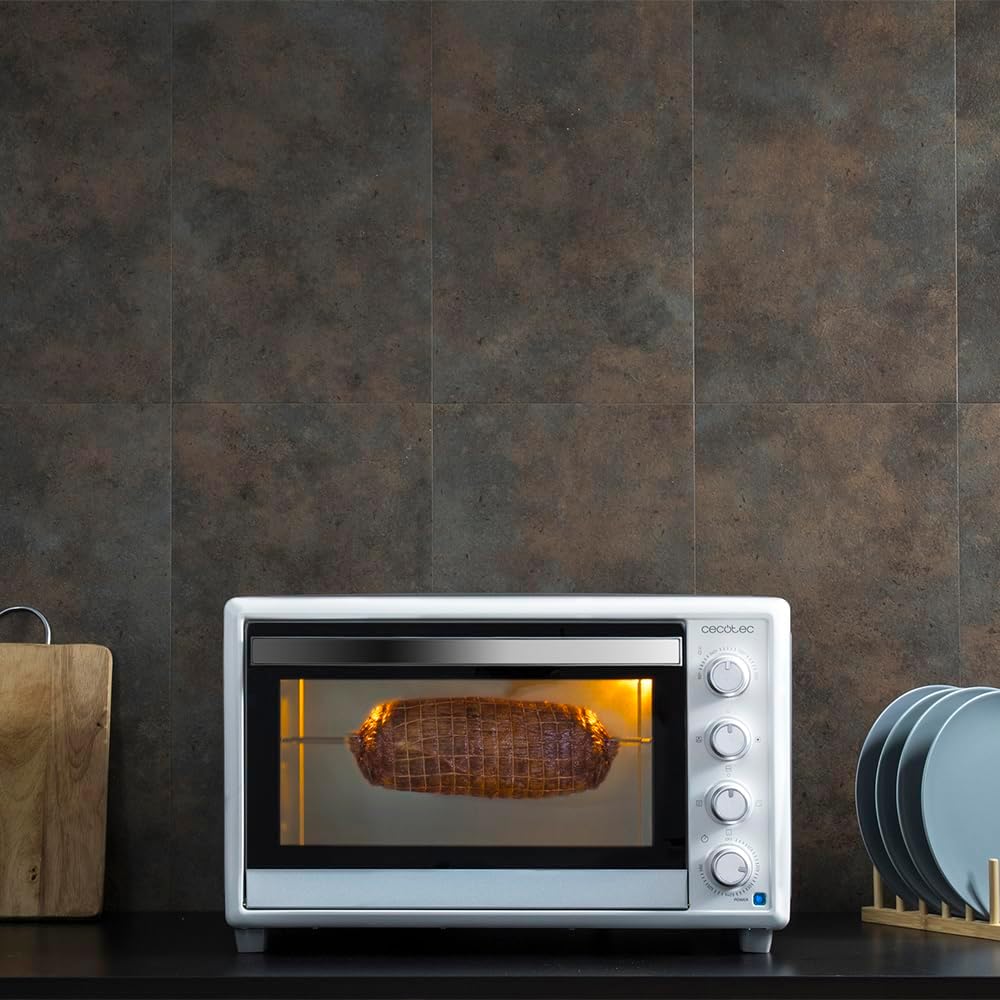
Image 4.2: The rotisserie function in operation, roasting food evenly.
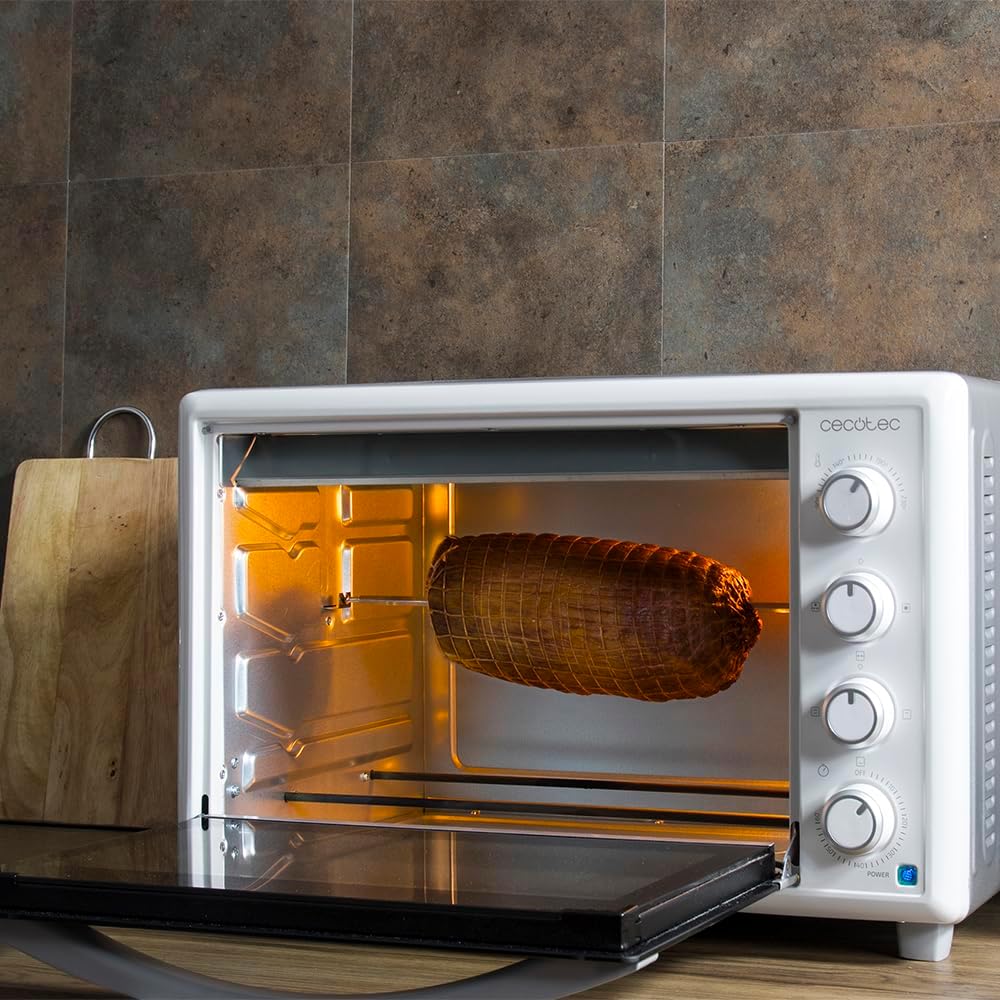
Image 4.3: View of the oven interior with the rotisserie mechanism and door open.
5. Maintenance and Cleaning
Regular cleaning and maintenance will ensure the longevity and optimal performance of your oven.
5.1 General Cleaning
- Always unplug the oven from the power outlet and allow it to cool completely before cleaning.
- Wipe the exterior surfaces with a damp cloth and mild detergent. Do not use abrasive cleaners or scouring pads, as they may damage the finish.
- For the interior, wipe with a damp cloth and mild detergent. For stubborn stains, a non-abrasive oven cleaner designed for conventional ovens can be used, following the product's instructions. Ensure all cleaner residue is removed.
- The baking tray, grill rack, and rotisserie accessories can be washed in warm, soapy water or placed in a dishwasher if they are dishwasher-safe (check product specifications).
- Dry all parts thoroughly before reassembling or storing the oven.
5.2 Crumb Tray Cleaning
The removable crumb tray collects food particles and drips, making cleaning easier and preventing smoke from burnt residue.

Image 5.1: Detail of the removable crumb tray at the bottom of the oven.
- Ensure the oven is cool and unplugged.
- Carefully slide out the crumb tray from the bottom of the oven.
- Discard any accumulated crumbs or food particles.
- Wash the crumb tray in warm, soapy water. Rinse thoroughly and dry completely before reinserting.
- Regularly cleaning the crumb tray prevents grease buildup and potential fire hazards.
5.3 Double Glazed Door
The double-glazed door helps maintain internal temperature and improves energy efficiency. Clean the glass with a non-abrasive glass cleaner or a damp cloth.
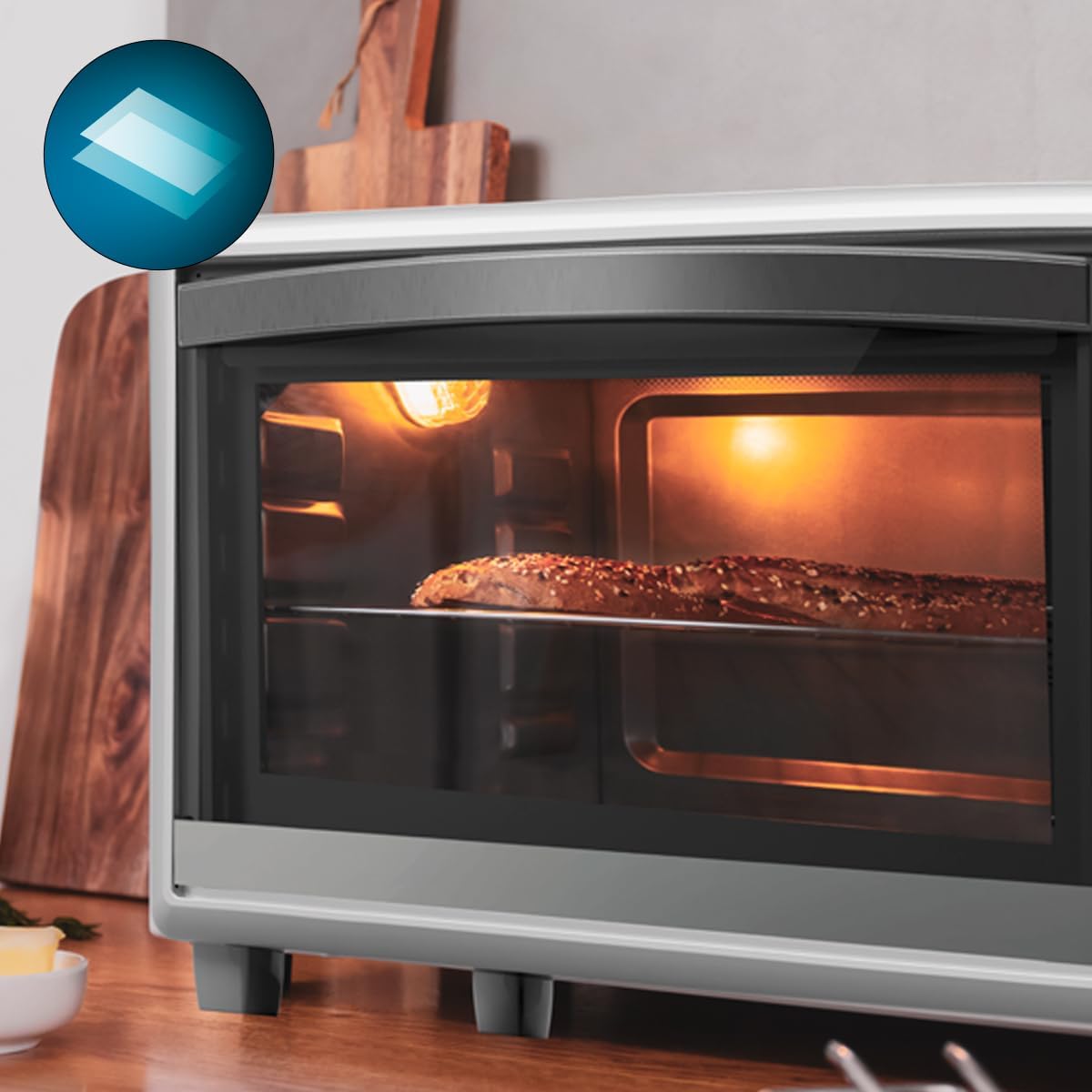
Image 5.2: Detail of the oven's double-glazed door construction.
6. Troubleshooting
If you encounter any issues with your oven, please refer to the following common problems and solutions before contacting customer support.
| Problem | Possible Cause | Solution |
|---|---|---|
| Oven does not turn on. | Not plugged in; power outage; timer not set. | Ensure the oven is securely plugged into a working power outlet. Check your household's circuit breaker. Set the timer knob to the desired cooking time or "Stay On". |
| Food is not cooking evenly. | Improper rack position; overcrowding; convection not used. | Adjust rack position for optimal heat distribution. Avoid overcrowding the oven. Utilize the convection function for more even cooking. Rotate food halfway through cooking. |
| Excessive smoke or odor during cooking. | Food spills; residue on heating elements; first use burn-off. | Clean any food spills immediately after the oven cools. Ensure the crumb tray is clean. If it's the first use, this is normal; ensure ventilation. |
| Rotisserie is not rotating. | Rotisserie function not selected; food too heavy/unbalanced. | Ensure the function selector knob is set to a rotisserie option. Check that the food is properly skewered and balanced on the rotisserie fork. Do not exceed the maximum weight capacity for the rotisserie. |
7. Specifications
| Feature | Detail |
|---|---|
| Brand | Cecotec |
| Model Name | Bake & Toast 4600 Gyro |
| Model Number | 03815 |
| Capacity | 46 Liters |
| Power | 2000 Watts |
| Dimensions (L x W x H) | 41.5 x 44.5 x 62.5 cm |
| Weight | 11.6 Kilograms |
| Material | Metal, Glass |
| Special Features | Convection, Rotisserie, Interior Light, Double Glazed Door, Crumb Tray |
| Control Type | Knob |
8. Warranty and Support
Cecotec products are manufactured to high-quality standards. In the unlikely event of a problem with your product, please refer to the following information.
8.1 Parts Availability
Spare parts for this appliance are available for a period of 10 years from the date of purchase.
8.2 Customer Support
For warranty claims, technical assistance, or further inquiries, please contact Cecotec customer support through their official website or the retailer where the product was purchased. Please have your model number (03815) and proof of purchase ready.
