
Dyson Dyson Ball Animal Pro
Dyson Ball Animal Pro Upright Vacuum Cleaner User Manual
Model: Dyson Ball Animal Pro
1. Introduction
The Dyson Ball Animal Pro is an upright corded vacuum cleaner designed for effective cleaning in homes, particularly those with pets. It features advanced Ball Technology for maneuverability, a self-adjusting cleaner head for various floor types, and whole-machine HEPA filtration to capture allergens and fine dust.

Image 1.1: Front view of the Dyson Ball Animal Pro upright vacuum cleaner, showcasing its compact design and clear dust bin.
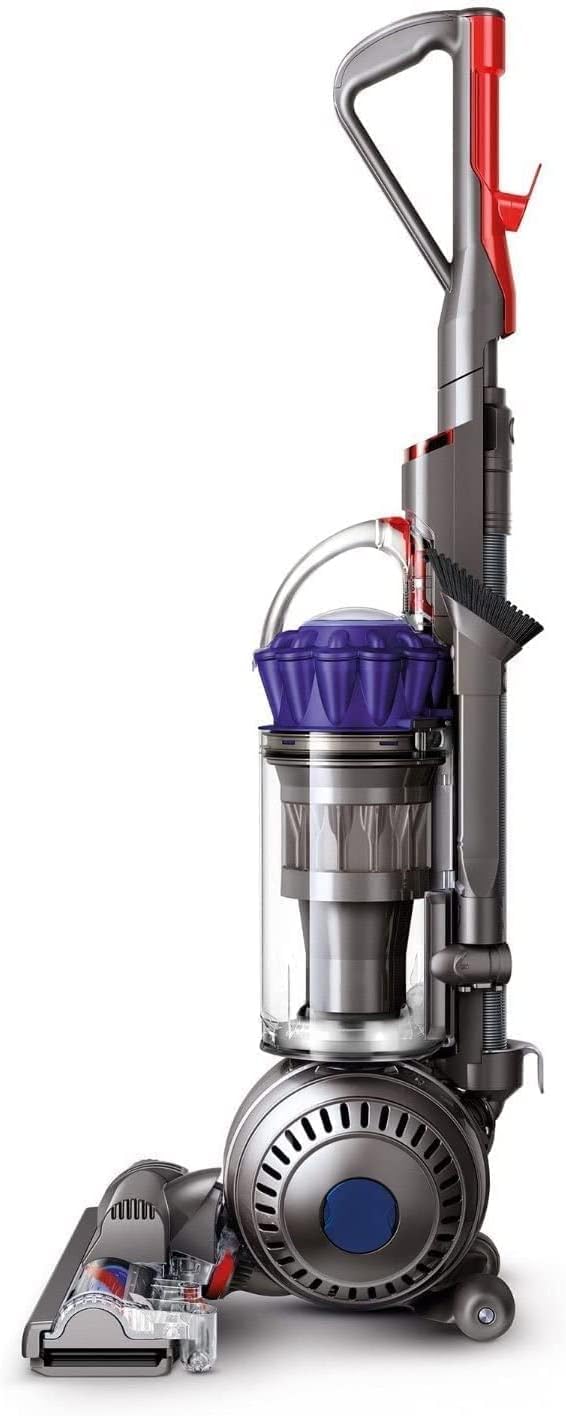
Image 1.2: Side view of the Dyson Ball Animal Pro upright vacuum cleaner, highlighting the Ball Technology and handle design.
2. Important Safety Instructions
Before using your Dyson Ball Animal Pro vacuum cleaner, please read all instructions and cautionary markings in this manual and on the appliance. Failure to follow these instructions may result in electric shock, fire, or serious injury.
- Always unplug the vacuum cleaner from the electrical outlet before cleaning or performing any maintenance.
- Do not use outdoors or on wet surfaces. This appliance is for indoor, dry use only.
- Do not allow to be used as a toy. Close attention is necessary when used by or near children.
- Use only as described in this manual. Use only Dyson recommended attachments.
- Do not use with a damaged cord or plug. If the appliance is not working as it should, has been dropped, damaged, left outdoors, or dropped into water, return it to a service center.
- Do not pull or carry by cord, use cord as a handle, close a door on cord, or pull cord around sharp edges or corners. Keep cord away from heated surfaces.
- Do not unplug by pulling on the cord. To unplug, grasp the plug, not the cord.
- Do not handle plug or vacuum cleaner with wet hands.
- Do not put any object into openings. Do not use with any opening blocked; keep free of dust, lint, hair, and anything that may reduce airflow.
- Keep hair, loose clothing, fingers, and all parts of body away from openings and moving parts, such as the brush bar.
- Do not pick up anything that is burning or smoking, such as cigarettes, matches, or hot ashes.
- Do not use to pick up flammable or combustible liquids, such as gasoline, or use in areas where they may be present.
- Do not pick up toxic material (e.g., chlorine bleach, ammonia cleaner, drain cleaner).
- Do not use without the dust bin and filters in place.
3. Package Contents
Your Dyson Ball Animal Pro vacuum cleaner package typically includes the following components:
- Dyson Ball Animal Pro Upright Vacuum Cleaner main unit
- Self-adjusting cleaner head with motorized brush bar
- Telescopic handle/wand
- Dust bin
- Combination tool (brush and wide nozzle)
- Stair tool
- User manual and warranty information
4. Setup and Assembly
Follow these steps to assemble your Dyson Ball Animal Pro vacuum cleaner before first use:
- Unpack Components: Carefully remove all parts from the packaging. Ensure all listed components are present.
- Attach the Wand/Handle: Insert the main handle/wand into the top of the vacuum cleaner body until it clicks securely into place.
- Connect the Hose: Attach the main hose to the vacuum's hose inlet. Ensure it is firmly connected to maintain suction.
- Attach Accessories: Store the combination tool and stair tool on the designated clips on the vacuum body for easy access.
5. Operating Instructions
5.1 Powering On/Off
Plug the power cord into a suitable electrical outlet. Press the red power button located on the main body of the vacuum cleaner to turn it on or off.
5.2 Using the Cleaner Head
The self-adjusting cleaner head automatically adjusts its height to seal in suction across different floor types, from carpets to hard floors. The motorized brush bar with stiff nylon bristles effectively removes ground-in dirt from carpets.

Image 5.1: Detail of the self-adjusting cleaner head on a carpet, showing the brush bar in action.
5.3 Maneuverability with Ball Technology
The Dyson Ball Animal Pro utilizes Ball Technology, allowing the vacuum to steer easily into difficult places with a simple turn of the wrist. This design enhances control and reduces effort during cleaning.
5.4 Using the Wand and Attachments
To use the telescopic handle/wand for above-floor cleaning, simply pull the wand release catch and lift the wand away from the main body. Attach the desired tool (e.g., combination tool or stair tool) to the end of the wand.
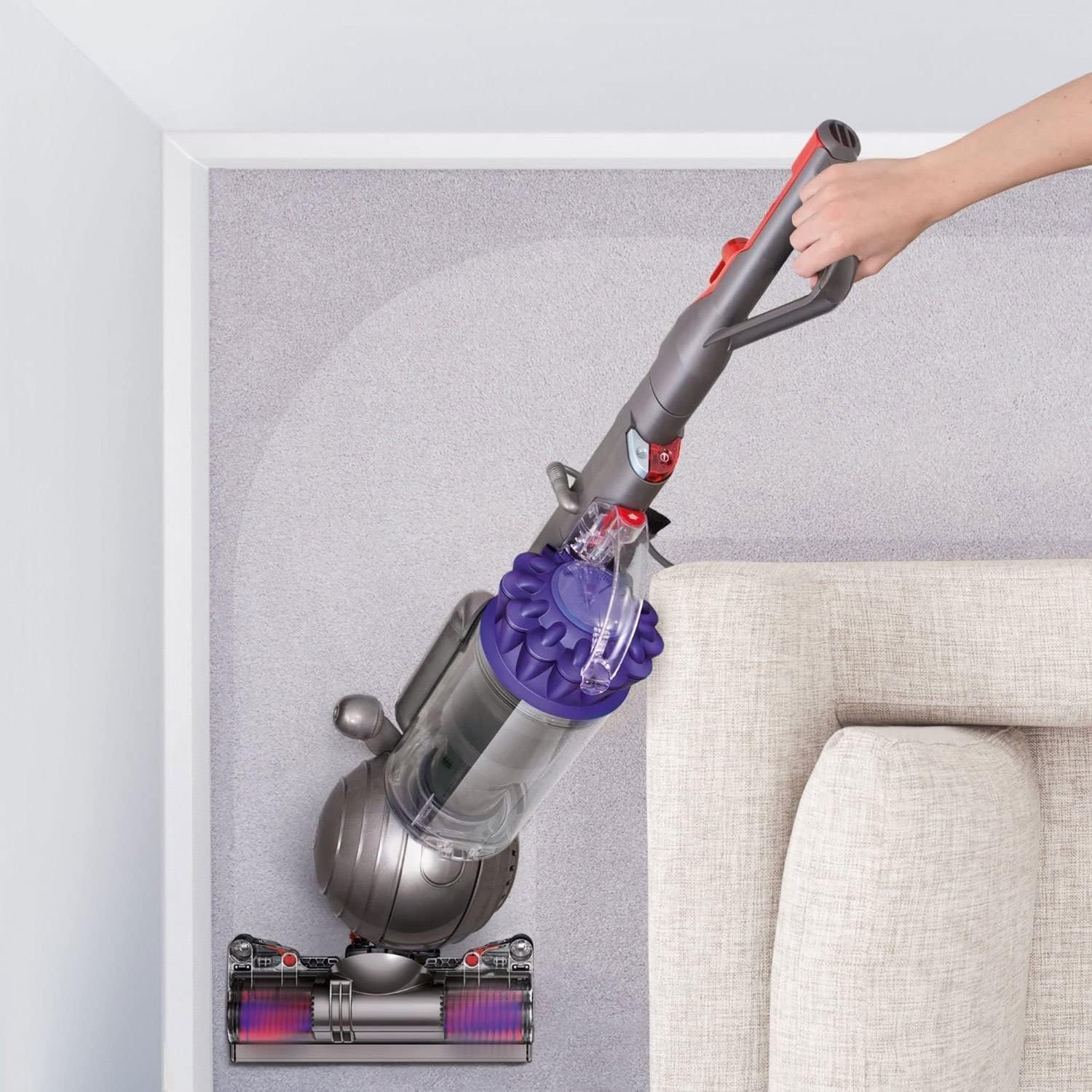
Image 5.2: The vacuum's wand and hose extended for cleaning high-up areas, demonstrating its versatility.

Image 5.3: A user extending the hose and wand to reach elevated surfaces, showcasing the vacuum's long reach.
6. Maintenance
Regular maintenance ensures optimal performance and extends the life of your Dyson Ball Animal Pro vacuum cleaner.
6.1 Hygienic Bin Emptying
To empty the dust bin, press the red button located on the bin to release it from the main body. Position the bin over a trash receptacle and press the red button again to open the bottom flap and release the dirt. Close the flap securely before reattaching the bin.

Image 6.1: The hygienic bin emptying mechanism, showing dust being released directly into a bin.
6.2 Filter Maintenance
The Dyson Ball Animal Pro features whole-machine HEPA filtration. Refer to your specific model's instructions for filter cleaning or replacement frequency. Typically, filters should be washed with cold water at least once a month and allowed to air dry completely for 24 hours before reinstallation.
6.3 Brush Bar Cleaning
Periodically check the brush bar for tangled hair or debris. To clean, turn off and unplug the vacuum. You may need to use scissors to cut away any wrapped hair or threads from the brush bar. Ensure the brush bar spins freely after cleaning.
7. Troubleshooting
If you encounter issues with your Dyson Ball Animal Pro, refer to the following common troubleshooting steps:
| Problem | Possible Cause | Solution |
|---|---|---|
| No power | Not plugged in; power outlet fault; tripped circuit breaker | Check plug connection; test outlet with another appliance; reset circuit breaker. |
| Loss of suction | Full dust bin; blocked filter; hose blockage | Empty dust bin; clean/replace filters; check hose and cleaner head for blockages. |
| Brush bar not rotating | Brush bar jammed; belt broken; brush bar motor issue | Turn off and unplug, clear any obstructions from brush bar; contact Dyson support if issue persists. |
| Unusual noise | Blockage in airflow; foreign object in brush bar | Check for and remove blockages in hose, wand, or cleaner head; inspect brush bar for foreign objects. |
If these steps do not resolve the issue, please contact Dyson customer support for further assistance.
8. Specifications
| Feature | Specification |
|---|---|
| Brand | Dyson |
| Model | Ball Animal Pro |
| Form Factor | Upright |
| Connectivity Technology | Electrical Cord (Corded) |
| Special Feature | Bagless, HEPA Filtration, Self-Adjusting Cleaner Head, Ball Technology |
| Filter Type | Cloth (HEPA) |
| Recommended Uses | Carpets and Hard Floors |
| Noise Level | 78 dB |
| Item Weight | 21.2 pounds |
| Product Dimensions | 15.4 x 13.4 x 42.2 inches |
| UPC | 840262736565, 840262703031 |
9. Warranty and Support
Your Dyson Ball Animal Pro vacuum cleaner is covered by a limited warranty. Please refer to the warranty card included in your product packaging for specific terms and conditions, including the warranty period and coverage details.
For technical support, spare parts, or warranty claims, please contact Dyson customer service. Contact information can typically be found on the Dyson official website or in your product documentation.
- Online Support: Visit the official Dyson website for FAQs, troubleshooting guides, and online chat support.
- Telephone Support: Refer to your product registration or the Dyson website for the appropriate customer service phone number in your region.
Related documentsDyson Ball Animal Pro


Ask a question about this manual
Ask about setup, troubleshooting, compatibility, parts, safety, or missing instructions. Manuals+ will review the question and use this page’s manual context to help answer it.