
Ieejdn 808
Ieejdn White Vanity Desk Instruction Manual
Model: 808
Brand: Ieejdn
1. Introduction
Welcome to your new Ieejdn White Vanity Desk. This manual provides detailed instructions for assembly, operation, maintenance, and troubleshooting to ensure optimal use and longevity of your product. Please read this guide thoroughly before beginning assembly or use.
2. Safety Information
Please read all instructions carefully before assembly and use. Keep this manual for future reference.
- Ensure all parts are present and undamaged before assembly.
- Assemble on a soft, clean surface to prevent scratches.
- Do not overtighten screws.
- Keep small parts away from children.
- Use only the provided hardware.
- Periodically check all connections for tightness.
- Do not stand or sit on the vanity desk during assembly.
- This product contains Proposition 65 warning materials.
3. Package Contents
Verify that all components listed below are included in your package. If any parts are missing or damaged, please contact customer support.
- Vanity Desk Top Panel
- Cabinet Panels (for 3-drawer section)
- Drawer Fronts (5 total)
- Drawer Slides (for 5 drawers)
- Metal Legs (for desk and cabinet)
- Mirror with LED Lights
- Hardware Pack (screws, connectors, fasteners, pullers)
4. Setup and Assembly
Follow these step-by-step instructions for proper assembly. It is recommended to have two people for assembly. Please note that detailed assembly videos are not available from the seller; refer to the physical manual for precise step-by-step diagrams.
Step 1: Unpacking and Preparation
Carefully unpack all components and lay them out on a soft, clean surface to prevent scratches. Verify all parts are present against the included parts list.
Step 2: Assembling the Cabinet and Drawers
Begin by assembling the cabinet frame using the provided connectors and screws. Attach the drawer slides to the inner sides of the cabinet. Assemble each drawer by connecting the side panels to the front and back, then securing the bottom panel. Attach the handles to the drawer fronts.

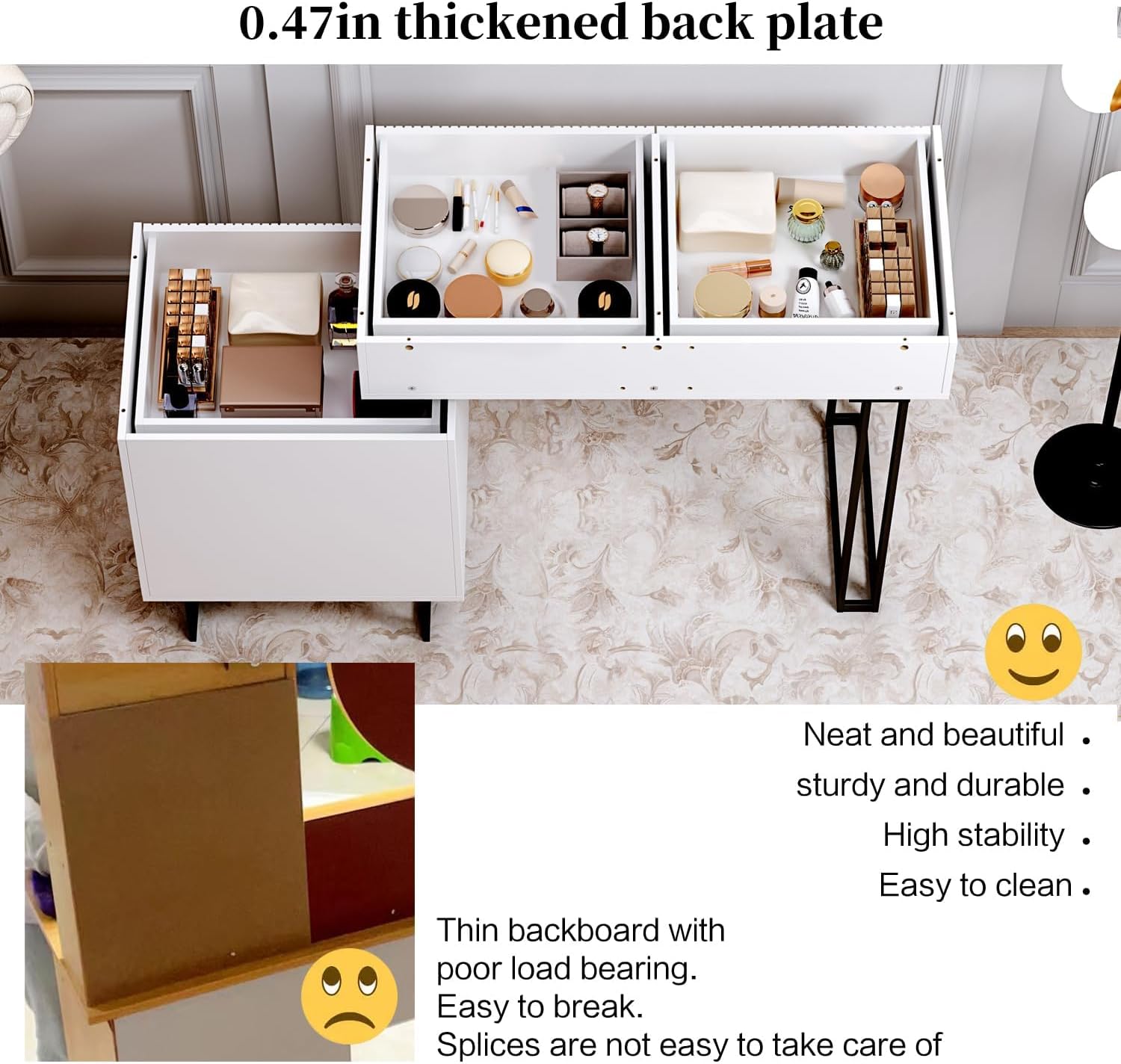
Description: This image illustrates the spacious drawers of the vanity desk, showcasing their capacity for organizing various items.
Step 3: Assembling the Vanity Tabletop
Connect the vanity tabletop components, ensuring all connections are secure. Attach the metal legs to the designated points on the tabletop.

Description: A complete view of the Ieejdn White Vanity Desk, highlighting its modern design and flexible configuration.
Step 4: Integrating the Cabinet and Tabletop
The vanity desk features a flexible design allowing the cabinet to be positioned on either the left or right side, and its length can be adjusted. Carefully align the cabinet with the tabletop and secure them as per the assembly instructions (refer to the physical manual for detailed alignment).
Description: This image demonstrates the adjustable nature of the vanity desk, showing how the cabinet can be moved to either the left or right side to suit different room layouts.
Step 5: Installing the Mirror
Carefully place the LED mirror onto the designated area of the vanity tabletop. Connect the mirror's power cable to the vanity's power source.

Description: A close-up view of the vanity mirror, showcasing its unique wavy design and integrated LED lighting.
5. Operating Instructions
LED Mirror Operation
The mirror features a smart touch screen with 3-color LED lighting modes for optimal makeup application in various environments.
- Power On/Off: Touch the power button icon on the mirror surface to turn the lights on or off.
- Change Light Color: Briefly touch the power button again to cycle through the three light colors: natural light, warm light, and cool light.
- Adjust Brightness: Press and hold the power button to dim or brighten the lights to your desired level.

Description: This image illustrates the three adjustable light modes (cool, natural, warm) of the vanity mirror, demonstrating its versatility for different lighting needs.
Drawer Operation
The drawers are equipped with silent, smooth slides for effortless opening and closing, ensuring quiet and easy access to your stored items.

Description: A detailed view of the silent smooth drawer slides, ensuring quiet and easy access to stored items.
6. Maintenance
To maintain the quality and appearance of your vanity desk, follow these guidelines:
- Cleaning: Wipe the surfaces with a soft, damp cloth. Avoid harsh chemicals or abrasive cleaners.
- Spills: Promptly wipe up any spills to prevent damage to the MDF boards.
- Mirror Care: Use a glass cleaner specifically designed for mirrors. Do not spray cleaner directly onto the mirror; apply it to a cloth first.
- Hardware: Periodically check all screws and fasteners to ensure they are tight. Retighten if necessary.
7. Troubleshooting
If you encounter any issues with your vanity desk, refer to the following common problems and solutions:
| Problem | Solution |
|---|---|
| Vanity feels unstable or shakes. | Check that all assembly screws are securely tightened. Ensure the adjustable foot pads on the metal legs are properly adjusted to level the desk on uneven surfaces. |
| Drawers do not slide smoothly. | Verify that the drawer slides are correctly installed and aligned. Ensure no objects are obstructing the slides. |
| Mirror lights are not working. | Check if the power cable is securely connected to both the mirror and the power source. Ensure the power outlet is functional. Try pressing and holding the touch button for a few seconds to reset. |
8. Specifications
| Feature | Detail |
|---|---|
| Brand | Ieejdn |
| Model Number | 808 |
| Color | White |
| Dimensions | 15.75D x 35.5-47W x 52H inches |
| Material | E0 grade environmental protection density board, MDF, Metal |
| Mirror Type | Dimmable LED Mirror with 3-Color Light |
| Drawers | 5 (2 large, 3 small in cabinet) |
| Assembly Required | Yes |
| Product Weight | 52 pounds |
| Care Instructions | Wipe with Dry Cloth |
9. Warranty and Support
For any product issues or inquiries, please contact Ieejdn customer service. We provide excellent after-sales service to ensure your satisfaction.
Contact Information: Refer to your purchase documentation or the Ieejdn official website for the most current support details.
Warranty: This product comes with a standard manufacturer's warranty. Please retain your proof of purchase for warranty claims.
Ask a question about this manual
Ask about setup, troubleshooting, compatibility, parts, safety, or missing instructions. Manuals+ will review the question and use this page’s manual context to help answer it.