
Max Power MPD661
Max Power Portable Speaker – MPD661 User Manual
Model: MPD661 (UPC: 647625056175)
Introduction
This manual provides comprehensive instructions for the safe and efficient operation of your Max Power Portable Speaker, model MPD661. Please read this manual thoroughly before using the device and retain it for future reference.
The Max Power MPD661 is a versatile portable sound system designed for various indoor and outdoor activities, featuring Bluetooth connectivity, USB and SD card playback, FM radio, and integrated LED lights. It is also suitable for karaoke use.
Package Contents
Verify that all items are present in the package:
- Max Power Portable Speaker (MPD661)
- Type-C Charging Cable
- User Manual (this document)
Note: Additional accessories such as microphones or auxiliary cables may be sold separately.
Product Overview
Familiarize yourself with the main components and controls of your MPD661 speaker.

Figure 1: Front view of the Max Power MPD661 Portable Speaker, showcasing the main speaker grille and the illuminated green LED ring. Control buttons are visible at the top.
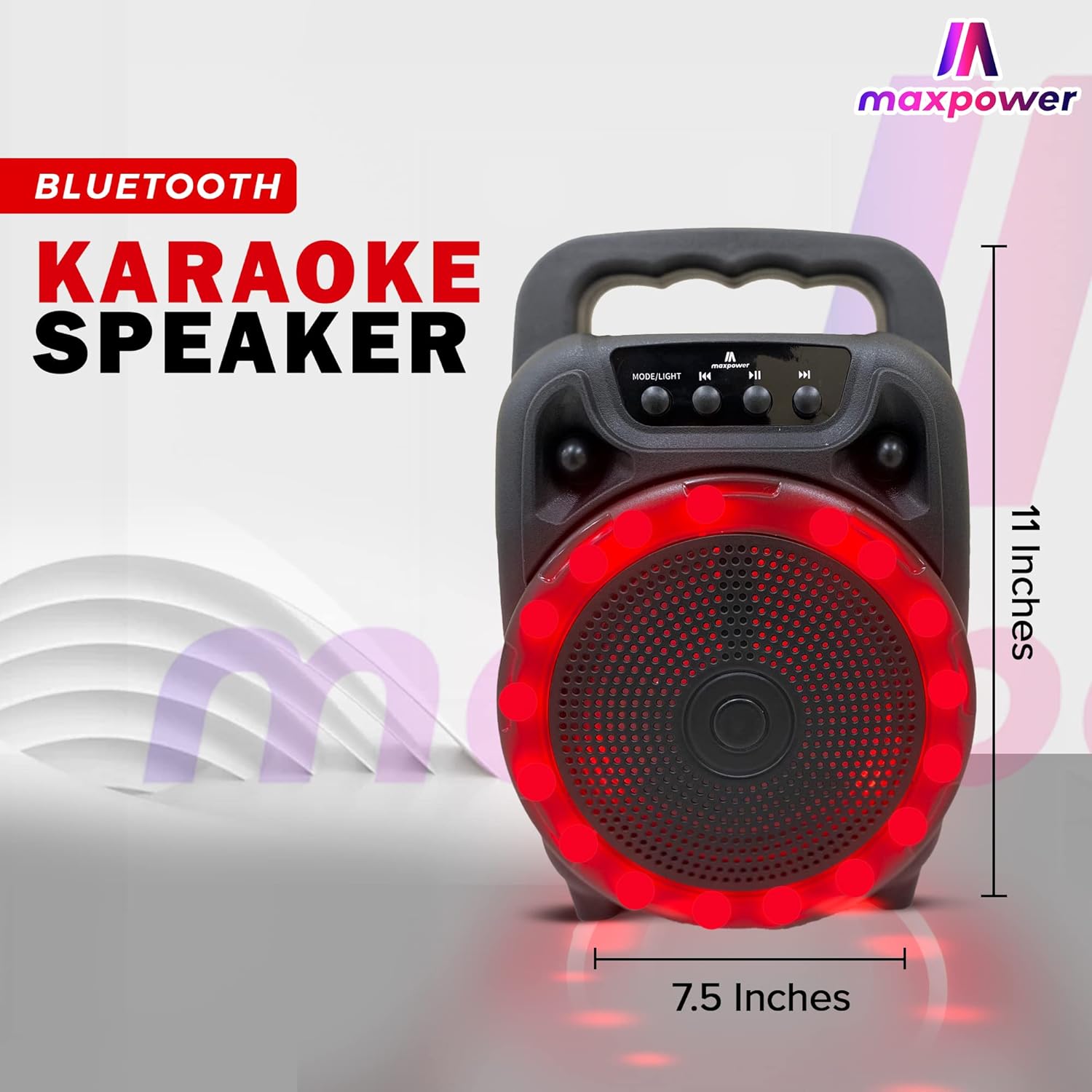
Figure 2: Side view of the Max Power MPD661 Portable Speaker, illustrating its compact dimensions of approximately 11 inches in height and 7.5 inches in width. The integrated carry handle is visible.
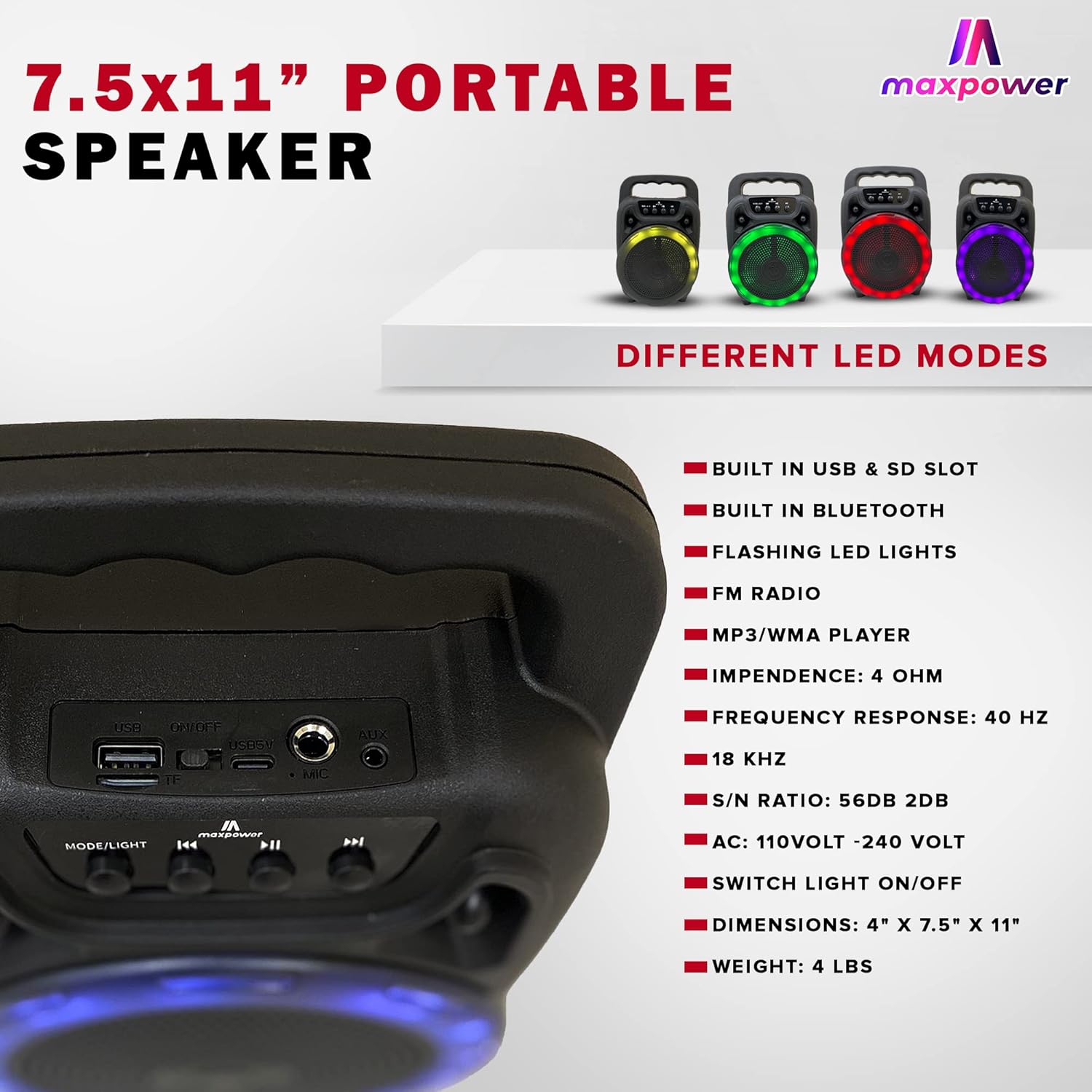
Figure 3: Rear panel of the Max Power MPD661 Portable Speaker, detailing the USB port, SD card slot, and microphone input. Key technical specifications are also listed next to the image.
Control Panel and Ports:
- MODE/LIGHT Button: Press to switch between Bluetooth, FM Radio, USB, and SD card modes. Long press to toggle LED lights on/off.
- Previous Track Button: Press to go to the previous track. Long press to decrease volume.
- Play/Pause Button: Press to play or pause audio. In FM mode, long press to auto-scan and save stations.
- Next Track Button: Press to go to the next track. Long press to increase volume.
- USB Port: For USB flash drive playback.
- SD Card Slot: For SD card playback.
- MIC Input: 6.35mm jack for connecting a microphone.
- AUX Input: 3.5mm jack for connecting external audio devices.
- DC 5V Input: Type-C port for charging the speaker.
Setup and Charging
Initial Charging:
Before first use, fully charge the speaker. Connect the supplied Type-C charging cable to the DC 5V input port on the speaker and the other end to a standard USB power adapter (not included) or a computer USB port. The charging indicator light will illuminate during charging and turn off when fully charged.
The speaker features a built-in Type-C charger that enables faster charging.
Powering On/Off:
Locate the power switch, usually on the rear or side panel. Flip the switch to the "ON" position to power on the speaker. Flip to "OFF" to power off.
Operating Instructions
Bluetooth Mode:
- Power on the speaker. It will automatically enter Bluetooth pairing mode, indicated by a flashing LED light or an audible prompt.
- On your mobile device (smartphone, tablet, etc.), enable Bluetooth and search for available devices.
- Select "MPD661" from the list of devices. Once connected, you will hear a confirmation sound.
- You can now play audio from your device through the speaker. Use the speaker's control buttons or your device to adjust volume, play/pause, and skip tracks.
USB/SD Card Playback:
- Insert a USB flash drive or SD card (pre-loaded with MP3/WMA audio files) into the respective port.
- The speaker will automatically switch to USB or SD card mode and begin playing audio. If not, press the "MODE/LIGHT" button to select the correct mode.
- Use the Previous/Next Track buttons to navigate through songs and the Play/Pause button for playback control.
FM Radio Mode:
- Press the "MODE/LIGHT" button until you hear the FM radio prompt.
- Long press the Play/Pause button to initiate an automatic scan for available FM stations. The speaker will save all found stations.
- Use the Previous/Next Track buttons to switch between saved FM stations.
Karaoke Function:
- Connect a wired microphone (not included) to the MIC input port.
- Play music via Bluetooth, USB, or SD card mode.
- Adjust the microphone volume and echo (if available on your microphone) for optimal sound.
LED Light Control:
The speaker features flashing LED lights. Long press the "MODE/LIGHT" button to toggle the LED lights on or off. The speaker supports different LED display modes.

Figure 4: Illustration of the Max Power MPD661 Portable Speaker displaying various LED light color options, including green, red, blue, and purple, which can be cycled through.
Maintenance and Care
- Cleaning: Use a soft, dry cloth to clean the speaker's exterior. Do not use abrasive cleaners or solvents.
- Storage: Store the speaker in a cool, dry place away from direct sunlight and extreme temperatures.
- Battery Care: To prolong battery life, avoid fully discharging the battery frequently. Charge the speaker regularly, even if not in use for extended periods.
- Water Resistance: This speaker is not waterproof. Avoid exposure to water or excessive moisture.
- Handling: Do not drop or subject the speaker to strong impacts.
Troubleshooting
| Problem | Possible Cause | Solution |
|---|---|---|
| Speaker does not power on. | Battery is depleted. Power switch is off. | Charge the speaker fully. Ensure the power switch is in the "ON" position. |
| No sound from speaker. | Volume is too low. Incorrect mode selected. Device not connected via Bluetooth. | Increase volume on both speaker and connected device. Press "MODE/LIGHT" to select correct input. Re-pair Bluetooth device. |
| Bluetooth connection unstable. | Device is too far from speaker. Interference from other devices. | Move device closer to the speaker (within 33 feet/10 meters). Avoid obstacles between devices. Turn off other Bluetooth devices. |
| USB/SD card not playing. | Incorrect file format. Card/drive not inserted correctly. | Ensure files are MP3/WMA format. Re-insert the USB drive or SD card firmly. |
Specifications
| Feature | Detail |
|---|---|
| Model Number | MPD661 (647625056175) |
| Dimensions | 4" x 7.5" x 11" (approx. 10.16 cm x 19.05 cm x 27.94 cm) |
| Weight | 2.18 pounds (approx. 0.99 kg) |
| Connectivity | Bluetooth, USB, SD Card, AUX |
| Audio Input | Bluetooth, USB |
| Frequency Response | 40 Hz - 18 KHz |
| S/N Ratio | 56dB ± 2dB |
| Impedance | 4 OHM |
| Power Source | Battery Powered (1 Lithium Ion battery, included) |
| Charging Port | Type-C (DC 5V) |
| Supported Audio Formats | MP3/WMA |
| Features | Flashing LED Lights, FM Radio, Karaoke Function |
Safety Information and Warnings
WARNING: Cancer and Reproductive Harm - www.P65Warnings.ca.gov
- Do not expose the speaker to extreme temperatures, direct sunlight, or high humidity.
- Do not disassemble, repair, or modify the speaker yourself. This will void the warranty and may cause damage or injury.
- Keep the speaker away from children and pets.
- Use only the specified charging cable.
- Avoid listening at high volumes for extended periods to prevent hearing damage.
Warranty and Support
For warranty information or technical support, please contact Max Power customer service. Refer to the product packaging or the official Max Power website for contact details.
Please have your model number (MPD661) and UPC (647625056175) ready when contacting support.
Related documentsMPD661


Ask a question about this manual
Ask about setup, troubleshooting, compatibility, parts, safety, or missing instructions. Manuals+ will review the question and use this page’s manual context to help answer it.